
BUFFALO LinkStation SoHo 220 2-Bay Personal Cloud Office NAS 4TB (2x2TB) with Hard Drives Included
4.1Editor score
Two-bay mirrored storage
Personal cloud access
Folder-level file sharing
Automated computer backups
Our Buffalo NAS guide compares ten models for capacity, RAID, networking, security, backup, and suitability across homes, offices, and professional workloads.
A Buffalo NAS gives homes and offices a private, always-available place to store shared files, protect important data, and run backups without relying entirely on cloud services. The right model depends on storage capacity, drive bays, RAID design, network speed, operating system needs, and the number of people who will access it.
The products in this guide span compact single-bay units, two-bay personal cloud systems, four-bay desktop and rackmount models, and a Windows Server edition. We compared their stated hardware, storage configurations, RAID options, connectivity, security features, backup utilities, cloud integration, warranty coverage, and intended workloads.
Each review explains where a particular model fits and which compromises buyers should understand before purchasing. The top selections highlight strong all-around choices for different budgets and requirements. Product availability, features, and pricing can change, so confirm the current listing and technical details before ordering.
4.1Editor score

4.8Editor score
4.3Editor score
The comparison below organizes all ten models by core hardware, storage configuration, connectivity, and practical role, making it easier to identify the right Buffalo NAS for a home, small office, or business file server.




The Buffalo LinkStation 210 is a straightforward one-bay NAS for households that want a central location for shared files and computer backups. It includes a 6TB hard drive and has a 3.9 rating. Its defining advantage is simplicity: a closed system, subscription-free personal cloud access, and management tools designed to get a home network organized without extensive server administration.
We may earn a commission when you buy through this link, at no additional cost to you.
The unit can store videos, music, photographs, and general documents while making them available to connected devices. Folder-level access restrictions help separate private material from shared content, while SSL encryption supports more secure file transfers. Included NAS Navigator and PC backup software support scheduled backups, making the model particularly relevant to users who want automatic protection rather than occasional manual copies.
The most important limitation is the single drive bay. With only one installed drive, the system does not provide RAID mirroring, so a drive failure would affect the data unless a separate backup strategy is in place. It also lacks the multi-bay expandability and faster network connections found on the TeraStation and newer SoHo models, making it less suitable for growing professional workloads.
This is a sensible recommendation for one or two people, a family, or a simple home office that needs shared storage, remote access, and scheduled backups. Buyers who need immediate redundancy should move up to a two-bay model, while larger creative or business collections benefit from a four-bay network with higher transfer speeds.
The subscription-free personal cloud lets users organize and access stored media without a recurring storage fee. It provides a practical way to centralize family or home-office files on a private network-attached appliance.
Included NAS Navigator and PC backup software can automate backups from connected computers. This reduces the chance that important documents will remain stored on only one local machine.
We may earn a commission when you buy through this link, at no additional cost to you.
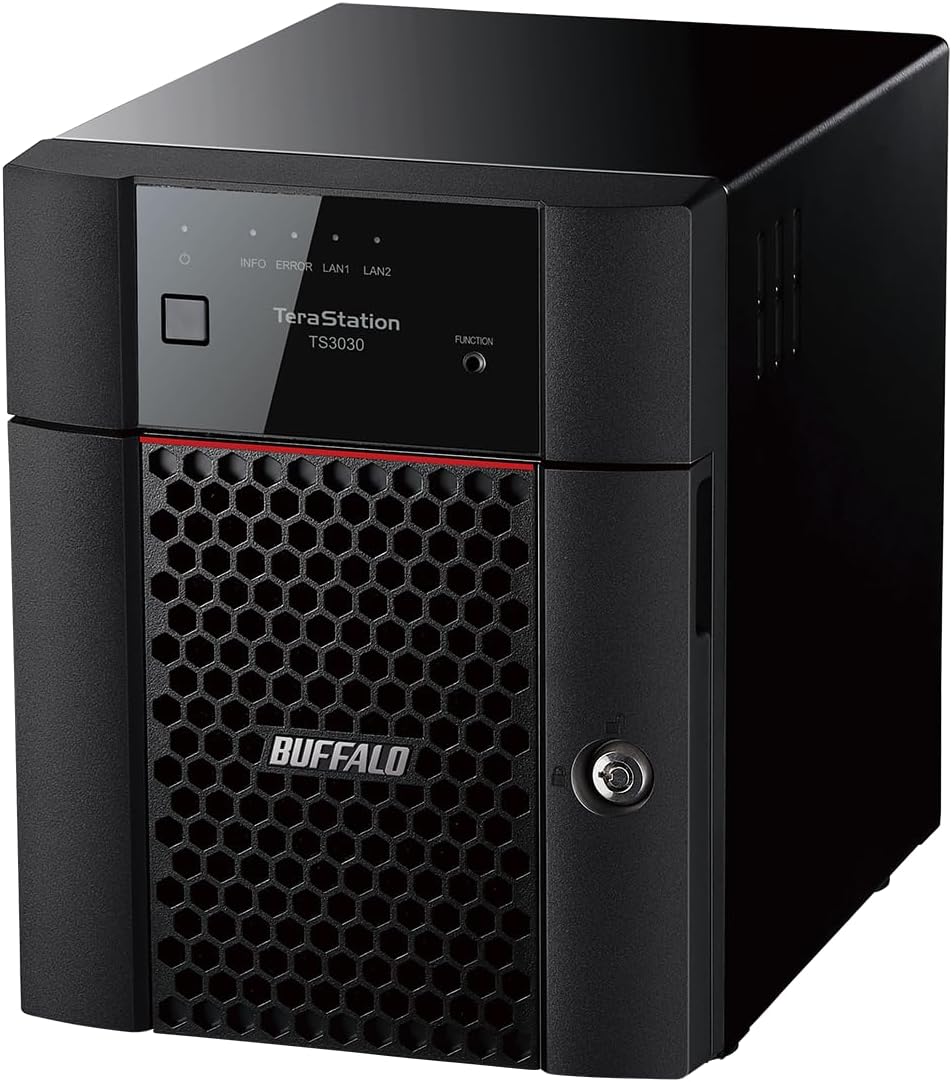
The BUFFALO TeraStation Essentials 2025 combines four included 6TB drives with native 2.5GbE networking, making it a strong premium desktop choice for buyers who want substantial capacity without moving into a full business server. It carries a 4.3 rating and ships in RAID 5, with 18TB of stated usable capacity, while also supporting RAID 6 and RAID 0 configurations.
We may earn a commission when you buy through this link, at no additional cost to you.
Its four pre-tested hard drives create a storage pool that can be adapted as redundancy requirements change. The closed system and 256-bit drive encryption focus attention on data protection, while replication and backup features broaden the recovery options. Cloud synchronization with Amazon S3, Dropbox, Azure, and OneDrive supports a hybrid-cloud approach without requiring every file to remain on the local appliance.
The tradeoff is that RAID 5 does not use the full 24TB, and changing to RAID 6 reduces usable capacity further. Buyers who need every available byte may prefer RAID 0, but that configuration sacrifices the redundancy built into the default arrangement. The four-drive desktop design also requires more space and power than a compact two-bay unit.
This model is well matched to small creative teams, branch offices, and advanced home users who regularly move large media or project files. It is a particularly compelling choice when a 1GbE connection would become a bottleneck, while 2.5GbE remains a more approachable step than the native 10GbE offered by the TeraStation 5420DN.
The native 2.5GbE port supports substantially quicker transfers than standard Gigabit Ethernet when the client and network equipment also support that speed. This is useful for large media libraries, compressed video files, and frequent backups.
The default RAID 5 configuration balances usable space with protection, while RAID 6 offers additional redundancy and RAID 0 exposes the full capacity. RAID selection should reflect the importance of availability and recovery rather than raw capacity alone.
We may earn a commission when you buy through this link, at no additional cost to you.
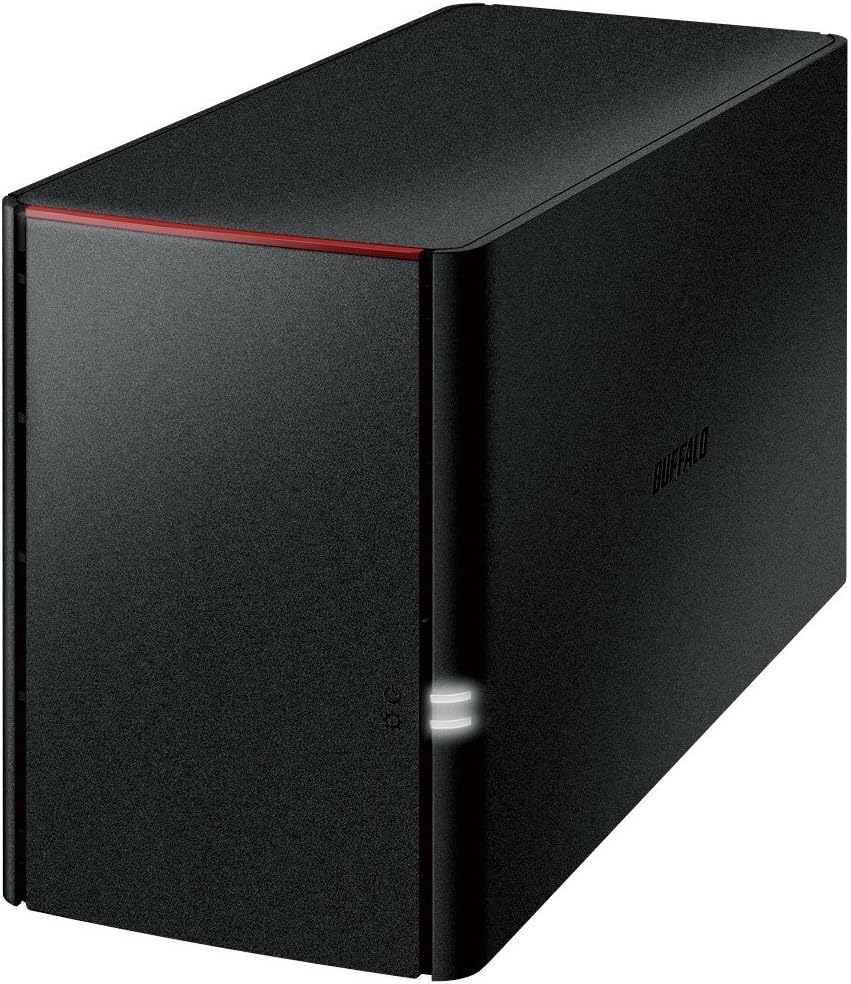
The Buffalo LinkStation SoHo 220 is the most balanced entry in this roundup for a home or small office that wants mirrored storage. Its two included 2TB drives operate in RAID 1, providing 2TB of usable capacity, and the system holds a 4.1 rating. Compared with the one-bay LinkStation 210, it adds a meaningful layer of drive-failure protection.
We may earn a commission when you buy through this link, at no additional cost to you.
The feature set covers the core needs of a personal cloud: centralized storage, remote access, shared folders, automated computer backups, and individual access controls. Windows and macOS compatibility is stated, although the supplied information limits macOS support to version 15 and earlier and points buyers toward the SoHo 720 for macOS 26. USB direct copy also allows photos, videos, and files to be imported without routing everything through a computer.
RAID 1 is intentionally conservative: it duplicates data across both drives and therefore halves the available space. The included 4TB becomes 2TB of usable storage, so buyers must estimate their actual retention needs rather than relying on the combined drive capacity. The lack of a faster native network connection may also limit sustained transfers across a large modern network.
This SoHo 220 is recommended for families and small teams that want affordable mirrored storage, personal cloud functionality, and direct backups without the complexity of a Windows Server or rackmount system. It offers more resilience than a single-bay NAS and a simpler experience than the professional TeraStation models.
RAID 1 keeps matching copies on the two included drives, so the loss of one drive does not by itself make the data unavailable. It is a practical starting point for important documents and a shared family media collection.
The direct-copy function can move files from cameras, phones, or other USB storage to the NAS without a computer. That makes initial imports and routine media transfers more convenient.
We may earn a commission when you buy through this link, at no additional cost to you.
The BUFFALO TeraStation 5420DN stands out as the strongest overall Buffalo NAS in this guide. It combines four included 8TB NAS-grade drives, native 10GbE connectivity, iSCSI-oriented business storage, and a 4.8 rating—the highest customer rating among the listed products. Its 32TB raw array is intended for organizations that need substantial centralized storage.
We may earn a commission when you buy through this link, at no additional cost to you.
Data protection is a central strength. The closed system, 256-bit drive encryption, and two-factor authentication add layers of control, while snapshots can be used to recover files quickly with minimal disruption and help mitigate ransomware effects. The default RAID 5 configuration offers 24TB of usable capacity, and RAID 6 or RAID 0 can be selected according to redundancy or capacity priorities.
Native 10GbE makes this system materially different from conventional home NAS units, but that advantage requires compatible client adapters, switches, and network infrastructure. The stated capacity is also raw rather than fully available after RAID and filesystem overhead. Buyers should ensure their workflows justify a business desktop chassis and a more advanced storage platform than a simple personal cloud.
The 5420DN is the top recommendation for professional studios, design teams, engineering offices, and businesses that repeatedly move large files or need rapid recovery. It is less compelling for a single computer user, yet it delivers the most complete balance of capacity, security, transfer speed, and enterprise-oriented recovery features in the lineup.
A native 10GbE connection can remove the bottlenecks associated with standard Gigabit networking when suitable clients and switches are present. It is especially valuable for video, virtual-machine, engineering, and design workflows involving many large files.
Snapshots provide near-instant recovery points that can limit disruption and help reduce the impact of ransomware or accidental changes. They complement, rather than replace, separate or off-site backups.
We may earn a commission when you buy through this link, at no additional cost to you.
The BUFFALO TeraStation Essentials 4-Bay Value-Focused Rackmount NAS is built for buyers who want a four-bay rack-oriented system with modern networking but a relatively modest included capacity. It includes four 2TB drives and has a 4.4 rating. The enclosure is intended for a rack environment, making it more suitable for an office closet or equipment room than a living room.
We may earn a commission when you buy through this link, at no additional cost to you.
Native 2.5GbE helps improve transfer performance for larger files, while the closed architecture, 256-bit drive encryption, and flexible replication features support a security-conscious configuration. It also synchronizes with Dropbox, Amazon S3, Microsoft Azure, and OneDrive, allowing local storage to operate as part of a hybrid-cloud workflow. The supplied information specifically directs iSCSI buyers toward the TeraStation 3420RN series.
The default RAID 5 array provides only 4TB of usable capacity from 8TB of raw drives. Switching to RAID 6 improves redundancy but reduces usable space, while RAID 0 offers the full 8TB without RAID protection. This capacity is modest for a rackmount four-bay system, so the inclusion of larger drives may be worth considering if the device and current configuration support that approach.
It is a practical choice for a small business or enthusiast who specifically wants a rackmount form factor, four-bay flexibility, and 2.5GbE performance. Buyers seeking abundant storage should compare the 24TB Essentials desktop model, while organizations requiring iSCSI should follow Buffalo's stated recommendation for the dedicated 3420RN family.
The rackmount enclosure and four drive bays suit offices that already manage equipment in a rack. It provides a more structured installation than a loose desktop unit without moving into a full enterprise platform.
RAID 5 balances protection and usable space, RAID 6 adds another layer of redundancy, and RAID 0 prioritizes capacity. The correct choice depends on the value of the data and the available backup strategy.
We may earn a commission when you buy through this link, at no additional cost to you.
The BUFFALO TeraStation WS5220DN is the most specialized model in this guide, built around native Windows Server IoT 2025 for the Storage Workgroup edition. It includes two 2TB NAS-grade drives and requires no client-access licenses. That makes it interesting for organizations already standardized on Microsoft server features, identity management, and backup tooling.
We may earn a commission when you buy through this link, at no additional cost to you.
Its stated capabilities include Windows Server data management, hybrid-cloud integration with Azure and OneDrive, and NovaBACKUP software licenses for professional server and PC backups. The two included drives ship in RAID 1, giving 2TB of usable capacity and maintaining a mirrored copy for protection. A 3-year warranty is included, with an optional five-year extension and registered-product data recovery qualification.
Because the supplied listing does not include an established customer rating, this model offers fewer visible user signals than the other products. It also demands more relevant expertise than a consumer-oriented personal cloud, and organizations may need to assess Windows Server administration, application support, licensing expectations, and infrastructure compatibility before committing.
The WS5220DN is best for small businesses that specifically want a Windows Server IoT file server and already use Microsoft-compatible services. It is less appropriate for a simple household seeking plug-and-play shared storage, where a LinkStation or standard TeraStation would offer a less specialized experience.
Native Windows Server IoT 2025 provides a familiar platform for organizations that already depend on Windows administration and Microsoft-compatible cloud services. The Storage Workgroup edition is intended for a focused file-server role.
Included NovaBACKUP licenses support server and PC backup workflows. This makes the appliance more relevant to organizations seeking scheduled, centrally managed protection rather than basic shared storage alone.
We may earn a commission when you buy through this link, at no additional cost to you.
The Buffalo LinkStation 220 4TB NAS is a basic network storage device for users who need shared capacity on a home or small-office network. Its listed 4.8 rating reflects a user-friendly approach with a Marvell ARMADA 370 ARM processor running at 800MHz, 256MB of DDR3 memory, Gigabit LAN, TCP/IP, DLNA, and USB 2.0.
We may earn a commission when you buy through this link, at no additional cost to you.
Those specifications position it as a conventional entry-level file server rather than a high-performance appliance. Gigabit Ethernet is suitable for everyday documents and moderate media access, while DLNA enables compatible devices on the network to discover and play stored content. USB connectivity provides another route for attaching devices or moving information locally.
The limited specifications and older platform description warrant careful comparison with newer models. A USB 2.0 port may become a constraint for modern backup media or external storage, and 256MB of memory does not suggest a platform intended for intensive concurrent workloads. Buyers should also verify the current condition and included configuration of an older listing.
This LinkStation 220 is most useful as a straightforward, budget-conscious way to move files from individual computers onto shared network storage. It remains a practical option for basic home use, while buyers who need modern backup utilities, faster networking, RAID flexibility, or formal business features should favor one of the newer LinkStation SoHo or TeraStation models.
Gigabit Ethernet and standard network protocols provide a practical foundation for sharing files among computers on the same local network. This is the central role of the LinkStation 220.
DLNA support can simplify playback of stored media on compatible televisions, consoles, and other devices. The feature makes the NAS useful as a simple household media repository.
We may earn a commission when you buy through this link, at no additional cost to you.
The Buffalo TeraStation 1200D is a traditional two-bay desktop NAS aimed at small offices and home offices that value straightforward setup and mirrored storage. It has a 4 rating and includes two drives totaling 4TB. Those drives ship in RAID 1, leaving 2TB of usable capacity while providing protection against the loss of one drive.
We may earn a commission when you buy through this link, at no additional cost to you.
Its personal cloud layer allows access to stored files from PCs, Macs, tablets, and smartphones when an internet connection is available. The system connects to a router or switch for immediate network storage, and bundled server and PC backup and data recovery software adds practical management tools. The supplied information also highlights 24/7 North American support and a three-year warranty.
Its trade-offs are rooted in age and capacity. RAID 1 means the nominal 4TB drive total is not fully available, and the design lacks the native 2.5GbE performance and newer security features found in recent TeraStation models. For a buyer comparing an older listing, confirming the installed operating system, management software, and current drive status is especially important.
The 1200D remains a compelling option when mirrored storage, accessible personal cloud functions, and traditional NAS backup features matter more than maximum performance. New installations with rapidly growing data sets may be better served by a four-bay 2.5GbE model, but offices needing a familiar file-server foundation should examine this system carefully.
RAID 1 duplicates active data across the two included drives. For a small office, this offers a useful balance between protected storage and a simple two-bay footprint.
Personal cloud access extends storage beyond the office, while bundled backup utilities help protect connected computers and servers. Together, these features support both centralized storage and recovery planning.
We may earn a commission when you buy through this link, at no additional cost to you.
The Buffalo NAS ls220dg Series is a compact two-bay network appliance designed for family photos, music, television content, and files that need protection from a single hard-drive failure. It has a 3.9 rating and includes two drives totaling 4TB. During mirroring, however, the usable capacity is half of the combined drive capacity, or 2TB.
We may earn a commission when you buy through this link, at no additional cost to you.
Its core connection set is simple: one Gigabit Ethernet port and one USB 2.0 port. The supplied information highlights access from smartphones, tablets, and PCs, along with mirroring for important family photos, music, and work data. The enclosure measures approximately 87 by 128 by 205 millimeters and weighs about 2.5 kilograms, making it manageable for a shelf or small office.
The USB 2.0 interface is the main modern limitation, especially when moving large files from external media or performing extensive local backups. The listed one-year warranty is also shorter than the three-year coverage associated with several TeraStation models. Users should treat mirroring as protection against one drive failure, not as a substitute for a separate or off-site backup.
This model is a sensible fit for users whose main priority is a simple mirrored media repository with access from multiple device types. It is less compelling for fast local transfers, professional applications, or large archives, where a newer two-bay or four-bay network with faster connectivity would serve better.
The two-drive mirroring configuration helps protect important photographs and music if one disk fails. Its 2TB effective capacity is adequate for a focused collection rather than a large professional archive.
At roughly 87 by 128 by 205 millimeters, the enclosure is smaller than many four-bay desktop NAS units. That makes it easier to position near a router, television, or desk without dominating the space.
We may earn a commission when you buy through this link, at no additional cost to you.
The BUFFALO DriveStation Duo is technically a direct-attached storage appliance rather than a network NAS, but its two-drive RAID design makes it a useful companion for local backup workflows. It includes two 4TB NAS-grade drives and has a 3.8 rating. With RAID 1, the 8TB raw total becomes 4TB of usable mirrored capacity.
We may earn a commission when you buy through this link, at no additional cost to you.
USB 3.2 Gen 1 provides a fast, broadly compatible connection for PC and Mac users and for storage servers. NovaBACKUP Buffalo Edition can schedule automatic PC or office-server backups, while Time Machine support offers scheduled protection for compatible Mac systems. The hot-swap feature allows a failed drive to be replaced without powering down the enclosure, which reduces downtime.
The central limitation is that the DriveStation Duo depends on a directly connected host for access. It does not provide the always-on shared network storage or remote file services of the NAS models in this guide. Mac compatibility also requires appropriate formatting, so buyers should follow Buffalo's setup instructions rather than assuming a fully automatic cross-platform experience.
The DriveStation Duo is a strong recommendation for creative professionals, small offices, and backup administrators who want mirrored direct-attached storage, flexible scheduled backups, and hot-swappable serviceability. It works especially well as a local backup target for a workstation or server, while a LinkStation or TeraStation is the better choice for shared network access.
USB 3.2 Gen 1 makes the enclosure well suited to local backup and transfer tasks where sustained network sharing is unnecessary. It can also serve as a target for compatible storage servers.
RAID 1 preserves a duplicate copy, and the hot-swap design allows a failed hard drive to be replaced without shutting down the unit. These features make the enclosure practical for sustained desktop use.
We may earn a commission when you buy through this link, at no additional cost to you.
The right Buffalo NAS depends first on how the device will be used, then on usable capacity, drive protection, network speed, backup requirements, and management complexity. Comparing these factors before buying prevents a costly mismatch between the hardware and the intended workflow.
Advertised capacity usually describes the combined capacity of the installed drives, not the amount available to users. RAID 1 mirrors data, so two 4TB drives provide 2TB of usable space. RAID 5 distributes data with one drive's capacity used for parity, while RAID 6 uses two drives for parity. RAID 0 can expose the full combined capacity, but it provides no protection if a drive fails. Buyers should estimate current storage needs, expected growth, backup retention, and the cost of a larger array before selecting a model.
Drive bays determine the available redundancy and expansion options. A one-bay NAS is simple and inexpensive but cannot provide RAID mirroring. Two-bay models commonly use RAID 1 and can protect against a single drive failure. Four-bay systems support RAID 5, RAID 6, RAID 0, and other configurations, making them more flexible for growing data sets. A larger bay count also adds cost, power consumption, noise, and management complexity, so the number of bays should reflect realistic requirements rather than an aspirational maximum.
RAID helps maintain availability after certain drive failures, but it is not a backup. Mirrored arrays protect against one drive failing, RAID 5 tolerates one failure, and RAID 6 tolerates two in many implementations. Rebuild times, capacity overhead, and the risk of additional failures vary by configuration. The most important question is whether the NAS will be the sole copy of important data. If it will, pair RAID with a second device, cloud copy, or other independent backup method.
A Gigabit Ethernet connection is adequate for documents and many everyday media tasks, while 2.5GbE offers more headroom for large files and faster local backups. Native 10GbE is most useful for professional workflows that repeatedly move multi-gigabyte assets. The NAS is only one part of the connection, so client computers, the router or switch, and cabling must also support the intended speed. Otherwise, a faster NAS port will not deliver its full potential.
A NAS becomes most valuable when files are backed up consistently, not merely stored. Look for included PC backup utilities, scheduling, server backup support, snapshots, replication, and data recovery services. Windows and macOS compatibility matters when both platforms are used. macOS version support deserves particular attention because some LinkStation models are limited to macOS 15 and earlier, with newer operating systems pointing toward another Buffalo series. Time Machine support and direct USB copying can also reduce the friction of routine media imports.
A NAS is reachable by more devices and users than a standalone drive, so its security model deserves attention. Relevant features include a closed system, encrypted transfers, drive encryption, individual folder permissions, two-factor authentication, and safe cloud synchronization. The closed-system approach reduces exposure to third-party applications, while folder-level restrictions help separate personal, family, and business content. Administrators should also use strong credentials, keep the device updated, and avoid exposing management interfaces directly to the public internet.
A desktop NAS is usually the easiest choice for a home or small office, while a rackmount enclosure suits organizations that already maintain network equipment. Windows Server IoT models target businesses that require Microsoft-specific administration, cloud integration, and server backup features. Direct-attached storage is different again: it connects to one host by USB and is better suited to local backup than shared network access. Form factor and operating system should follow existing infrastructure and available maintenance expertise.
A NAS contains valuable files and may require setup help, drive replacement, or data recovery. Buffalo's stated coverage varies across the lineup, with some products offering two- or three-year warranties, optional extensions, 24/7 US-based support, hard-drive coverage, and data recovery service qualification. Longer coverage can provide useful reassurance, but it should be evaluated alongside the product's overall fit. Registered products may qualify for additional services, so setup and registration should be completed promptly.
Begin by placing the NAS in a cool, dry, ventilated location and connecting it to a reliable router or switch. Review the included setup instructions, connect the power and network cables, and use the Buffalo management utility to create an administrator account with a strong password. Confirm that the installed RAID configuration matches the intended level and verify that all drives are recognized before transferring important files.
Create shared folders according to who needs access, then assign individual permissions rather than making every folder public. Schedule computer or server backups and test a small restoration to confirm that the software, destination, and retention settings work. For internet access, prefer a secure remote-access method and keep firmware, management software, and client applications updated. Do not treat RAID as the only copy of critical data.
Monitor drive health, available capacity, and backup alerts through the management interface. Keep the system powered during normal use, provide adequate clearance for airflow, and avoid frequent abrupt shutdowns. If a drive fails, follow Buffalo's replacement procedure and confirm the correct bay, capacity, and compatible drive type. Maintain an additional backup outside the NAS and periodically verify that important files can actually be recovered.
A Buffalo NAS is better when several people or devices need shared access, centralized management, automated backups, or remote file services. A regular external drive is simpler and often more suitable for direct local transfers or a one-time backup. A NAS requires a network connection and some initial configuration, but it can serve as an always-available storage hub for a household or office.
No. RAID and drive redundancy help keep data available after certain drive failures, but they do not protect against accidental deletion, ransomware, device failure, theft, or corruption affecting every copy. Important files should also be copied to a separate physical device, another network appliance, or an appropriate cloud service. Restoring a small test file periodically confirms that the backup process works.
RAID 0 combines drives for maximum performance and full capacity but provides no drive-failure protection. RAID 1 mirrors data, making two drives act as one with about half the raw capacity. RAID 5 distributes data with one drive reserved for parity, while RAID 6 uses two drives for parity and tolerates more failures at the cost of additional capacity. RAID is primarily a redundancy tool, not a substitute for backups.
Gigabit Ethernet is usually sufficient for documents, general file sharing, and many media libraries. A 2.5GbE connection can make a noticeable difference with large media files and fast local backups, provided the computer and switch support it. Native 10GbE is most appropriate for professional workloads that move very large files repeatedly, and it usually requires compatible client hardware and network infrastructure.
Many Buffalo models support Windows and macOS, but compatibility can depend on the model and operating-system version. The supplied LinkStation 210 and SoHo 220 information states support for macOS 15 and earlier and recommends another series for macOS 26. Confirm the current operating-system requirements before buying, particularly for an existing mixed-platform office.
The DriveStation Duo is direct-attached storage rather than a networked NAS. It connects by USB to a PC, Mac, or compatible storage server and provides mirrored RAID, scheduled backups, and hot-swappable drives. It is a useful local backup target, but unlike a Buffalo NAS it does not independently provide shared network access to multiple clients.
Usable space depends on the number of drives and RAID configuration. A two-bay RAID 1 system with 4TB of raw drives provides about 2TB of usable space. The 24TB four-bay Essentials model lists 18TB usable in RAID 5, while the 32TB TeraStation 5420DN lists 24TB. Filesystem overhead, drive specifications, and system use can cause the final available capacity to vary slightly.
Check the management software and notifications to identify the failed bay, then follow Buffalo's replacement instructions for that model. Confirm that the replacement drive meets the system's compatibility and capacity requirements, and avoid removing a healthy drive unnecessarily. After replacement, allow the array to rebuild and verify that backups remain current. RAID recovery should not be confused with restoring files that were deleted or corrupted before the failure.
The BUFFALO TeraStation 5420DN is the strongest all-around option because it combines 32TB of included raw capacity, native 10GbE, snapshots, encryption, and two-factor authentication. The TeraStation Essentials 2025 offers a more accessible premium desktop path with 2.5GbE, while the LinkStation SoHo 220 is the budget-friendly choice for users who mainly need two-bay mirrored personal-cloud storage.
Prioritize usable capacity, RAID protection, backup tools, and client compatibility over headline specifications. Fast networking is valuable only when the rest of the network can support it, and a larger bay count is useful only when the storage plan justifies the added cost and complexity. For Windows-focused organizations, the WS5220DN offers a distinct server platform, while the DriveStation Duo makes more sense as a direct-attached backup target.
Before ordering, verify the current listing, included drives, operating-system support, warranty terms, and necessary accessories. Product configurations and prices can change, and the fastest or largest NAS is not automatically the best choice for every household or office. Choose the model that matches the data, workload, and level of administration you can maintain.