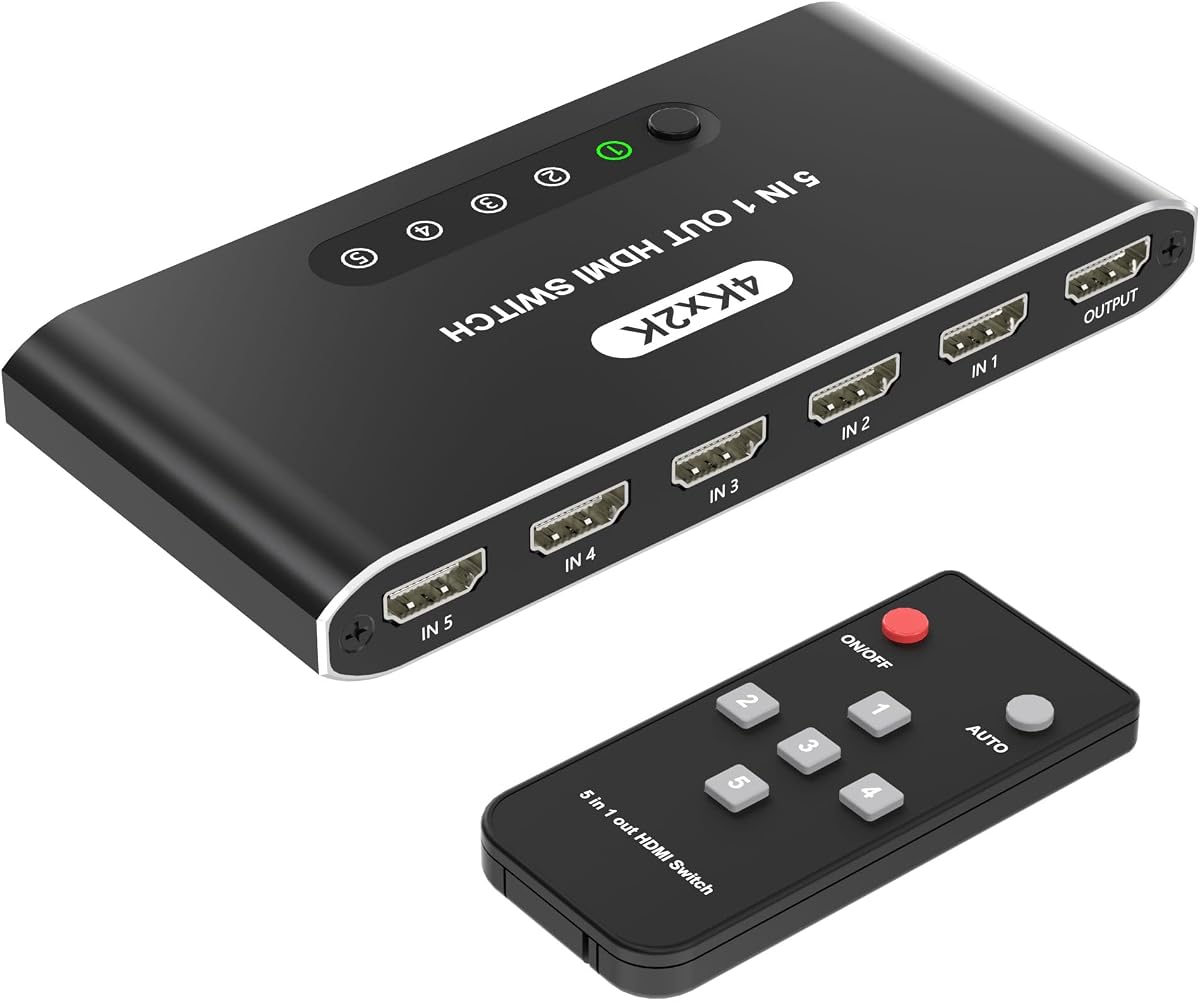
5 in 1 HDMI Switch
4.6Editor score
Five convenient HDMI inputs
Automatic source detection
USB-powered compact design
This 5 Port HDMI Switch guide compares ten models for 4K and 8K performance, switching options, gaming features, compatibility, and setup ease.
A 5 Port HDMI Switch solves a familiar entertainment problem by letting multiple consoles, streaming devices, computers, and disc players share one television or projector input. A worthwhile model should provide stable video, convenient source selection, useful bandwidth, and dependable compatibility with the equipment in your home.
This guide compares ten five-input HDMI switches according to supported resolution, refresh rate, HDR and audio features, switching methods, construction, power requirements, remote-control convenience, and device compatibility. It covers practical options for 4K entertainment, high-refresh gaming, compact media setups, and installations that need automatic source detection.
The recommendations show which product best fits each priority, from value-focused switching to advanced 8K and HDMI 2.1 performance. Specifications can vary with the source device, display, GPU, cables, and firmware, so confirm your equipment requirements before buying. Product pricing and availability also change over time.
4.6Editor score

4.6Editor score

4.3Editor score
The table below compares all ten switches by their most important characteristics, including maximum video mode, switching behavior, key gaming support, and power design. Use these differences to narrow the field before reading the detailed reviews.


The UGREEN HDMI Switch 5 in 1 Out is a well-rounded 4K selector for users who want five sources behind one display connection. It carries a 4.3 rating and stands out through broad device support, a 4K at 60Hz target, 18Gbps bandwidth, and a remote that removes the need to reach behind the television. Its five-input layout is especially practical for mixed gaming and streaming setups.
We may earn a commission when you buy through this link, at no additional cost to you.
The switch supports HDMI 2.0 and HDMI 1.4, HDCP 2.2 and 1.4, VRR, HDR, 3D, and several chroma formats. Backward compatibility includes 4K at 30Hz, 2560 by 1440 at 120Hz, and 1920 by 1080 at 240Hz. That flexibility makes it a sensible center for a PlayStation, Xbox, Nintendo Switch, streaming stick, laptop, disc player, and other HDMI sources.
There are some practical limitations. Automatic switching is not supported, so users must select a source with the remote or the physical button. The model also lacks ARC or eARC pass-through, meaning it is designed primarily for sending video and normal HDMI audio to a display rather than carrying television audio back through a soundbar or receiver. A power adapter and HDMI cables are not included, although a USB power cable is provided.
The switch is best for a living room where several 4K sources need convenient remote operation without demanding 8K bandwidth. Cable length matters when using 4K at 60Hz, with the input and output runs each needing to stay within the specified limit. For users who do not need 8K or automatic detection, this UGREEN offers a balanced feature set and familiar brand support.
The included infrared remote has a listed control range of up to 33 feet, making it easier to change sources without approaching the entertainment center. A manual button provides a dependable fallback, while five LEDs identify the selected input at a glance.
VRR support can be valuable for compatible consoles and displays, while the broad source list makes it easy to combine gaming, streaming, and disc playback. Keep the switch connected to power and use appropriately rated HDMI cables for stable performance.
We may earn a commission when you buy through this link, at no additional cost to you.
The acer 5 in 1 Out HDMI Switch is an approachable 4K selector designed for home theaters, gaming stations, offices, and conference rooms. Its 4.1 rating reflects a generally practical feature set, with five inputs, 4K at 60Hz support, remote and physical switching, and a wide-angle infrared receiver. It is a strong alternative when 8K is unnecessary.
We may earn a commission when you buy through this link, at no additional cost to you.
The switch supports HDMI 2.0 and HDMI 1.4, HDCP 2.3, HDR, 3D, and 18Gbps transmission. Its listed compatibility includes PS5, Xbox, Nintendo Switch, Roku, Apple TV, laptops, televisions, and projectors. Gold-plated ports, a metallic-style enclosure, and underside ventilation are designed to support durable connections and heat dissipation during extended use.
Automatic switching is not available, which means the product works best for people who know which source they want or prefer deliberate remote selection. The supplied USB-A to USB-C cable provides power, but a wall adapter is not included, and the product should remain connected to a suitable power source for full performance. Remote batteries and HDMI cables must also be supplied separately.
This Acer model suits users who want 4K at 60Hz without paying for an 8K-capable switch. It also fits presentation rooms where a laptop, projector, and media player share one display. For 4K at 60Hz, the total cable length should remain within the specified limit, so the box should be positioned carefully within the entertainment setup.
Five inputs provide room for several consoles and media sources without relocating equipment each time. The switch suits spaces where a single television or projector is connected to changing computers, streaming devices, and players.
The wide-angle fisheye infrared receiver is intended to make remote control more dependable across different viewing positions. Physical buttons remain useful during initial setup or when a user prefers direct control over the box.
We may earn a commission when you buy through this link, at no additional cost to you.
The HDMI 2.1 Switch 5 in 1 Out 8K 60Hz 4K 120Hz is the premium-oriented choice for users who want headroom for advanced displays and gaming systems. Its 4.3 rating is supported by 48Gbps bandwidth, 8K at 60Hz, 4K at 120Hz, and 2K at 240Hz targets. It also offers both automatic source detection and a deliberately selected manual mode.
We may earn a commission when you buy through this link, at no additional cost to you.
Gaming features include VRR, ALLM, and Quick Frame Transport, with the listed goal of reducing tearing, stuttering, and input lag in compatible systems. The switch also advertises HDR10+ and Dolby Vision, zero-compression transmission, and HDCP 2.3. Compatibility spans PS5, Xbox Series X, Nintendo Switch, PCs, 4K disc players, 8K televisions, projectors, VR headsets, and capture cards.
Real-world performance still depends on the entire signal chain. Eight-bandwidth modes require HDMI 2.1 cables, and the source, display, graphics output, and game must all support the selected format. The product also requires two AAA batteries for its remote, and those are not included. Automatic switching is convenient, but the manual mode is useful when presentations or games should not be interrupted by signal detection.
This is the strongest recommendation for a premium 8K gaming installation where a five-source selector must handle several generations of equipment. It also makes sense for creators using high-resolution displays or capture devices. Buyers should verify that their most demanding source and display can actually deliver 8K or high-refresh 4K before purchasing.
Automatic detection makes the box convenient when one source wakes or becomes active. Manual mode provides control over source changes, which can be important during competitive gaming, meetings, and uninterrupted video presentations.
A 48Gbps pipeline and support for 8K, 4K high refresh, VRR, and ALLM make this suitable for modern gaming ecosystems. The specification is most useful when paired with compatible HDMI 2.1 cables and source hardware.
We may earn a commission when you buy through this link, at no additional cost to you.
The Kinivo HDMI Switch 5 in 1 Out 4K 60Hz is a well-known 4K option with a 4.4 rating, giving it one of the stronger overall ratings in this group. Its aluminum alloy housing, 24K gold-plated connectors, 18Gbps bandwidth, and 4K at 60Hz support make it appealing for a polished entertainment system that does not require 8K.
We may earn a commission when you buy through this link, at no additional cost to you.
HDR10, Dolby Vision, Dolby Atmos, HDCP 2.2, VRR, and ALLM cover many of the features modern displays and source devices use. The compatibility list includes current and older consoles, streaming devices, disc players, set-top boxes, Raspberry Pi, laptops, projectors, and monitors. The included remote and front switch button provide two deliberate ways to change sources.
The specification mentions three switching modes, but the product notes clarify that not every source supports automatic switching. Devices such as Apple TV, Xbox One, PS5, PS4, and Roku may therefore require manual selection. Buyers should not treat auto switching as a universal feature. The supplied information also does not list a power adapter, so the required power arrangement should be confirmed before setup.
Kinivo is a good match for a mixed media console featuring a game system, streaming stick, disc player, and set-top box. The two-year warranty and lifetime US-based customer support are useful additions. Choose this model for dependable 4K selection and broad compatibility, and select a more advanced HDMI 2.1 box if 8K or very high refresh rates are central to your setup.
The aluminum alloy shell is intended to dissipate heat efficiently during extended operation. Gold-plated connectors also help the enclosure resist corrosion while maintaining consistent signal connections.
Dolby Vision, Atmos, HDR10, VRR, and ALLM allow the switch to serve both a media hub and a gaming selector. Actual format support still depends on every connected device, including the television or projector.
We may earn a commission when you buy through this link, at no additional cost to you.
The UGREEN 8K at 60Hz HDMI Switch combines five inputs with a 40Gbps data path and support for 8K at 60Hz. Its 4.2 rating reflects a capable high-resolution option, particularly for gamers who want more bandwidth than a conventional 4K switch provides. The aluminum housing and included power adapter give it a more complete package than many competing models.
We may earn a commission when you buy through this link, at no additional cost to you.
Video support includes 4K at 60Hz, 1080p at 240Hz, HDMI 2.0 and 1.4, 3D, Dynamic HDR10+, Dolby Atmos, and HDCP 2.3. VRR is included for smoother motion with compatible games and displays. The remote has a listed range of up to 33 feet, while a front button and five LED indicators provide direct feedback and manual control.
Automatic switching is not supported, so a user who switches between several streaming services may need to press a button each time. ARC pass-through is also absent. High-resolution performance is sensitive to cable placement: the input cable should be no longer than the specified short distance, and the output run should likewise remain within its limit. Using long, high-speed cables indiscriminately can undermine the advertised modes.
This UGREEN works best for a gaming-focused setup with an 8K television, modern console, and compatible PC. It can also handle standard 4K media devices, but there is little benefit to paying for extra bandwidth if the display and source cannot use it. Buyers should match the switch to their actual maximum resolution and refresh-rate combination.
The 40Gbps path supports 8K at 60Hz while remaining compatible with lower 4K and high-refresh modes. That makes the box a forward-looking option for early adopters with suitably capable equipment.
Remote control, a physical button, and five status indicators provide a straightforward way to identify and change the active source. The power adapter is included, reducing setup uncertainty compared with USB-only alternatives.
We may earn a commission when you buy through this link, at no additional cost to you.
The OREI 8K at 60Hz 4K at 120Hz HDMI 2.1 Switch is the strongest all-around recommendation in this guide, combining a 4.6 rating with a comprehensive feature set. It provides five inputs, 48Gbps full-rate bandwidth, 8K at 60Hz, 4K at 120Hz, and exceptionally broad gaming support. Few alternatives combine this level of specification with three source-selection methods.
We may earn a commission when you buy through this link, at no additional cost to you.
The switch supports 4K at 120Hz in 4:4:4 12-bit format and 8K at 60Hz in 4:2:0 12-bit format. It also supports 4K at 240Hz through Display Stream Compression, although that mode requires compatible source hardware, GPU, display, driver, cable, and DSC or EDID support. Gaming-oriented functions include VRR, ALLM, Quick Media Switch, Quick Frame Transport, and Source-Based Tone Mapping.
Picture and audio capabilities are extensive. HDR10+, Dolby Vision, and HLG pass-through are listed alongside Dolby Atmos, Dolby TrueHD, DTS:X, and LPCM. A built-in IR receiver, front-panel controls, and automatic switching cover three operating styles. This versatility is excellent, though owners should not expect a 4K at 240Hz mode to work unless every link in the chain supports it.
The OREI is ideal for a high-end gaming setup with a modern console, gaming PC, 8K television, and high-refresh monitor. It also works for home-theater users who want advanced audio and HDR formats through one input. It is the top choice when broad future-facing capability matters more than a basic selector, while users limited to 4K equipment can still benefit from its flexible input handling.
VRR, ALLM, QMS, QFT, and SBTM make this one of the most gaming-focused switches in the group. These features can improve motion consistency, response, and mode transitions when the console, PC, game, and display all support them.
The included remote, front-panel controls, and automatic switching cover couch control, deliberate setup changes, and hands-off source detection. This makes the box adaptable to gaming, media, and presentation environments.
We may earn a commission when you buy through this link, at no additional cost to you.
The 4K HDMI Switch 5 in 1 Out is a straightforward selector for older or less demanding HDMI equipment. It has a 4.1 rating and supports 4K at 30Hz, 1080p, 720p, HDR, 3D, HDCP, and HDMI 1.4. Its main advantage is flexibility: it offers automatic, manual, and infrared remote switching in a simple metal enclosure.
We may earn a commission when you buy through this link, at no additional cost to you.
The box accepts five sources and sends them to one television, monitor, or projector. Compatibility includes PCs, PS3, PS4, Xbox systems, HD players, and Blu-ray players. A long permitted output-cable run can be helpful when the display is mounted away from the entertainment center. Installation is plug-and-play, with no software or driver installation required.
The primary limitation is the 4K at 30Hz ceiling. A modern 4K television, console, or PC may offer 60Hz, and this switch will not deliver that higher 4K refresh rate. It also lacks the VRR, ALLM, high-bandwidth HDMI 2.1, and advanced audio features found in premium models. This makes it more appropriate for legacy gaming, older disc players, and basic streaming arrangements.
Choose this switch when the connected equipment is primarily 1080p, older HDMI 1.4 hardware, or 4K content that does not require 60Hz. The included remote and automatic mode make it convenient for a straightforward media cabinet. For a current gaming system or a new 4K installation, spending the additional attention on a 4K at 60Hz model would produce a more future-ready result.
Automatic switching is useful when a single device is normally turned on at a time. Users can also move to remote or manual control when a preferred input should remain selected.
HDMI 1.4, 3D, HDCP, and 4K at 30Hz remain relevant for older consoles, disc players, and displays. The model prioritizes simple operation over current high-refresh gaming specifications.
We may earn a commission when you buy through this link, at no additional cost to you.
The 5 in 1 HDMI Switch with Remote is an efficient way to organize several entertainment sources without a complicated installation. It carries a 4.6 rating, supports 4K at 30Hz and 1080p at 60Hz, and provides five inputs. Automatic detection, a remote control, and USB power make it especially approachable for a compact media setup.
We may earn a commission when you buy through this link, at no additional cost to you.
The switch is compatible with PS5, Xbox Series X and S, Fire Stick, Apple TV, Roku, laptops, PCs, and most smart televisions. It supports 4K at 30Hz, 1080p at 60Hz, 3D, HD content, and HDCP 2.2. LEDs show the active source, while the included remote battery avoids one common setup task. The USB power cable also eliminates the need for a separate wall adapter.
Its main limitation is the lack of 4K at 60Hz. That matters when a source, game, and display can provide higher 4K refresh rates, because the switch cannot create that capability. It also does not list VRR, ALLM, extended high-bandwidth modes, or advanced pass-through audio. For basic streaming and console switching, however, these omissions may have little practical effect.
This model is a strong choice for a second television, bedroom console, dorm room, office, or compact entertainment center. It is particularly useful for users who want the switch to detect an active device automatically. If your priority is current 4K gaming, choose a 4K at 60Hz or HDMI 2.1 model instead; otherwise, this is a convenient and economical way to manage five sources.
The switch detects an active source and changes inputs automatically, reducing the need to handle a remote whenever a console or streaming device starts. A manual remote remains available when deliberate selection is preferred.
USB power and a compact box reduce cabinet clutter. Five inputs keep several devices connected permanently, while LED indicators make it easy to confirm which source is currently visible.
We may earn a commission when you buy through this link, at no additional cost to you.
The HBAVLINK HDMI Switch 5 in 1 Out 4K 60Hz has a 4.7 rating, the highest numerical rating among the products reviewed. It combines five inputs, 4K at 60Hz, automatic detection, remote and manual switching, and a memory function. Those features make it a versatile choice for households that alternate among current consoles and streaming devices.
We may earn a commission when you buy through this link, at no additional cost to you.
The switch supports 4K at 60Hz, 4K at 30Hz, 1080p at 120Hz, HDR10, 3D, HDMI 2.0, and 18Gbps bandwidth. Dolby Atmos, Dolby Vision, and CEC are also listed. Its compatibility list covers PS5, PS4, PS3, Xbox Series X, S, and One, Nintendo Switch, Fire TV Stick, Apple TV, Roku, Chromecast, Blu-ray players, and DVD players.
Automatic switching and the memory function provide complementary conveniences. The first detects an active source, while the second restores the last selected input after power is restored. One caveat is that changing sources may take a few seconds. The remote requires two AAA batteries, which are not included, although a power adapter and manual are supplied in the package.
The HBAVLINK is a strong recommendation for a general-purpose 4K entertainment system where a user values both automatic and deliberate control. Its rating and broad feature set make it a compelling all-around option, although it does not provide the 8K bandwidth of higher-tier HDMI 2.1 switches. Choose it for 4K convenience rather than future maximum-resolution gaming.
The memory function restores the last input after a power cycle, which is useful for a regularly used source. Automatic detection adds a second layer of convenience when different devices are started during the day.
The small aluminum housing is designed for heat dissipation while fitting into an entertainment cabinet. Despite its size, the switch includes 4K at 60Hz, high-resolution compatibility, HDR, and advanced audio features.
We may earn a commission when you buy through this link, at no additional cost to you.
The BlueRigger 4K HDMI Switch 5 in 1 Out is a dependable 4K selector with a 4.4 rating. It supports 4K at 60Hz and 2K at 120Hz through 18Gbps high-speed transmission, combining them with HDR10+, HDCP 2.3, and 3D support. Five inputs make it appropriate for a television, projector, or monitor used with a range of consoles and media devices.
We may earn a commission when you buy through this link, at no additional cost to you.
Construction details include nickel-plated connectors and an advanced chipset intended to support stable, lossless audio and video transfer. Manual switching and an infrared remote are both provided, so changing sources does not depend on one specific control method. Compatibility includes PS5, PS4, PS3, Xbox systems, HDTVs, projectors, Fire TV, Apple TV, set-top boxes, DVD and Blu-ray players, and Roku.
Automatic switching is not advertised, which limits its suitability for users who want the box to recognize a newly active device without input. The included power adapter should be connected for optimal performance. As with other 18Gbps 4K switches, actual results depend on source support, display capabilities, EDID handling, and the quality and length of the HDMI cables.
BlueRigger is a solid all-around recommendation for a 4K entertainment cabinet, especially for users who want remote control without paying for 8K specifications. The two-year warranty and lifetime US-based customer support add confidence. It is less suited to advanced high-refresh PC gaming, where HDMI 2.1 bandwidth, VRR, and ALLM support can justify a more specialized model.
The 18Gbps chipset and plated connectors are designed for consistent signal transmission through five connected sources. Keeping the power adapter attached helps the switch maintain stable operation.
The compatibility list covers modern and older consoles, streaming platforms, disc formats, set-top boxes, projectors, and displays. This makes the switch a practical central hub for a mixed entertainment system.
We may earn a commission when you buy through this link, at no additional cost to you.
The right 5 Port HDMI Switch depends on your display, source devices, preferred control method, and required video features. Resolution headlines are only the starting point because cable limits, power, switching behavior, and source compatibility determine whether every feature works as intended.
Begin with the highest resolution and refresh rate your television or monitor accepts, then check whether the source can deliver it. A 4K at 60Hz model is sufficient for many 4K streaming, disc, and console arrangements, while an 8K-capable switch provides additional headroom for compatible displays and PCs. Premium 4K options also support 2K at 120Hz, which can suit certain high-refresh gaming monitors.
HDMI 2.1 support can bring VRR, ALLM, Quick Frame Transport, and other features that improve motion or reduce unnecessary input delay with compatible equipment. These features require cooperation from the console or PC, the game, the cable, and the television or monitor. A switch can preserve the relevant signal, but it cannot enable a feature the source or display does not support.
Automatic switching detects an active source and changes inputs without direct intervention. It is convenient when one device is routinely turned on, but some streaming platforms and consoles do not produce a signal that reliably triggers detection. Manual or remote switching offers greater control and works better for users who want a selected source to remain visible. The most convenient boxes offer both approaches.
Higher resolutions and refresh rates are more demanding of cable quality and length. Several products specify shorter input or output limits for their highest modes, while one 4K model permits a particularly long output run. Use high-speed or certified HDMI 2.1 cables where required, avoid unnecessary extensions, and position the switch within the practical limits of every connected cable.
HDR10, HDR10+, Dolby Vision, HLG, Dolby Atmos, and Dolby TrueHD support can be important in a home theater. Compatibility is a chain rather than a single-device question, so confirm that your source, display, sound system, and switch all accept the desired format. CEC may simplify some power-control setups, while the absence of ARC or eARC pass-through matters if you route audio through a soundbar.
Some switches draw power through USB, while others include a dedicated wall adapter. USB power is convenient for a compact cabinet, although a suitable connected USB power source must be available. Several packages omit a power adapter, remote batteries, or HDMI cables. Review the included components before ordering so that you do not discover an essential accessory is missing after delivery.
A metal or aluminum housing can improve heat dissipation and durability, particularly during long gaming or movie sessions. Compact dimensions help the switch fit behind a television or inside a media cabinet, but remote infrared reception may be affected by an obstructed placement. Consider indicator visibility, ventilation, cable bending space, and whether the controls can be reached when the device is mounted.
Published compatibility lists usually include major consoles, streaming devices, players, computers, projectors, and displays. They do not guarantee that every source behaves identically with automatic detection, HDR, high refresh, or lossless audio. Check the product notes for device-specific limitations, particularly when relying on automatic switching or using a television that handles CEC unusually.
Begin by identifying the display connection and assigning the five input ports to your most frequently used sources. Connect each source with an appropriate HDMI cable, connect the switch output to the television or projector, and attach the required power supply. Before powering everything on, check that no cable is sharply bent, fully obstructed, or routed well beyond the stated length for your intended resolution.
Allow the television and source devices to establish their usual connections before changing inputs. Use the remote or front-panel control to select a port, and confirm that the corresponding indicator lights. If automatic switching is enabled, test each source individually because some devices remain active or send a persistent signal, which can cause the switch to move away from the input you intended.
For stable operation, keep the switch connected to power and provide ventilation around the housing. Clean the exterior with a dry or lightly damp soft cloth, avoiding liquid entering the ports. Periodically check connector seating and cable strain, and update the source device, television, or GPU software when using advanced gaming formats or high-refresh modes.
No. A five-port HDMI switch combines up to five source devices and lets you select which one appears on one display. An HDMI splitter generally sends one source to multiple displays. The products in this guide are five-input, one-output selectors, not one-to-five splitters.
No. The switch must support the desired format, and the source, display, GPU, game, and HDMI cable must support it too. A switch can preserve a high-resolution signal, but it cannot create an unsupported mode. Always check the complete device chain and the stated cable-length requirements.
The switch may not support 60Hz, the connected cable may not be suitable, or the source and display may negotiate a lower mode. A model rated only for 4K at 30Hz will not deliver 4K at 60Hz. For the higher mode, use a compatible 4K at 60Hz or HDMI 2.1 switch with suitably rated cables.
They can send standard HDMI audio to compatible receivers, displays, and soundbars, but feature support varies. Dolby Atmos, Dolby TrueHD, DTS:X, and similar formats require agreement across the source, switch, and output device. If you need television audio returned through the switch, verify ARC or eARC support, because several models do not provide it.
No. Automatic detection depends on how the source device manages its HDMI signal. Some consoles, streaming sticks, and services stay awake or maintain an active connection, which can interfere with automatic selection. Remote and manual switching are useful fallbacks, especially for gaming and presentations.
Most packages in this category do not include the cables needed to connect all devices. Several include a remote, power lead, or adapter while omitting the batteries. You will normally need one suitable HDMI cable per source, another for the switch-to-display connection, and possibly batteries for the remote.
You can, but the switch needs power and adequate ventilation. Remote infrared signals may also be weakened or blocked by cabinet doors. A front-facing receiver, open shelf, or separate IR pathway can improve control. Avoid stacking the unit with equipment that traps heat around its housing.
VRR synchronizes display refresh timing with the source to reduce tearing and stuttering, while ALLM can activate a display's low-latency gaming mode automatically. Both require compatible source hardware, games, displays, and cables. The switch must pass through the relevant signals, but it cannot add support that the rest of the system lacks.
The OREI 8K HDMI Switch is the leading recommendation for buyers seeking the broadest advanced feature set, including 48Gbps bandwidth, high-refresh gaming functions, extensive HDR and audio support, and three switching methods. The 5-in-1 Auto HDMI Switch is the best budget-oriented choice, while the HDMI 2.1 8K Switch stands out as the premium option for next-generation gaming and high-resolution displays.
For most home entertainment systems, the HBAVLINK, Kinivo, BlueRigger, or UGREEN 4K switches provide a more practical balance of 4K at 60Hz, remote control, and broad source compatibility. Prioritize the resolution and refresh rate your equipment actually uses, then confirm cable limits, power requirements, automatic-switching behavior, and any audio or ARC restrictions.
Finally, compare the included accessories and current product details before ordering, because package contents and specifications can change. Current pricing and availability also vary, so check the listing at the time of purchase and ensure every device in your signal chain supports the resolution, refresh rate, HDR format, and audio features you intend to use.