
aikeec 64 Bit USB Handbrake
4.4Editor score
64-bit Hall-effect sensor
CNC-machined aluminum construction
Automatic calibration system
Clamp and broad game support
Compare ten SIM Racing Handbrakes across USB and hydraulic options, weighing compatibility, sensor precision, adjustability, construction, grip, and control.
SIM Racing Handbrakes add a critical layer of control for drifting, rallying, emergency braking, and holding a car on steep tracks. A worthwhile unit combines responsive sensor input, convincing resistance, secure construction, and straightforward setup, while remaining compatible with your wheel, operating system, and preferred racing games.
This guide compares ten handbrakes using the specifications and compatibility information supplied for each product. It covers common PC-only USB models, one multi-platform USB option, and a premium hydraulic model, with particular attention to sensor resolution, mounting flexibility, adjustment options, and realistic control.
Each review shows why a handbrake earns its place on the list while identifying limitations that may affect a particular setup. The selections range from straightforward plug-and-play devices to highly adjustable premium hardware, and current listings and availability can change before you buy.
4.4Editor score

4.4Editor score

4.0Editor score
The comparison below highlights the major differences among these handbrakes, including sensor resolution, platform support, mounting options, material choices, and the degree of force customization available.




The PXN HB S combines a 16-bit Hall-effect sensor with an aluminum alloy body and a highly adjustable mechanism, earning a 4.4 rating and the leading position in this comparison. Its most distinctive feature is the ability to alter both braking force and lever travel rather than accepting a single fixed feel.
We may earn a commission when you buy through this link, at no additional cost to you.
The default travel is listed as 16 millimeters, while replacing the included part can reduce it to 10 millimeters. Different springs and damping rubber can also be used to change the force required to engage the handbrake. That makes the unit more versatile than a basic fixed-resistance USB handbrake, particularly for drivers who move between rally, touring, and drifting simulations.
Its dual-mode grip is another major strength. Drivers can switch between a vertical orientation suited to several common setups and a horizontal arrangement that more closely resembles the lever in many real cars. The included fixed clip supports installation, while compatibility covers popular Logitech and Thrustmaster wheels along with PXN bases. The only significant restriction is that it is designed for Windows PCs.
This is the strongest all-around recommendation for a driver who wants meaningful customization without moving to a full hydraulic system. It is particularly appealing for multi-game rigs where the preferred lever geometry and resistance may change. Buyers who only require a basic Windows accessory may find simpler models more direct, but the PXN HB S offers the most convincing balance of adjustability, construction, and sensor detail in this group.
Interchangeable springs and damping material let the driver tune resistance rather than accepting a single preset. This is valuable for rally stages, where a firmer pull can help maintain traction, and for drifting, where finer modulation may be more useful.
Vertical and horizontal mounting modes make it easier to align the handbrake with the steering wheel. A supplied fixed clip and support for common wheel platforms reduce the chance that a new rig will require additional mounting solutions.
We may earn a commission when you buy through this link, at no additional cost to you.
This aikeec USB handbrake has a 4.3 rating and focuses on the features most PC drivers need: automatic calibration, a Hall-effect sensor, and a direct USB connection. It is an uncomplicated way to add a separate braking input to a compatible racing setup without integrating the function into the steering wheel itself.
We may earn a commission when you buy through this link, at no additional cost to you.
Automatic calibration helps establish the starting and ending points of the lever, while the non-contact Hall sensor is intended to maintain accurate readings over time. The handle can be adjusted in both height and angle, making it easier to place beside different wheel seats, brackets, and cockpits. Its compatibility list includes common Logitech G-series and Thrustmaster T-series wheels used with PC simulations.
The supported game range is broad, including Assetto Corsa, Euro Truck Simulator 2, American Truck Simulator, Project CARS, WRC titles, and the Forza Horizon series. That versatility is useful for buyers who do not play only one discipline. The trade-off is that the supplied information does not describe interchangeable force springs or multiple lever strokes, so it offers less tactile customization than the PXN HB S.
This handbrake is best for someone who wants a functional upgrade with minimal setup complexity. Plugging it into a Windows PC USB port avoids dedicated drivers, and the adjustable geometry helps it fit an existing rig. It is not suitable for PlayStation, Xbox, or Mac systems, so console owners or cross-platform racers should look elsewhere.
The device connects directly through USB and requires no separate driver installation. Automatic calibration then establishes its movement range, reducing the amount of configuration needed before entering a supported simulation.
Height and angle adjustments help place the lever within comfortable reach of a seated driver. This matters on a compact desk setup as much as it does on a full racing rig.
We may earn a commission when you buy through this link, at no additional cost to you.
The CXCESNS handbrake carries a 4.2 rating and uses a 16-bit non-contact Hall sensor to provide progressive, repeatable braking. Its metal-heavy construction and compression springs distinguish it from simpler budget devices, making it a credible choice for rally and drifting on Windows.
We may earn a commission when you buy through this link, at no additional cost to you.
The sensor calibrates automatically after the USB cable is connected, so drivers can pull, hold, and release the lever without installing separate software. Claimed compatibility includes Logitech G25, G27, G29, G920, and G923 wheels as well as Thrustmaster T300 and T500 models. Handle height and angle can be adjusted to suit a wheel seat, bracket, or cockpit.
Its body is described as 95 percent metal, with a rigid construction intended to tolerate repeated hard pulls. The included 63-inch cable gives ample room to route the device around a desk or simulator frame. As with most entry-level USB designs, the supplied information does not mention selectable springs, interchangeable damping, or multiple stroke lengths.
This is a good choice for PC racers who want progressive feedback without a hydraulic installation. It is particularly relevant for rally titles where the ability to hold or gradually release the lever matters. Drivers on consoles or Macs should rule it out, and those seeking extensive physical tuning may eventually prefer the PXN models.
The progressive 16-bit input gives the game a continuously changing value rather than a simple on-or-off signal. That makes it easier to balance a deliberate handbrake pull against steering input during a slide.
A largely metal body and rigid compression springs support a more durable feel than a lightweight plastic lever. This is a practical advantage for anyone who uses the handbrake frequently.
We may earn a commission when you buy through this link, at no additional cost to you.
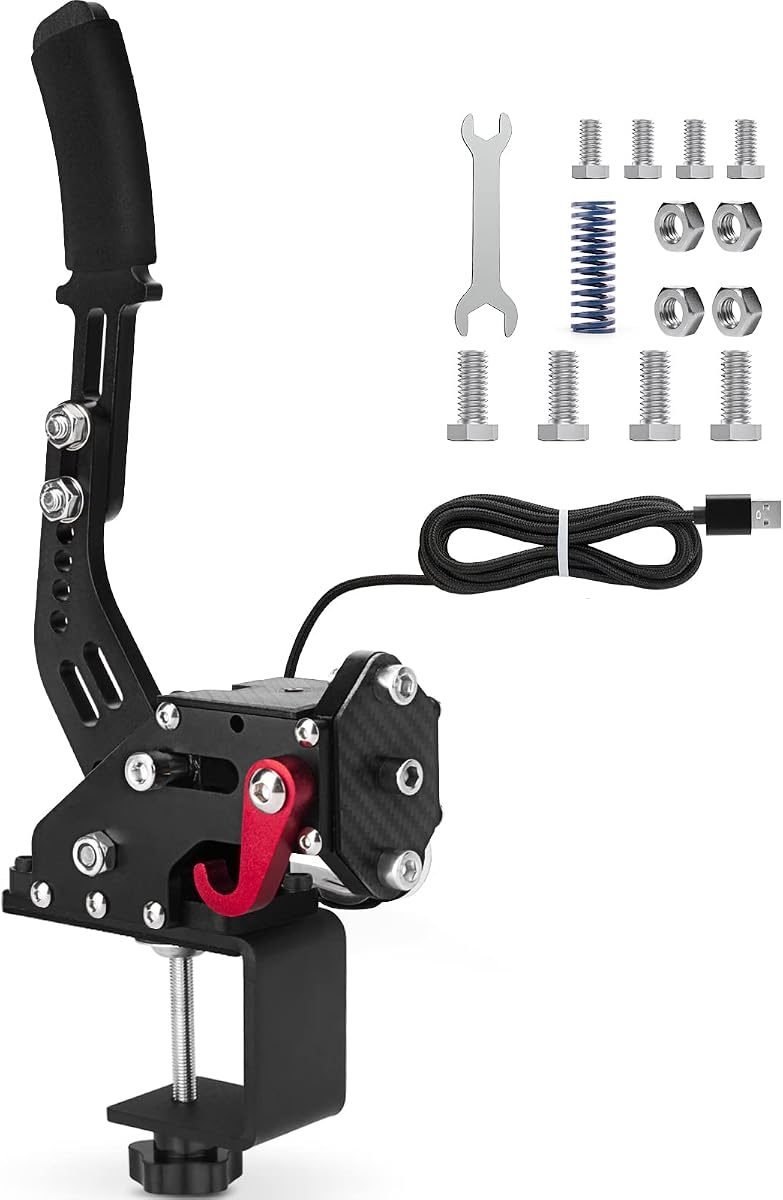
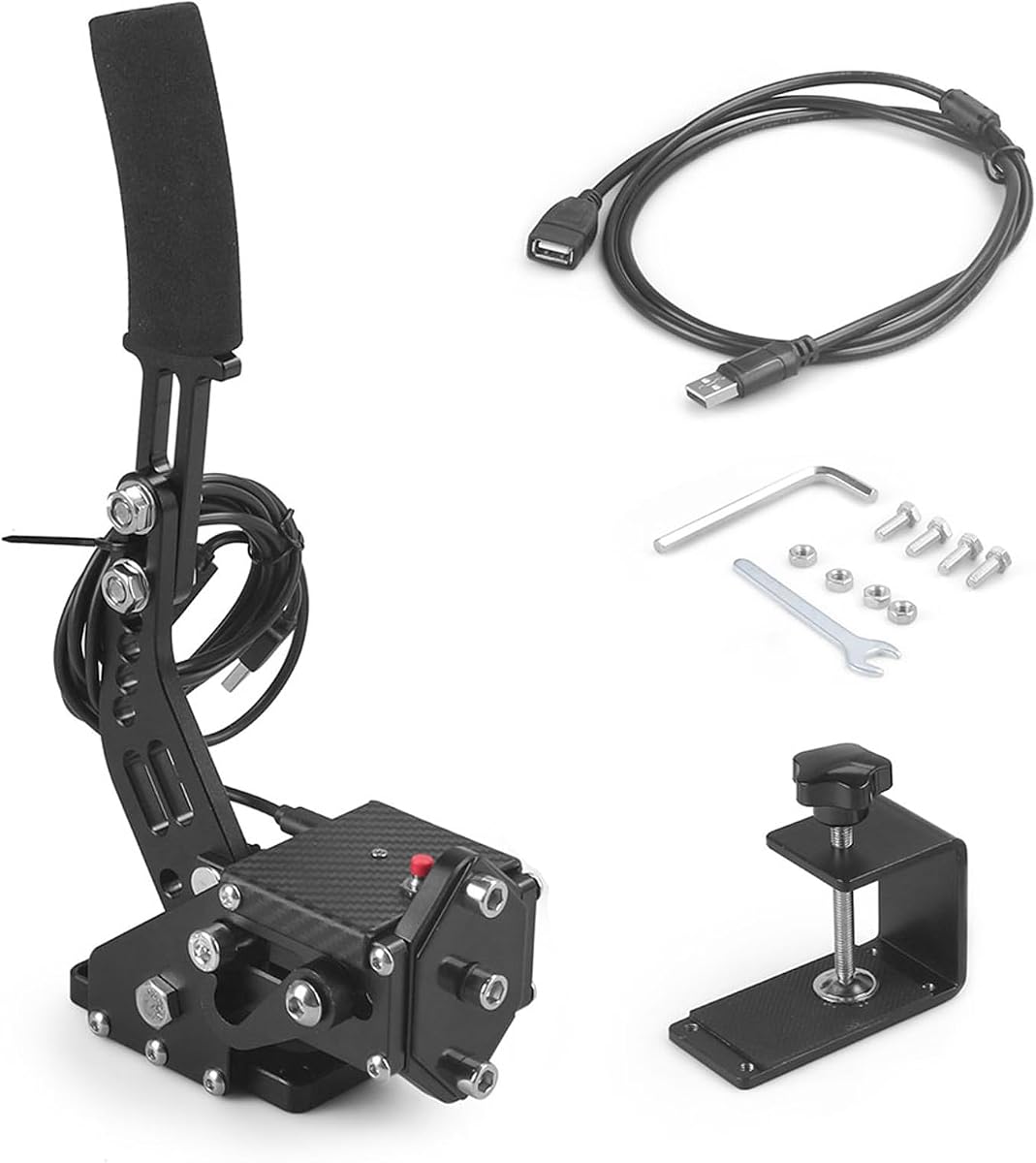
The aikeec 64 Bit USB Handbrake earns a 4.4 rating through a combination of a 64-bit Hall-effect sensor, automatic calibration, and a body made from CNC-machined aluminum and mild steel. It is one of the most complete conventional USB options in the list without requiring a complicated software setup.
We may earn a commission when you buy through this link, at no additional cost to you.
The automatic calibration system remembers the handbrake's starting and ending positions, allowing the sensor to establish a consistent operating range. It is designed for both linear and nonlinear game behavior, although individual titles may still require their own control configuration. The included clamp and the lightweight metal chassis make it suitable for a dedicated rig as well as a simpler frame.
Compatibility extends across Logitech and Thrustmaster wheels, along with applications including Assetto Corsa, DiRT Rally, Forza Motorsport, Forza Horizon, Euro Truck Simulator 2, WRC, Project CARS, and Live for Speed. The broad game list is particularly valuable, but the product information does not describe adjustable spring rates, alternate damping, or a selectable lever stroke.
This is a strong recommendation for a Windows driver who values sensor resolution and durable construction but does not need hydraulic realism. The included clamp reduces mounting friction, while automatic calibration helps the unit work with both linear and nonlinear game setups. It is less suitable for anyone requiring console support or extensive force tuning.
By remembering the beginning and end of the lever's travel, the calibration system gives the game a repeatable input range. This reduces manual adjustment between sessions and supports both linear and nonlinear game configurations.
CNC-machined aluminum and mild steel provide a durable, relatively lightweight structure. The clamp offers a practical middle ground between a basic desktop lever and a more involved hydraulic installation.
We may earn a commission when you buy through this link, at no additional cost to you.
This USB handbrake has a 4.5 rating, the highest numerical rating among the products with published scores, and presents a simple route into handbrake control. It uses a 64-bit Hall-effect sensor and a curved handle while keeping installation focused on a direct Windows USB connection.
We may earn a commission when you buy through this link, at no additional cost to you.
The body combines CNC-machined aluminum and mild steel, and the integrated motherboard connection is intended to remain secure during use. Its two-meter USB cable is long enough for most desk and cockpit arrangements, while the stated assembly process is simply to connect the cable and mount the unit. No separate driver installation is required.
Compatibility includes Logitech G920, G923, G27, G25, G29, and Thrustmaster T500 and T300 wheels for PC use. The listed application covers WRC 7, 8, and 9, Assetto Corsa, ETS2, ATS, DiRT Rally 2, and Project CARS 2 and 3. What it does not offer in the supplied data is an interchangeable spring system, adjustable stroke, or alternate mounting orientations.
The product is a strong choice for a new PC sim racer who wants a recognizable handbrake option with minimal configuration. Its high rating, long cable, and 64-bit sensor make it appealing for general driving use. The generic branding and limited customization are less suitable for builders who prioritize fine tactile tuning or a distinctive premium mechanism.
A direct USB connection and driver-free operation reduce the technical barrier to entry. This is especially helpful for PC drivers who want a separate lever without learning a new control or maintenance routine.
The two-meter lead gives the handbrake more freedom on a cockpit or desk setup. It can be routed away from the driver's knees and connected to an available rear USB port without an immediate extension.
We may earn a commission when you buy through this link, at no additional cost to you.
The 64-Bit Multi-Platform Handbrake is the only conventional USB model in the group explicitly listing support for both PC and PlayStation systems. Its 3.0 rating is the lowest published score here, but platform flexibility may still make it relevant to drivers who move between Windows and supported PlayStation hardware.
We may earn a commission when you buy through this link, at no additional cost to you.
The product uses a 64-bit Hall-effect sensor with automatic calibration and does not require driver installation. A reinforced spring and aluminum construction are intended to withstand repeated use, while a one-point-eight-meter cable provides enough reach for many installations. The included fixing clip offers a basic way to secure the unit to a frame.
Compatibility information mentions Logitech G29, G27, G25, G920, and T300 wheels, as well as PC USB steering wheels. The platform qualification is important: the supplied information specifically notes that the device is limited to Windows 10 for PC use, rather than every Windows release. PlayStation 4 and PlayStation 5 are both listed, but individual console game mappings may depend on the title.
This is the pick for a mixed-platform racer who values one physical lever over separate devices. Its relatively low rating argues against choosing it without confirming game mappings and platform requirements. Console and Windows 10 users seeking a single simple accessory may appreciate it, while dedicated PC builders with more demanding tuning needs should examine the PXN options.
Explicit PS4, PS5, and PC support is unusual among the conventional USB handbrakes in this comparison. It reduces equipment duplication for a driver whose gaming habits cross hardware platforms.
The relatively small design and included fixing clip make the unit easier to incorporate into a limited-space setup. The 1.8-meter cable provides practical reach without introducing an unnecessarily long lead.
We may earn a commission when you buy through this link, at no additional cost to you.
The aikeec Red 64-Bit Handbrake combines a 4.3 rating, a 64-bit Hall sensor, and a notably long 78-inch USB cable. That cable length makes it especially practical for larger cockpits where the computer or USB hub sits well away from the driver's seat.
We may earn a commission when you buy through this link, at no additional cost to you.
Automatic calibration establishes the sensor's operating range, while the non-contact Hall design is intended to preserve accuracy over time. The handle adjusts in both height and angle, allowing it to sit beside different wheel seats, brackets, and cockpit frames. A clamp is included, so the unit does not have to rely entirely on a flat desktop surface.
Its compatibility list includes Logitech G25, G27, G29, G920, and G923 wheels as well as Thrustmaster T300 and T500 models. The stated game support includes ETS2, ATS, Forza Horizon 4 and 5, Assetto Corsa, DiRT Rally 2, Project CARS 2 and 3, and several WRC releases. As with many USB designs in this category, it does not list selectable springs, damping materials, or variable stroke options.
This product is a sensible choice for a roomy PC rig where cable reach is the deciding factor. It provides useful resolution, automatic setup, and flexible positioning without the complexities of a hydraulic unit. It is less suitable for console players or Mac users, and drivers who want to fine-tune the physical resistance may find a more configurable model preferable.
The 78-inch cable can connect a handbrake placed near the driver's seat to a PC positioned across the rig. It reduces the need for an extension and gives rig builders more freedom in component placement.
The automatic calibration system defines the lever's start and finish points. Combined with a non-contact Hall sensor, it supports repeatable control without the contact wear associated with some simpler position sensors.
We may earn a commission when you buy through this link, at no additional cost to you.
The CNRAQR 16-Bit Handbrake has a 4.2 rating and uses a non-contact 16-bit sensor to provide smooth linear input. Its control system is built primarily from low-carbon steel, giving it a substantial feel and distinguishing it from plastic-bodied accessories.
We may earn a commission when you buy through this link, at no additional cost to you.
The product connects through USB without needing a separate driver, and its two-meter cable provides adequate reach for a typical racing frame. The lever height is adjustable, allowing the driver to bring the grip into a more natural position. A fixing clip and plate are included for securing the unit to a compatible setup.
The stated wheel compatibility covers Logitech G920, G923, G27, G25, G29, and Thrustmaster T500 and T300 models, with Windows 11 and earlier versions supported. The curved handle is designed to improve the grip during long sessions. Compared with the listed 14-bit category, the 16-bit sensor provides more granular analog information for games that use progressive handbrake input.
This is a practical recommendation for a PC user who values a steel mechanism and linear precision but does not need hydraulic pressure. It is easy to assemble and should integrate with a broad selection of Windows setups. However, drivers seeking interchangeable springs, multiple stroke lengths, console support, or software-managed settings should consider a more advanced alternative.
A 16-bit non-contact sensor supplies a continuous analog value as the lever moves. That finer control is helpful when a game asks the driver to regulate braking pressure rather than simply engage a fixed input.
Using low-carbon steel for the control system creates a firmer, more robust structure than an all-plastic design. The result is better suited to repeated pulls and a fixed racing cockpit.
We may earn a commission when you buy through this link, at no additional cost to you.
The SIMSONN HB Pro V2 is the most specialized and premium product in this guide, offering a genuine hydraulic handbrake rather than a spring-loaded USB lever. It uses a high-strength alloy-steel body, four-chip processing system, and software customization, making it intended for serious rigs and drivers seeking the most realistic resistance.
We may earn a commission when you buy through this link, at no additional cost to you.
Two independent 32-bit processors, a dedicated 16-bit high-resolution analog-to-digital converter, and a differential signal amplifier work together to provide stable, low-latency processing. The handbrake can connect through a CAN port to a compatible wheelbase or use Type-C directly to a PC. The upgraded structure also supports SIMSONN's vibration feedback module, unlike the older HB Pro model.
Customization extends beyond lever position. An extra 70HA rubber damper lets the driver tune resistance, while SIMSONN Manager can adjust the dead zone and coordinate RGB lighting that displays handbrake pressure. The lever supports horizontal or vertical mounting and three angle adjustments. A 13-centimeter non-slip handle comes standard, with an optional 20-centimeter extended handle available.
This is the premium recommendation for a driver with a dedicated cockpit who values physical realism, fine control, and direct wheelbase communication. It is not the simplest option, and the supplied listing does not include a published customer rating, so prospective buyers should confirm their wheelbase and software requirements carefully. For a casual PC desk setup, a USB model is more convenient.
The hydraulic mechanism provides a more substantial pull than a conventional spring lever, while the included 70HA custom damper allows the feel to be adjusted. The result can be tailored for deliberate rally pulls or finer drift modulation.
A CAN connection to a compatible wheelbase can provide stable, low-latency communication, while direct Type-C PC connection offers a simpler route. Bearing-supported components are also designed to minimize play for a more precise response.
We may earn a commission when you buy through this link, at no additional cost to you.
The PXN HBS 16-Bit Handbrake has a 4.0 rating and stands out for extensive physical tuning. Drivers can exchange among 3 kg, 5 kg, and 10 kg springs, modify the damping gel, and alter the stroke between 10 and 16 millimeters, making this a compelling USB alternative to a hydraulic handbrake.
We may earn a commission when you buy through this link, at no additional cost to you.
Its 16-bit magnetic Hall-effect sensor produces smooth linear analog input, while the full six-series aluminum alloy body is designed to resist deformation and maintain stability. At approximately 900 grams, the unit is substantial enough to remain planted during intense use. The ergonomic handle is intended to remain comfortable through long sessions.
The handbrake supports vertical and horizontal grip installation, making it adaptable to different rigs and driving preferences. The accessory kit includes screws, wrenches, springs, damping gel, a USB cable, and a clamp for desk or racing-rig installation. Compatibility covers Windows 7 through 11, PXN V3, V9, V10, and V12 bases, and common Logitech and Thrustmaster wheels. A 12-month warranty is also included.
This is a strong choice for a driver who wants to fine-tune the lever but does not need a hydraulic unit or simulator-level software integration. Its weight, mounting requirements, and numerous adjustment options may be excessive for occasional use. Nevertheless, it delivers a broad combination of sensor detail, stable construction, and physical flexibility.
The included 3 kg, 5 kg, and 10 kg springs let the driver choose between lighter and heavier initial resistance. Damping gel can also be changed, making it possible to refine both the pull and the return behavior.
The weighted aluminum body helps prevent wobbling when the lever is pulled. Adjustable stroke and dual mounting orientation allow the handbrake to be configured to the driver's preferred position within a dedicated rig.
We may earn a commission when you buy through this link, at no additional cost to you.
The right handbrake depends on your platform, wheel, preferred racing discipline, and desired level of tactile customization. Sensor precision, mounting flexibility, and realistic resistance should be weighed alongside game support and setup convenience.
Check the operating system requirements carefully, especially the precise Windows version mentioned by a manufacturer. Console support also does not mean every game or wheel behaves identically on each platform. Game-specific mapping remains an important part of the setup.
Choose a high-resolution Hall sensor when progressive modulation and precise control are priorities. Pay attention to linear behavior and calibration quality, since a high resolution number alone does not guarantee the right feel in every game.
Choose hydraulic resistance for a dedicated cockpit and maximum tactile realism. Choose a USB spring model when setup simplicity, portability, and lower hardware complexity matter more than perfectly matching a real vehicle.
Prioritize adjustability if you use the handbrake frequently or compete in both rally and drifting. If you only need occasional handbrake inputs, fixed resistance may be sufficient and will reduce setup complexity.
Verify both your wheel and your main games before purchasing. Compatibility with a wheel does not remove the need to configure the handbrake axis, calibration range, and sensitivity in the simulation's settings.
Measure the space beside the wheel and confirm the mounting method before buying. Favor a model that can be adjusted after installation, since your preferred hand position may change with the rig, seat position, or game.
Choose a longer cable for a roomy cockpit and a shorter lead for a compact desk. If using wheelbase integration, verify that the required CAN connection and software environment are available before installation.
Consider material, warranty coverage, and available support together. A well-built mechanism matters most on a fixed rig, while easy assembly and portable construction may be more valuable for a shared or occasional setup.
Begin by mounting the handbrake securely beside the steering wheel, then connect its cable to the specified USB, Type-C, or CAN connection. The supplied hardware and wheel-base position should be checked so the lever falls within easy reach and does not obstruct the wheel, knees, or shift controls. A clamp or fixing plate is preferable to allowing the unit to slide across a desktop.
After connecting a USB model to a Windows PC, allow the automatic calibration process to complete. Keep the lever fully released while it establishes its starting point, and then move it through the complete intended travel. In the simulation, identify the handbrake input, assign the correct axis, calibrate its range, and adjust sensitivity or dead zone as needed because each title handles mapping differently.
For long-term care, keep the mechanism free of dust, oil, and spilled liquids, and avoid forcing the lever beyond its designed travel. Inspect springs, clamps, cables, and fasteners periodically, particularly after moving the rig or changing the handle angle. Hydraulic models require following the manufacturer's fluid and servicing instructions, while software-configurable devices should retain current management software and firmware settings.
A handbrake may function physically with many wheels, but the supported list confirms the combinations for which the manufacturer has specified compatibility. Popular Logitech G-series and Thrustmaster T-series wheels appear frequently in this guide. Even with a compatible wheel, the game may still require you to assign or calibrate the handbrake axis manually.
The conventional USB products in this guide are described as driver-free and plug-and-play on compatible Windows systems. The SIMSONN HB Pro V2 is different because it offers configuration through SIMSONN Manager software and optional device synchronization. Always follow the setup instructions supplied with the model you purchase.
A hydraulic handbrake generally offers a more realistic resistance feel, but it adds complexity and is most appropriate for a dedicated cockpit. A well-adjusted USB model can provide accurate progressive control in a simpler package. The better choice depends on your budget, rig, platform, and preference for realism versus convenience.
The stated bit depth reflects the resolution of the input signal, so a 64-bit model offers a larger set of possible values than a 16-bit model. In practice, the overall feel also depends on calibration, mechanics, springs, damping, and game configuration. Higher resolution is useful, but it does not replace proper setup.
Yes, if the game and your wheel platform support the device. Adjustable force, stroke, or damping can help a driver move between disciplines, and the dual vertical and horizontal grip options on the PXN models make reconfiguration easier. You may still need different in-game sensitivity or calibration profiles for each title.
Most models in this guide are PC-only and will not work on those consoles. The 64-Bit Multi-Platform Handbrake explicitly lists PS4 and PS5 support, but its PC requirement is limited to Windows 10. Xbox support is not identified for any of the listed products, so console buyers should confirm compatibility before purchasing.
Place it close enough that you can pull and release the lever without moving your upper body excessively or taking a hand away from the wheel longer than necessary. Align the grip with the natural arc of your arm and use the included clamp or plate to prevent movement. Test both vertical and horizontal arrangements if the model supports them.
Basic USB models need relatively little maintenance, but they should be kept clean, checked for loose fasteners, and inspected for cable or spring wear. Hydraulic devices have additional servicing requirements, including fluid condition and leak checks according to the manufacturer's guidance. A pre-session inspection is sensible for any mounted handbrake.
The PXN HB S stands out as the most balanced overall choice because it combines a 16-bit Hall sensor with adjustable force, stroke, and grip orientation in a durable metal design. The aikeec 64-Bit Handbrake is a strong alternative for PC users who want automatic calibration and straightforward operation, while the SIMSONN HB Pro V2 is the definitive premium choice for a dedicated hydraulic rig.
Prioritize platform compatibility first, followed by the type of control you need. Simple gaming may be handled well by a fixed USB lever, but frequent rally or drift use benefits from adjustable resistance, progressive sensing, and secure mounting. Console racers should narrow the field to models with explicit console support rather than assuming universal compatibility.
Before ordering, confirm the operating system, wheel model, game mappings, mounting space, and connection method against the current product listing. Product specifications and availability can change, so checking the latest listing and seller information will help ensure that your chosen handbrake fits the setup you actually own.