
SUPCASE Charging Dock for Nintendo Switch 2 Joy Con
4.7Editor score
Four Switch 2 Joy-Con slots
Dual-side magnetic charging
Nine RGB lighting modes
Automatic charging protection
Discover the best Nintendo Switch controller charging station options, comparing Joy-Con compatibility, capacity, safety, lighting, and design features.
A Nintendo Switch controller charging station is more than a convenient accessory: it keeps controllers protected, organized, and ready to play. The right dock should match your controller generation, provide dependable power, offer clear charging indicators, and fit neatly into your gaming setup without adding unnecessary complexity.
We compared ten charging stations based on controller compatibility, charging capacity, power options, status lights, protective features, storage design, and included accessories. The list covers dedicated Joy-Con docks, multi-controller stations, officially licensed products, RGB models, and chargers designed for Nintendo Switch 2 controllers.
Each review explains who benefits most from the product, along with its most useful features and important limitations. Ratings reflect the supplied customer feedback, while availability and prices can change, so readers should confirm current details and controller compatibility before purchasing.
4.7Editor score

4.8Editor score

4.6Editor score
The comparison below highlights controller support, charging capacity, lighting, power requirements, and standout convenience features across all ten charging stations.


The PurBhe Four-Joy-Con Dock is a straightforward charging station for Nintendo Switch 1 and OLED Joy-Con controllers. Its 4.7 rating reflects favorable customer feedback, particularly around its simple setup, four-controller capacity, and useful status indicators. The track-inspired design closely resembles the familiar way Joy-Cons attach to the console, which makes the station intuitive to use.
We may earn a commission when you buy through this link, at no additional cost to you.
Its main strength is uncomplicated charging for a typical multiplayer household. All four Joy-Cons can be inserted at once, while individual LEDs make it easier to see which controllers are still charging. Power can come from the game console, a USB charging hub, or a compatible wall charger through the dock's USB-C connection, giving it more flexibility than a model tied to one fixed power arrangement.
The dock is made from ABS material and includes an anti-slip pad for steadiness. A built-in protection chip is specified to guard against overcharging, overvoltage, overcurrent, and short-circuit conditions. Those protections add value for a device that may remain connected for long periods, although the package does not include any Joy-Con controllers.
This is a practical recommendation for Switch and OLED owners who want a compact four-Joy-Con station without paying for extra multi-controller features. Buyers who also use a Pro Controller may prefer a six-in-one dock. Everyone should confirm that the charging source supplies adequate power and that all intended controllers match the supported design.
Powering the dock through the console, a USB charging hub, or a wall charger makes it easier to adapt the station to different gaming areas. USB-C power input also reduces cable-direction confusion compared with older-style connector arrangements.
Four sliding charging rails provide enough capacity for most Joy-Con-based multiplayer sessions. When charging is complete, the dock can also hold the controllers together, reducing loose-controller clutter.
We may earn a commission when you buy through this link, at no additional cost to you.
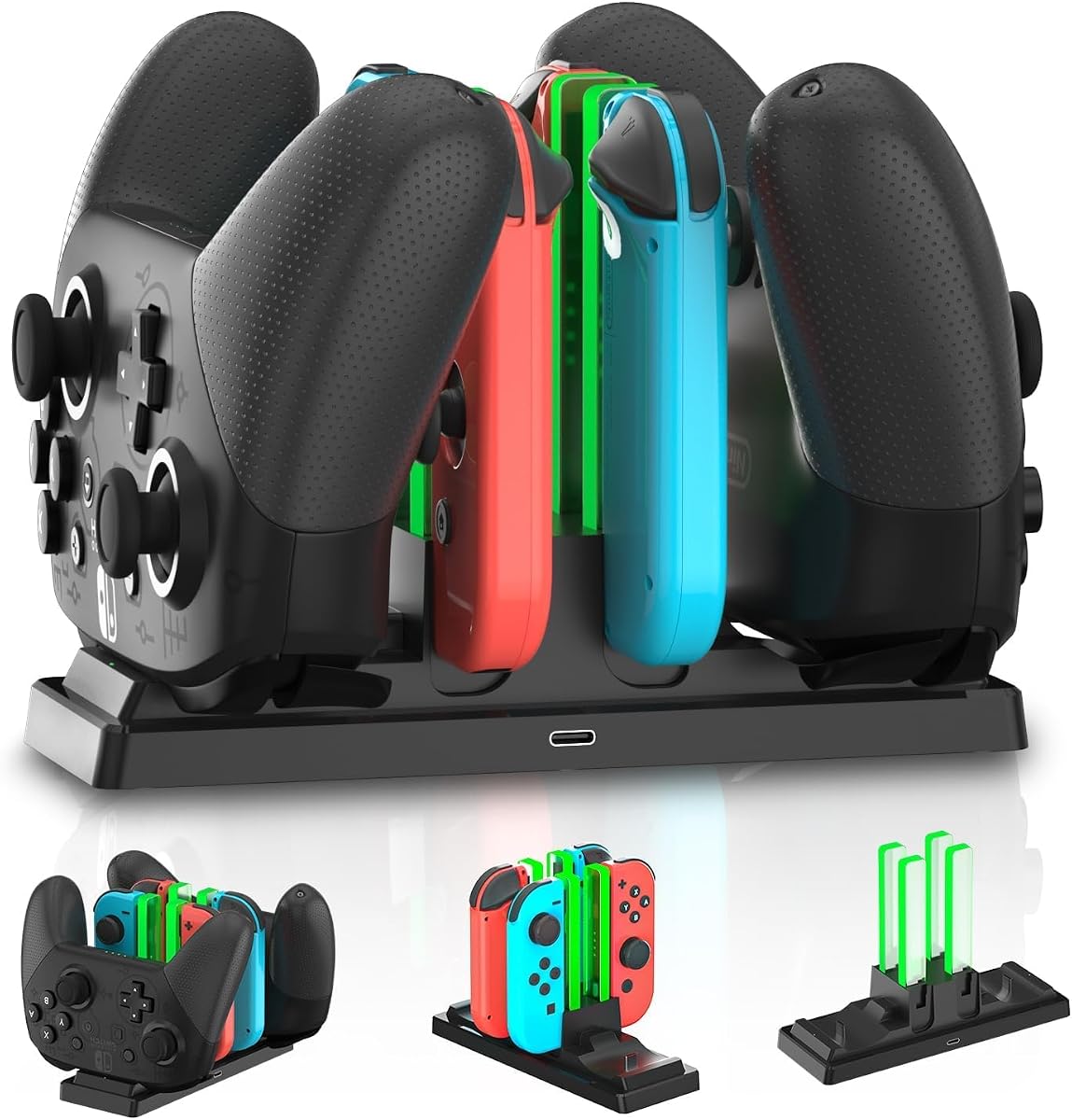
The PurBhe Six-in-One Dock is designed for gamers who move between Joy-Cons, Nintendo Switch Pro Controllers, and PlayStation 5 controllers. It carries a 4.7 rating and stands out for offering the broadest claimed controller mix in this list. The station can hold four Joy-Cons and two additional full-size controllers at the same time.
We may earn a commission when you buy through this link, at no additional cost to you.
Its versatility makes it useful in a living room shared by Nintendo and PlayStation players. The slide-in rail layout supports straightforward placement, while charging LEDs indicate the status of connected controllers. USB-C power input can be connected to the console, a USB hub, or a suitable wall charger, giving users several ways to operate the station.
The protection chip is designed to address overcharging, overvoltage, overcurrent, and short-circuit risks, while the fireproof panel is intended to add another layer of protection. Buyers should nevertheless verify the precise dimensions of third-party controllers, because compatibility claims generally cannot guarantee a fit for every accessory on the market.
The product is best for mixed-controller households that want one centralized charging point. It may be unnecessary for players using only two Joy-Cons, and no Joy-Cons or other controllers are included. Its six-position design gives it greater utility than a basic four-Joy-Con dock without moving beyond the recognizable charging-rail concept.
The two extra controller positions are the defining feature, allowing the same station to handle Joy-Cons and compatible full-size controllers. This reduces the need for separate docks when a household regularly uses more than one controller style.
Status LEDs help separate controllers remain in a common position until they are ready. This is particularly helpful during multiplayer sessions when several players need to know which controllers are still charging.
We may earn a commission when you buy through this link, at no additional cost to you.
The Generic Two-Port Universal Dock is aimed at gamers who want a single charging station for more than one console ecosystem. Its stated compatibility includes Switch Pro Controllers, Switch 2 Pro Controllers, PS5 Controllers, Xbox Series X|S Controllers, and Xbox Elite Series 2 Controllers. However, the 4.1 rating is lower than the leading products, so compatibility and power requirements deserve careful attention.
We may earn a commission when you buy through this link, at no additional cost to you.
Removable USB-C adapters are a useful design detail because the adapter tips can be replaced rather than requiring replacement of the entire dock if they become worn. A front LED uses red for charging and green for full, giving users an immediate visual cue. A smart protection chip and compact base are also included.
The important limitation is explicit: PowerA, Luna, and other third-party Pro Controllers are not supported. A 5V2A wall adapter is recommended but not included, and low-power USB ports may result in slow or intermittent charging. Users with thick controller cases may also need to remove them for a secure connection.
This dock makes sense for a two-player household with controllers from several supported console brands. It is less suitable for families collecting four or more Joy-Cons, since its two ports favor full-size controllers rather than providing broad Joy-Con capacity.
The dock's defining strength is its ability to charge compatible full-size controllers from Nintendo, PlayStation, and Xbox systems. That makes it a compact shared solution for players who do not need a large Joy-Con collection.
Removable USB-C adapters allow worn tips to be replaced more easily. The red charging and green full lights provide a simple visual indication without requiring a separate display or complicated software.
We may earn a commission when you buy through this link, at no additional cost to you.
The second PurBhe six-in-one product offers four Joy-Con positions and two positions for compatible Pro Controllers. It also supports PS5 Controllers and provides charging lights and a Type-C cable. Its 4.5 rating indicates generally favorable feedback, although it sits below the highest-rated four-Joy-Con docks in the group.
We may earn a commission when you buy through this link, at no additional cost to you.
A smart protection system is specified to address excessive temperature, current, and voltage. The dock uses high-quality ABS plastic, while anti-slip pads underneath help prevent sliding or tipping. Its ability to organize controllers as a display stand is useful for reducing clutter around a television or gaming desk.
Charging times are listed at approximately 3.5 hours for Pro and PS5 Controllers and 2.5 hours for Joy-Cons. Actual results can depend on the power source, controller condition, and whether multiple devices are charging. PowerA Controllers are expressly unsupported, so model identification is essential.
This is a good choice for a mixed Nintendo and PlayStation setup needing more than two charging locations. It may feel oversized for players with only two controllers, but for families or regular multiplayer groups it offers a strong combination of charging, protection, and storage.
After a gaming session, the dock keeps controllers aligned and easy to find. That storage role adds value even when all six positions are not needed for charging.
The specified protection system covers over-temperature, overcurrent, and overvoltage conditions. These safeguards make the station better suited to routine, extended charging than an unprotected temporary holder.
We may earn a commission when you buy through this link, at no additional cost to you.
The PowerA Joy-Con Charging Dock is an officially licensed option that emphasizes dependable design and straightforward operation. It has a 4.7 rating and can charge up to four Joy-Con controllers simultaneously. Individual LEDs show the charge level for each controller, helping users identify when the entire set is ready.
We may earn a commission when you buy through this link, at no additional cost to you.
Its slide-in design connects each Joy-Con directly to the charging dock with little fiddling. A weighted base adds stability, which is valuable because controllers are often inserted and removed while the Switch is in active use. USB power keeps the station compatible with common charging arrangements and avoids dependence on a proprietary console dock.
Official licensing provides confidence that the product was designed around Nintendo's controller format rather than as an uncertain generic alternative. It also comes with a two-year limited warranty, which adds a support benefit beyond the physical charging features. The dock does not add lighting effects or storage for full-size Pro Controllers.
This is a strong recommendation for Switch and OLED owners who want a dedicated, recognizable Joy-Con charger without extra lighting or cross-platform features. Its four slots suit families and multiplayer users, while the warranty makes it particularly attractive to buyers who value manufacturer support.
The official license and stated warranty provide reassurance for buyers who prioritize product legitimacy and ongoing support. It is a focused option for original-style Joy-Con charging rather than a universal controller hub.
The weighted base helps the dock remain in place while controllers are docked or removed. Individual status LEDs also make it simple to see whether all four controllers are ready.
We may earn a commission when you buy through this link, at no additional cost to you.
The HEATFUN Six-in-One Dock combines four Joy-Con charging positions with two positions for compatible Nintendo Switch Pro Controllers. Its 4.1 rating reflects mixed customer experiences, and the product information includes important exclusions that should be reviewed before purchase.
We may earn a commission when you buy through this link, at no additional cost to you.
Red and green LEDs indicate charging and full status, while the combined design keeps several controllers together on a gaming desk. Setup is direct: the station connects to a 5V2A USB power adapter. That requirement makes the dock best suited to owners who already have a suitable adapter or can add one separately.
It is expressly not compatible with Switch 2 controllers, PowerA Controllers, HORI Controllers, or other third-party controllers. That narrower support means it is not appropriate for every modern controller collection. Its compact six-controller format is more specialized than a basic two-port universal dock, but the exclusions may be decisive.
Buyers with original Nintendo Switch Joy-Cons and compatible official-style Pro Controllers can appreciate the combination of capacity and organization. It is best for a household committed to those supported controller models, especially one that wants to avoid maintaining several separate charging locations.
Combining Joy-Con and Pro Controller positions creates a central home for a substantial original Switch collection. The arrangement also keeps controllers together between multiplayer sessions.
The explicit exclusions are important. Buyers should identify their controller model and avoid relying on visual similarity when determining whether a controller will fit and charge correctly.
We may earn a commission when you buy through this link, at no additional cost to you.
The Four-Joy-Con Console-Powered Dock is a budget-focused option for Nintendo Switch and OLED owners. It receives a 4.6 rating and can charge between one and four Joy-Con controllers. Its integrated side plug draws power directly from the Switch's docking station, avoiding the need for an extra cable.
We may earn a commission when you buy through this link, at no additional cost to you.
This arrangement is particularly convenient for users whose Switch already sits on the official dock. The charging stand occupies little space, and individual indicators turn red during charging before changing to blue when controllers are full or enter standby. The simple color-coded system makes status easy to check at a glance.
A protection chip is specified for overcharging, overvoltage, overcurrent, and short-circuit conditions, while low standby consumption helps limit unnecessary power use. The dock also functions as an organizer, keeping Joy-Cons together instead of scattered around the gaming area.
This is our best budget pick because it provides the core functions many players need: four-controller capacity, visible status, protection, and simple charging. Its dependency on a powered console dock makes it less flexible than USB-powered or wall-adapter models, and it cannot charge full-size controllers.
The built-in plug connects directly to the official Switch dock, which simplifies setup and keeps the desktop area uncluttered. This makes the station a natural fit for docked-console users.
The dock can charge one to four Joy-Cons, so users do not need to fill every slot. Partial charging is convenient for players who only need to replenish one or two controllers before the next session.
We may earn a commission when you buy through this link, at no additional cost to you.
The Tokluck Four-Joy-Con RGB Dock combines four-controller charging with a prominent decorative light strip. Its 4.6 rating indicates strong customer reception for users who value both functionality and visual presentation. The station is designed for Joy-Cons from the original Nintendo Switch and OLED models.
We may earn a commission when you buy through this link, at no additional cost to you.
Nine RGB lighting modes allow the dock to change appearance or switch off through touch control. Individual indicators beside the Joy-Con positions glow red while charging and turn green when full or empty. The package includes a USB-C charging cable, making the station independent of the Switch's console dock for power.
The slide-in design allows Joy-Cons to be placed quickly, and the dock doubles as a compact storage rack when controllers are not in use. The claimed full-charge time is approximately 2.5 hours for four Joy-Cons, though real timing can vary with power input and controller condition.
This dock is a fun choice for gaming setups where visible RGB lighting is part of the desired aesthetic. It is not suitable for Nintendo Switch 2 Joy-Cons, and buyers who prioritize understated styling may find the illuminated base more attention-grabbing than necessary.
Nine lighting modes offer more variety than a standard status-only dock. Touch operation allows the appearance to be changed without navigating menus or unplugging the station.
The upright rail design stores Joy-Cons neatly when they are not in use. It gives the station a dual role as both a charger and a small display organizer.
We may earn a commission when you buy through this link, at no additional cost to you.
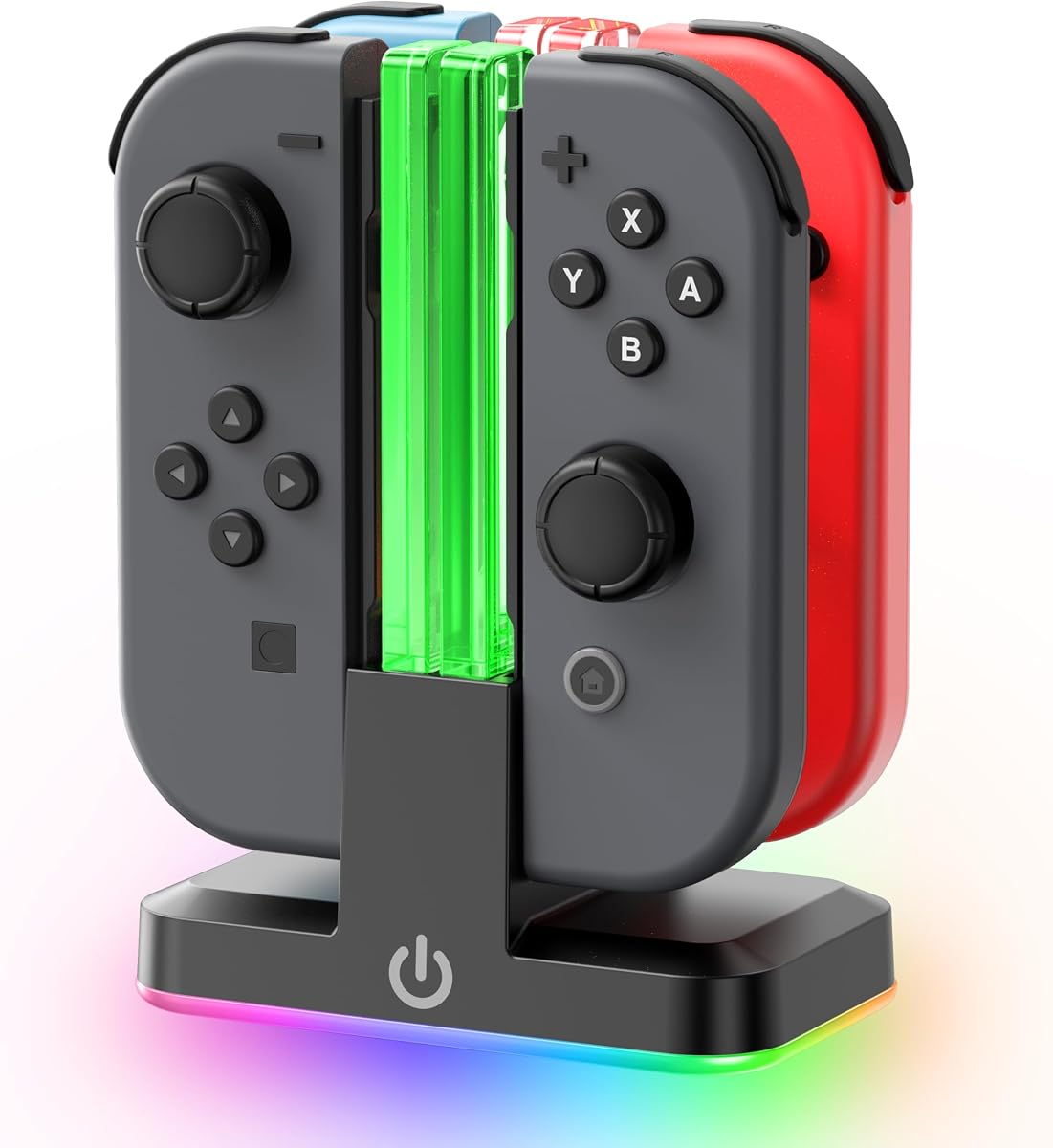
The SUPCASE Switch 2 Dock is the most specialized premium option in the list. It is designed for the Nintendo Switch 2 Joy-Con 2025 release and includes four charging slots, real-time status indicators, and a magnetic design. Its 4.7 rating reflects favorable feedback among compatible users.
We may earn a commission when you buy through this link, at no additional cost to you.
Magnetic placement helps align the controllers while reducing the need to force them into a narrow connection. Dual-side charging means the Joy-Cons can be positioned in either orientation, which is a meaningful convenience in a household with mixed left- and right-handed charging habits.
Nine RGB modes add a customizable appearance to the gaming space. Beneath the lighting, a smart chip detects charging status and stops when the controllers are full, providing protection against overcharging and overheating. The dedicated Switch 2 compatibility also gives the dock a more tailored fit than universal alternatives.
This is the premium recommendation for owners of the latest Switch 2 Joy-Cons who value magnetic convenience, lighting, and dedicated compatibility. It is not suitable for original Switch or OLED Joy-Cons, and the controllers themselves are not included. Confirm the generation before ordering to avoid an incompatible purchase.
Magnets guide each Joy-Con toward the proper charging position, reducing frustration and helping protect the ports from repeated awkward insertions. Dual-side support further improves everyday flexibility.
The RGB strip offers nine visual modes, while the smart charging chip manages completion automatically. Together they create a station designed to remain prominently displayed as part of the setup.
We may earn a commission when you buy through this link, at no additional cost to you.
The HyperX Chargeplay Quad leads the supplied ratings with a 4.8, making it the strongest all-around recommendation for original Nintendo Switch Joy-Cons. Its defining purpose is simple and reliable: charge four controllers simultaneously while keeping them securely docked and easy to check.
We may earn a commission when you buy through this link, at no additional cost to you.
Individual battery indicators display each controller's charging status, so players do not need to guess when a set is ready. The stable docking design is intended to keep controllers secure, and the generous two-meter cable provides more freedom in placing the station relative to the console, television, or charging source.
The station focuses on function rather than visual spectacle. There are no RGB modes, decorative light strips, or full-size controller positions, which may make it feel understated beside more elaborate docks. That restraint can be an advantage for buyers who want a clean setup without persistent colored lighting.
The HyperX Chargeplay Quad is our editor's choice for anyone seeking a proven, focused four-Joy-Con station with clear indicators and flexible cable placement. It is best for original Switch and OLED Joy-Cons, not Switch 2 controllers. Its simple design, strong rating, and practical features make it an excellent general recommendation.
The dock combines useful four-controller capacity with individual battery indicators. This gives households a straightforward way to recharge a complete Joy-Con set and confirm readiness before starting a multiplayer game.
The two-meter connection offers greater positioning freedom than a short fixed lead. It can be easier to route behind a television stand or place the charging station where all controllers are reachable.
We may earn a commission when you buy through this link, at no additional cost to you.
The right charging station depends primarily on controller generation, charging capacity, power method, and organizational needs. Checking compatibility before considering appearance prevents the most common purchase mistakes.
Choose only a station that explicitly supports every controller you intend to charge.
Match the number of slots to your regular group size and controller collection.
Confirm the required input and obtain a compatible power adapter before ordering.
Prefer individual status lights for quick, controller-by-controller checks.
Look for multi-point electrical and thermal protection in a frequently used dock.
Choose a footprint and base design that suit your available space and routine.
Treat RGB lighting as a style preference rather than a core charging requirement.
Verify the cable, adapter, warranty, and controller inclusions before checkout.
Before first use, identify the controller models and read the station's compatibility instructions. Place the dock on a stable, level surface near the appropriate power source. If the product requires a 5V2A USB adapter, connect that adapter first; if it draws power from the Switch console dock, verify that the console dock is powered before inserting controllers.
Slide each supported Joy-Con into its assigned rail or connect each full-size controller to the correct charging port. Avoid forcing a controller that does not align naturally. For models with removable tips, push the adapter fully into the controller and remove any thick protective case if charging fails. Individual status lights should illuminate according to the product's color guide.
Do not leave incompatible controllers attached, and do not use a damaged cable, loose wall adapter, or visibly cracked charging port. Keep the station away from liquids, excessive heat, and crowded surfaces where controllers could fall. Unplug it during extended nonuse, inspect the rails occasionally, and clean the exterior with a dry or lightly damp cloth rather than immersing the dock in liquid.
Only if the station specifically includes compatible charging positions for both controller types. Most four-controller docks are dedicated to Joy-Cons, while the six-in-one options in this guide add full-size controller slots. Always check whether the Pro Controller slot supports the exact model, including third-party exclusions.
No. The Switch 2 Joy-Con design requires a dock explicitly made for the 2025 controller release. Original Switch and OLED Joy-Cons can use suitable first-generation docks, but a Switch 2 dock should not be assumed to support older controllers.
None of the listed products includes Joy-Con controllers. They are charging docks and storage accessories only, so users must own compatible controllers separately. Listing images may show controllers for context, but the included contents should always be checked before ordering.
A 5V2A source provides sufficient power for stable charging, especially when multiple controllers are connected. Low-power ports may produce slow or intermittent charging. If the product does not include an adapter, use a compatible one that meets the stated requirements.
Some docks support console power, either through the official console dock or a USB connection. Models with an integrated plug are designed for the Switch dock, while USB-C models may work with the console, a USB hub, or a wall adapter. Follow the product-specific power instructions because not every arrangement is guaranteed.
Compatibility depends on the exact dock, even when a station supports official Pro Controllers. Some products expressly exclude PowerA, Luna, HORI, and other third-party models. Check the maker's compatibility notice and compare the controller's charging interface before purchasing.
On most of the listed stations, red indicates that a controller is charging and green indicates that it is full. One product uses blue for a full or standby state, so users should follow the guide provided with their specific dock rather than assuming every model shares the same color scheme.
No. Lighting is a visual feature rather than a requirement for charging. The Tokluck and SUPCASE docks add RGB effects, while the PowerA and HyperX options focus on function and status feedback. Choose lighting when it matches your setup, not because it improves charging performance.
The HyperX Chargeplay Quad stands out for original Switch Joy-Cons with its 4.8 rating, four charging positions, clear battery indicators, and long cable. The SUPCASE Switch 2 Dock is the premium choice for Nintendo Switch 2 controllers, while the Four-Joy-Con Console-Powered Dock delivers the best budget combination of capacity, protection, and compact storage.
Compatibility should come before every other consideration. Original Switch and OLED Joy-Cons require first-generation support, Switch 2 Joy-Cons require a dedicated design, and full-size or third-party controllers need exact model verification. After confirming that fit, prioritize adequate power, individual status indicators, electrical protection, and enough slots for your regular gaming group.
Prices, product availability, and seller details can change over time, so check the current listing before making a final decision. Compare the included cable and adapter requirements carefully, read recent customer feedback, and ensure that the chosen station fits both your controllers and your intended gaming space.