
Dell Advanced Wireless Compact Mouse MS510
4.9Editor score
Bluetooth 5.0 wireless connectivity
Adjustable 1000-4000 DPI
Up to 36 months battery life
This guide compares the best external mouse for Dell laptop options, covering wireless connectivity, comfort, tracking, battery life, and key features.
An external mouse can make a Dell laptop more comfortable, precise, and productive, especially when its built-in touchpad feels cramped. The right choice depends on your hand size, work style, desk setup, and preferred connection method, whether that is a dependable cable, a dedicated wireless receiver, or Bluetooth.
We compared ten mice using the specifications and feature information supplied for each model. The list covers Dell-branded options, established general-purpose models, compact travel mice, silent designs, gaming-oriented controls, and rechargeable or battery-powered wireless alternatives for a Dell laptop.
Each pick highlights the qualities that distinguish it, including tracking precision, portability, noise level, programmable features, and multi-device support. Ratings and specifications reflect the supplied product data, while current prices and availability can change, so confirm those details before purchasing.
4.9Editor score

4.6Editor score

4.6Editor score
The comparison below places all ten options side by side, focusing on connection style, size, tracking, controls, battery behavior, and practical fit for a Dell laptop.






The Dell Advanced Wireless Compact Mouse MS510 combines a compact wireless design with the connection versatility, adjustable sensitivity, and polished integration expected from a premium accessory for a Dell laptop. Its supplied rating of 4.9 is the highest in this group, making it a strong all-around recommendation for users who want a mouse that feels closely connected to the Dell ecosystem.
We may earn a commission when you buy through this link, at no additional cost to you.
Dual-mode connectivity is the standout feature. The MS510 supports both a 2.4GHz wireless connection and Bluetooth 5.0, allowing it to work with a preferred USB receiver or connect directly over Bluetooth. On compatible Windows 10 version 1803 or later systems, Microsoft Swift Pair supports instant Bluetooth pairing without repeated manual configuration in Windows settings.
Tracking is another major strength. Users can select 1000, 1600, 2400, or 4000 DPI, with 1600 serving as the default. That range covers general office work, detailed navigation, and more demanding cursor movement without requiring a separate pointing device. Seven buttons, a long battery life of up to 36 months, and access to Dell Display and Peripheral Manager add further value for users who regularly configure their computer workspace.
The main limitation is that some functions depend on compatibility. Bluetooth 5.0 pairing is most clearly tailored to supported Windows systems, while the full value of Dell Display and Peripheral Manager is strongest within a Dell setup. Even so, the MS510 is compact, highly rated, and unusually versatile for the category. It is the strongest general choice for a Dell laptop user who values brand integration, flexible connectivity, and polished device management.
The combination of 2.4GHz and Bluetooth 5.0 gives the MS510 more ways to connect than a conventional single-mode wireless mouse. That flexibility is useful at a desk, when moving between workspaces, or when a USB port needs to remain available.
Four selectable DPI levels allow users to move between controlled detail work and faster cursor travel. The default 1600 DPI should provide a versatile starting point for many office tasks.
We may earn a commission when you buy through this link, at no additional cost to you.
The Dell Wireless Gaming Mouse MS5120W brings 4000 DPI tracking, seven buttons, and two wireless connection modes to a mouse designed for users who want more control than a basic office pointer. It holds a 4.6 rating and should appeal to Dell laptop owners who enjoy gaming, creative applications, or simply want extra buttons available.
We may earn a commission when you buy through this link, at no additional cost to you.
Its 2.4GHz and Bluetooth 5.0 connectivity makes it more flexible than a receiver-only mouse. Supplied information also states compatibility with Windows, Mac, Chrome, Linux, and Android, broadening its usefulness in mixed-device workspaces. Up to 36 months of battery life reduces the likelihood of routine interruptions, while the 4000 DPI sensor offers a higher ceiling for fast movement and detailed aiming.
The shortcut buttons are positioned for navigation across web pages and applications, and Dell Peripheral Manager provides a way to customize and manage compatible keyboards and mice. The three-year warranty and next-business-day replacement statement add confidence for a product intended for regular use. Its gaming-oriented appearance may feel less formal, but the underlying controls can be equally useful in productivity applications.
This mouse is a good fit for Dell users who want high sensitivity, multiple buttons, and flexible connectivity without moving beyond a recognizable peripheral ecosystem. It may be unnecessary for someone who only scrolls and clicks, but for a laptop that doubles as a gaming or productivity machine, the MS5120W offers a well-balanced feature set.
A 4000 DPI maximum and seven-button layout provide more control than a standard three-button mouse. These characteristics are especially relevant for gaming, detailed navigation, and application shortcuts.
Support for Bluetooth 5.0, 2.4GHz, and several operating systems makes this a practical choice for users who move between a Dell laptop and other computers.
We may earn a commission when you buy through this link, at no additional cost to you.
The Dell Wired Mouse MS116 is a straightforward external mouse for Dell laptop users who value reliability over elaborate features. Its supplied rating of 4.6 indicates strong customer satisfaction, and the wired design eliminates battery management, wireless pairing, and reception concerns from the buying process.
We may earn a commission when you buy through this link, at no additional cost to you.
There is little complexity involved. Connect the mouse to a compatible USB port and begin using its standard pointing controls. This makes it appropriate for a fixed workstation, shared office, school desk, or any setup where a dependable physical connection is preferable to wireless flexibility. Its understated Dell appearance also fits neatly with a business-oriented laptop setup.
The MS116 does not offer the adjustable DPI, shortcut buttons, Bluetooth support, or multi-device pairing found elsewhere in this list. Those omissions are meaningful for specialized workflows, but they also simplify the mouse considerably. A wired option can be especially attractive for users who dislike batteries, travel with several accessories, or want one less device to maintain.
For a basic office mouse or a dependable backup for a Dell laptop, the MS116 is hard to overcomplicate. It is not the most technically advanced option, but its simple operation, compact footprint, and 4.6 rating make it a sensible budget recommendation for straightforward computing.
A wired connection provides a consistent link to the laptop without requiring batteries or a separate receiver. That simplicity can be valuable in a permanent desk setup.
The MS116 focuses on conventional pointing and clicking rather than programmable features. Users who need simple navigation will find that restraint useful.
We may earn a commission when you buy through this link, at no additional cost to you.
The VssoPlor Wireless Mouse is a slim, lightweight option built for people who regularly use a Dell laptop away from a fixed desk. It carries a 4.5 rating and offers a straightforward 2.4GHz connection, quiet clicking, automatic sleep, and a receiver that can be stored inside the mouse.
We may earn a commission when you buy through this link, at no additional cost to you.
Its strongest appeal is portability. The compact, lightweight construction should fit easily into a laptop sleeve or work bag, while the internal receiver storage reduces the chance of leaving the USB adapter behind. A stated working distance of up to 10 meters gives users room to position the mouse comfortably away from the computer.
The intelligent sleep mode activates after five minutes of inactivity and returns the mouse to operation when it is clicked again. Supplied information also highlights smooth tracking, broad compatibility with Windows, macOS, and other listed systems, and a frosted surface with quieter clicks. These are useful qualities in shared offices, libraries, classrooms, and quiet travel environments.
The tradeoff is the absence of Bluetooth and advanced programmable controls. This is a dedicated 2.4GHz mouse, so it depends on its USB receiver and does not offer multi-device switching. Even so, it is a capable travel companion for a Dell laptop user who prioritizes a small profile, quiet operation, and simple wireless control over extensive customization.
The lightweight, slim body is easy to pack, and the receiver stores within the mouse for convenient travel. This reduces the number of separate pieces a user must carry.
The supplied features emphasize whisper-style clicks and a smooth frosted surface. Those traits can make the mouse suitable for offices, libraries, and other noise-sensitive locations.
We may earn a commission when you buy through this link, at no additional cost to you.
The Logitech M510 is a full-size, ambidextrous wireless mouse that balances comfort, useful controls, and everyday versatility. Its 4.6 rating makes it one of the strongest-reviewed products here, while the contoured shape, soft rubber grips, and broad palm area distinguish it from smaller travel models.
We may earn a commission when you buy through this link, at no additional cost to you.
The M510 includes standard left, right, and wheel controls plus back and forward buttons. Supplied information notes that these extra buttons can be programmed for functions such as switching applications or entering full-screen mode when used with the appropriate Logitech software. Horizontal scrolling and zoom controls add further utility for documents, maps, music libraries, and image-heavy tasks.
The tiny Logitech Unifying receiver can remain in the laptop and can support compatible wireless mice and keyboards, reducing the need to unplug it during travel. Stated battery life is up to two years, supported by an on/off switch, smart sleep mode, and an indicator light. The emphasis is on comfortable, reliable productivity rather than high-DPI gaming or Bluetooth device switching.
Although the product is called ambidextrous, the supplied description specifically highlights the side buttons as especially useful for right-handers. Users who are strictly left-handed may want to confirm comfort before buying. For most people seeking a full-size wireless mouse for a Dell laptop, however, the M510 offers an excellent combination of shape, control, battery convenience, and proven rating.
Soft rubber grips, gently curved sides, and a broad palm area support a relaxed grip over long work sessions. The full-size shape is particularly helpful for users who find very compact mice tiring.
Programmable back and forward buttons, horizontal scrolling, and zoom controls make the M510 more versatile for everyday browsing, document work, and media navigation.
We may earn a commission when you buy through this link, at no additional cost to you.
The Logitech M185 is a compact, ambidextrous 2.4GHz mouse that offers a familiar, uncomplicated alternative to the touchpad of a Dell laptop. Its 4.4 rating reflects a well-liked general-purpose design built around straightforward plug-and-play operation, portability, and a comfortable contoured shape.
We may earn a commission when you buy through this link, at no additional cost to you.
The included nano USB receiver provides a stated connection range of up to 33 feet, or 10 meters. Users can place the receiver in the Dell laptop and begin working without installing software or navigating a setup process. The mouse works with Windows PCs, Macs, and laptops, making it a safe choice for people who may switch computer brands in the future.
A line-by-line scroll wheel, smart sleep mode, and an included AA battery support convenient everyday use. The supplied information states up to one year of battery life, although actual duration can vary according to use and computing conditions. Its small size and smooth cursor control are particularly well suited to small or medium hands, tighter workspaces, and busy desks.
The M185 does not list adjustable DPI, Bluetooth, programmable extra buttons, or silent clicks. It is therefore a simple pointer rather than a specialized productivity or gaming device. For anyone who wants a portable, dependable wireless mouse without unnecessary setup or complexity, the M185 remains an easy recommendation.
Connecting the nano receiver is enough to begin using the mouse. The lack of required software makes it convenient for quick work sessions and temporary setups.
The compact contoured body is aimed at small to medium hands and tight spaces. It offers a more traditional mouse experience than a touchpad without occupying much room.
We may earn a commission when you buy through this link, at no additional cost to you.
The TECKNET Compact Ambidextrous Wireless Mouse stands out with a mint green finish and a very small body designed for portability. It has a 4.6 rating, making it one of the better-rated compact models in the list, while its dimensions of approximately 3.94 by 2.28 by 1.52 inches are easy to pack.
We may earn a commission when you buy through this link, at no additional cost to you.
The mouse is intended for small to medium hands and offers three adjustable DPI levels of 800, 1200, and 1600. That range lets users tune cursor speed for different tasks without moving into the higher-resolution territory associated with specialized gaming mice. Its 2.4GHz connection has a stated range of up to 49 feet.
Soft main clicks and a quiet scroll wheel make it potentially useful in shared spaces, although the quiet-button description focuses on the buttons and wheel rather than promising complete silence in every application. The USB connector is stored under a rear cover, which helps keep the travel setup organized. A single AA battery is required but not included, and the stated battery life is up to 15 months.
Compatibility includes Windows versions from 7 through 11 and macOS, according to the supplied information. The registered-only 36-month support statement is an added service benefit. This TECKNET is best suited to buyers who prioritize color, compactness, adjustable tracking, and simple 2.4GHz portability over multi-device pairing or rechargeable convenience.
Three selectable DPI levels provide more control than a fixed-sensitivity compact mouse. The 1600 DPI maximum offers a practical balance for everyday laptop use.
The mint green finish gives the mouse a distinctive appearance, while the compact body and internally stored receiver simplify packing for work, school, or travel.
We may earn a commission when you buy through this link, at no additional cost to you.
The Logitech M330 Silent Plus is designed for people who want a full-size wireless mouse without the click noise associated with a conventional office pointer. Its 4.5 rating and supplied SilentTouch technology claim make it a particularly relevant option for shared offices, quiet homes, libraries, and video-call environments.
We may earn a commission when you buy through this link, at no additional cost to you.
The primary clicks reduce more than 90 percent of clicking sounds according to the supplied product information, while the contoured plastic shape is engineered for right-handed comfort. It includes a USB-A receiver and works with Windows, macOS, ChromeOS, and Linux. Plug-and-play operation means a user can connect the receiver and begin using the mouse without software setup.
Stated battery life is 18 months, supported by a power-saving auto-sleep mode and an included AA battery. Advanced optical tracking offers precise cursor control on most surfaces, and the listed wireless range reaches up to 33 feet, or 10 meters. Those specifications make it practical for both a dedicated desk and a flexible working environment.
The main limitation is its orientation. The shape is described as naturally contoured for right-handed users, so left-handed buyers should assess comfort carefully. There is also no Bluetooth or multi-device switching. Even so, the M330 Silent Plus delivers the core benefits of a full-size mouse with unusually strong noise reduction, making it a focused choice for quiet work.
SilentTouch technology reduces the sound generated by the main clicks. This helps limit distractions during shared work areas and makes the mouse feel considerate in close environments.
An 18-month stated battery life and automatic sleep mode reduce maintenance. The included AA battery allows the mouse to be ready for use without an immediate extra purchase.
We may earn a commission when you buy through this link, at no additional cost to you.
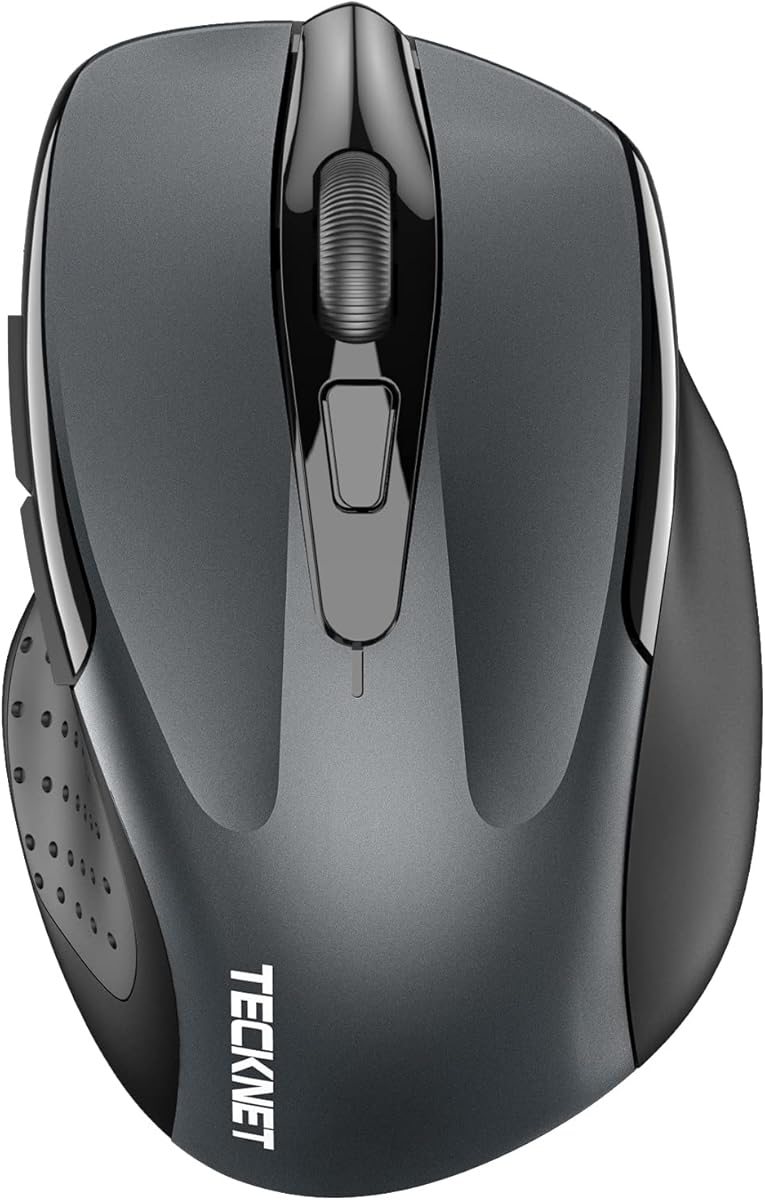
The TECKNET Dual-Mode 4800 DPI mouse combines Bluetooth, 2.4GHz wireless, six buttons, and a broad sensitivity range in a compact package. Its 4.5 rating reflects a versatile design aimed at users who want to move between devices while retaining detailed cursor control.
We may earn a commission when you buy through this link, at no additional cost to you.
The mouse can connect to two devices simultaneously, using Bluetooth 3.0 or 5.0 and a USB-A connection, with a slide button used to switch between them. This is useful for a setup involving a Dell laptop and a second computer or tablet. Six DPI settings—800, 1200, 1600, 2400, 3200, and 4800—cover everything from slow precision work to fast cursor movement.
The primary clicks are designed for quiet operation, although the supplied information notes that the side buttons and scroll wheel are not silent. It runs on two AAA batteries, which are not included, and automatic sleep technology is intended to extend operating time. Compatibility extends across Windows, macOS, Chrome, and Linux, although the side buttons are not compatible with macOS.
This is an appealing choice for a compact, multi-device setup because it provides both receiver-based and Bluetooth connections without a rechargeable requirement. Users who rely exclusively on macOS side-button functions should keep that limitation in mind, and the stated connection distance can vary with the environment. Otherwise, it is a flexible and feature-rich option for a Dell laptop.
Simultaneous two-device pairing reduces the need to carry and reconnect separate mice. A simple switch lets the user move between a Dell laptop and another compatible system.
Six DPI levels offer a wide adjustment range, including lower settings for precision and higher settings for rapid movement. This makes the mouse suitable for varied desktop workflows.
We may earn a commission when you buy through this link, at no additional cost to you.
The TECKNET Rechargeable Dual-Mode mouse combines a rechargeable battery, two-device connectivity, and six adjustable DPI levels. Its 4.6 rating places it among the strongest options in the list, and the supplied information positions it as a compact option for users who want wireless flexibility without replacing disposable batteries.
We may earn a commission when you buy through this link, at no additional cost to you.
The included charging cable takes approximately 1.5 to 2 hours to fully charge the mouse. Under the stated usage pattern of two hours per day, one charge is expected to deliver approximately three months of use. Low battery power can make the connection unstable, providing a useful reminder to recharge. A mouse that can remain connected to two devices is particularly convenient for a Dell laptop user who also owns a tablet or second computer.
Bluetooth 3.0 and 5.0 are supported alongside a USB-A connection, and a switch button changes the active device. DPI can be adjusted across 800, 1200, 1600, 2400, 3200, and 4800 levels. The quiet-oriented design is useful in offices and libraries, while compatibility with Windows, macOS, Chrome, and Linux broadens its potential applications. Side buttons remain unavailable in macOS, according to the supplied details.
Its compact body is best suited to small to medium hands, though larger users who prefer a smaller mouse may still appreciate it. Recharging adds a dependency that disposable-battery models do not have, but it also removes routine battery shopping. For a buyer who values multi-device switching, adjustable sensitivity, and recharging convenience, this is a well-rounded final recommendation.
The included charging cable and stated 1.5-to-2-hour charging time make it easy to replenish the mouse between uses. A full charge is stated to support approximately three months with two hours of daily operation.
Two-device pairing and a broad DPI range make the mouse flexible for a primary Dell laptop and a secondary computer. The smaller shape is most suitable for small to medium hands.
We may earn a commission when you buy through this link, at no additional cost to you.
The best external mouse for a Dell laptop depends on how and where you work. Connection method, hand comfort, size, tracking sensitivity, noise, controls, and battery behavior should be matched to your desk and daily tasks.
A wired mouse provides a direct, dependable path between the pointer and the laptop while eliminating batteries, charging, and wireless pairing. The Dell MS116 is a straightforward example of that approach. Wired operation is especially convenient for fixed workstations, shared desks, and users who want to plug in one USB accessory and begin working without concern about radio interference or receiver compatibility.
Choose wired when reliability and low maintenance matter more than a cable-free desk. You will need a free or adapter-enabled USB port, and the cable can occupy desk or travel space.
A 2.4GHz receiver uses a dedicated USB adapter and generally offers a familiar connection process. Bluetooth removes the need for that adapter and can be useful when USB ports are limited. The Dell MS510, Dell MS5120W, and both TECKNET dual-mode models support both approaches, allowing users to choose or switch between them. Microsoft Swift Pair is specifically noted for supported Windows systems on the MS510.
Choose a dual-mode mouse if you regularly alternate between a Dell laptop and another device. Confirm the operating systems and ports you use before buying, especially if you expect to use every side button.
Full-size mice, such as the Logitech M510 and M330 Silent Plus, offer a broad palm area and are generally better suited to long work sessions and larger hands. Compact models, including the Logitech M185, TECKNET mint green mouse, and dual-mode TECKNET options, are easier to store and may suit small to medium hands. Some ambidextrous models place navigation buttons where right-handed users can reach them most naturally.
Choose full size for a permanent desk and compact for travel or limited space. When possible, compare the dimensions with a mouse you already know is comfortable rather than relying only on a product photograph.
DPI determines how far the cursor travels for a given physical movement. The Dell MS510 offers four levels from 1000 to 4000 DPI, while the Dell MS5120W reaches 4000 DPI. The TECKNET dual-mode mice provide six levels from 800 to 4800 DPI, and the mint green TECKNET includes three levels from 800 to 1600. The Logitech M185 and Dell MS116 do not list adjustable sensitivity.
Choose a modest sensitivity for precise office work and a broader range if you switch between detailed tasks and fast navigation. Higher DPI does not automatically mean better quality; control and consistency matter more.
The simplest mice in this list provide left, right, and scroll-wheel controls, while several premium options add dedicated shortcut buttons. The Logitech M510 offers back and forward buttons, horizontal scrolling, zoom, and programming through compatible Logitech software. The Dell MS510 and MS5120W each provide seven buttons, while the TECKNET dual-mode mouse has six.
Choose extra controls if you work in browsers, creative software, spreadsheets, or games. Skip them if you prefer a clean, familiar layout or want to avoid device-management software. Always check whether a button is supported on your preferred operating system.
Disposable-battery mice can remain convenient for long periods when they enter effective sleep modes. Stated battery life ranges from up to one year for the Logitech M185 to up to 36 months for the Dell wireless models. Some products include their batteries, while others do not; the TECKNET models in this roundup specify AAA or AA batteries without including them. The TECKNET rechargeable option removes the disposable-battery routine but requires periodic charging.
Choose a long-life battery model for steady desk use and a rechargeable model if you prefer to top up a connected mouse. Review the stated usage assumptions, because actual battery duration depends on activity, sleep behavior, and connection method.
Clicking noise can be a daily issue in open offices, libraries, shared homes, and online meetings. The Logitech M330 Silent Plus is the clearest dedicated quiet option in the group, with supplied information stating that SilentTouch reduces clicking sounds by more than 90 percent. The VssoPlor and TECKNET mint green models also emphasize quiet or soft clicking, while the TECKNET dual-mode models note that only the main clicks are designed for silence.
Choose a model with specifically quiet primary clicks if noise is a priority. Do not assume the scroll wheel or secondary buttons are equally quiet unless the product information specifically says so.
Dell-branded mice offer an obvious visual and ecosystem match for a Dell laptop. The MS510 supports Dell Display and Peripheral Manager, while the MS5120W can be customized and managed through Dell Peripheral Manager. These applications can simplify configuration when the mouse is part of a larger Dell workspace. Third-party alternatives may provide excellent hardware, but their setup or customization path can differ.
Choose a Dell-branded model when integrated management and visual consistency are priorities. Choose a third-party mouse when its shape, controls, silence, charging system, or multi-device function better matches your routine.
Start by selecting the correct connection method. For a 2.4GHz model, insert the included receiver into a compatible USB-A port on the Dell laptop, switch the mouse on, and move it until the pointer responds. For Bluetooth, open the Dell laptop's Bluetooth settings, put the mouse into pairing mode, and select it from the available devices. Models with a physical mode switch may require choosing 2.4GHz or Bluetooth before pairing.
Once connected, move the mouse across a clean, suitable surface and adjust the DPI to a comfortable starting point. Open the relevant device-management program if the model supports button programming, horizontal scrolling, zoom, or multi-device switching. On a dual-device mouse, test the device-switch control and confirm that the second computer is paired before relying on it for daily work.
For care, keep the underside free of dust, crumbs, hair, and sticky residue, and clean the mouse with a soft dry cloth. Replace disposable batteries on the schedule suggested by the manufacturer or when tracking becomes unreliable. Rechargeable models should be topped up before the connection begins to become unstable, and the included charging cable should be handled without sharp bending at the connector.
Most standard wireless mice work with typical Dell laptops, but the connection method matters. A 2.4GHz mouse requires a compatible USB-A port, while Bluetooth requires compatible Bluetooth hardware and operating-system support. Some newer Dell laptops may require a suitable adapter for older USB-A receivers.
Bluetooth is convenient when USB ports are limited or when switching between several devices. A 2.4GHz receiver provides a dedicated connection and is often the simplest plug-and-play option. A dual-mode mouse combines both approaches and is the most flexible choice for many Dell laptop users.
A wired mouse avoids batteries, charging, and pairing while maintaining a direct physical connection. A wireless mouse provides a cleaner desk and more freedom of movement. The best choice depends on whether you value low-maintenance reliability or portability and multi-device convenience.
A compact mouse is easier to carry and can suit small to medium hands, while a full-size model offers more palm support for extended sessions. Hand comfort is more important than laptop size, so consider the mouse dimensions and the amount of free desk space you have.
Adjustable DPI is useful but not essential for standard browsing and office work. It becomes more valuable when switching between precise editing, large displays, or fast-paced activities. Users who are satisfied with the default sensitivity may not need the extra controls offered by premium models.
Silent mice can work for many games, but the absence of sound does not guarantee better performance. Gaming-focused users may prioritize tracking speed, DPI options, button placement, and sustained comfort. The mice in this guide are primarily general-purpose options, with the Dell MS5120W offering the most clearly gaming-oriented positioning.
A dual-device model such as the TECKNET Bluetooth and 2.4GHz mouse can connect to two devices and switch between them. It can be useful for a primary Dell laptop and a secondary computer. Confirm that the second device uses a compatible operating system and that the required side-button features are supported.
Keep the sensor area clean, use the mouse on a suitable surface, and replace or recharge its battery before tracking becomes unreliable. Store a 2.4GHz receiver safely when traveling, and periodically remove and reconnect it if the connection becomes unstable. Updating the mouse software can also help when customization features are involved.
The Dell Advanced Wireless Compact Mouse MS510 is the strongest overall choice because it combines an excellent supplied rating, adjustable 1000-4000 DPI, compact proportions, dual-mode wireless connectivity, and Dell-oriented management tools. The Logitech M510 is the most versatile everyday alternative for users who prioritize full-size comfort, programmable navigation, and strong productivity features, while the Dell MS116 offers the simplest reliable wired experience.
Prioritize the feature that will affect daily use most: choose the MS510 for Dell integration and flexible connectivity, the M510 for long-session comfort and programmable controls, or the MS116 for maintenance-free wired operation. TECKNET models are worth considering for compact multi-device work, adjustable sensitivity, quiet clicking, or rechargeable operation, while the M330 Silent Plus stands out in noise-sensitive workspaces.
Before purchasing, confirm the physical fit, operating-system support, receiver or Bluetooth requirements, and whether every button works with your intended devices. Current prices, promotions, and availability may change, so check the latest listing details and seller information at the time of purchase.