
Dell Latitude 5350 Touchscreen
5.0Editor score
Intel Core Ultra 7 165U
32GB DDR5 memory
1TB PCIe SSD
13.3-inch touchscreen
Dell Latitude laptops are designed for professionals who need dependable performance, practical displays, and flexible connectivity without sacrificing portability. The right model depends on screen size, processor tier, memory, storage, and the demands of your daily workflow, from mobile business use to intensive office productivity.
We compared ten Latitude and closely positioned Dell Pro business laptops using their listed processors, memory, storage, displays, ports, cameras, keyboards, operating systems, and stated durability features. The guide covers everything from compact 13.3-inch models to larger 16-inch machines, with configurations suitable for office workers, students, and technical professionals.
Each review identifies the product's strongest qualities and practical trade-offs, helping you match a laptop to your specific needs. Product configurations, availability, and pricing can change, so confirm the current listing and exact specifications before purchasing, particularly when comparing renewed, upgraded, or differently packaged systems.
5.0Editor score

4.6Editor score

4.5Editor score
As an Amazon Associate we earn from qualifying purchases.
The table below compares all ten featured systems by their most important listed specifications, providing a quick way to identify the right screen size, processor, memory capacity, and storage configuration for your workflow.




The Dell Pro 16 PC16250 combines a large, practical 16-inch display with mainstream business performance and mobility-focused construction. Its listed 5.0 rating reflects a favorable buyer response, while the Core 5 120U processor, 16GB of DDR5 memory, and 512GB PCIe SSD form a solid foundation for office applications, conferencing, research, and multi-app work.
We may earn a commission when you buy through this link, at no additional cost to you.
The standout feature is the combination of screen area and practical mobility. Its 1920×1200 WUXGA panel includes narrow bezels, 300-nit brightness, and an anti-glare finish, making it suitable for documents, spreadsheets, presentations, and extended productivity sessions. The 55Wh battery and rapid charging are particularly useful for users who regularly work away from an outlet, while the stated MIL-STD-810H testing supports its positioning for mobile business use.
Connectivity is another major strength. Thunderbolt 4, USB-C, USB-A, HDMI 2.1, Ethernet, and a headset jack provide a broad selection of wired options, and the laptop supports up to three external 4K displays at 60Hz without a docking station. The trade-offs are that 16GB is modest for heavy multitasking, and the large display makes this model less convenient than a 13.3-inch or 14-inch alternative for frequent travel. It also appears in the Dell Pro line while being described as the next generation of the Latitude 3550.
This configuration is a strong recommendation for professionals who want a roomy display, modern connectivity, and battery-focused design without stepping into a high-end workstation. Choose it when document-heavy work, presentations, and occasional multi-monitor operation matter more than maximum portability or unusually large memory capacity. For buyers who need more memory or storage, one of the Latitude 5450 or 5550 configurations may be the more logical choice.
The 16-inch WUXGA panel provides a generous canvas for spreadsheets, side-by-side documents, and detailed presentations. Its anti-glare coating and narrow bezels balance screen utility with a professional appearance, although 300 nits is more suitable for controlled indoor environments than extremely bright outdoor use.
Thunderbolt 4, HDMI 2.1, USB-A, and Ethernet create a flexible setup for accessories and up to three external monitors. This makes the PC16250 especially practical for employees who alternate between a large office display and a mobile setup.
We may earn a commission when you buy through this link, at no additional cost to you.
The renewed Dell Latitude 5520 pairs an older-generation Intel Core i7-1165G7 processor with a generous 32GB of RAM and a 1TB NVMe SSD. Its 4.1 rating reflects an established platform with a capable memory and storage configuration, making it worth considering for users who prioritize capacity and familiar business features over the newest processing platform.
We may earn a commission when you buy through this link, at no additional cost to you.
The 32GB of memory is the model defining strength. It gives demanding office applications, browser-heavy research, and background business tools ample room to operate, while the 1TB NVMe drive provides quick file access and considerable local storage. A backlit keyboard, webcam, SD card reader, AX Wi-Fi, Bluetooth, HDMI, and USB Type-C with Thunderbolt support the core needs of a mobile professional.
Its main compromises are the renewed designation and the comparatively basic 15.6-inch HD screen. Renewed systems can vary in cosmetic condition and may not have the same warranty and packaging presentation as a new configuration. The older processor also lacks the newer Core Ultra platform's advertised AI capabilities, and the HD panel offers less workspace and sharpness than the FHD or WUXGA displays found on several newer Latitude models. USB-A and full-size media access remain practical advantages.
The Latitude 5520 makes the most sense for a buyer who understands the renewed market, needs abundant RAM and storage, and values a 15.6-inch work surface. It is less compelling when color accuracy, compact dimensions, or the latest processor features are the leading requirements. Inspect the condition details carefully and verify the applicable warranty before ordering.
At 32GB, the Latitude 5520 offers more working memory than many similarly positioned business configurations. That capacity is useful when several browser tabs, communication tools, office suites, and security applications remain open simultaneously.
The SD card reader is useful for photographers and media workers, while the backlit keyboard, webcam, Ethernet-class business connectivity, and Thunderbolt make the laptop adaptable across office and travel environments.
We may earn a commission when you buy through this link, at no additional cost to you.
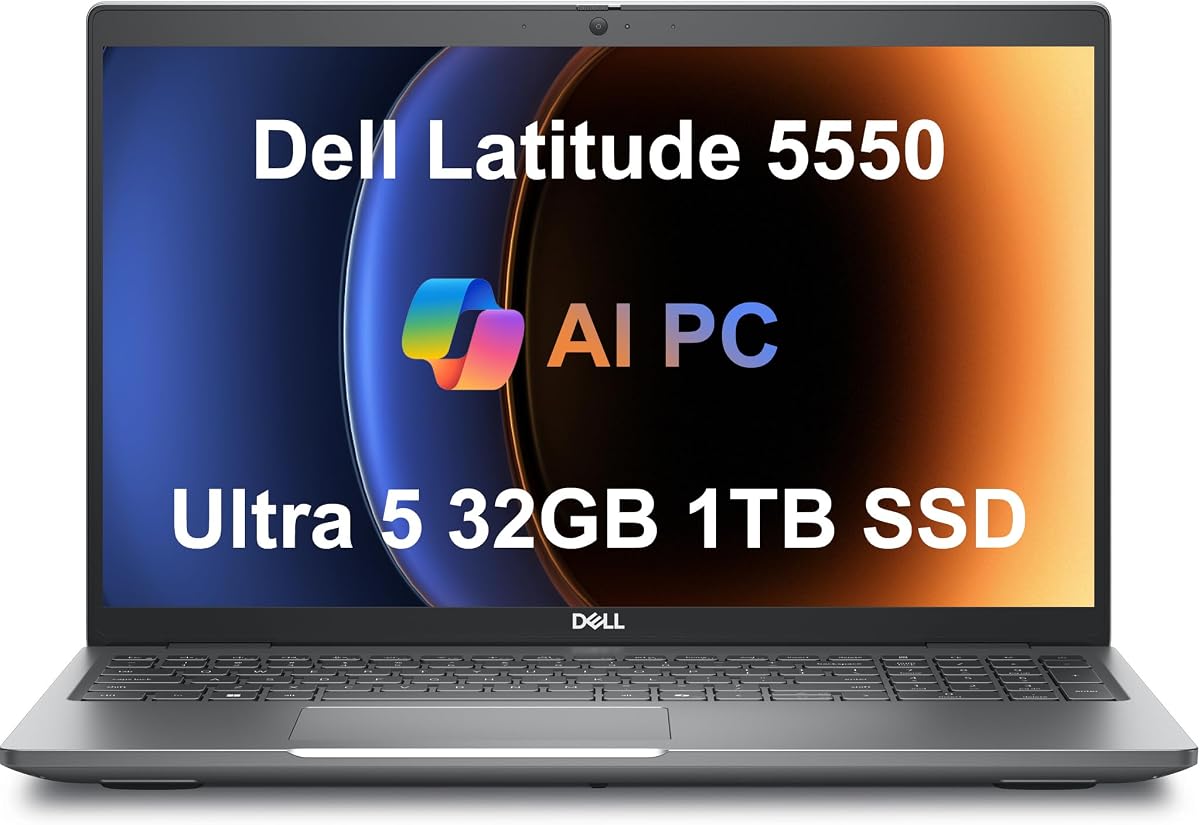
The Dell Latitude 5550 is a well-equipped 15.6-inch business laptop with a 4.3 rating and a configuration that feels unusually complete. Its Core Ultra 5 125U processor, 32GB of DDR5 memory, and dual 512GB PCIe NVMe SSDs provide a useful combination of processing capability, multitasking capacity, and storage flexibility.
We may earn a commission when you buy through this link, at no additional cost to you.
The supplied information describes the two 512GB drives as separate system and storage volumes, which can simplify operating system placement and project organization. The 1920×1080 IPS anti-glare display has more useful sharpness than an HD panel, while the FHD HDR RGB webcam and privacy shutter support clearer meetings and visual privacy. The backlit keyboard, Wi-Fi 6E, Bluetooth 5.3, Ethernet, microSD slot, HDMI 2.1, USB-A, and dual Thunderbolt 4 ports create a strong everyday feature set.
The listing states battery life of up to 11 hours, though actual results depend on display brightness, workload, wireless conditions, and power settings. The chassis and screen are larger than those of a 13.3-inch Latitude 5350, so people who carry their computer constantly may prefer a more compact option. The dual-SSD arrangement may also require attention during setup, and buyers should verify how the seller has partitioned and configured the drives.
This is a compelling recommendation for office professionals, students, and hybrid workers who want a conventional 15.6-inch display, abundant memory, and extensive connectivity. It also supports up to two 4K external monitors at 60Hz through HDMI and Thunderbolt. It is the best overall value in this group when storage capacity and overall specification balance matter more than minimum weight.
The dual 512GB NVMe configuration offers a useful separation between system files and work data. After purchase, confirm the partition layout and ensure important content is backed up before making configuration changes.
The FHD IPS anti-glare panel provides a clear, comfortable workspace for documents and business applications. It is a meaningful step up in usable detail from an HD display, particularly when arranging multiple windows.
We may earn a commission when you buy through this link, at no additional cost to you.
The Dell Latitude 5450 is an excellent all-around business laptop, earning a 4.6 rating for its combination of a refined 14-inch display, capable hardware, and professional connectivity. The Core Ultra 7 155U processor, 32GB of DDR5 memory, and 1TB PCIe NVMe SSD provide enough capability for demanding office applications, analysis, conferencing, and multitasking.
We may earn a commission when you buy through this link, at no additional cost to you.
Its 1920×1080 IPS anti-glare display offers 400 nits of brightness and 100% sRGB coverage, a noticeably more versatile specification than many business panels. That makes it suitable for presentations, design review, image-heavy work, and shared viewing. The 1080p HDR IR camera includes a privacy shutter and supports facial recognition, while the keyboard is backlit for low-light use. ExpressCharge is helpful when downtime is limited.
The primary trade-off is that the Core Ultra 7 tier can cost more than lower-numbered alternatives, even though it delivers better headroom for demanding workloads. One terabyte is generous for normal business use but may be inadequate for large media libraries, extensive virtual machines, or projects containing many high-resolution files. The listing also notes resealing and upgraded memory or storage, so buyers should carefully inspect the seller's condition and warranty details.
The Latitude 5450 is our top overall pick for professionals who want a balanced 14-inch format, excellent screen quality, modern AI-assisted Windows features, and strong business connectivity. It supports up to three external 4K displays at 60Hz without a docking station, making it equally suitable for a mobile schedule and a permanent office workstation.
The combination of 400-nit brightness, 100% sRGB coverage, and anti-glare treatment makes the display useful well beyond basic spreadsheets. It remains comfortable in bright rooms and offers greater color consistency for creative review and presentations.
Windows 11 Pro, Copilot, an NPU-equipped Core Ultra 7 processor, and 32GB of RAM provide a capable platform for current productivity tools. Thunderbolt 4 and three-monitor support also make the laptop easier to integrate into a permanent desk setup.
We may earn a commission when you buy through this link, at no additional cost to you.
The Dell Pro 16, described as the next-generation Latitude 3550, offers a large 1920×1200 display and a Core i5-120U processor in a business-focused configuration. Its 4.1 rating indicates a generally well-received machine, particularly for users who prioritize screen area, mainstream processing power, and useful office features.
We may earn a commission when you buy through this link, at no additional cost to you.
The processor's 10 cores and boost speed up to 5.0 GHz should handle document editing, web research, conferencing, streaming, and ordinary programming tasks smoothly. The 16GB of DDR5 memory and 512GB NVMe SSD provide fast everyday operation, while the 16-inch FHD+ display gives presentations, spreadsheets, and side-by-side work more breathing room. Wi-Fi 6E, a backlit keyboard, an HD webcam, stereo speakers, dual-array microphones, and RJ-45 cover common workplace needs.
Compared with the newer Latitude 5000-series alternatives, the Core i5-120U platform offers less advanced AI integration and may provide less headroom for sustained intensive workloads. The 16GB memory configuration is also below what many power users now expect, while the large 16-inch chassis is less convenient for travel. Storage can be limiting for users who keep large project files locally, although a single 512GB drive is adequate for many office tasks.
This is a sensible option for users who prefer a large screen and straightforward business laptop rather than a premium or ultralight design. It is particularly suitable for office-based work, education, small-business tasks, and presentations. Those who need maximum mobility or longer-term performance headroom should compare it with the 14-inch Latitude 5450 or 13.3-inch Latitude 5350.
The FHD+ resolution and 16-inch size make this laptop useful for detailed spreadsheets, writing, training materials, and presentations. A larger workspace can reduce the need for frequent application switching during office tasks.
The 10-core Core i5-120U and fast NVMe drive provide responsive performance for common professional applications. The balance is appropriate for everyday workloads, though it is not aimed at users requiring workstation-class sustained performance.
We may earn a commission when you buy through this link, at no additional cost to you.
The Dell Latitude 5350 stands out as a highly portable business laptop, carrying a 4.9 rating and a listed weight of just 2.72 pounds. Its Core Ultra 5 125U processor, 16GB of high-speed DDR5 memory, and 512GB PCIe NVMe SSD form a capable platform for office work, hybrid collaboration, and travel.
We may earn a commission when you buy through this link, at no additional cost to you.
Windows Studio Effects add automatic framing and noise suppression to help improve the appearance and clarity of video calls. The 13.3-inch FHD IPS anti-glare display is compact and sharp, while dual Thunderbolt 4 and HDMI allow connection to as many as three external 4K monitors at 60Hz without a docking station. The 1080p RGB webcam, backlit keyboard, two USB-A ports, Ethernet, Wi-Fi 6, and Bluetooth 5.3 complete a practical mobile-office feature set.
The display's stated 250-nit brightness and 45% NTSC coverage are the main limitations. It should work well for documents and indoor business applications, but it is less impressive for color-critical editing or use in very bright surroundings. The 512GB drive may also become crowded if you maintain large project collections locally. Its 16GB of memory is adequate for typical business use, although extensive virtual-machine or data-heavy workflows may benefit from more.
This model is best suited to commuters, hybrid workers, and business professionals who value weight, screen compactness, and monitor flexibility. It also lists an average 8% battery-life improvement over the previous generation and supports rapid ExpressCharge, useful when charging time is limited. It is a strong alternative to larger Latitude systems when portability is the deciding factor.
At a listed 2.72 pounds, the Latitude 5350 reduces the physical burden of carrying a full-size business notebook. Its 13.3-inch footprint also leaves more room in a briefcase or laptop sleeve than the 15.6-inch models in this guide.
Windows Studio Effects can automatically frame participants and suppress background noise. Combined with the 1080p RGB webcam, these tools make the model appealing for employees who regularly participate in video meetings from different locations.
We may earn a commission when you buy through this link, at no additional cost to you.
The touchscreen Dell Latitude 5350 combines the compactness of a 13.3-inch business laptop with premium processing, abundant memory, and a 1TB SSD. Its 5.0 rating is among the strongest in the group, while the Core Ultra 7-165U processor and 32GB of DDR5 memory provide ample capacity for intensive multitasking and AI-enhanced workflows.
We may earn a commission when you buy through this link, at no additional cost to you.
The 1920×1080 touchscreen adds direct interaction to a familiar Latitude form factor. That can be useful for presentations, annotations, quick navigation, and shared use, although many business tasks remain faster with a conventional keyboard and mouse. The FHD+ webcam, stereo speakers, dual-array microphones, backlit keyboard, Wi-Fi 6E, and Bluetooth create a well-rounded communication setup, while Windows 11 Pro provides business-oriented security and management features.
This is a high-end configuration, so buyers should consider whether the additional processor performance and touchscreen justify the investment for their workflow. Touch displays can consume more power than non-touch panels, making careful battery settings important. The supplied information does not give a precise brightness figure or detailed external-monitor support for this exact listing, so those details should be confirmed. As with other upgraded listings, warranty and resealing terms merit careful review.
The Latitude 5350 Touchscreen is an excellent choice for executives, consultants, students, and mobile professionals who want premium specifications in a compact chassis. It is particularly attractive when a high-quality camera, strong multitasking memory, and touch interaction are all important. For basic office use, however, the standard 5350 or lower-memory Latitude 3450 may provide sufficient capability with less complexity.
The Core Ultra 7-165U offers a high-end platform for demanding office applications, and 32GB of memory allows aggressive multitasking. That processing headroom is especially valuable when a portable machine must also serve as a temporary workstation.
The touchscreen can make presentations, annotation, and casual navigation more natural. Teams that do not need touch input may still prefer a non-touch panel for lower power consumption and a potentially more traditional display experience.
We may earn a commission when you buy through this link, at no additional cost to you.
The Dell Latitude 5550 AI Business Notebook provides a 15.6-inch FHD display and a Core Ultra 7 155U processor with 12 cores and turbo speeds up to 4.8GHz. It is a capable choice for business users, students, and remote professionals who want a larger screen without moving to a 16-inch chassis.
We may earn a commission when you buy through this link, at no additional cost to you.
The platform includes integrated graphics, 16GB of DDR5 memory, and a 512GB PCIe SSD, delivering quick startup, responsive application use, and adequate room for normal multitasking. The FHD display offers more detail and workspace than an HD panel, while stereo speakers, dual-array microphones, and an HD webcam support online classes, streaming, presentations, and video conferencing. Wi-Fi 6E, Bluetooth, a backlit keyboard, and an RJ-45 connection add everyday practicality.
No numerical customer rating is available in the supplied data, so there is not enough feedback to compare its reception with rated models. The 16GB memory is the main specification that may limit future flexibility, and the 512GB drive could become restrictive for users with large media libraries. Users needing more capacity can compare the other Latitude 5550 configuration, which lists 32GB and dual SSDs. Warranty terms also differ from some upgraded listings, so the seller's coverage should be reviewed.
This 5550 is well suited to conventional office work and hybrid employees who want a 15.6-inch display, current Core Ultra hardware, and a full complement of communication features. It is less appropriate for users who require touch interaction, maximum storage, or a highly compact form factor. Its larger screen makes it especially useful for spreadsheet work and regular collaboration.
The 15.6-inch FHD display offers a useful middle ground between a compact 13.3-inch notebook and a large 16-inch model. It provides ample room for business applications while remaining more manageable than the largest devices in the roundup.
The 12-core Core Ultra 7 155U brings capable performance and built-in AI support to a mainstream business chassis. It is a sensible foundation for users who need more headroom than a Core i5 while retaining a conventional display.
We may earn a commission when you buy through this link, at no additional cost to you.
The Dell Latitude 3550 combines a Core Ultra 7 155U processor, 16GB of DDR5 memory, and a generous 1TB solid-state drive in a familiar 15.6-inch business form. With no numerical customer rating provided, its value is best assessed through the balanced specifications rather than buyer-review trends.
We may earn a commission when you buy through this link, at no additional cost to you.
The 12-core processor, 14 threads, and boost capability up to 4.8GHz provide solid headroom for business applications, research, communication, and light technical work. The 1TB drive offers considerably more local storage than many competing configurations, while the 1920×1080 display gives office documents and spreadsheets a clear workspace. Wi-Fi 6E, Bluetooth, a backlit keyboard, a fingerprint reader, and Windows 11 Pro cover essential daily and security functions.
Connectivity is unusually detailed, including USB4 with power delivery, three USB 3.2 Gen 1 ports, HDMI 2.0, Gigabit Ethernet, a universal audio jack, a lock slot, and several M.2 expansion positions. These options are useful for offices, repair technicians, and users who regularly connect storage or accessories. The primary compromises are the absence of a published rating and a 16GB memory limit, while the 15.6-inch footprint is less portable than the Latitude 5350.
This Latitude 3550 is a compelling choice when storage capacity is a higher priority than maximum mobility or a premium touchscreen. It should serve general business, education, and productivity needs well, particularly for users who want multiple USB ports and Ethernet. Confirm the final component list and current condition directly with the seller before ordering.
A one-terabyte drive makes it easier to retain documents, presentations, media, and project folders without relying on cloud storage. It also reduces the need to manage files on an external drive during short mobile assignments.
The mix of USB4, USB-A, HDMI, and Ethernet gives the system broad peripheral compatibility. That makes it a practical option for offices where wired networking and legacy accessories remain common.
We may earn a commission when you buy through this link, at no additional cost to you.
The Dell Latitude 3450 is a practical everyday business laptop with a 4.5 rating, a 14-inch FHD display, and a Core i3-1315U processor. Its 16GB of DDR5 memory and 512GB SSD provide a modern foundation for office applications, research, email, video meetings, and routine multitasking.
We may earn a commission when you buy through this link, at no additional cost to you.
The 1920×1080 IPS anti-glare panel provides a clear, comfortable workspace without the bulk of a 15.6-inch model. USB-C, three USB-A ports, HDMI, Ethernet, and an audio combo jack create a versatile wired interface, while Wi-Fi 6E and Bluetooth 5.3 handle modern wireless accessories. The FHD RGB IR camera has a privacy shutter and supports facial recognition, and the fingerprint reader adds another convenient sign-in method.
The listing states that the laptop is tested to MIL-STD-810H standards, offering reassurance for commuting and frequent handling. Intelligent audio helps reduce background noise during calls, and the backlit keyboard improves low-light productivity. On the other hand, the Core i3 is the entry point in this processor lineup, so it offers less headroom for sustained heavy computation. The 512GB drive may also require active file management for media-heavy users.
The Latitude 3450 is a strong budget-focused recommendation for students, administrative staff, and everyday business users who want modern Latitude features without paying for a Core Ultra 7 or touchscreen configuration. It supports two external 4K displays at 60Hz through HDMI and USB-C. If you need maximum processing power, a larger workspace, or more storage, step up to one of the Latitude 5000-series models.
The 14-inch format balances screen area with a more manageable size than the 15.6-inch and 16-inch options. MIL-STD-810H testing and long-battery-life positioning make it appropriate for commuting and hybrid work.
The IR camera, privacy shutter, fingerprint reader, Ethernet, and Windows 11 Pro create a useful security and networking foundation. Three USB-A ports add flexibility for existing office peripherals.
We may earn a commission when you buy through this link, at no additional cost to you.
The most suitable Latitude depends on where you work, what applications you run, how much you value portability, and whether you need a large display or touch interaction. These factors help narrow the many otherwise similar configurations.
A 13.3-inch Latitude is the easiest to carry and works well for travel, external-monitor use, and compact workspaces. A 14-inch model offers a slightly larger canvas while remaining relatively portable, making it a versatile middle ground. A 15.6-inch display is better for spreadsheets, documents, and frequent office use, while the 16-inch models provide the largest work area but are bulkier for commuting.
In general, choose the smallest screen that comfortably supports your normal tasks. If you regularly connect a monitor, a compact 13.3-inch model can be more practical than a large laptop. For desk-based work or frequent travel with a backpack, give more attention to weight and chassis size than screen diagonal.
Core i3 models such as the Latitude 3450 are designed for browsing, office productivity, communication, and routine coursework. Core i5 configurations add more processing headroom for multitasking, while Core Ultra 5 and Core Ultra 7 processors are better suited to heavier business applications, technical work, and sustained multi-application use. Their built-in AI capabilities can also support newer collaboration and productivity tools.
Do not overpay for a higher processor if your applications are lightweight, but do avoid settling for less headroom if you keep many applications open or run intensive tasks. Look beyond the model number to the core count, supported memory, integrated graphics, and thermal design listed for the exact configuration.
The featured laptops range from 16GB to 32GB of memory. A 16GB configuration is suitable for general office use and moderate multitasking, while 32GB provides more room for browser-heavy workflows, large spreadsheets, virtual environments, and professional applications. DDR5 also provides current platform support and improved bandwidth over earlier memory generations.
Choose 32GB if you expect the laptop to remain useful for several demanding years or regularly work with large project files. If your needs are modest, 16GB can be enough, but it is worth checking whether the model offers straightforward expansion options before buying.
A 512GB SSD is adequate for many users who keep active documents in cloud storage, while a 1TB drive is preferable when working with media, installers, project archives, or large application libraries. Some listings feature dual SSDs, which may separate the operating system from data storage, but the included information does not confirm whether every such drive is already partitioned as intended.
For a dual-drive configuration, verify the exact partition arrangement, usable capacity, and whether the second drive is user-accessible. A single large and simple drive can also be easier to maintain. Whichever design you choose, keep an independent backup for important files.
Resolution, brightness, anti-glare treatment, and color coverage all affect comfort. The FHD and WUXGA panels in this roundup offer more usable detail than an HD screen. The Latitude 5450 stands out with 400 nits and 100% sRGB coverage, while the standard Latitude 5350 is listed at 250 nits and 45% NTSC, making the latter less attractive for color-critical work.
For office use, FHD resolution and an anti-glare surface are useful priorities. For creative review, shared presentations, or bright environments, look for higher brightness and wider color coverage. A touchscreen can improve direct interaction, but it may increase power consumption and is not essential for standard keyboard-based work.
Modern business setups often involve multiple displays, wired networking, USB storage, and docking accessories. The featured models variously include Thunderbolt 4, USB-C, USB-A, HDMI 2.1, Ethernet, card readers, and audio connections. Some support as many as three external 4K displays at 60Hz without a docking station, while the Latitude 3450 lists support for two.
Match the ports to the equipment you already own. Thunderbolt 4 offers broad peripheral and docking compatibility, while an RJ-45 port is valuable in offices with reliable wired networks. A full-size SD reader is also useful for media workflows. Confirm maximum monitor counts and resolutions against the exact listing before purchase.
Business laptop performance means little if the machine is uncomfortable to carry. The Latitude 5350 is listed at 2.72 pounds, making it the clearest ultraportable option, while 14-inch models provide a balance between mobility and workspace. The 15.6-inch and 16-inch choices are better suited to users who spend more time at a desk. Battery claims should be treated as maximum figures because workload, brightness, wireless activity, and power settings affect results.
Look for rapid charging, long battery-life claims, and a keyboard that remains comfortable for extended work. Frequent travelers should prioritize weight and charger practicality, while stationary workers can focus more heavily on screen size and comfortable viewing.
Video-call quality depends on more than the webcam resolution. A 1080p camera, microphones, AI framing, and noise suppression can make a meaningful difference. Privacy shutters, IR sign-in support, fingerprint readers, Windows 11 Pro, and enterprise management features add security for professional environments.
Also examine the seller's disclosure. Some systems are resealed and include upgraded memory or storage, with separate warranty periods for upgraded and original components. Renewed products may have different condition expectations and coverage. Read the exact listing terms rather than assuming that every Dell laptop carries the same support package.
Begin by completing Windows setup, signing into your organization or personal account, and applying the appropriate security, file synchronization, and device-management policies. Confirm that the processor, memory, storage, display, ports, camera, and wireless capabilities match your intended workload. For models with upgraded memory or storage, create a recovery image and verify that the system recognizes all installed components.
Tune the display brightness and power profile to the environment, enable automatic sleep when appropriate, and use the included fast-charging method when time is limited. For extended desk use, select a scaling level that keeps text and controls easy to read without making the interface too large. Connect external displays through the highest-bandwidth ports available, and close inactive applications to reduce unnecessary background activity.
Keep the system updated through Windows and Dell's support channels, maintain a separate backup of important files, and avoid placing the laptop directly on soft surfaces that could obstruct ventilation. Clean the display and keyboard with suitable nonabrasive materials, and keep liquids away from the ports. Periodically check battery health, storage space, and warranty status so maintenance needs do not become an unexpected interruption.
The Dell Latitude 5350 is the most explicitly portable option in this guide, with a listed weight of 2.72 pounds and a compact 13.3-inch display. The Latitude 3450 and 5450 offer a balance of portability and screen space. If you regularly travel, compare the physical weight and dimensions of the exact configurations rather than relying on screen size alone.
Yes, 16GB is generally sufficient for email, web browsing, document editing, spreadsheets, video conferencing, and standard business applications. It also handles moderate multitasking well. Consider 32GB when running virtual machines, large datasets, intensive development environments, or many simultaneous professional applications for long periods.
A touchscreen is useful for presentations, annotation, direct navigation, and shared interaction. It is less essential when most work is performed through a keyboard and pointing device. Touch panels may also consume additional power, so users prioritizing maximum battery efficiency should examine non-touch alternatives.
The Latitude 5000 models generally offer a more advanced platform, with newer Core Ultra processors, stronger displays, and broader enterprise-oriented features. Latitude 3000 models focus on essential business functions at a more accessible tier. The exact specifications vary by configuration, so compare the processor, memory, display, and warranty directly.
Several featured models support multiple external displays, with some lists claiming support for as many as three 4K displays at 60Hz without a docking station. The Latitude 3450 lists support for two external 4K displays. Check the exact product listing because support can vary with the selected ports, resolution settings, and configuration.
Yes, Windows 11 Pro is listed across the featured systems. It adds business-oriented capabilities such as BitLocker encryption, Remote Desktop, Hyper-V virtualization, Group Policy management, and enterprise application compatibility. Copilot is also mentioned on several configurations, providing access to AI-assisted productivity features.
Check the condition, exact processor, installed memory, storage arrangement, operating system, and warranty coverage. Upgraded systems may include different warranty periods for upgraded components and remaining factory parts. Renewed systems may show visible wear or other condition differences, so review photographs and the seller's disclosure carefully.
A larger display with FHD resolution is generally more comfortable for spreadsheets. The Latitude 5550 configurations and Dell Pro 16 models provide 15.6-inch or 16-inch workspaces, while the Latitude 5450 combines a 14-inch panel with 32GB of memory and strong processing performance. Your preference between mobility and desk space should determine the final choice.
The Dell Latitude 5450 is the strongest all-around recommendation because it combines an excellent 400-nit, 100% sRGB display with a Core Ultra 7 processor, 32GB of memory, and modern connectivity. The Latitude 5350 Touchscreen is the premium compact choice for users who value touch interaction and high-end specifications, while the Latitude 3450 offers the most approachable balance of portability, durability, security, and essential business performance.
Prioritize the features your work actually requires. Choose 13.3 inches for maximum mobility, 14 inches for a balanced form factor, and 15.6 or 16 inches for a roomier workspace. Match processor and memory to your workload, confirm display quality for visual work, and make sure the ports support your monitors and accessories. For storage, balance local capacity against cloud use and backup habits.
Finally, check the current product listing before ordering. Configurations, ratings, availability, upgrade details, and pricing can change, and the same Latitude model may appear with different memory, storage, display, and processor combinations. Verifying the exact ASIN, specifications, condition, seller disclosure, and warranty ensures that your choice remains both suitable and properly informed.