
HP LaserJet Enterprise MFP M634z
Up to 55 ppm printing
2300-sheet input capacity
150-page document feeder
Three-bin stapler stacker
This laser printer for large workgroups guide compares ten business models for speed, paper capacity, security, connectivity, scanning, and everyday reliability
A laser printer for large workgroups must do more than produce sharp pages quickly. It needs dependable paper handling, secure networking, manageable toner use, and enough speed to keep shared teams productive from the first print of the morning until the final report of the day.
We compared ten business laser printers across the factors that matter in demanding offices: monochrome or color output, pages per minute, paper capacity, automatic duplexing, scanning throughput, wireless and wired connectivity, and enterprise security features.
The picks range from a value-focused monochrome model to advanced color and document-finishing systems, with each entry revealing who it suits best. Product details and pricing can change, so confirm the current configuration, supplies, and availability before purchasing.

4.4Editor score

4.1Editor score
This side-by-side comparison highlights each printer's core configuration, workload capacity, and workflow features, making it easier to match a device to the printing volume and management needs of a busy office.



The Brother MFC-L8930CDW is a well-rounded color laser all-in-one aimed at offices that print substantial mixed-color workloads. Its 4.4 rating reflects a favorable balance of speed, output quality, scanning capability, and management features. With printing and copying speeds of up to 33 pages per minute, it is designed to handle routine business documents without feeling limited to occasional color jobs.
We may earn a commission when you buy through this link, at no additional cost to you.
The strongest feature is its integrated document workflow. The 80-page automatic document feeder supports two-sided scanning at up to 104 images per minute, while the legal-size glass provides a practical alternative for unusual originals. The 7-inch color touchscreen makes menu navigation easier and allows up to 64 customized shortcuts, a valuable feature for teams that repeatedly send documents to email, cloud services, or SharePoint. Scan-to-network and searchable Office document creation further reduce manual handling.
The hardware is designed for secure shared use. Dual-band Wi-Fi and Gigabit Ethernet give administrators flexible deployment options, while Triple Layer Security addresses device access, network protection, and documents in transit. An integrated NFC card reader supports badge authentication. A multipurpose tray handles custom media, and the compact, durable enclosure is stated to be 25 percent smaller than the preceding model, which helps when workgroup equipment must share limited floor space.
This is the strongest all-around recommendation for organizations that need professional color, dependable monochrome output, scanning, copying, and enterprise controls in one machine. It is less suitable for a group wanting only the simplest printer, but for mixed offices it avoids the need to maintain separate devices for every document task. Verify local network policies and badge requirements before deployment, and choose the most appropriate genuine toner supplies for expected page volume.
This model combines sharp color and black printing with fast duplex scanning, copying, touchscreen navigation, and direct cloud destinations. That combination makes it practical for shared administration, finance, sales, and project teams that regularly move documents through several destinations.
Triple Layer Security, document protection, network safeguards, and NFC badge authentication help address the risks of placing a connected multifunction device in a busy office. Customized shortcuts can also standardize common jobs for less technical users.
We may earn a commission when you buy through this link, at no additional cost to you.
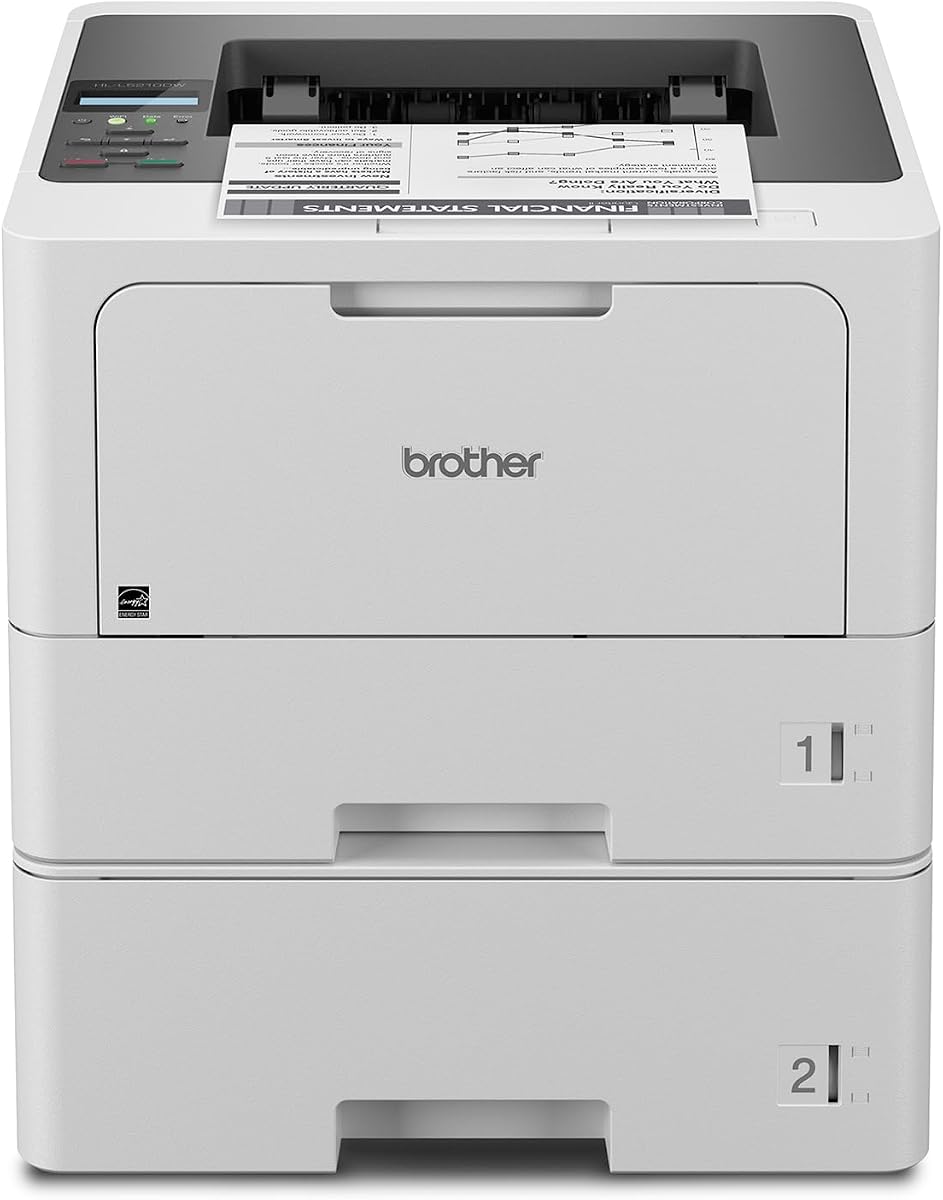
The Brother HL-L5210DWT is a dedicated monochrome laser printer for teams that print heavily and do not need a built-in scanner or copier. It carries a 4.3 rating and emphasizes the three attributes common in a high-volume office: speed, paper capacity, and efficient duplexing. Its listed speed of up to 48 pages per minute places it near the upper end of this guide for routine workgroup production.
We may earn a commission when you buy through this link, at no additional cost to you.
Paper handling is a major strength. The standard configuration combines a 250-sheet tray and a 520-sheet tray, allowing administrators to keep common letter paper and another paper size loaded at the same time. A 100-sheet multipurpose tray supports envelopes and custom media, while an optional accessory tray can raise total input capacity to 1,390 sheets. Fewer paper refills translate directly into less interruption during long print runs.
The printer is easy to integrate into a mixed office network. Built-in Gigabit Ethernet offers a stable wired option, and dual-band wireless networking gives administrators another way to establish a private connection. Mobile printing support broadens access from compatible devices. Triple Layer Security features help protect the device, network, and documents in transit, while the included 3,000-page cartridge and optional 11,000-page high-yield cartridge provide choices for different duty cycles.
The main compromise is functional simplicity. Because this is a printer rather than an all-in-one, teams that need to digitize or copy paperwork must use separate equipment. Even so, it is a compelling choice for legal, accounting, logistics, or administrative groups whose priority is fast, secure monochrome output without the operating complexity of a multifunction device.
The combination of two high-capacity trays and an optional expansion tray reduces the frequency of paper refills. That matters in offices producing long reports, invoices, contracts, and internal documents where frequent loading can slow an entire workflow.
Omitting scanning and copying keeps the device focused on high-speed monochrome output. Organizations that already have separate document-capture equipment can gain efficiency from a dedicated production printer.
We may earn a commission when you buy through this link, at no additional cost to you.
The HP LaserJet Enterprise M406dn is a straightforward enterprise monochrome printer built for workgroups that value speed, security, and simple operation. Its 4.4 rating is strong for a print-focused model, and the stated speed of up to 42 pages per minute should suit steady demand for reports, forms, and general office documents.
We may earn a commission when you buy through this link, at no additional cost to you.
Automatic two-sided printing is particularly relevant for large groups because it reduces paper consumption without requiring users to change a setting. A built-in Ethernet connection makes the device well suited to a managed office network, while the 2.7-inch color display allows administrators and users to access relevant controls or print directly from the device. The specifications also call out support for card readers and third-party solutions, giving an IT team additional deployment options.
HP FutureSmart firmware is intended to keep the installed base adaptable over time. It can receive feature updates designed to optimize the printer's role in the organization, while HP Wolf Enterprise Security uses defensive layers to help detect and resist malware. These platform-level features make the M406dn more compelling where centralized oversight and long-term fleet management matter.
This printer is a sensible choice for a secure, predominantly wired office that needs automatic duplex output and does not require color, scanning, or copying. Its lack of listed built-in wireless connectivity may make it less attractive for flexible deployments, but organizations seeking a controlled enterprise connection can benefit. Confirm compatibility with existing management tools, access-control solutions, and network infrastructure before standardizing it across multiple sites.
FutureSmart firmware, centralized control tools, card reader support, and a built-in Ethernet connection give administrators practical ways to deploy and govern the printer. The security approach is especially relevant when sensitive documents move through a shared device.
A print-only monochrome design can simplify ownership for groups producing large quantities of text-based pages. Automatic duplexing and direct display controls preserve convenience while keeping the operating model focused.
We may earn a commission when you buy through this link, at no additional cost to you.
The Brother MFC-L6810DW is an enterprise monochrome all-in-one intended for mid-to-large workgroups with demanding print, copy, and scan workloads. Its 4.1 rating is still favorable, and the headline 52 pages per minute print and copy speed makes this one of the quickest multifunction options in the guide. It is designed to keep a team moving when documents arrive in batches.
We may earn a commission when you buy through this link, at no additional cost to you.
Scanning is the model's most distinctive performance feature. The 80-page automatic document feeder performs single-pass, two-sided scanning at up to 200 images per minute, reducing the need to re-feed pages. A large document glass handles legal-size originals, while the 7-inch touchscreen can direct scans to popular cloud services. These features make the device useful for records-heavy departments such as finance, legal, insurance, and administration.
The printer also offers serious capacity. A 520-sheet paper tray and 100-sheet multipurpose tray provide a strong base configuration, and optional trays expand total capacity to 1,660 sheets. The 250-sheet output tray helps support sustained production. Triple Layer Security and an integrated NFC card reader help secure access, while wireless and wired connectivity support flexible deployment across a workgroup.
Buyers should weigh multifunction versatility against their need for color. Teams that mostly print black text will appreciate the speed, scanning throughput, and capacity. Those who regularly create polished color presentations or marketing materials may prefer a color-focused model. Even for monochrome offices, this printer is best matched to teams that value fast capture and copying enough to justify a larger all-in-one footprint.
Single-pass duplex scanning at up to 200 images per minute and the 80-page feeder make bulk scanning less labor-intensive. Direct cloud destinations help reduce the steps between intake, storage, and retrieval.
The 1,660-sheet expanded input capacity and 250-sheet output tray support sustained document flow. Optional trays also make it possible to adapt the printer as a workgroup's volume and paper mix changes.
We may earn a commission when you buy through this link, at no additional cost to you.
The Brother HL-6210DW is a value-oriented monochrome laser printer that brings several enterprise attributes to a comparatively straightforward workgroup model. Its 4.1 rating and listed speed of up to 50 pages per minute make it compelling for groups with substantial routine printing but no need for color, scanning, or copying.
We may earn a commission when you buy through this link, at no additional cost to you.
The standard 520-sheet main tray is unusually useful for a dedicated shared printer because it can hold a meaningful amount of common paper between service visits. A 100-sheet multipurpose tray accepts envelopes and custom media, and optional trays expand total capacity to 1,660 sheets. Automatic duplex output improves efficiency for multi-page documents and can help lower paper consumption when users rely on the default settings.
Connectivity is flexible for a business printer. Built-in Gigabit Ethernet supports a stable office connection, while dual-band wireless networking offers flexible placement and device access. Triple Layer Security is designed to protect the network, device, and documents in transit. For cost-conscious buyers, compatibility with Brother Genuine ultra high-yield replacement cartridges rated at up to 18,000 pages can reduce supply replenishment under heavy usage.
This model is a strong candidate for accounting, warehousing, logistics, legal, and administrative teams that need dependable monochrome throughput and generous paper capacity. It is not the right choice when employees expect to scan or copy directly at the device, nor when color is essential. Its simplicity is the point: it concentrates on fast, shareable, black-and-white output while retaining the paper handling and security features expected in a workgroup setting.
The combination of 50 ppm output, a 520-sheet standard tray, and high-yield toner options targets organizations trying to control the expense of routine text-heavy printing. Duplex output adds further efficiency for multipage files.
Gigabit Ethernet and dual-band wireless give administrators options for placement and access. Triple Layer Security adds important controls for a device that may serve many employees across a shared network.
We may earn a commission when you buy through this link, at no additional cost to you.
The Brother MFC-L5915DW offers a balanced combination of fast monochrome printing, copying, and scanning for offices that want one device to handle several document tasks. It has a 4.3 rating, and its listed print and copy speed of up to 50 pages per minute is well suited to sustained internal workloads.
We may earn a commission when you buy through this link, at no additional cost to you.
The 70-page automatic document feeder supports single-pass, two-sided scanning at up to 56 images per minute. This is a meaningful convenience for routine digitization because users do not need to flip each side manually, although the scanning speed is lower than that of the MFC-L6810DW. A large document glass provides a straightforward way to handle legal-size sheets and delicate originals.
Built-in Gigabit Ethernet and dual-band wireless networking make it easier to deploy the printer in either a fixed or flexible office arrangement. A Brother Genuine 3,000-page cartridge is included, while the MFC-L5915DW is compatible with the TN920UXXL ultra high-yield cartridge rated for 18,000 pages. This gives administrators a way to match consumables to actual workload and replenishment preferences.
The MFC-L5915DW is a good middle-ground choice for a business that needs multifunction capability and high monochrome speed but does not require color or the most aggressive scanning throughput. It will appeal to administrative teams, property managers, and small departments that want fewer separate devices. Buyers should consider printer placement carefully because all-in-one bodies occupy more space than dedicated printers, and they should verify the exact network and paper-handling configuration before ordering.
Printing, copying, and duplex scanning are combined in a high-speed monochrome platform. This can simplify shared workspaces where employees currently move between separate devices for routine document handling.
The included cartridge covers initial use, while an 18,000-page ultra high-yield option supports heavier production. Choosing the right cartridge can improve convenience and reduce the frequency of supply changes.
We may earn a commission when you buy through this link, at no additional cost to you.
The HP LaserJet Enterprise M507n is a monochrome enterprise printer designed for organizations that treat device management and security as central requirements. Its 4.0 rating remains positive, although it trails several higher-rated models in this roundup. The product's appeal lies less in a single standout specification and more in its enterprise administration platform.
We may earn a commission when you buy through this link, at no additional cost to you.
The printer includes more than 200 embedded security features intended to protect device information, thwart malware, and detect attacks. HP Web JetAdmin can help administrators add devices and solutions, update features, and apply policies, while HP JetAdvantage Security Manager supports centralized security configuration. Together, these tools can simplify deployment across departments, offices, or a wider fleet.
Built-in Ethernet provides the primary wired connectivity, and optional mobile printing makes it possible to print from many smartphones and tablets without requiring a separate app in most cases. Original HP 89A and 89X toner cartridges are specified for the device, with optional extra high-yield 89Y cartridges available for offices seeking a different supply strategy. The design supports consistent monochrome output for general business documents.
This printer is most appropriate for IT-led environments that already use HP management and security tools and want a centralized monochrome fleet. Its 4.0 rating may encourage cautious buyers to compare the latest model available in their region, while the absence of a stated duplex function in the supplied specifications deserves attention for teams aiming to reduce paper use. Verify desired functions and toner configuration before ordering.
Web JetAdmin and JetAdvantage Security Manager support centralized device onboarding, configuration, firmware updates, and policy application. These features can reduce the operational burden of supporting printers across multiple teams or locations.
The embedded security approach is designed to protect the printer, its stored information, and the wider network. That makes the model relevant to organizations handling sensitive contracts, financial records, or personnel documents.
We may earn a commission when you buy through this link, at no additional cost to you.
The HP LaserJet Enterprise MFP M634z is the premium, high-capacity choice in this guide. It is built for organizations that treat printing, scanning, copying, faxing, paper handling, and document finishing as parts of one managed production system. No numeric customer rating was supplied for this model, so this guide does not assign one, but its specifications clearly position it for demanding enterprise workflows.
We may earn a commission when you buy through this link, at no additional cost to you.
Performance is a major strength. The device prints at up to 55 pages per minute, produces its first page in 5.2 seconds, and supports duplex printing. A 150-page automatic document feeder performs single-pass two-sided scanning, while the 9-inch color touchscreen and error-detection features help manage complicated jobs. These capabilities make it well suited to high-volume administrative, legal, financial, and centralized operations.
Paper and finishing capacity are exceptional within this group. Three additional 550-sheet trays on a wheeled stand bring total input capacity to 2,300 sheets, accommodating paper sizes from 4 by 6 inches through legal. The 1,000-sheet three-bin stapler and stacker with job offset supports organized final output without sending every document to a separate finishing device. That integrated path can reduce handling and improve document presentation.
Security is another reason to choose this premium configuration. Embedded protection is designed to defend the device and data, detect and stop attacks, and support a controlled enterprise environment. It is best suited to a dedicated print environment with sufficient floor space and a clearly defined need for advanced finishing. Organizations with lighter volume should consider whether the added capacity and larger system will be fully utilized.
The three-bin stapler and stacker with job offset lets large jobs leave the printer organized and ready for distribution. Integrating finishing directly into the system can improve turnaround in centralized office print environments.
A 2,300-sheet maximum input capacity, 1,000-sheet output capacity, 55 ppm speed, and 150-page feeder support long jobs with fewer manual interventions. The wheeled tray configuration also makes the system suitable for a dedicated production area.
We may earn a commission when you buy through this link, at no additional cost to you.
The Brother HL-L8430CDWT is a dedicated business color laser printer with the highest listed rating in the roundup at 4.6. It combines professional color output, sharp monochrome printing, and a 33-page-per-minute speed, making it an excellent choice for teams that need visually polished documents without a multifunction device.
We may earn a commission when you buy through this link, at no additional cost to you.
Dual paper trays provide a 250-sheet tray and a 520-sheet tray, allowing different paper types or sizes to remain loaded and reducing the need for constant changes. An optional tray expands total capacity to 1,340 sheets, while the 50-sheet multipurpose tray handles envelopes and custom media. This paper configuration is particularly useful for offices that regularly mix letter-size office stock, presentation media, and other materials.
The 2.7-inch color touchscreen supports direct menu navigation and printing from popular cloud services and mobile devices. Default two-sided printing helps reduce paper use, while Triple Layer Security, document-in-transit protection, network safeguards, and NFC badge authentication address the risks of shared color output. Brother Genuine high-yield black and color cartridges are available for offices seeking to control consumable costs.
This printer is ideal for sales teams, marketing departments, branch offices, and project groups that regularly produce proposals, reports, charts, and client-facing packets. It lacks scanning and copying, so teams needing those functions should compare it with a multifunction model. It also does not include advanced stapling or stacking, but for professional color output in a compact business configuration, its rating, speed, and paper flexibility make it a particularly strong contender.
The model focuses on high-quality color and black output at a 33 ppm speed. That makes it a strong standalone option for teams that already handle scanning and copying elsewhere but need better presentation printing.
Two standard trays, a multipurpose tray, and optional expansion accommodate varied paper sizes and quantities. The result is fewer reloads when jobs move between standard documents, envelopes, and custom media.
We may earn a commission when you buy through this link, at no additional cost to you.
The Brother HL-L6310DW is an enterprise monochrome laser printer aimed at mid-to-large workgroups that want a fast dedicated printer with substantial paper capacity. Its 4.2 rating is positive, while the 52-page-per-minute listed speed places it among the quickest conventional models in the guide.
We may earn a commission when you buy through this link, at no additional cost to you.
A 520-sheet paper tray, 100-sheet multipurpose tray, and 250-sheet output tray create a practical base for sustained monochrome production. Optional trays expand total input capacity to 1,660 sheets, and an optional cabinet can store paper and supplies while converting the printer into a floor-standing configuration. That flexibility is useful as a group grows or as a facility requires more paper storage near the device.
The printer is designed for controlled deployment in large offices. Device management solutions support mass distribution of configurations, security settings, firmware updates, and task automation, reducing repetitive setup work. Triple Layer Security helps protect the network, device, and documents in transit, and an integrated NFC card reader provides a straightforward badge-authentication option for shared environments.
A Brother Genuine 6,000-page toner cartridge is included, while the compatible TN920UXXL ultra high-yield cartridge is rated for 18,000 pages. Offices can therefore select supplies according to their expected volume. This model is a sound recommendation for teams focused almost entirely on black-and-white production, especially those that value speed, expandable capacity, and centralized rollout more than scanning or color.
At up to 52 pages per minute, the HL-L6310DW can support high-volume offices without moving to the largest premium document system. It is a strong middle ground between compact business printers and specialized finishing equipment.
Mass configuration distribution, firmware updates, task automation, and badge authentication support standardized rollouts. These features are particularly valuable when the same printer configuration must serve multiple departments.
We may earn a commission when you buy through this link, at no additional cost to you.
Choosing a workgroup laser printer requires balancing print speed, page volume, paper handling, device security, and workflow functions. The right model should fit the type of documents your team produces and the level of control your IT environment needs.
For most workgroups, prioritize sustained speed, reliable duplexing, and a paper tray large enough to cover a normal service interval. These factors determine whether employees wait or remain productive.
Choose monochrome for high-volume routine text and color for polished, visually important documents. Avoid paying for capabilities the workgroup will not use regularly.
Match capacity to workload and available space. More paper capacity reduces interruptions, but the most advanced finishing systems also require a dedicated footprint.
Choose an all-in-one when high-volume digital capture is routine. A dedicated printer is more efficient when employees rarely scan or copy.
Choose connectivity that works with your network policy, then verify centralized management compatibility. Wireless access does not replace the need for secure device administration.
Prioritize authentication, document protection, and centralized controls for sensitive offices. Check compatibility with your identity and management systems before purchase.
Match cartridge yield to real page volume. High-yield supplies can reduce interruptions, but availability and genuine compatibility should be confirmed locally.
Evaluate energy use, certification, recycled materials, serviceability, and management support together. The cheapest device is not always the most economical over its working life.
Begin with the manufacturer's setup instructions, remove all packing material, install the appropriate toner, and load dry, clean paper that matches the supported specifications. Configure the network connection before distributing the printer to users. For a device with a touchscreen, create shortcuts for common destinations, and for NFC-equipped models, confirm that the organization's badge system is compatible before enabling badge authentication.
Load paper squarely within the tray guides and select the correct size and type in the printer settings. Use the multipurpose tray for envelopes, specialty stock, or short runs rather than forcing unusual media into a standard tray. When duplex printing is available, set it as the default for multi-page business documents where appropriate. For scan-heavy workflows, clean the document feeder rollers and glass periodically and use the glass for originals that are too small, damaged, or likely to cause multiple-feed issues.
Monitor toner and paper levels, and replace supplies according to the manufacturer's guidance. Keep the output area clear, wipe the exterior with a dry or lightly damp cloth, and avoid exposing vents to dust. Schedule periodic test pages, verify security settings and firmware updates through the management tools available for the model, and document user procedures. If output quality, paper feeding, or network connectivity changes, address the simplest cause first before requesting service.
The right speed depends on daily volume, job length, and how many employees share the device. A model rated around 42 to 55 pages per minute is well suited to sustained batch printing, while lighter teams may need less. Consider peak periods, simultaneous jobs, and whether duplex output is essential rather than focusing on one speed figure alone.
A multifunction model is better when employees regularly scan, copy, or send documents to cloud destinations. It can consolidate equipment and reduce steps in document workflows. A dedicated printer may be more efficient for organizations that produce large amounts of text but rarely use capture functions, provided the organization already has suitable scanning equipment.
More input capacity means fewer interruptions to load paper during long jobs. It also allows administrators to keep two paper sizes or types available at once, reducing sorting and configuration changes. A device that supports optional trays can scale as the workgroup grows, although advanced paper and finishing systems require adequate space.
It depends on the network environment and security policy. Wired Ethernet is dependable for stationary office placement, while wireless can provide placement flexibility and convenient access from mobile devices. If both are available, administrators can choose the appropriate method for each site and still manage access through security settings.
Important features include document protection, network safeguards, secure management, and user authentication where appropriate. NFC badge readers, removable or protected storage, and centralized policy tools can be valuable in offices handling sensitive information. Organizations should also verify that the printer works with their existing identity, monitoring, and print-management systems.
High-yield cartridges can reduce the frequency of supply changes when a printer has steady demand. The actual benefit depends on pages per job, page yield, and the cost and availability of compatible supplies. Organizations should consider both standard and high-yield options rather than assuming the maximum cartridge yield is used efficiently in every workflow.
A color laser printer is suitable when a group regularly produces charts, proposals, forms, presentations, or customer-facing documents. It also handles black-and-white work, but color capability adds supply and maintenance considerations. A monochrome-only device may be more economical for departments whose output is almost entirely text-based.
Duplex printing is highly useful for common multi-page reports, contracts, manuals, and internal documents because it reduces paper use and print time. It can also simplify handling compared with manually feeding single-sided pages. If duplex output is important, confirm that it is standard or available for the exact configuration being purchased.
The Brother MFC-L8930CDW is the most balanced overall recommendation because it combines professional color output, fast duplex scanning, copying, strong connectivity, and layered security in a compact workgroup design. The HP LaserJet Enterprise MFP M634z is the premium option for centralized operations that need maximum paper capacity, high-volume document handling, and integrated stapling and stacking, while the Brother HL-6210DW offers a cost-focused route to fast, secure monochrome output.
Before choosing, prioritize the workload you genuinely have. Evaluate color needs, daily volume, duplex output, scan frequency, paper capacity, network policy, and access controls in that order. Organizations that need quick document capture should examine the Brother MFC-L6810DW or MFC-L8930CDW, while teams focused on polished color documents should consider the HL-L8430CDWT, and high-volume monochrome offices can compare the HL-L5210DWT, HL-L6310DW, and HP Enterprise models.
Finally, confirm the current model configuration, optional accessories, compatible supplies, security compatibility, and product pricing before buying. Laser printers are long-term office investments, so a slightly more capable system can be worthwhile when it reduces interruptions, supports a growing group, and keeps document workflows moving efficiently.

