
HapAttend H4 Time Clock
4.8Editor score
Fingerprint, RFID, and PIN
500-employee capacity
Standalone USB reporting
Fingerprint Time Clocks for Employees are compared for verification options, connectivity, payroll features, capacity, ease of use, and value for teams.
Fingerprint time clocks for employees replace paper cards, shared PINs, and manual hour calculations with faster, more consistent attendance tracking. A worthwhile model should recognize employees reliably, support the schedules used by your workplace, protect stored records, and make payroll data easier to retrieve and review.
The ten models in this guide range from compact standalone devices to cloud-connected systems with remote management, employee self-service, and sophisticated scheduling. We compared their stated verification methods, connectivity options, record capacity, shift support, reporting features, data protection, and suitability for different workplace sizes.
Each review identifies the product's strongest benefits, practical limitations, and ideal buyer. The top picks show our strongest overall, budget, and premium selections, while the comparison table makes the differences easier to scan. Product listings and commercial terms can change, so confirm current details before purchasing.
4.8Editor score

4.6Editor score

4.4Editor score
This side-by-side comparison highlights the principal differences in verification, connectivity, capacity, and administration, helping managers find a time clock that matches their workforce and operating environment.



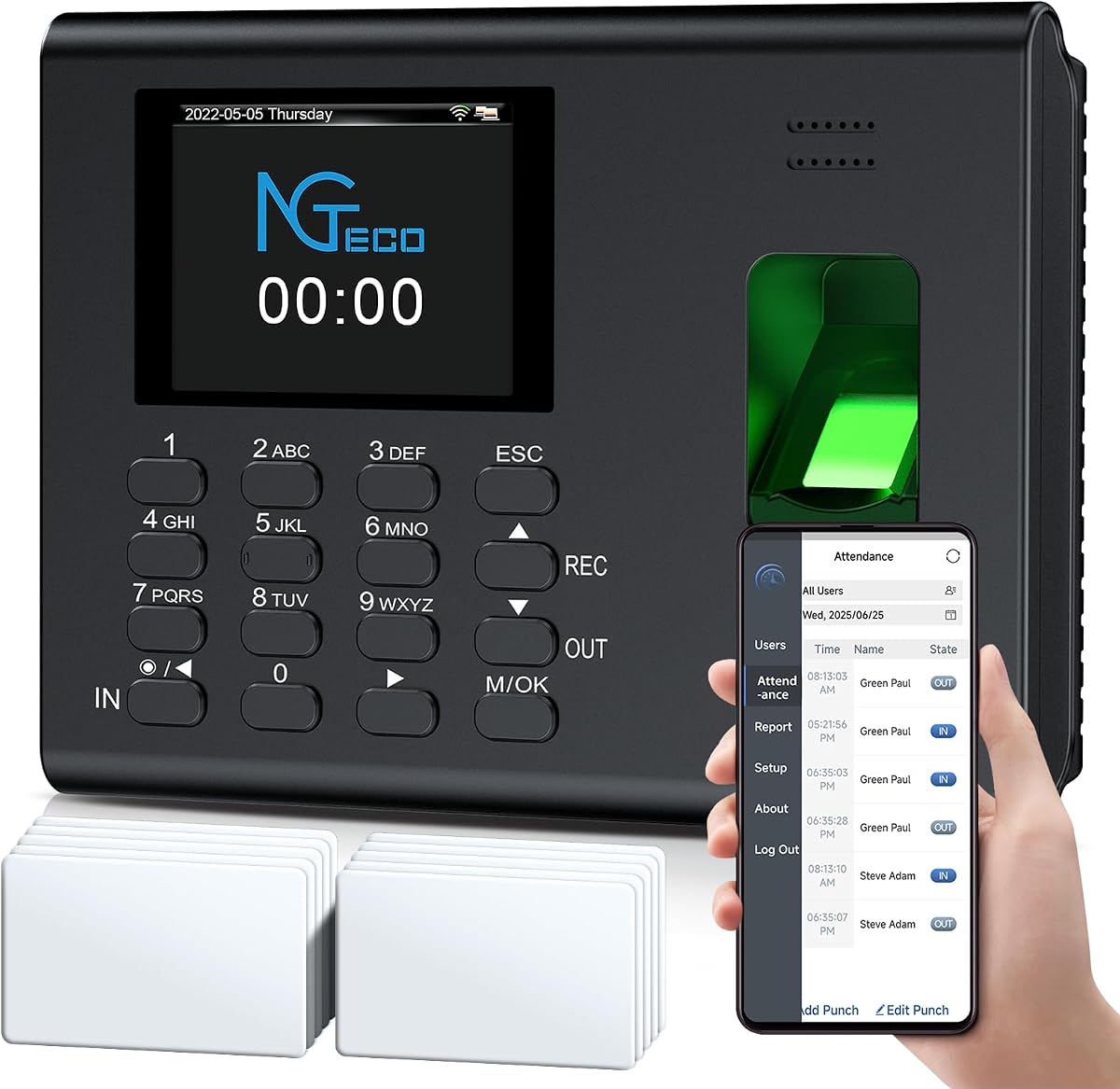
The NGTeco Time Clock for Small Business combines fingerprint and PIN entry with app-based administration, earning it a 4.6 rating among the products reviewed. Its most attractive quality is the balance between fast daily operation and practical payroll tools. It is designed for managers who want to reduce manual attendance work without moving to a complex enterprise platform.
We may earn a commission when you buy through this link, at no additional cost to you.
Fingerprint recognition is stated to authenticate wet or dry prints in 0.5 seconds, which should help limit queues during busy shift changes. The system also calculates hours automatically, accommodates overnight schedules, and aligns tracked time with weekly, bi-weekly, or monthly payroll cycles. Managers can export timesheets by email or USB, while the mobile app allows punches to be edited with instant synchronization when devices share the same local network.
There are a few limitations to consider. Local-network synchronization means the app experience is not the same as fully remote cloud access, and a business with multiple locations would need to confirm that its network arrangement fits the intended workflow. The supplied information does not mention facial recognition, WiFi connectivity, or employee self-service, so buyers should not assume those capabilities are included.
This is the strongest all-around recommendation for a small business seeking dependable fingerprint attendance, automatic calculations, and convenient correction tools. Choose it when the primary goal is a straightforward, fast, app-assisted workflow rather than a comprehensive multi-site cloud service.
The stated 0.5-second wet-or-dry fingerprint recognition can improve throughput when several employees begin work at similar times. PIN entry remains available as an alternative verification route when a finger cannot be scanned reliably.
Automatic work-hour calculation, overnight-shift support, and exports for several payroll frequencies reduce repetitive administrative work. Email and USB export options also provide flexibility for different payroll workflows.
We may earn a commission when you buy through this link, at no additional cost to you.
The NGTeco Standalone Time Clock has a 4.2 rating and focuses on dependable attendance capture without network dependence. It is a logical option for warehouses, workshops, schools, retail counters, healthcare settings, and other workplaces where installing a clock should not depend on WiFi coverage or complex software.
We may earn a commission when you buy through this link, at no additional cost to you.
Its included USB drive provides a direct route to attendance data, and the ready-to-use Excel reports make the device useful for managers who want digital records without an ongoing network connection. Memory capacity extends to 500 user profiles and 50,000 punch records, giving a growing team room to operate without frequent data maintenance.
The internal backup system is particularly useful because it helps preserve punches during a power interruption. However, this is a deliberately focused device. The supplied information does not highlight remote viewing, app-based editing, detailed overtime configuration, or employee self-service, so those workflow requirements point toward a more connected model.
The standalone design makes this a strong recommendation for businesses that prioritize data portability, quick setup, and independence from connectivity. It is especially suitable when a supervisor periodically exports records for payroll rather than needing to monitor attendance from multiple locations throughout the day.
Because the clock operates without WiFi, it can serve sites with unreliable connectivity. Attendance data stays on the device until a manager retrieves it with the included USB drive.
Support for 500 profiles and 50,000 punches accommodates a meaningful small-business workforce. The record limit makes attendance tracking more consistent than handwritten cards or isolated sign-in sheets.
We may earn a commission when you buy through this link, at no additional cost to you.
The Standalone Time Clock for Employees has a 4.4 rating and offers a clear path from manual attendance to digital records. It supports fingerprint and PIN punches, requires no WiFi or complex software, and transfers attendance information through a USB flash drive with Excel reports.
We may earn a commission when you buy through this link, at no additional cost to you.
Its stated capacity includes 500 fingerprints and 50,000 punch records, making it suitable for small businesses that need more capacity than a basic office terminal. Automatic record collection avoids paper cards, ink ribbons, and manual transcription, while the built-in backup system helps protect punches, employee details, and attendance reports if power fails.
The trade-off is that this is a local device rather than a remote management platform. No app, cloud dashboard, employee self-service, or detailed scheduling functions are described in the supplied information. It is best evaluated as a durable, economical attendance terminal with straightforward report retrieval.
This clock is a good fit for hotels, schools, restaurants, hospitals, factories, offices, and retail stores that want digital punches without requiring internet access. It particularly appeals to administrators who favor direct USB transfers and a simple Excel-oriented payroll process.
USB export and Excel reports make the records easy to incorporate into an existing payroll routine. The approach keeps administration local and avoids dependence on an internet connection.
The industrial-grade ABS housing can be wall-mounted or placed on a desktop. That flexibility allows it to suit shared entrances, service counters, workshops, and office spaces.
We may earn a commission when you buy through this link, at no additional cost to you.
The NGTeco Cloud Time Clock for Small Business has a 4.1 rating and is designed for managers who need access to attendance information away from the physical clock. Its iOS and Android app, web portal, and real-time clock-in monitoring provide a more remote workflow than local-network-only devices.
We may earn a commission when you buy through this link, at no additional cost to you.
Dual-band WiFi combines 2.4GHz and 5GHz support for more flexible connectivity. The system supports fixed, rotating, part-time, and department-specific shifts, as well as weekly overtime and separate OT1 and OT2 rates. Attendance data is stored on AWS cloud servers with end-to-end encryption, while a 2000mAh battery keeps the device operating during outages.
The most important trade-off concerns scope. Basic team management is available through the free management app, but expanded employee features—including GPS check-ins, real-time attendance reports, and intelligent reminders—require a separate TimeEntrix subscription. Managers should determine which features they need before deciding whether the extra functionality is worthwhile.
This model suits a business that prioritizes remote administration, flexible scheduling, and cloud continuity. It is less appropriate for a location that needs a fully independent terminal or a manager who wants every premium mobile feature without an additional service subscription.
Fixed, rotating, part-time, and department-specific shift rules provide a useful degree of flexibility. Separate overtime tiers also help organizations encode more detailed compensation policies.
The built-in 2000mAh battery is intended to preserve operation when power is interrupted. That resilience supports uninterrupted attendance capture in workplaces where a sudden outage could otherwise create missing records.
We may earn a commission when you buy through this link, at no additional cost to you.
The uAttend JR2000 has a 3.7 rating and presents a broad, cloud-based attendance package for small businesses. It combines fingerprint, RFID, and PIN verification with optional payroll integration, giving administrators a more comprehensive system than a simple local time clock.
We may earn a commission when you buy through this link, at no additional cost to you.
Real-time attendance information can be viewed and managed from different devices. Comprehensive reporting is intended to reveal attendance trends, productivity patterns, and labor costs, while automatic cloud backups keep information available and recoverable. The payroll-oriented service can automate time-and-attendance processing, tax filings, and payroll switching according to the supplied product information.
Its main drawback is the inclusion of a premium cloud service rather than a completely self-contained purchase. The 3.7 rating is also the lowest among these ten models, so buyers should pay close attention to current customer feedback and ensure that the service and reporting tools meet their exact requirements. Remote management depends on a functioning cloud connection.
Choose the JR2000 when payroll integration, detailed reporting, and cloud administration matter more than minimal setup. It is a compelling match for managers who want a broader human-resources workflow, provided they are comfortable operating a subscription-based cloud platform.
Optional payroll integration can reduce the gap between captured attendance and completed payroll. Managers can review time data before using it to help automate tax filings and related payroll tasks.
Real-time device access and detailed reports support oversight outside the office. Automatic cloud backups add resilience, while the service package provides features that basic free alternatives may not include.
We may earn a commission when you buy through this link, at no additional cost to you.
The HapAttend H4 has the highest listed rating in the group at 4.8 and offers an unusually complete feature set for a standalone time clock. It supports fingerprint, RFID card, and PIN verification, giving businesses more than one way to identify employees and discourage buddy punching.
We may earn a commission when you buy through this link, at no additional cost to you.
The device works without WiFi or an internet connection, stores information locally, and exports attendance reports in Excel format through an included USB drive. Automatic hours calculation reduces manual errors, while support for multiple punches, breaks, and overnight shifts makes it adaptable to traditional time-clock habits. It accommodates up to 500 employees and supports English, Spanish, German, French, and Italian.
Remote administration and employee self-service are not part of the stated feature set, so it is not the natural choice for a manager who needs continuous cloud visibility. It also relies on local exports, meaning someone must retrieve the data and transfer it into the payroll process. A built-in backup system helps protect records during a power failure.
This is the strongest value-oriented recommendation for a small or midsized business that wants broad verification options, straightforward setup, and no monthly software charge. It is especially useful for workplaces with varied shifts and a need to support employees who may have difficulty with repeated fingerprint scans.
Fingerprint, RFID, and PIN access create useful redundancy when an employee's finger is wet, dirty, or otherwise difficult to scan. RFID cards can also make enrollment more familiar to staff accustomed to physical badges.
The clock can record clock-in, clock-out, break starts, and break endings, including multiple punches in one day. Overnight shifts are recognized so hours can be assigned to the appropriate workday.
We may earn a commission when you buy through this link, at no additional cost to you.
The NGTeco TC1 Cloud-Connect has a 3.7 rating and combines remote attendance access with highly flexible shift configuration. It can be used through NGTeco Office software and a web browser, allowing managers to view real-time punch data and generate automatic reports from a convenient browser-based workflow.
We may earn a commission when you buy through this link, at no additional cost to you.
Fixed, rotating, split, and open shifts accommodate varied workforce structures. Custom weekly overtime rules and dual OT1 and OT2 grades provide more granular payroll calculations than a basic attendance terminal. The clock supports 200 users and 30,000 logs, connects through 2.4GHz WiFi or LAN, and captures punches offline before automatically syncing them after connectivity returns.
The main limitation is its smaller stated capacity. A business approaching or exceeding 200 workers may find a 500-user model more comfortable. The 3.7 rating also makes current customer feedback especially important. Furthermore, expanded employee features are placed behind a separate TimeEntrix subscription even though core access, automatic calculations, storage, and basic reports have no monthly charge.
This model is well suited to a small business with part-time staff, multiple departments, split shifts, or round-the-clock operations that values flexible scheduling. Choose it when offline resilience and browser-based access matter more than very high user capacity.
The broad shift-selection range supports workflows that a fixed-schedule clock cannot handle as neatly. Open, split, rotating, and fixed schedules can be configured according to departmental needs.
Punches can be captured when the network is unavailable and synchronized automatically after service returns. This reduces the risk of losing attendance events during a temporary connection interruption.
We may earn a commission when you buy through this link, at no additional cost to you.
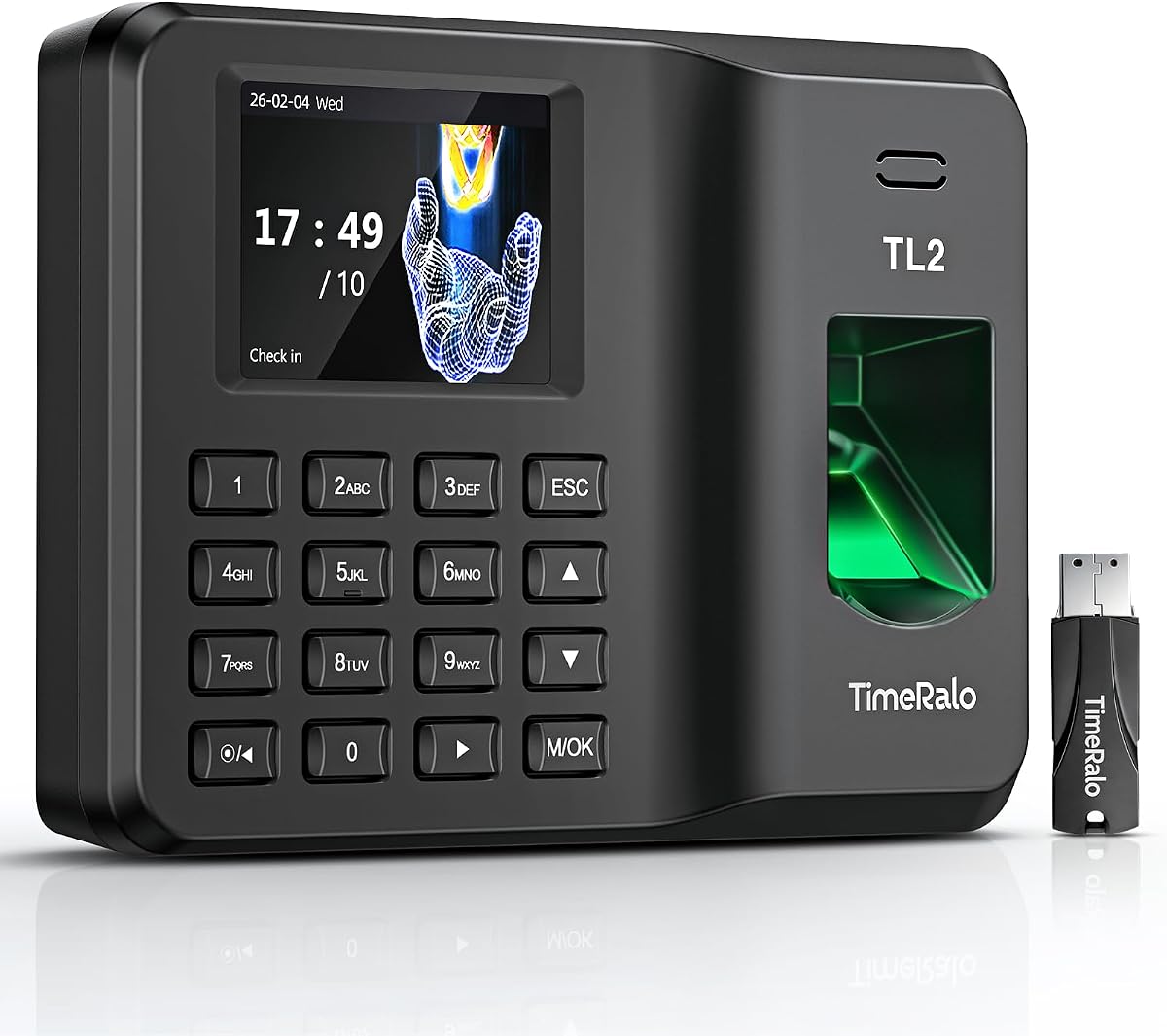
The TimeRalo Cloud Time Clock has a 4.2 rating and stands out for its employee self-service workflow. Staff can use a phone to verify a fingerprint, select dates, scan a QR code, and view hours, breaks, and overtime logs without needing a manager to approve routine timesheet access.
We may earn a commission when you buy through this link, at no additional cost to you.
Remote access through the TimeRalo app allows managers to view, correct, and configure attendance rules in real time. The system supports fixed, rotating, flexible, and night shifts, including cross-day shifts, department transfers, and temporary employees. Automatic calculations cover work hours, OT1, OT2, weekly overtime, lunch, and breaks, with display options for 12- or 24-hour formats.
Its 500-employee capacity is generous for a small business, and reports can be generated for weekly, bi-weekly, semimonthly, or monthly payroll periods and sent by email. The clock also retains stable offline clock-ins, although those records must wait for network restoration before uploading. The supplied information mentions no web portal or desktop software, so mobile-centric management is central to the design.
Choose this system for high-turnover restaurants, retail operations, factories, and offices where employees benefit from reviewing their own records. It is a strong option for managers who want to reduce timesheet-approval delays and support a broad range of scheduling patterns.
Phone-based self-service lets staff check work time, breaks, and overtime without requesting a manual report. The QR-code process can make routine verification more independent for the employee.
The system can deduct lunch and break time and apply multiple overtime categories automatically. Customizable time and percentage displays help align the output with different payroll conventions.
We may earn a commission when you buy through this link, at no additional cost to you.
The NGTeco 4-in-1 Remote Access Touchscreen has a 4.4 rating and is the most versatile premium system in this guide. It accepts facial recognition, fingerprint scanning, RFID card taps, and PIN codes, allowing businesses to choose the most convenient method for each employee or punch situation.
We may earn a commission when you buy through this link, at no additional cost to you.
A 4.3-inch high-definition touchscreen gives employees a clear interface and gives administrators access to a broad rule set. Fixed, rotating, and flexible shifts can be configured with paid or unpaid breaks, OT1 and OT2 overtime, night-shift rules, and revision zones designed to prevent early punches. Dual-band 2.4GHz and 5GHz WiFi supports faster, more stable data transmission.
Remote management is available through the NGTeco Office web software and an iOS or Android app, while attendance data receives end-to-end encryption on U.S.-based AWS servers. The main caveat is the separate TimeEntrix subscription for expanded employee features such as GPS check-ins, intelligent reminders, and real-time attendance reports. A business that only needs core clock functions may find some of the premium capabilities unnecessary.
This is the best recommendation for an organization seeking broad verification choices and sophisticated cloud administration. Its touchscreen and multiple punch methods make it especially suitable for busy, varied workplaces where different employees benefit from different ways to confirm attendance.
Face, fingerprint, RFID, and PIN options provide exceptional flexibility. A manager can offer contactless attendance for one group while using card or PIN access for another, depending on workplace needs.
Break rules, night-shift settings, overtime tiers, and revision zones allow the clock to reflect a more nuanced attendance policy. These controls are useful for teams that need more than a basic clock-in and clock-out record.
We may earn a commission when you buy through this link, at no additional cost to you.
The NGTeco 3-in-1 App Time Clock has a 4.0 rating and emphasizes storage capacity, flexible verification, and local-network app management. It supports fingerprint, PIN, and card swiping, with ten RFID cards included, allowing teams to begin using badge-based attendance without sourcing every card separately.
We may earn a commission when you buy through this link, at no additional cost to you.
Its stated capacity covers 500 staff and 100,000 attendance records, the largest punch-record allowance among the products in the guide. The app can be used on the same local network to view and edit attendance data and generate standardized reports. Custom flexible schedules and night-shift settings help align punches with different operating patterns.
A 2000mAh backup battery supports operation during outages, and offline attendance records can be synchronized automatically when the network returns. Dual USB and app export methods provide additional ways to retrieve and secure records. The limitation is that the app is not described as remotely accessible beyond the local network, and expanded employee functions require a separate TimeEntrix subscription.
This clock is a strong option for a growing local business with substantial attendance history or high staff turnover. It is especially attractive where a large record allowance, included RFID cards, and dependable offline capture are more valuable than fully remote cloud administration.
The 100,000-record allowance provides considerable room for businesses that retain detailed punch history. It is a notable advantage over standalone models with lower storage limits.
The backup battery and offline recording mode help maintain attendance capture during electrical or network interruptions. Records can then synchronize automatically when stable connectivity returns.
We may earn a commission when you buy through this link, at no additional cost to you.
The right fingerprint time clock should fit your workforce size, schedule complexity, network environment, payroll process, and preferred level of administrative control. Comparing those requirements before buying prevents an otherwise capable device from creating inconvenient workflow gaps.
Choose standalone or local models for a single site with limited technical support. Choose cloud-connected systems for real-time remote management and easier access from several devices.
Look beyond fingerprint support and choose at least one alternative method for difficult scans or mixed employee preferences.
For a growing or high-turnover workforce, favor 500-user support and a generous punch-record limit. Ensure exports occur regularly if stored history is limited.
Match the rule set to actual schedules, not hypothetical features. Prioritize overnight and overtime accuracy for teams operating around the clock.
Choose the clock whose reporting format matches your established payroll workflow. Confirm sample data before rolling it out to the whole team.
Use self-service to reduce routine correction requests, but retain administrative controls for exceptions. Confirm that the interface language fits your staff.
Prioritize devices with local power-failure protection and automatic recovery. For cloud use, review storage security, backup behavior, and subscription-dependent features.
Confirm mounting options, setup requirements, warranty coverage, and support availability. A simple installation reduces disruption at opening time.
Begin by installing the clock at a clearly marked attendance point that employees can reach without blocking normal traffic. Connect power, select the required date, time format, payroll period, and shift rules, and connect the device to its required network or export medium. Before opening enrollment, create a consistent employee naming plan and decide how each person's fingerprints, cards, or PINs will be associated with their profile.
Enroll employees individually and ask each person to scan the same finger several times under normal working conditions. Test a clock-in and clock-out, multiple punches, and any break rule that will be used routinely. If the clock offers a PIN, card, or facial option, assign it at enrollment and make sure employees know which method to use. A short written procedure covering clock-in, clock-out, breaks, missed punches, and correction requests will reduce avoidable administration errors.
Clean the fingerprint sensor with a safe, dry cleaning method recommended by the manufacturer, and avoid abrasive liquids or materials that could scratch the surface. Keep the unit protected from moisture, excessive dust, direct heat, and impact. Review attendance records before each payroll export, verify unusual overtime or overnight assignments, and document corrections. For connected devices, check that offline punches synchronize after an interruption, while USB-based models should have their reports transferred and stored securely on a regular schedule.
Yes, many models in this guide are specifically designed for small businesses and can support several hundred employees. The appropriate capacity depends on your workforce, the number of daily punches, and how frequently you export records. A local standalone model may be sufficient for one site, while a cloud system can be preferable for remote access and multi-location oversight.
Several products are fully standalone and do not require WiFi, an internet connection, or complicated software. Their attendance data is typically transferred through an included USB drive and presented in Excel-compatible reports. Cloud-connected models also need a network for remote administration, although some can capture punches offline and upload them automatically after connectivity returns.
Several clocks include internal backup systems intended to preserve punches, employee details, and reports during a power interruption. Other models use a rechargeable battery to keep the device operating. The amount of protection and available local record retention vary, so businesses operating in areas with frequent outages should review the backup behavior and export routine before deployment.
Many models offer PIN entry or RFID card tapping in addition to fingerprint recognition. Some premium systems also support facial recognition, while one product offers four punch methods in total. Alternative methods are useful when a scan is difficult or when different employees have different preferences, but biometric availability should be considered when evaluating the full verification workflow.
The ideal amount depends on workforce size, shift frequency, and export habits. Products in this guide support listed capacities ranging from 30,000 to 100,000 punches, with most accommodating up to 500 users. High-turnover businesses should either select a larger record allowance or download and archive reports frequently so stored history does not become a constraint.
Several models explicitly support night shifts, multiple punches, and cross-day schedules. The best clock for a 24-hour operation should assign hours to the correct workday and distinguish breaks from productive time. Managers should test a representative overnight schedule before employees begin using the device, particularly when break deductions or overtime tiers are active.
That depends on the model. The uAttend JR2000 lists optional payroll integration, while many other systems focus on exporting accurate attendance records in Excel or sending standardized reports by email. A business with a specialized payroll platform should verify field compatibility, supported pay cycles, and reporting format before choosing a device.
Establish a documented correction process and use the most convenient authorized route available, such as an administrator editing the punch or an employee reviewing and reporting the issue. Corrections should be limited and traceable, and managers should check that the final hours align with the relevant shift and overtime rules. Bypassing the normal process can create disputes and weaken the accuracy of the attendance system.
The HapAttend H4 is the strongest value-oriented choice because it combines fingerprint, RFID, and PIN verification with 500-employee capacity, local reporting, night-shift support, and no monthly subscription. The NGTeco App Time Clock takes the overall position because it combines fast scanning with automatic calculations, payroll-cycle exports, and practical mobile editing, while the NGTeco 4-in-1 Touchscreen leads the premium group with facial recognition, a large display, detailed scheduling controls, and cloud access.
Prioritize the operating environment first: choose a standalone model when network independence is essential, a local app model when simple on-site management is enough, and a cloud system when real-time remote oversight justifies added administration. Then verify capacity, shift rules, report format, backup behavior, and the availability of any advanced mobile features before purchasing.
Finally, confirm the current product listing and commercial terms at the time of purchase, since included accessories, subscription details, software features, and support can change. A successful rollout also depends on careful enrollment, realistic shift testing, a clear employee procedure, regular sensor care, and routine attendance exports.
