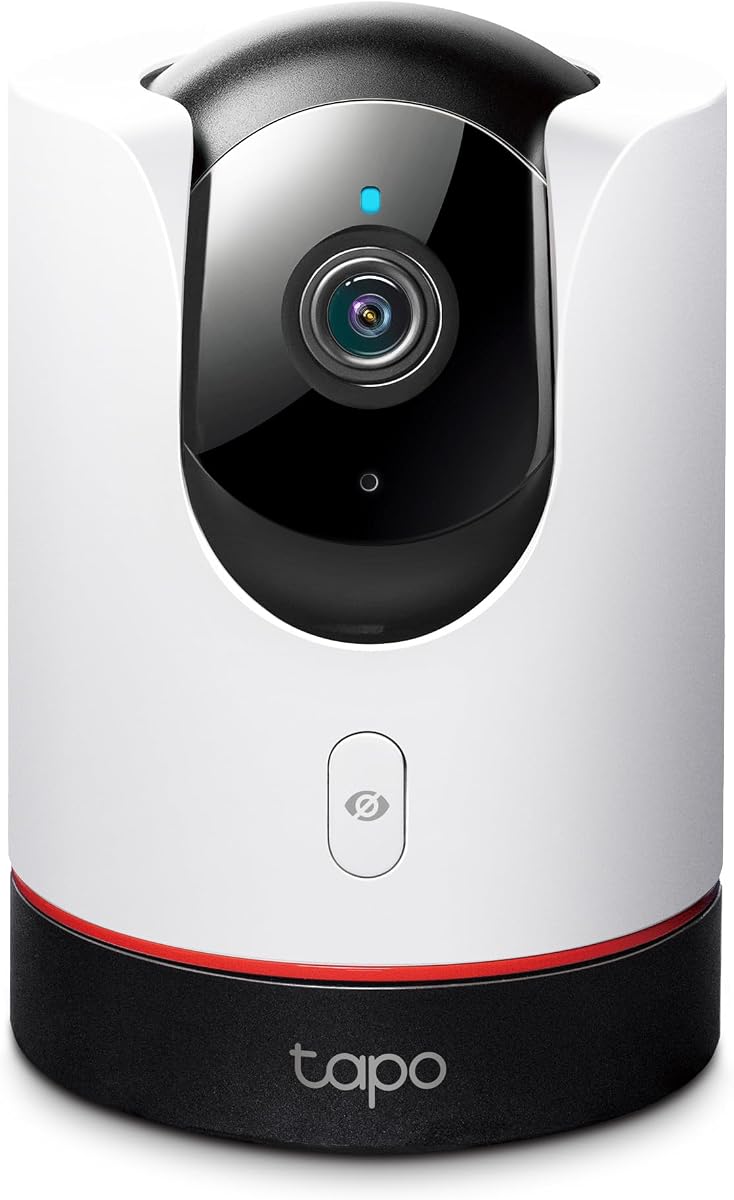
TP-Link Tapo C225
4.5Editor score
2K QHD panoramic viewing
Physical lens-blocking privacy
Local microSD storage
Apple Homekit Security Cameras guide compares 10 indoor and outdoor models across image quality, privacy, storage, detection, and smart-home compatibility.
Apple HomeKit security cameras appeal to buyers who want live viewing, recorded footage, and smart-home automations to work together within the Apple Home ecosystem. A capable camera should deliver clear images, dependable motion handling, useful privacy controls, and simple access from an iPhone, iPad, Apple Watch, or compatible display. The best model depends heavily on placement, lighting, network layout, and storage preferences.
This guide compares ten HomeKit-compatible cameras across indoor, outdoor, wired, wireless, pan-tilt, and powered-over-Ethernet designs. The evaluation considers resolution, field of view, night imaging, detection features, local processing, encrypted storage, privacy modes, installation requirements, and compatibility with HomeKit Secure Video. It also distinguishes cameras built exclusively for Apple from models offering broader smart-home functions.
Each numbered review explains the camera's strongest benefits, practical limitations, and ideal installation environment. The top selections represent the strongest budget choice, overall option, and premium pick, while the remaining entries showcase alternatives for particular needs. Product specifications and ecosystem support can evolve, and pricing, availability, subscription requirements, and accessory needs should be checked before purchasing.
4.5Editor score
4.2Editor score

4.5Editor score
The comparison highlights each camera's core imaging, connectivity, detection, privacy, and storage characteristics, making it easier to identify the right model for an indoor room, sheltered exterior wall, or wired outdoor installation.



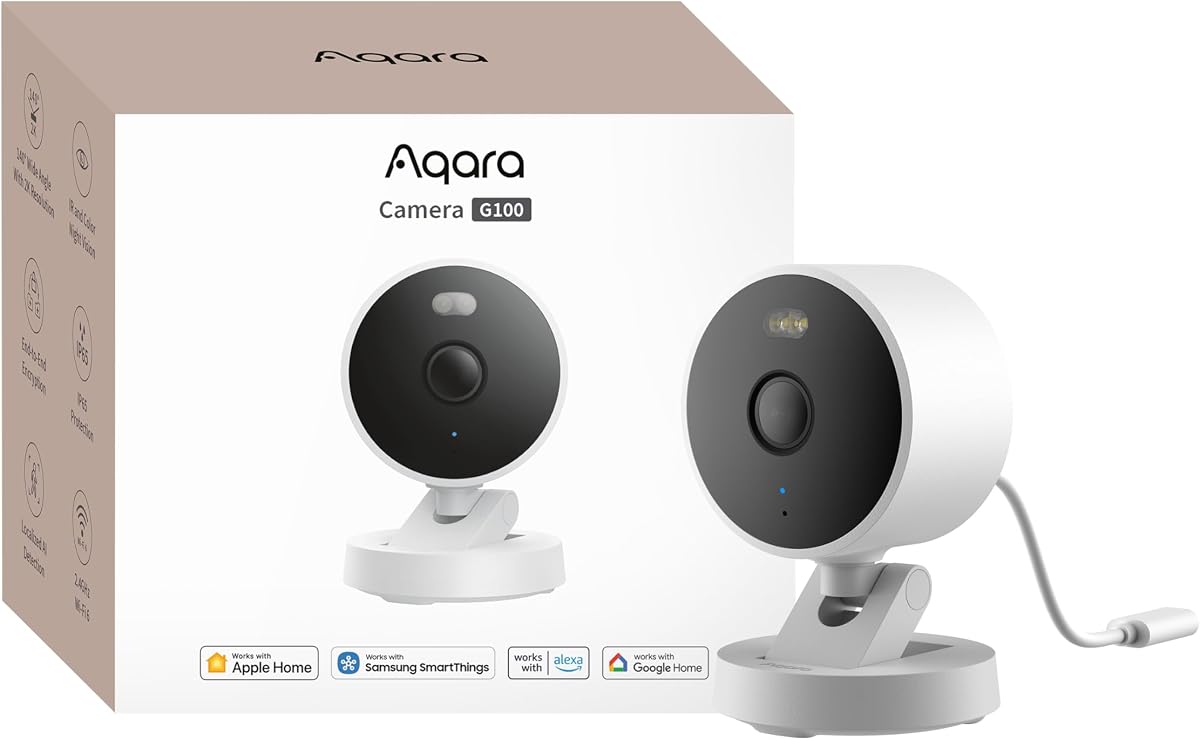
The Aqara Camera G100 earns a 4.2 rating because it combines a versatile physical design with features that are rarely bundled in one HomeKit camera. Its 2304 by 1296 sensor, 140-degree field of view, and f/1.8 lens provide a strong foundation for both indoor monitoring and outdoor surveillance. IP65 weather protection also allows it to be installed in exposed areas subject to rain, dust, and rugged conditions.
We may earn a commission when you buy through this link, at no additional cost to you.
Night performance is one of the G100's most useful distinctions. A spotlight can illuminate dark outdoor areas with visible light for color recording, while a separate 940 nm infrared mode provides covert illumination. Both modes must be enabled manually in the Aqara Home app rather than activating automatically. Owners can therefore choose between clearer color evidence and less conspicuous infrared monitoring according to the location and situation.
Storage flexibility is another major strength. The camera supports continuous microSD recording with cards up to 512GB, NAS backups, and optional end-to-end encrypted cloud storage through the HomeGuardian plan. A time-lapse function compresses 24 hours into 15-second clips when a wired connection and microSD card are present. Local and cloud detection options add further flexibility, although some cloud recognition and integrated-event features require a subscription.
The principal trade-off is HomeKit's resolution limit. HomeKit Secure Video requires an active iCloud subscription and an Apple Home hub, and the G100 is limited to 1080p when connected to HomeKit. Its full resolution returns in Aqara Home after HomeKit is disconnected. A 5V 1A power adapter is also not included, and the camera supports only 2.4GHz Wi-Fi. Buyers who want a single camera for indoor and outdoor use, local or cloud records, and broad third-party integration will find the G100 especially well suited to their setup.
The IP65 housing makes the G100 useful around entries, patios, and other exposed locations. Its selectable spotlight and infrared modes let owners prioritize visible color detail or discreet nighttime monitoring without changing cameras.
Local microSD and NAS options reduce dependence on cloud services, while the optional encrypted cloud plan adds remote event storage. Buyers should consider whether continuous recording, event-only clips, or a combination best matches their needs.
We may earn a commission when you buy through this link, at no additional cost to you.
The Eve Cam is built specifically around Apple HomeKit Secure Video, giving it a focused appeal for users who want the camera to operate primarily within the Home app. It carries a 3.6 rating and emphasizes privacy, direct Apple integration, and automatic behavior rather than broad third-party compatibility. The camera sends notifications to an iPhone, iPad, or Apple Watch when relevant activity is detected.
We may earn a commission when you buy through this link, at no additional cost to you.
Video analysis happens locally in the home instead of being uploaded for cloud processing. This supports people and pet recognition, automatic recording when motion occurs, and the ability to deactivate the camera when someone is home. Live and recorded feeds are protected with end-to-end encryption, so only authorized users can view the video. The product is designed exclusively for HomeKit Secure Video rather than serving as a general-purpose camera platform.
The main requirements are important before installation. Owners need a recent iPhone or iPad, a HomePod or Apple TV running tvOS 15 as the Home hub, and an iCloud+ plan. The supplied router should have either the 2.4GHz or 5GHz band enabled, allowing the camera to use either depending on the network configuration. These requirements create a streamlined experience for Apple users but may not suit households seeking camera-only local storage or compatibility with non-Apple systems.
This is a good choice for an indoor room where privacy is the priority and the household already has Apple's required infrastructure. It is less appropriate for outdoor coverage, mixed-ecosystem homes, or buyers who want a camera to work without an active iCloud+ plan. The automatic deactivation feature and local processing make it particularly attractive for daily family monitoring, nursery use, or pet watching within an Apple-centric home.
Performing video analysis at home reduces the amount of information that must leave the property. The camera can distinguish between people and pets while keeping live and recorded video end-to-end encrypted.
When used with HomeKit presence information, the camera can deactivate when someone is home. That behavior reduces unnecessary recording and makes it easier to combine camera privacy with an existing Apple automation.
We may earn a commission when you buy through this link, at no additional cost to you.
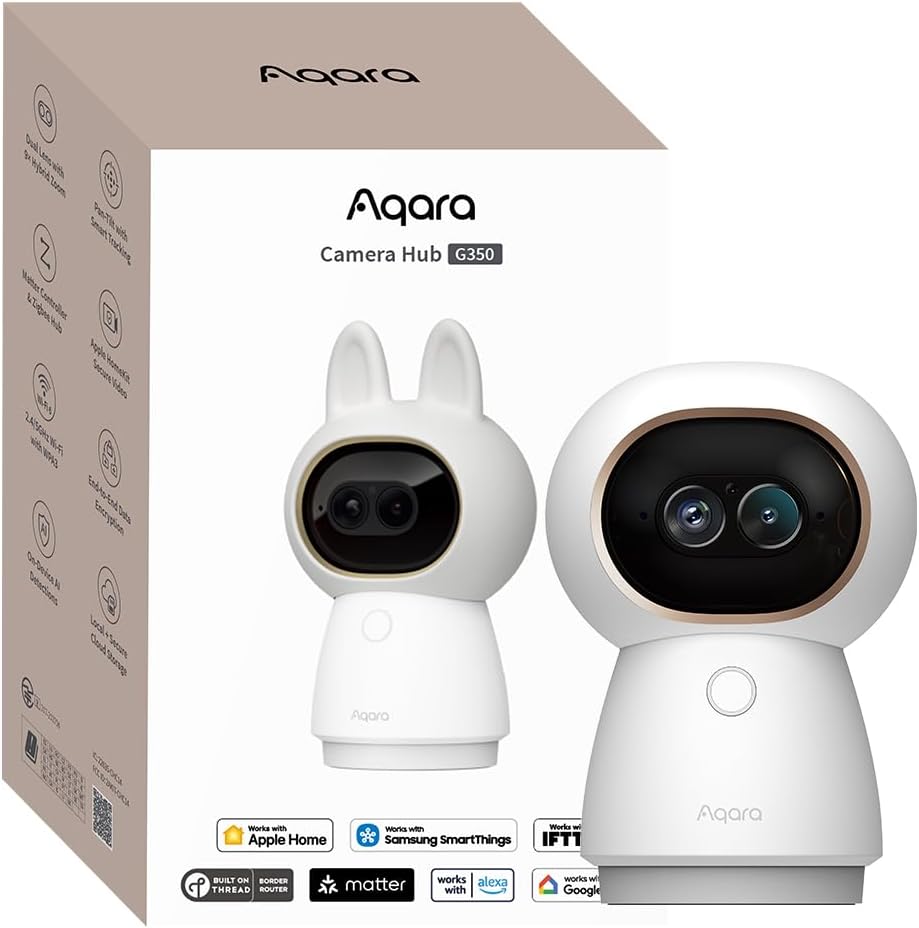
The Aqara Camera G350 combines two lenses with a broad smart-home feature set, earning a 4.3 rating and distinguishing it from conventional single-lens indoor cameras. One 133-degree wide-angle lens captures 4K views, while a 2.5K telephoto lens supplies closer detail. Together, they support a 9X hybrid zoom that helps users examine a small area without losing the broad context of the room.
We may earn a commission when you buy through this link, at no additional cost to you.
AI auto-tracking can identify and follow people or pets. Its close-up tracking mode adjusts the zoom while automatically slowing the pan-and-tilt movement, producing more stable framing of distant subjects. The camera also recognizes faces, pets, gestures, and six specific sounds, including baby crying, coughing, and dog barking. This processing occurs locally on the device, which supports both faster responses and a stronger privacy story without uploading every analysis to the cloud.
Beyond imaging, the G350 functions as a hub for Aqara Zigbee and Thread devices. It can also bridge compatible Matter devices into the Aqara Home app and expose Aqara devices to platforms such as Apple Home, SmartThings, Alexa, and Google Home. Matter camera support is still developing at both specification and platform levels, so buyers should verify the exact device types and functions they expect to use rather than assuming every Matter camera feature is available.
Storage options include a microSD card up to 512GB, NAS backup through SD card upload, and optional end-to-end encrypted cloud storage. A physical privacy mode retracts the lens completely, offering visible reassurance that recording has stopped. This model is ideal for a busy living space, pet area, or nursery where both wide coverage and detailed zoom are valuable. It is less suitable for outdoor exposure, and owners seeking straightforward HomeKit-only operation may find its hub capabilities more complex than necessary.
The wide lens preserves an expansive view of the room, while the telephoto lens isolates smaller subjects. That combination reduces the need to choose between contextual coverage and close inspection.
The retracting lens provides a physical indication that the camera is in privacy mode. This is a useful complement to app-based microphone and recording controls in shared or frequently accessed spaces.
We may earn a commission when you buy through this link, at no additional cost to you.
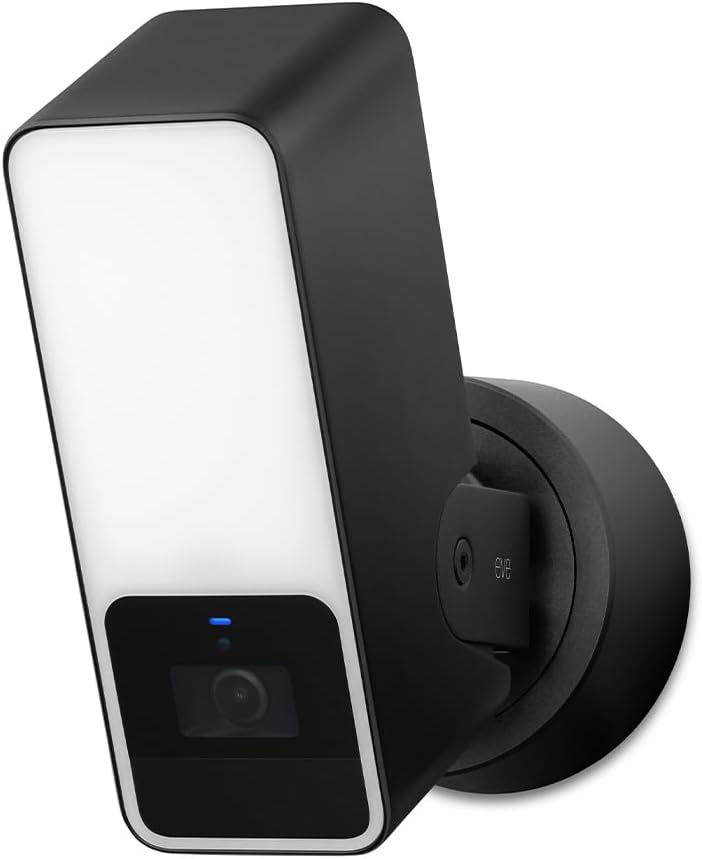
The Eve Outdoor Cam combines a 1080p security camera, infrared night vision, and a dimmable floodlight in one exterior unit. Its 3.5 rating reflects a capable but specialized design, particularly appropriate for owners who want to illuminate an entry or driveway while monitoring the same area. The 157-degree field of view gives the camera broad situational awareness, and two-way communication is available through its built-in microphone and speaker.
We may earn a commission when you buy through this link, at no additional cost to you.
The floodlight includes a boost function and works with an infrared motion sensor, allowing visible light or unseen infrared illumination depending on the scenario. Its intelligent detection can distinguish among people, pets, vehicles, and packages. HomeKit Secure Video provides end-to-end encrypted live and recorded viewing, while a 10-day recording history provides a defined window for reviewing recent activity.
Privacy is treated as a fundamental part of the platform. Eve states that the camera uses no Eve cloud service, requires no registration, and avoids tracking. Video intelligence and direct communication remain between the accessory and the owner's iPhone, iPad, or Home hub. This exclusive Apple approach creates a clear privacy model, although it does limit use outside HomeKit Secure Video.
Installation is the main consideration. The camera requires both a neutral wire and a ground wire, so it is best suited to buyers with suitable outdoor wiring or access to qualified electrical help. It also needs an iPhone or iPad with a recent iOS or iPadOS version, a HomePod or Apple TV with tvOS 15, and an iCloud+ plan. Homeowners seeking a complete exterior camera and lighting solution may prefer the convenience of one device; buyers without suitable wiring should examine other installation options.
The integrated floodlight can deter activity while the camera records the scene. Its boost setting adds stronger visible illumination when the motion sensor triggers in a dark outdoor area.
Recognizing people, pets, vehicles, and packages can reduce the need to review every generic motion event. This makes the camera particularly useful around driveways, sidewalks, and exterior access points.
We may earn a commission when you buy through this link, at no additional cost to you.
The TP-Link Tapo C225 provides one of the most approachable ways to add a 2K pan-and-tilt camera to a HomeKit-compatible home. It carries a 4.5 rating and combines a 360-degree horizontal field of view with an f/1.6 aperture designed to capture brighter, sharper images in challenging light. Its recognizable design also earned a 2022 Red Dot Design Award, although practical performance matters more than appearance for daily surveillance.
We may earn a commission when you buy through this link, at no additional cost to you.
The camera supports people, pet, and vehicle recognition along with detection of abnormal sounds such as baby crying. A starlight sensor improves low-light image quality, and users can select between 850nm and 940nm infrared night vision. The 940nm option is particularly relevant for nurseries or bedrooms because it provides illumination without the visible red glow associated with some infrared LEDs.
Privacy controls are unusually tangible for this category. Activating privacy mode causes the internal housing to block the lens physically, rather than relying only on a software indicator. This is valuable in a child's room, home office, or any area where occupants need confidence that the camera is not recording. The pan-and-tilt mechanism can then be restored from the Tapo app when monitoring is wanted.
Footage can be recorded continuously to a microSD card of up to 512GB, although the card is not included and compatibility should be checked in TP-Link's support material. Alternatively, Tapo Care adds 30 days of cloud history along with functions such as motion tracking and baby crying detection. HomeKit Secure Video can add Apple ecosystem access. This camera is a strong budget selection for buyers who prioritize 2K quality, physical privacy, and local storage, although it is limited to 2.4GHz Wi-Fi and is intended for indoor placement.
The sliding privacy housing prevents the lens from viewing the room when engaged. Because the protection is visible and mechanical, it is easier to verify at a glance that the camera is not recording.
Owners can select 850nm or 940nm infrared illumination and benefit from a starlight sensor. These choices make the camera adaptable to sleep spaces as well as general room monitoring.
We may earn a commission when you buy through this link, at no additional cost to you.
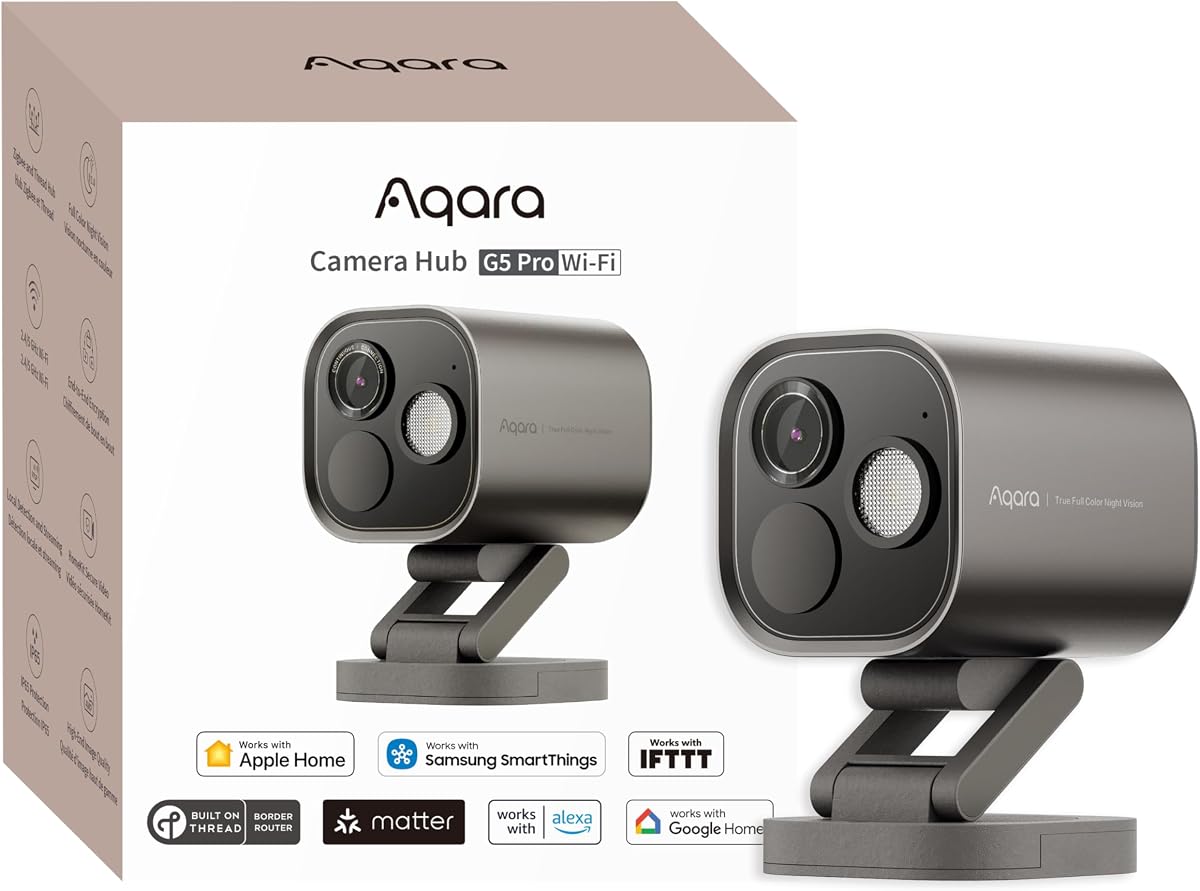
The Aqara Camera Hub G5 Pro WiFi combines a 4MP sensor, true color night vision, local artificial intelligence, and smart-home hub functions. Its 4.3 rating reflects a camera designed for owners who want more than basic motion alerts. The 133-degree field of view and f/1.0 aperture support a wide view, while the built-in 3000K dimmable spotlight can illuminate an exterior area and reveal color detail at night.
We may earn a commission when you buy through this link, at no additional cost to you.
A built-in neural processing unit handles seven categories of visual detection and four abnormal sound types. Visual capabilities include faces, individual vehicles, animals, people, lingering behavior, lens obstruction, and package detection. Sound recognition covers baby crying, alarm sounds, barking, and coughing. Importantly, the product can record key events and trigger automations even during an internet outage, making its local intelligence more than a convenience feature.
This camera also operates as a dual-protocol hub. It supports Aqara Zigbee and Thread, including up to 80 Aqara Zigbee sub-devices, 40 Thread devices, or a combination of 40 and 40. It can also integrate compatible Matter devices into Aqara Home and bridge Aqara devices to Apple Home, Alexa, and Google Home. Compatibility still depends on device type, ecosystem support, and the presence of a suitable Matter Controller.
Storage options include an encrypted 8GB eMMC, Aqara Cloud, and RTSP with end-to-end encryption. Continuous 24/7 recording is supported only through RTSP with storage on local devices. The unit uses dual-band 2.4GHz and 5GHz Wi-Fi with WPA3 support, while a 5V 2A USB-C connection provides power. Unlike many night cameras, it has no infrared light, so owners who require invisible illumination should choose more carefully. It is best for an owner seeking a powerful hub, local AI, and flexible nighttime color vision.
The on-device neural processor identifies several visual and sound categories without relying on continuous cloud analysis. Event recording and automations can continue during an internet outage, adding resilience to local monitoring.
The dimmable 3000K spotlight illuminates the scene and serves as a visible deterrent. Since the camera does not include infrared lighting, this approach is central to its nighttime performance.
We may earn a commission when you buy through this link, at no additional cost to you.
The Logitech Circle View offers an unusually broad 180-degree field of view and a design focused on physical privacy. Its 3.4 rating reflects a capable but dated-looking 1080p option compared with newer cameras that provide higher resolution, color night vision, or integrated lighting. For users who value wide coverage and a clean HomeKit experience, however, the Circle View remains a practical option.
We may earn a commission when you buy through this link, at no additional cost to you.
Logitech TrueView imaging combines a high-quality sensor with wide dynamic range, helping the camera preserve detail in scenes containing bright sunlight and deep shadow. Infrared night vision is optimized to illuminate the entire field of view up to 15 feet. The camera also supports motion-based recording rather than continuous recording, allowing the system to concentrate stored footage on relevant events.
Privacy can be achieved in two ways. Owners can tilt the camera downward to obscure its view or press the rear on/off button for an immediate physical power-off. The durable housing has an IP64 weather-resistance rating and includes a wall-mounting bracket, making the camera suitable for covered exterior positions as well as indoor rooms.
The product was developed exclusively for Apple HomeKit and is accessed through the Home app rather than the Logi Circle app. HomeKit Secure Video offers end-to-end encryption and in-home video analysis, creating a simple privacy model for Apple users. Its indoor USB power source and wired installation need consideration, especially if covering a distant exterior point. This is best for buyers who prioritize a panoramic field of view, physical privacy controls, and dedicated HomeKit operation over very high video resolution.
The 180-degree optics can cover a broad room or exterior area without requiring several synchronized cameras. This makes the Circle View efficient for buyers who prefer fewer devices and simpler placement.
Tilting the camera down or switching it off at the rear gives occupants visible ways to stop the view. Those physical controls are easy to understand and do not depend solely on an app screen.
We may earn a commission when you buy through this link, at no additional cost to you.
The Aqara Camera E1 is a capable 2K indoor pan-and-tilt camera with an emphasis on privacy, flexible detection, and local automation. It earns a 4.2 rating and captures at 2304 by 1296 pixels through a wide-angle f/2.0 lens. Its motorized head provides a full 360-degree viewing range, while a 940nm infrared backlight offers nighttime illumination without a conspicuous red glow.
We may earn a commission when you buy through this link, at no additional cost to you.
Privacy can be automated. The camera can pivot its lens away and deactivate itself, while the microphone and audio recording can also be disabled manually or through automations. An internal neural processing unit filters motion events, records video, and triggers automations when a person is detected. This makes the E1 particularly attractive for users who want presence-based behavior without relying solely on manual intervention.
The camera supports end-to-end encrypted cloud storage through HomeGuardian, continuous local recording to a microSD card up to 512GB, and backup to an SMB3-compatible NAS. Local motion and person detection are available, as are AI sound detections for crying, alarms, barking, and coughing. A subscription unlocks additional cloud recognition for pets, vehicles, packages, and faces, along with integrated event tagging and automatic recording triggered by tagged Aqara devices.
HomeKit Secure Video is supported with end-to-end encryption and local recognition, although it requires an active iCloud subscription and Apple Home hub. Wi-Fi 6 and WPA3 improve network performance and security, but only the 2.4GHz band is supported. A 5V 2A USB-A power supply is required and not included. Buyers seeking a flexible indoor camera with automated privacy and local recording should find the E1 compelling, while 5GHz users or those wanting outdoor placement should look elsewhere.
Instead of requiring the owner to remember to turn the camera off, automated privacy can rotate the lens away and deactivate it. Separate microphone controls add another layer of control over audio collection.
The built-in processor can recognize people and selected sounds, filter motion, and trigger recording or automation. Cloud subscriptions expand recognition categories but are not required for the core local detection workflow.
We may earn a commission when you buy through this link, at no additional cost to you.
The eufy Security E30 brings 4K recording, 360-degree pan-and-tilt coverage, AI tracking, and an integrated spotlight to an indoor camera. Its 4.5 rating makes it one of the strongest choices in the guide for buyers who want high resolution and active subject tracking. The Quick Focus Tap and Panoramic View app features also simplify navigation through a large home or busy pet area.
We may earn a commission when you buy through this link, at no additional cost to you.
On-device AI distinguishes humans, pets, audio cues, and crying sounds. When a person or pet is detected, the camera can automatically track movement and keep the subject in view. Two-way audio supports real-time communication with family, a baby monitor, a caregiver, or a pet owner, while the integrated spotlight switches the camera between color night vision and infrared operation.
Local storage is handled through a separately sold SD card, and the core functionality is available without a monthly fee. Optional cloud storage or premium features may require a subscription, allowing owners to choose their desired storage approach. The camera also works with HomeKit, Alexa, and Google Assistant, making it one of the broader smart-home options in this roundup.
There is an important resolution caveat: HomeKit supports the E30 at up to 1080p. The full 4K recording capability is therefore most relevant when using the native eufy experience and supported local storage rather than viewing the feed exclusively through HomeKit. The camera is designed for indoor placement and lacks outdoor weather protection. It is a strong recommendation for pet owners, families, and users who value automatic tracking, detailed native footage, and freedom from mandatory cloud subscriptions.
Automatic tracking follows people and pets as they move, reducing the need to manually reposition the camera. Quick Focus Tap provides another way to direct attention to a selected area immediately.
The integrated spotlight can illuminate the room in color and also serve as a deterrent. Infrared mode remains available for owners who prefer a less visible source of nighttime illumination.
We may earn a commission when you buy through this link, at no additional cost to you.
The Aqara Camera Hub G5 Pro PoE is the most complete premium entry in this guide, earning a 4.5 rating through its 4MP imaging, local AI, true color night vision, and extensive hub capabilities. A 1/1.8-inch sensor and f/1.0 aperture support detailed capture across a 133-degree field of view, while the built-in 3000K dimmable spotlight provides visible nighttime illumination and an intruder deterrent.
We may earn a commission when you buy through this link, at no additional cost to you.
Its neural processing unit supports seven visual detection types and four abnormal sound categories. The camera can recognize faces, individual vehicles, animals, people, lingering subjects, obstructed lenses, and packages. It can also detect baby crying, alarms, barking, and coughing, allowing it to record key events and trigger automations even when the internet is unavailable. These local functions give the camera meaningful value beyond ordinary live viewing.
Power over Ethernet is the defining installation advantage. Video and power travel through one network cable, helping avoid the need for a nearby outlet at the camera location. A compatible PoE switch is required and sold separately, and the camera also includes a 5V 2A USB-C port for non-PoE arrangements. Buyers should therefore consider whether their network cabinet, wiring route, and switch can support the planned installation.
The camera supports up to 80 Aqara Zigbee sub-devices, 40 Thread sub-devices, or an equal combination of 40 and 40. It can bridge compatible Matter devices into Aqara Home and expose Aqara devices to Apple Home, Alexa, and Google Home. HomeKit Secure Video is supported with an active iCloud subscription and Apple Home hub. Storage choices include an encrypted 8GB eMMC, Aqara Cloud, and RTSP with end-to-end encryption, although continuous 24/7 recording requires RTSP and local storage. This premium model suits technically capable owners who want one device to combine surveillance, lighting, local intelligence, and smart-home infrastructure.
PoE combines network data and power over a single cable, reducing the number of services that must reach the camera. The approach is especially useful for permanent installations where a nearby outlet would be inconvenient.
Zigbee, Thread, and Matter bridge functions make the G5 Pro useful as part of a broader connected-home system. Buyers should still verify that each device category and control feature is supported by their chosen ecosystem.
We may earn a commission when you buy through this link, at no additional cost to you.
The right Apple HomeKit security camera depends on where it will be installed, how it will receive power and data, which recording option is acceptable, and how much control you want over privacy, detection, and smart-home integration.
Choose based on the location, not simply on whether a camera can tolerate weather.
Prioritize field of view, low-light clarity, and meaningful zoom over resolution alone.
Verify the required Apple hub, iCloud plan, and HomeKit resolution limit.
Choose the recording method first, then confirm card capacity, retention, and backup support.
Prioritize on-device recognition when speed, resilience, and privacy matter most.
Look for visible privacy states, microphone controls, encryption, and local processing.
Plan power, bandwidth, and cable routing before committing to a camera.
Count the number of smart-home devices that genuinely benefit from the hub.
Begin by choosing a stable mounting point with a clear view of the area being monitored. Indoor pan-and-tilt cameras need enough clearance for their housing to move, while outdoor wired units should be positioned beyond easy reach where applicable. Keep the lens away from direct reflections, moving branches, and heat sources. Before drilling, confirm the location, cable route, network coverage, and whether the camera can reach a suitable outlet or PoE connection.
Install the manufacturer's app first, complete the camera's setup, and then add the accessory to Apple Home. Sign in to the required Apple Home hub, confirm that the iCloud plan supports HomeKit Secure Video, and test live viewing before positioning the final view. Configure motion notifications, detection categories, recording schedules, privacy automations, and storage retention. Owners should also test two-way audio, night illumination, and the physical privacy control at night rather than assuming each feature behaves as expected during the day.
For ongoing care, clean the lens gently and inspect the housing, cable connections, and mounting hardware at regular intervals. Keep firmware and companion apps updated, change default account credentials, and maintain the network security used by the camera. Owners using local storage should monitor card health and available capacity, while NAS users should verify backup status. Recheck automations whenever household routines, camera positions, or smart-home membership changes.
For HomeKit Secure Video, a compatible Apple Home hub is required, such as a HomePod or an eligible Apple TV. Some cameras also offer native apps, local recording, or other ecosystems, but that does not remove the hub requirement for HomeKit video history. Apple devices on the same network can typically find and configure the accessory after setup is completed.
An active iCloud subscription is required to use HomeKit Secure Video, including its cloud recording features. Several cameras in this guide also offer local storage or their own optional cloud services, allowing some functions to continue without relying on HomeKit recording. Check each model's native storage terms before assuming a subscription is required for every feature.
It depends on the model. Eve Cam and Logitech Circle View are designed exclusively for Apple HomeKit, while Aqara and eufy models also offer native applications and broader ecosystem support. HomeKit Secure Video still requires an Apple hub and appropriate iCloud service when that integration is used.
Local storage keeps recordings on a microSD card, NAS, or built-in memory controlled by the user, while cloud storage uploads retained footage to a provider's service. Local recording can avoid subscription dependence and reduce cloud exposure, but it requires compatible storage and may lack some remote access. Cloud storage is convenient across devices but generally depends on a plan and an internet connection.
No. Resolution is only one factor in useful video quality. Low-light performance, lens aperture, field of view, dynamic range, illumination, and network conditions can be just as important. A well-positioned 2K camera may identify activity more effectively than a higher-resolution model placed poorly or operating on an unstable connection.
A physical privacy state is particularly useful because it can be confirmed visually. The Tapo C225 blocks its lens with the housing, while the Aqara G350 retracts the lens and the Aqara E1 can rotate away automatically. Microphone disabling, end-to-end encryption, and local processing add further protection and should be considered alongside physical controls.
The Eve Outdoor Cam includes a dimmable floodlight alongside 1080p monitoring, infrared night vision, and two-way communication. The Aqara G5 Pro models also include a 3000K dimmable spotlight for true color night vision. Buyers who prioritize color night recording may favor these spotlight-based designs over cameras that rely only on infrared illumination.
PoE can simplify permanent installation by carrying video and power through one network cable, but it requires compatible network infrastructure and a PoE switch. Wi-Fi is more convenient where an outlet and strong signal are readily available. The best choice depends on distance, network layout, electrical access, and whether the camera also functions as a smart-home hub.
The TP-Link Tapo C225 stands out as the best budget choice because it combines 2K quality, a 360-degree pan-and-tilt mechanism, a physical privacy housing, and local microSD recording. The Aqara Camera G100 is the most versatile overall option, working indoors or outdoors with IP65 protection, selectable night modes, flexible storage, and broad smart-home compatibility. The Aqara Camera Hub G5 Pro PoE takes the premium position with 4MP true color night vision, extensive local AI, Matter bridge functionality, and a convenient single-cable network installation.
Before choosing, prioritize the requirements that cannot be changed later: placement, weather exposure, power, network access, hub availability, and storage preferences. Resolution matters, but privacy controls, useful object detection, reliable night vision, and local processing can have a greater effect on daily satisfaction. Entirely Apple-based households may prefer the focused Eve approach, while mixed-ecosystem owners can evaluate the Aqara and eufy cameras' broader integration options.
Finally, check current specifications, accessory requirements, subscription terms, and ecosystem compatibility before ordering. Product capabilities and platform support can change, and each camera's ideal value depends on the existing HomeKit setup. Confirm that the required hub, iCloud plan, storage media, power adapter, PoE switch, or mounting hardware is available before installation day.