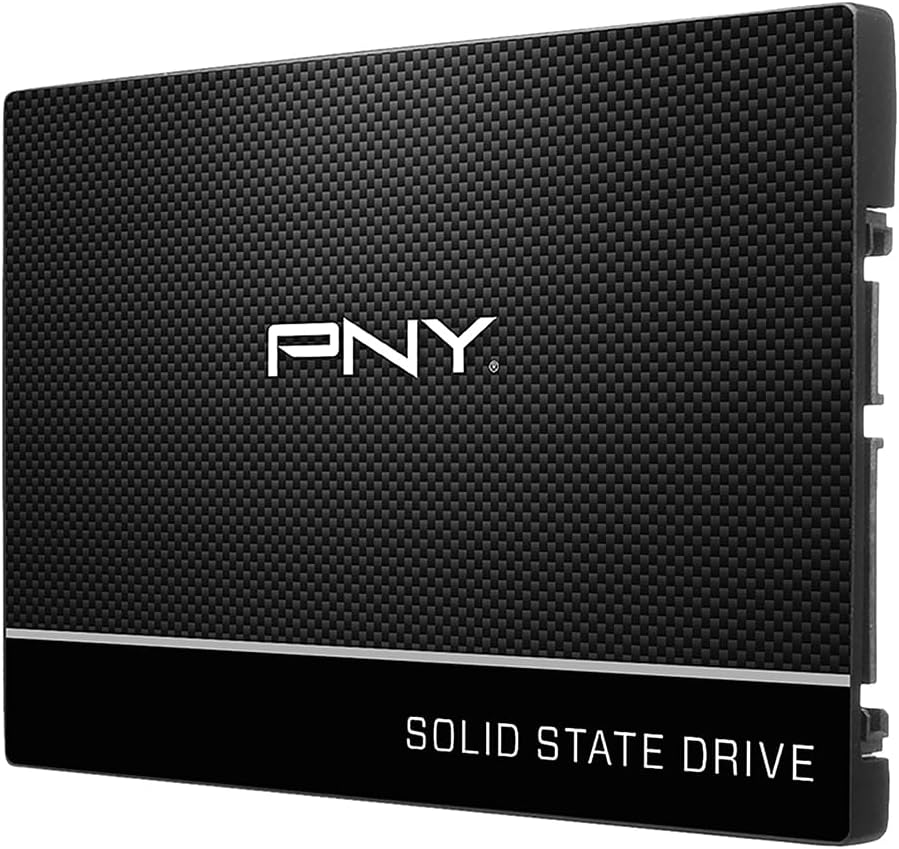
PNY CS900 250GB
4.7Editor score
Up to 535MB/s sequential reads
2.5-inch SATA III form factor
Backward compatible with SATA II
Replacing a slow laptop hard drive with a solid state drive can transform boot times, application launches, file transfers, and everyday responsiveness. The right upgrade balances interface compatibility, usable capacity, thermal behavior, reliability features, and the physical limits of your particular notebook. Form factor matters as much as headline speed.
This guide compares ten laptop SSD upgrades based on the supplied specifications, including capacity, interface, NAND type, maximum read and write speeds, compatibility claims, warranty terms, and customer ratings. It covers both widely compatible 2.5-inch SATA models and a high-bandwidth M.2 PCIe option, with configurations ranging from 250GB to 2TB.
The selections show why the fastest drive is not automatically the most sensible laptop upgrade. A budget SATA SSD may suit an older computer, while a premium NVMe model suits a recent notebook with PCIe support. Ratings and specifications offer a useful starting point, but prices and availability change, so verify fit and current offers before purchasing.
4.7Editor score

4.8Editor score

4.8Editor score
As an Amazon Associate we earn from qualifying purchases.
The table below places all ten candidates on a common footing, highlighting interface, capacity, peak sequential performance, and warranty support. These specifications show the most important trade-offs, but laptop bay thickness, connector layout, and operating-system compatibility still require individual verification.

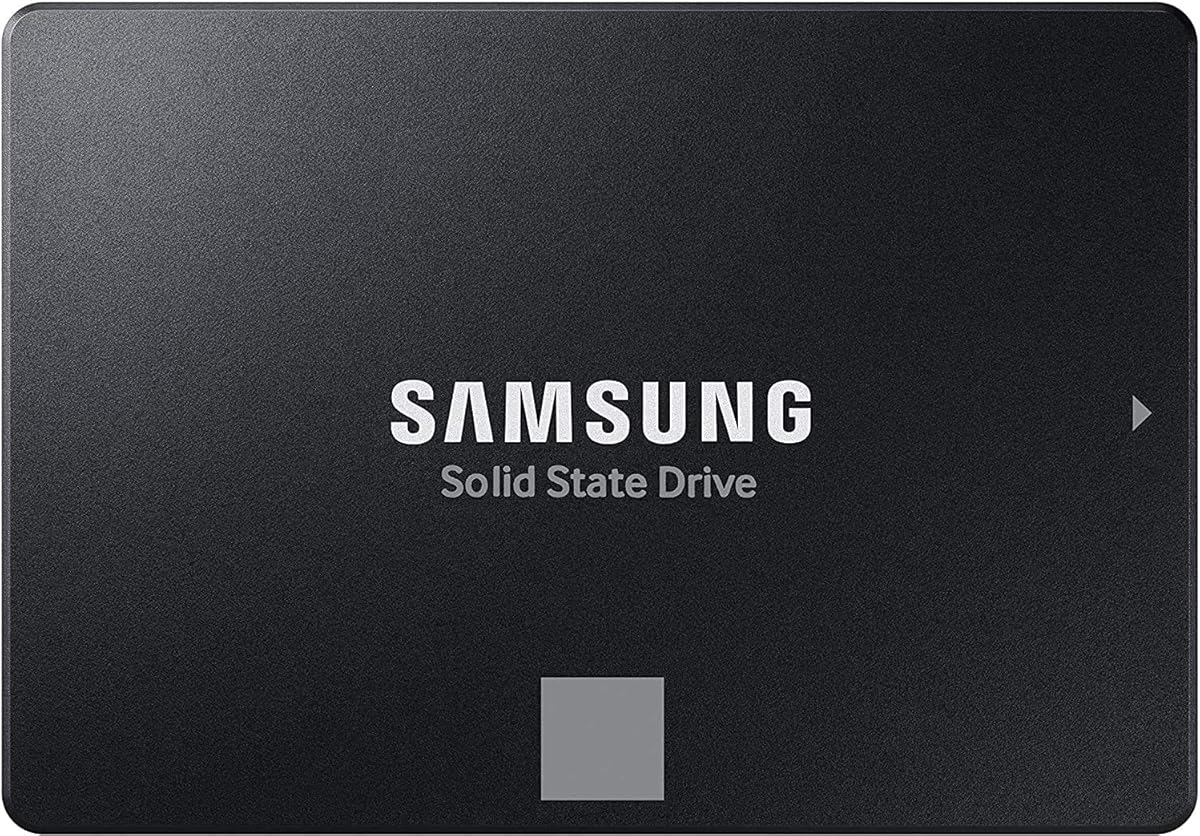

The PNY CS900 1TB combines a generous storage capacity with the straightforward compatibility of a 2.5-inch SATA III drive. Its 4.7 customer rating reflects a well-established option for users replacing a laptop hard drive. The stated performance reaches up to 535MB/s sequential reads and 515MB/s sequential writes, which is well suited to an ordinary SATA-equipped notebook.
We may earn a commission when you buy through this link, at no additional cost to you.
The biggest advantage is the balance between capacity and everyday performance. One terabyte provides room for an operating system, applications, active projects, and a reasonable collection of larger files without immediately filling the drive. Its low power consumption is also relevant to a portable computer, while backward compatibility with SATA II 3GB/sec makes it more accommodating for older machines than a PCIe-only alternative.
Its principal limitation is that the SATA III interface itself cannot deliver the bandwidth available from a modern M.2 PCIe drive. It also does not offer the larger variable buffer, advanced thermal control, or extensive endurance information associated with some premium alternatives. For most laptop upgrades, however, those omissions matter less than a simple installation and responsive everyday operation.
Choose this drive when your laptop accepts a 2.5-inch SATA SSD, you want balanced storage, and a conventional hard-drive replacement is the goal. It is particularly appealing for general productivity, study, office work, and light creative use. Confirm the available drive bay and connector arrangement before ordering, then use a fresh installation or a reliable cloning utility to transfer the existing system.
A one-terabyte capacity is a practical middle ground for users who need more room than a small system drive but do not require a multi-terabyte upgrade. It leaves space for the operating system, frequently used applications, documents, and selected media while helping the laptop remain responsive.
The 2.5-inch SATA III format and backward compatibility with SATA II make this an accessible choice for older laptops. It is still important to check whether the machine uses a SATA drive, a removable optical-drive bay, or a proprietary connector before installation.
We may earn a commission when you buy through this link, at no additional cost to you.
The PNY CS900 250GB is a focused upgrade for users who want to replace a mechanical hard drive without carrying a large storage cost. It holds 250GB and carries a 4.7 rating, providing an attractive balance of customer feedback and core SSD performance. Stated speeds reach up to 535MB/s for sequential reads and 500MB/s for sequential writes.
We may earn a commission when you buy through this link, at no additional cost to you.
This smaller configuration is most useful for a streamlined Windows installation, a portable work computer, or a laptop that mainly handles web browsing, office applications, messaging, and light media. The drive's ultra-low power consumption is especially appropriate to mobile use. Because it uses the familiar 2.5-inch SATA III format, it can also provide a simple route to noticeably more responsive startup behavior.
The trade-off is obvious: 250GB is modest. Once the operating system, updates, applications, and user files are installed, little spare room may remain. Users who work with large video files, extensive photo libraries, games, or numerous offline applications should consider a larger option rather than planning to constantly manage storage space.
This is a sensible choice for inexpensive upgrades, secondary systems, and users who previously relied on a small hard drive. Confirm that the laptop has room for a 2.5-inch drive and a SATA data connection, keep an up-to-date copy of important files, and leave additional unallocated space for system management after migration.
The CS900 250GB targets the basic pain points of a hard-drive-based laptop: slow startup, delayed application loading, and sluggish file access. Its sequential throughput approaches the practical ceiling of SATA III, so even the smaller capacity does not materially reduce transfer speed on normal files.
A compact operating system and a limited selection of applications will make better use of 250GB than a large media or project archive. Keeping the drive relatively uncluttered can also help maintain consistent responsiveness and make future backups simpler.
We may earn a commission when you buy through this link, at no additional cost to you.
The PNY CS900 500GB fills the gap between a small system drive and a spacious one-terabyte option. Its 4.7 rating and specifications place it among the strongest straightforward SATA choices in this guide. It can deliver up to 550MB/s sequential reads and 500MB/s sequential writes, providing quick access to files and a much livelier experience than a mechanical drive.
We may earn a commission when you buy through this link, at no additional cost to you.
Five hundred gigabytes is a versatile capacity for a general-purpose laptop. It can hold the operating system, productivity software, communication tools, and a moderate number of personal files while still leaving room for updates and temporary working data. The 2.5-inch SATA III format keeps installation relatively familiar, and low power consumption is beneficial for battery-powered use.
The main compromise is that the drive cannot exploit the bandwidth of a PCIe 4.0 x4 interface. A modern NVMe notebook may also offer one or more M.2 slots that are faster and more compact than this SATA model. If the laptop has a native M.2 slot but also supports SATA drives, a compatible NVMe option may be more future-facing, provided the system supports it.
This drive is a strong all-around choice for students, office users, and general-purpose notebooks that use a 2.5-inch SATA bay. It offers enough room for everyday work without moving to the largest capacities. Confirm physical fit, clone or reinstall the operating system, and avoid using the new drive as the only location for unbacked-up files.
Compared with the 250GB model, 500GB provides a better buffer for applications, updates, and personal files. That makes it easier to keep the system organized without needing to move large folders to external storage every time the drive begins to fill.
With a listed maximum read speed of 550MB/s and write speed of 500MB/s, the drive approaches the practical transfer limits of a SATA III connection. Its value lies in using that capability efficiently rather than chasing unsupported interface bandwidth.
We may earn a commission when you buy through this link, at no additional cost to you.
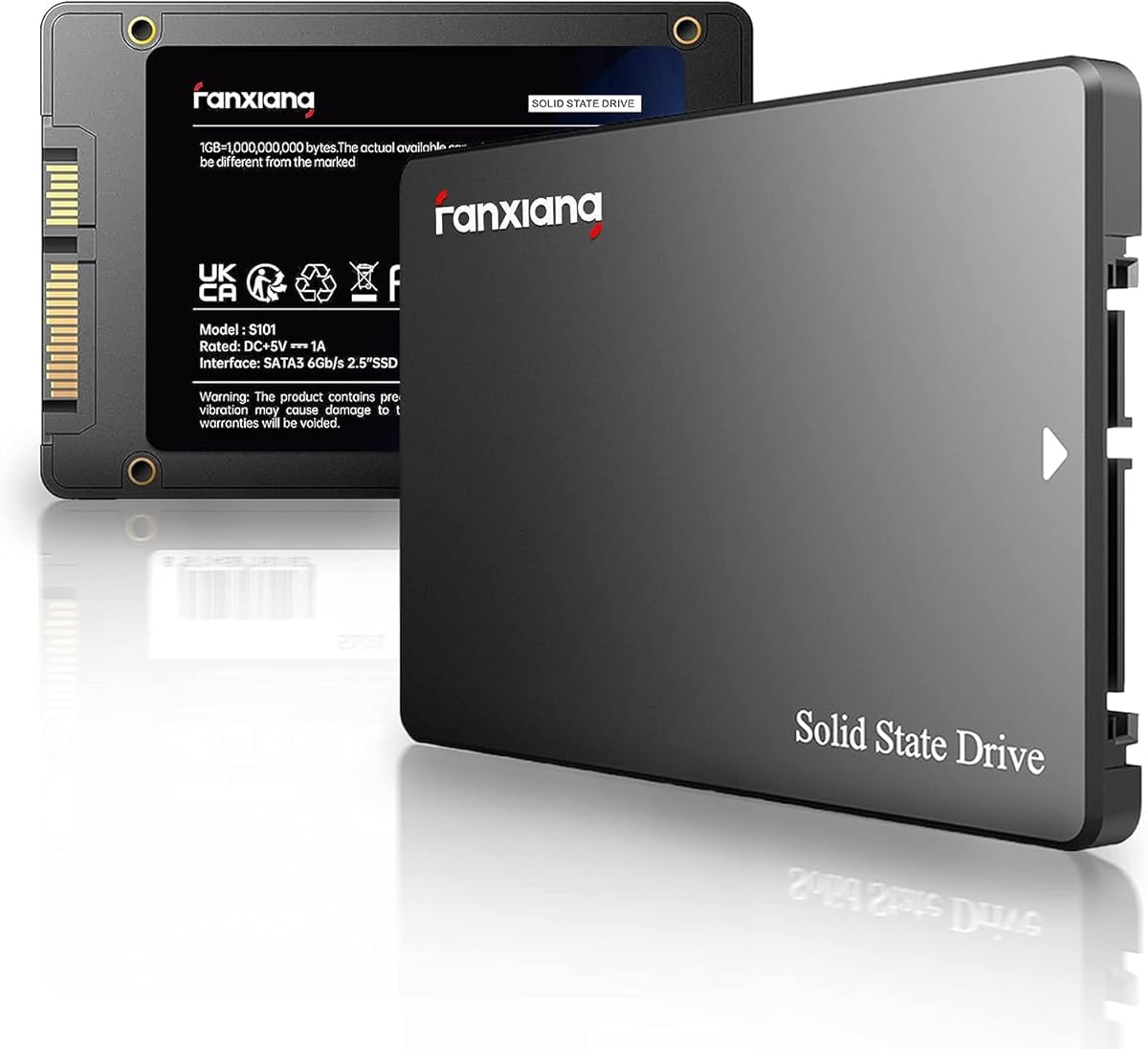
The fanxiang S101 1TB is a SATA III internal solid state drive aimed at laptops, desktops, and all-in-one computers. Its 4.5 rating reflects a generally positive reception, while the use of 3D NAND TLC is a notable specification for a drive intended to handle repeated writes. The stated sequential performance reaches up to 520MB/s.
We may earn a commission when you buy through this link, at no additional cost to you.
TLC NAND is a meaningful strength because the supplied description specifically contrasts its write endurance with QLC. The one-terabyte capacity also makes the drive practical for a working system rather than only a lightweight utility drive. Compatibility claims cover Windows, Linux, and Mac OS, which broadens its relevance for people who reinstall or maintain more than one operating system.
Its headline read speed is slightly below the strongest SATA III drives, although differences between quoted sequential figures do not tell the entire story about real workloads. The provided information describes three years of after-sales service and lifetime technical support, but those terms should not be interpreted automatically as identical to a formal product warranty. Buyers should review the seller's current warranty documentation.
Choose the S101 when you want TLC memory in a conventional 2.5-inch SATA drive and primarily need broad system compatibility. It is suitable for office, study, gaming libraries, and creative projects that require dependable storage without occupying an M.2 slot. Confirm the drive bay and connector, then check the current service terms before transferring important data.
The use of 3D NAND TLC gives this model a more persuasive foundation for sustained updating, active work files, and changing software libraries than a specification sheet focused only on maximum speed would reveal. It remains important to maintain backups regardless of NAND type.
Support for Windows, Linux, and Mac OS makes the S101 relevant to mixed-use environments. The operating system itself is not a barrier in most modern laptops, but the physical connector, mounting hardware, and drive-bay dimensions still need to match the machine.
We may earn a commission when you buy through this link, at no additional cost to you.
The KingSpec 1TB 2.5 SSD combines 3D NAND flash with stated sequential speeds of up to 550MB/s read and 520MB/s write. Its 4.5 rating indicates a favorable overall reception. The 2.5-inch SATA III design is aimed at laptop and desktop upgrades, giving it broad relevance for users replacing a conventional hard drive.
We may earn a commission when you buy through this link, at no additional cost to you.
A major selling point is the list of drive-management functions. The supplied specifications mention wear leveling, garbage collection, over-provisioning, native command queuing, TRIM, and S.M.A.R.T. support. These features help the SSD manage data efficiently, maintain performance, and expose health information. Its shockproof, anti-drop construction and lack of moving parts also suit mobile use.
The drive is compatible with common operating systems including Windows, DOS, Linux, and Unix, while SATA Rev. 3.0 is backward compatible with SATA Rev. 2.0. That does not make it universal in a physical sense: some thin laptops use a specialized connector, and some use M.2 slots exclusively. A three-year limited warranty adds a meaningful ownership benefit.
This model is a good match for a SATA laptop that needs a well-rounded internal upgrade with useful management features. It should suit general productivity, study, gaming, and a moderate creative workload. Review the drive's thickness and mounting requirements, use the supplied data cable or a correctly compatible replacement, and preserve a backup after cloning.
Wear leveling, garbage collection, TRIM, over-provisioning, and native command queuing work together to support efficient NAND usage. S.M.A.R.T. support can also help identify drive-health information before a failure becomes a surprise.
Because laptops are frequently carried while operating, resistance to shock and vibration is valuable. The absence of moving parts removes the mechanical risks associated with spinning media and allows the drive to operate silently.
We may earn a commission when you buy through this link, at no additional cost to you.
The Samsung SSD 990 EVO Plus 2TB is the clear high-speed option in this group, with a 4.8 rating and a stated sequential performance of up to 7,250MB/s read and 6,300MB/s write. It uses the compact M.2 2280 form factor and PCIe connectivity, making it a different class of upgrade from the 2.5-inch SATA models included here.
We may earn a commission when you buy through this link, at no additional cost to you.
Its large capacity is paired with a focus on demanding workloads. The supplied information highlights huge file transfers, improved large-file performance through Intelligent TurboWrite 2.0, and use with the latest SSD technologies. Compatibility with PCIe 4.0 x4 and PCIe 5.0 x2 also provides more bandwidth than a conventional SATA connection, although real results depend on the laptop and workload.
Thermal and power management are important considerations for this premium NVMe option. A nickel-coated controller is described as improving efficiency while limiting heat, but compact laptops with limited airflow can still run warm during sustained transfers. The drive may therefore perform best in a system with a thermal pad, exposed M.2 position, or room around the module.
Choose the 990 EVO Plus when your laptop has a compatible M.2 2280 PCIe slot and you routinely move large files, edit demanding media, or want the shortest response times. It is not a universal SATA replacement. Verify slot size, generation support, keying, and available mounting hardware, and install the current firmware using Samsung Magician for health monitoring and updates.
Sequential read and write speeds of up to 7,250MB/s and 6,300MB/s can make a major difference when moving large project files, operating system images, or media libraries. Smaller random operations still depend on the full system configuration, so headline speed should not be treated as the only performance indicator.
The two-terabyte capacity provides ample room for demanding applications and large collections while avoiding the interface ceiling of SATA. It is a particularly attractive option for creators and power users who can benefit from both capacity and rapid transfers.
Samsung Magician provides access to firmware updates, encryption features, and continual drive-health monitoring. Keeping the software current is a practical way to manage firmware, inspect status, and maintain a healthy relationship with a premium internal drive.
We may earn a commission when you buy through this link, at no additional cost to you.
The Samsung SSD 870 EVO 2TB offers two terabytes of storage while preserving the universal familiarity of a 2.5-inch SATA III drive. Its 4.8 rating is the highest among the SATA models in this guide. The stated sequential speeds reach up to 560MB/s read and 530MB/s write, effectively using the available SATA bandwidth.
We may earn a commission when you buy through this link, at no additional cost to you.
Endurance is a central reason to consider this configuration. The supplied specifications list up to 2,400TBW, making the drive relevant to demanding users who write substantial volumes of data. Its larger variable buffer is also described as helping maintain long-term performance. Compatibility testing across major chipsets, motherboards, NAS systems, and video-recording devices adds confidence for a wide range of systems.
Security features include Class 0 AES 256 encryption with TCG/Opal v2.0, MS eDrive, and IEEE 1667 support. The interface is SATA 6GB/s and remains compatible with SATA 3GB/s and 1.5GB/s connections. The physical drive is still limited to systems that can accommodate a 2.5-inch SATA device, so it is not appropriate for an M.2-only notebook.
This is an excellent choice for a SATA laptop that needs substantial local storage, such as a video archive, a large project library, or an editing workstation using conventional hard-drive bays. It combines premium endurance with a familiar format. Check bay depth, connector type, and thermal space, and use Samsung Magician to manage firmware and health information.
An endurance rating of up to 2,400TBW indicates a substantial write allowance for a two-terabyte drive. Creators working with large media files, developers maintaining active projects, and users who frequently transfer data can benefit from that margin over a long ownership period.
AES 256 and TCG/Opal v2.0 support make the drive suitable for environments where data confidentiality matters. Samsung Magician adds firmware management, health monitoring, and status visibility for routine ownership.
We may earn a commission when you buy through this link, at no additional cost to you.
The Samsung 870 EVO 250GB delivers premium drive features in a compact SATA configuration. It carries a 4.8 rating and uses the standard 2.5-inch form factor, making it suitable for compatible laptops and desktops. Performance reaches up to 560MB/s read and 530MB/s write, so the smaller capacity does not reduce basic transfer throughput.
We may earn a commission when you buy through this link, at no additional cost to you.
The supplied specifications list up to 600TBW endurance and a five-year limited warranty. That combination makes the drive more compelling than a typical entry-level alternative for users who value longevity. Its larger variable buffer supports sustained performance, and Samsung Magician 6 assists with firmware, health monitoring, and drive management. Migration software is also included to help transfer an existing installation.
The main limitation is capacity. At 250GB, the operating system and core applications can occupy a significant portion of the available space. It makes more sense for a clean, lightweight installation than for a large game library, extensive media collection, or professional project archive. A larger 870 EVO capacity or PNY option may be more practical when space is a concern.
Buy this model for a small but fast laptop system drive, a business notebook, or a lightweight workstation where the priority is dependable SATA performance and strong support rather than maximum capacity. Verify that the drive bay accepts a standard 2.5-inch SATA SSD, use a proper data cable, and retain a separate backup of the cloned system.
The listed 600TBW endurance and five-year limited warranty create a stronger long-term proposition than capacity alone would suggest. That is useful for organizations that refresh laptops less frequently or creators who keep the same system for extended periods.
The included migration software is intended to simplify moving data and an existing operating system to the new drive. A clean installation can still provide a tidier result, but the software provides a practical route for less technical users who want to retain their setup.
We may earn a commission when you buy through this link, at no additional cost to you.
The Samsung SSD 870 EVO 1TB is the most broadly useful SATA laptop upgrade in the group. It combines a 4.8 rating with one terabyte of capacity and maximum sequential speeds of up to 560MB/s read and 530MB/s write. That combination addresses both common upgrade priorities: making the system responsive and providing enough room for a normal working environment.
We may earn a commission when you buy through this link, at no additional cost to you.
The drive can sustain long-term high performance through its larger variable buffer, and the specifications list up to 600TBW under a five-year limited warranty. It is designed for demanding users, workstations, NAS systems, and high-end PCs, making it more than a basic boot drive. S.M.A.R.T. support, AES 256 encryption, TCG/Opal, and IEEE 1667 add useful management and security features.
The compromise is the familiar ceiling of SATA III. A compatible laptop with a native M.2 PCIe slot could offer substantially faster transfers, so the 870 EVO is not the automatic choice for every modern notebook. Conversely, it is often easier to fit than an M.2 module and works with more legacy SATA configurations. The 2.5-inch format still requires a suitable bay and connector.
Choose the 870 EVO 1TB when you want a balanced, durable, high-rated drive without moving to the complexity of a premium NVMe setup. It is ideal for students, professionals, creators, and general users who want capacity, support, and strong performance in one package. Confirm physical compatibility and use the migration software or a clean installation to transfer the system.
A one-terabyte drive is large enough for an operating system, major applications, project files, and a meaningful personal library, yet small enough to remain manageable. It is a more versatile choice than a 250GB system drive for most buyers and more economical than a two-terabyte model.
The 600TBW endurance, S.M.A.R.T. support, AES 256 encryption, and five-year warranty give the drive a well-rounded profile. Samsung Magician lets owners monitor health, manage firmware, and review drive status from supported software.
SATA can be the better upgrade when a notebook lacks a native M.2 slot, has a removable SATA bay, or is already configured for a 2.5-inch drive. The 870 EVO offers reliable performance without requiring thermal-pad installation or a more involved internal layout.
We may earn a commission when you buy through this link, at no additional cost to you.
The TEAMGROUP T-Force Vulcan Z 1TB combines 3D NAND TLC, a built-in SLC cache, and a standard 2.5-inch SATA III interface. Its 4.6 rating reflects a solid customer reception. Stated speeds reach up to 550MB/s read and 500MB/s write, placing it among the stronger conventional SATA options for compatible laptops.
We may earn a commission when you buy through this link, at no additional cost to you.
The SLC cache is designed to support stable read and write performance during common operations. The supplied description particularly highlights fast file transfers, 4K video editing, a responsive operating system, and reduced game-loading times. TLC NAND also adds a favorable endurance foundation for an internal upgrade expected to receive repeated software updates and file writes.
Its seven-millimeter slim design should fit most laptops and desktops that use a standard 2.5-inch bay. Shock and vibration resistance, silent operation, and lower power consumption make it well suited to mobile work. As with every SATA drive, however, the interface limits the maximum sequential result, and cache-assisted performance can vary with transfer size and workload.
Choose the Vulcan Z for a SATA laptop that wants a one-terabyte upgrade, TLC memory, and gaming or creative performance in a conventional form factor. It is a compelling fit for systems without a native NVMe slot. Check bay depth and connector compatibility, keep the operating system and files backed up, and review the manufacturer's current warranty terms for the exact model.
A built-in SLC cache can improve responsiveness during frequently repeated or recently accessed operations. The effect is most useful within the drive's designed workload range, so users should not expect every sustained transfer to maintain the headline sequential figure.
The seven-millimeter design is thin enough for most modern SATA laptop bays. It may also fit an optical-drive caddy or adapter, although the caddy itself must provide a proper SATA connection and secure physical mounting.
TLC NAND supports a more durable write profile, while resistance to shock and vibration protects against movement during transport. These characteristics complement the lower power use and silent operation expected from a portable SSD.
We may earn a commission when you buy through this link, at no additional cost to you.
A useful laptop SSD upgrade begins with the machine rather than the drive. Confirm the connector, available bay, supported interface, physical dimensions, and intended workload before comparing capacity, speed, NAND, endurance, and support.
The most important compatibility check is the interface your laptop uses. A 2.5-inch SATA SSD requires a SATA data connection and suitable mounting space, while an M.2 2280 NVMe drive requires an M.2 slot with matching keying and PCIe support. Some notebooks use a proprietary connector or place an M.2 slot in the optical-drive bay, so the model designation alone is not enough. The system service manual, manufacturer documentation, or a physical inspection can clarify the correct arrangement.
Physical fit involves more than recognizing the general drive type. A 2.5-inch drive may need a SATA flex cable, mounting bracket, screw, and enough clearance for its connector. The TEAMGROUP model is described as a seven-millimeter design, while other 2.5-inch SSDs can differ in height. M.2 drives are defined by dimensions such as 2280, but the host may still restrict supported lengths, thermal clearance, or available screw positions.
Capacity affects both convenience and long-term usability. A 250GB model works for a lightweight operating system and modest file collection, but it can fill quickly after updates and application installations. Five hundred gigabytes offers more breathing room, while one terabyte is a strong general-purpose balance. A two-terabyte model is valuable for large media archives, games, or professional project files. Leaving some free space is sensible because operating systems and applications need room to install, update, and maintain temporary files.
The listed read and write speeds are maximum sequential figures, not guarantees for every application. SATA drives in this guide top out near 560MB/s for reads, while the Samsung 990 EVO Plus reaches up to 7,250MB/s through PCIe. Large file transfers benefit most from higher bandwidth, while browsing, office work, and system responsiveness also depend on the processor, memory, operating system, and original storage. A faster compatible drive is useful, but it cannot accelerate every part of an aging system equally.
NAND type affects how a drive handles repeated writes and sustained workloads. The fanxiang S101, KingSpec, and TEAMGROUP models are described as using 3D NAND TLC, which offers a stronger endurance proposition than many budget QLC alternatives. The Samsung 870 EVO models list endurance of up to 600TBW or 2,400TBW, depending on capacity. A higher endurance figure matters most for creative professionals, developers, and users who write many terabytes, but every SSD still benefits from regular backups.
Heat management is especially important for compact M.2 modules. A premium NVMe drive can transfer data much faster, but that higher bandwidth also generates more heat during sustained work. Some laptops accommodate thermal pads or place the slot in a more ventilated area, while others offer little airflow. SATA drives can also slow down if they approach thermal limits. For a difficult installation, compare the laptop's service documentation with the drive dimensions and consider whether a screw, spacer, or heat-transfer solution is required.
A warranty provides support if a drive develops a fault, while management software can help with firmware, health monitoring, encryption, and diagnostics. The Samsung 870 EVO and 990 EVO Plus include Samsung Magician support, while the KingSpec and TEAMGROUP products have stated three-year warranty coverage. The fanxiang listing refers to three years of service and lifetime technical support, which may not be identical to a written product warranty. Buyers should read the current terms and compare coverage rather than assuming all service descriptions are equivalent.
A storage upgrade is most valuable when the rest of the laptop can support it. RAM shortages, a slow processor, thermal throttling, or an outdated operating system may remain after replacing the hard drive. Conversely, a capable computer with a mechanical drive can become dramatically more responsive with an SSD. Check the device's general condition, confirm that important data is backed up, and expect to spend time migrating applications, updating the operating system, and adjusting software settings.
Before installation, back up the existing drive, identify the connector, and read the laptop service guide. Confirm that the SSD has the correct form factor and interface, gather the required screw or mounting bracket, and keep the original hard drive until the new system and files have been verified. If the new drive is empty, use the operating system's installation media to create a clean system rather than moving every obsolete file and application.
For a migration, use reputable cloning or migration software and choose the correct source and destination. Follow the prompts carefully, allow the process to finish completely, and do not disconnect power. After cloning, install the SSD in the laptop, boot from it, confirm that the operating system recognizes all expected files, and test essential applications before formatting or discarding the old drive.
Keep some capacity free, install operating-system and firmware updates, and use a reliable backup strategy rather than treating an SSD as the only copy of important data. Avoid abrupt removal during active writes, periodically review drive-health information, and use the manufacturer's management software when available. If the laptop is important, retain the original drive as a temporary backup or transfer its data to a second location before reusing or selling it.
No. A 2.5-inch SATA SSD needs a compatible SATA data connector, sufficient bay space, and a way to secure the drive. Some notebooks use M.2-only storage, proprietary connectors, or adapters that place SATA storage in the optical-drive bay. Check the laptop service manual or manufacturer documentation before purchasing.
It usually produces a noticeable improvement when the original drive is a mechanical hard drive, especially during startup, application loading, and file transfers. The gain may be smaller if the laptop is limited by an older processor, insufficient memory, or thermal throttling. An SSD cannot make every component faster, but it can make the storage system much more responsive.
Choose SATA if your laptop has a 2.5-inch SATA bay or a compatible SATA arrangement. Choose M.2 NVMe if the laptop provides a compatible M.2 2280 slot with PCIe support. NVMe offers much greater bandwidth, but SATA has broader legacy compatibility and is often simpler to install in an older notebook.
A 250GB drive can work for a lightweight system, while 500GB offers more room for applications and files. One terabyte is a versatile general-purpose choice, and two terabytes suits large game libraries, media archives, or demanding creative workflows. Consider future updates and leave some free space for system operation.
Not always. Cloning can copy the existing system and files to the new drive, which may provide the shortest transition. A clean installation can produce a tidier operating system and may avoid carrying over old software problems. Whichever method you use, back up important files and verify that everything works before erasing the original drive.
Yes, if the laptop and case support it. The old drive can remain as a secondary storage location after migration, or it can be moved into an external enclosure. If the old drive contains the only copy of important data, preserve it until a separate backup has been created and verified.
Every SSD benefits from adequate thermal management, but the need varies. SATA drives generate less heat at their stated transfer rates, while a high-speed NVMe drive can become warm during sustained large-file transfers. Follow the laptop manufacturer's guidance and ensure the slot, pads, and surrounding components have adequate clearance.
Record boot times, application-launch delays, and large-file transfer durations under similar conditions before and after the upgrade. Also watch for stutter during routine tasks and compare system responsiveness after the same software and background processes are running. Disk benchmarks can add context, but real daily workflows are usually more meaningful.
The PNY CS900 250GB stands out as the budget-focused choice, while the Samsung 870 EVO 1TB offers the most versatile combination of strong performance, useful capacity, endurance, and support. The Samsung 990 EVO Plus 2TB is the premium option for a compatible M.2 PCIe notebook that can benefit from substantially greater bandwidth and large-file transfer speed.
Start with compatibility rather than headline performance. Confirm whether the laptop uses 2.5-inch SATA or M.2 storage, check the connector and physical clearance, and make sure the operating system and intended workload fit within the selected capacity. TLC NAND, endurance, warranty, thermal behavior, and management software can then help distinguish among otherwise similar models.
Finally, remember that ratings and specifications do not change the need to verify current compatibility or market conditions. Prices and availability can shift over time, so review the current listing and seller terms before purchasing. With a complete backup and a clear upgrade plan, the right SSD can make a compatible laptop feel substantially faster, more responsive, and better prepared for daily work.