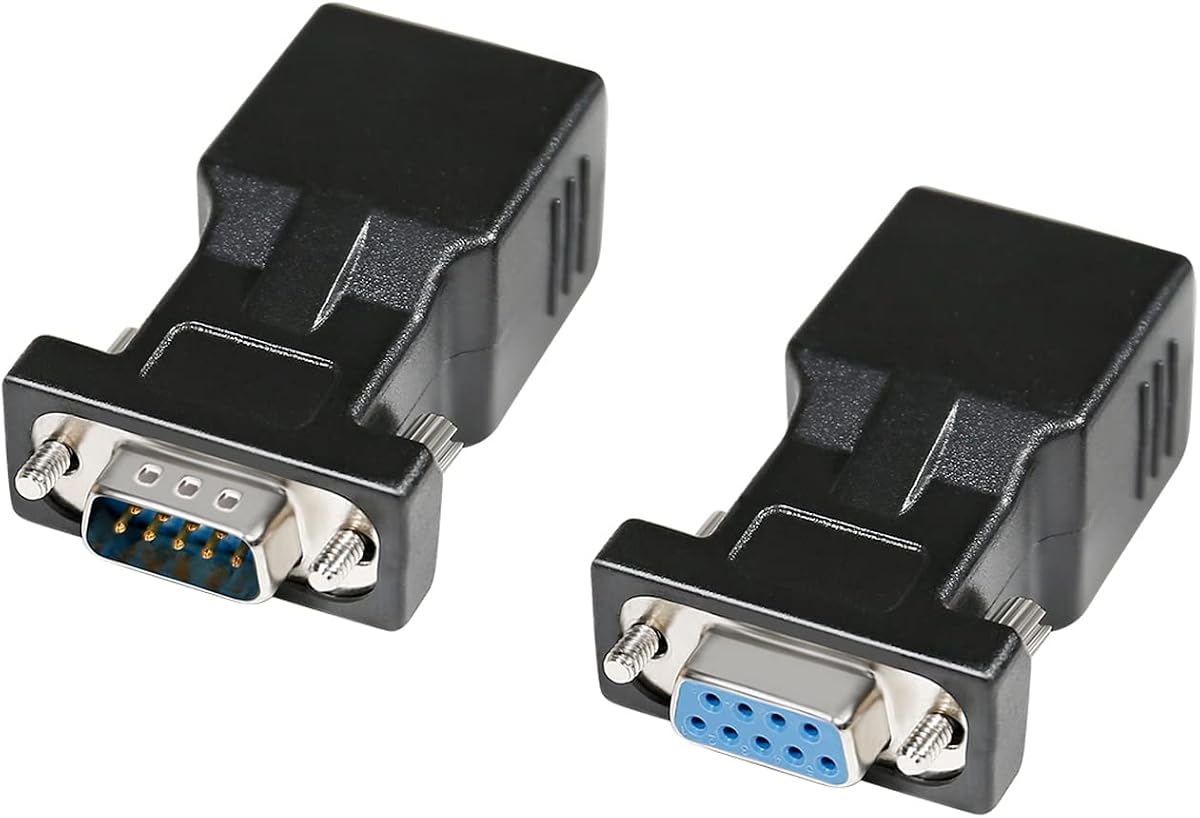
DTECH DB9 to RJ45 Serial Adapter Set
4.7Editor score
Matched male and female adapters
Extends RS232 over Cat5 or Cat6
Supports cable runs up to 65 feet
Explore the best RS232 to RJ45 Converter options, comparing passive adapters, active converters, pinouts, cable range, power needs, and networking features.
RS232 to RJ45 converters make it possible to carry traditional serial data through familiar network-style cabling. The right choice depends on whether you need a simple passive adapter, an active protocol converter, or a device that can place RS232 equipment onto a real Ethernet network. Connector gender, wiring, distance, and power requirements all matter.
The products in this guide were compared using their stated specifications, compatibility, supported functions, connector layouts, and customer ratings. The list includes passive DB9 couplers, USB serial cables, RS232-to-RS485 or RS422 converters, and serial-to-Ethernet servers designed for industrial, commercial, and specialist equipment.
Each review explains the product's most useful application, along with any limitations that shoppers should understand before purchasing. Ratings and product information can change over time, and prices also fluctuate, so readers should confirm the current listing, connector configuration, and technical requirements before ordering.
4.7Editor score

4.0Editor score

4.7Editor score
The comparison below separates simple passive serial adapters from powered protocol converters, Ethernet servers, and equipment-specific cables, making it easier to match each option to the intended installation.



This DTECH female-to-female adapter carries RS232 serial signals through an RJ45 network cable. It holds a 4.5 rating and stands out for its straightforward installation, thumbscrew-secured DB9 connection, and compatibility with standard nine-pin RS232 equipment. The listed pin mapping follows a straight-through arrangement from pins one through eight, while pin nine is not connected.
We may earn a commission when you buy through this link, at no additional cost to you.
The adapter is intended for extending a serial connection through inexpensive Cat5 or Cat6 cable. A pair of compatible female-to-female couplers can be used at opposite ends of a run of up to 65 feet, according to the product information. That makes it useful for separating legacy serial devices that would otherwise require a bulky dedicated DB9 extension cable.
Its main limitation is that this is a passive wiring adapter, not an Ethernet gateway. It does not convert RS232 into a network protocol, supply internet access, or resolve every signal-handling issue associated with long serial runs. The exact wiring arrangement must also match the equipment and the other end of the connection, so buyers should not assume every DB9 device uses the same pin arrangement.
This is a good choice for technicians, installers, and users who already understand their RS232 pinout and simply need a dependable physical extension. It suits printers, modems, POS equipment, barcode scanners, routers, and similar nine-pin devices listed in the product description. For anyone converting serial data into actual TCP/IP networking, however, an active serial server would be the more appropriate purchase.
The adapter replaces a long, dedicated serial cable with a Cat5 or Cat6 route. It is particularly useful in offices, workshops, and industrial installations where convenient network-style cable may already be available.
Because the design is passive and does not require external power, installation is limited to connecting the DB9 ends, attaching the RJ45 cable, and confirming that the wiring matches the devices involved.
We may earn a commission when you buy through this link, at no additional cost to you.
The DTECH male and female adapter set is one of the most approachable options for extending RS232 over standard network cable. It includes one DB9 male-to-RJ45 female adapter and one DB9 female-to-RJ45 female adapter, providing a matched connection for many common equipment combinations. Its 4.7 rating reflects a strong balance of usefulness and simplicity.
We may earn a commission when you buy through this link, at no additional cost to you.
The set is designed for bidirectional serial communication over Cat5 or Cat6 cable, with a stated extension distance of up to 65 feet. It supports computers, laptops, terminals, industrial CNC equipment, PDAs, POS terminals, barcode scanners, printers, modems, scales, routers, and other standard nine-pin serial devices.
This solution avoids the confusion of sourcing separate adapters and is especially helpful when both ends of a serial link need to be reached from an RJ45 cable. The product information clearly states that it is for serial data only, not a DB15 VGA adapter, and it does not create internet or Ethernet network connectivity.
Shoppers should choose this set when their goal is physical RS232 extension rather than protocol conversion. The thumbscrews help secure each DB9 connection, while the passive construction keeps installation uncomplicated. It is a strong general-purpose pick for technicians working with legacy serial equipment and for anyone who wants network-style cabling to carry a short-distance RS232 link.
Including both connector genders removes the need to determine which adapter belongs at each device. The pair can bridge two DB9 ports with a single network-style cable, subject to the correct wiring configuration.
The listed applications span office peripherals, retail hardware, and industrial machinery. That makes the set versatile for maintenance work, equipment relocation, and installations where a shorter direct serial cable is impractical.
We may earn a commission when you buy through this link, at no additional cost to you.
This DB9-to-RJ45 extender set combines male and female serial adapters with two cables. It is intended to carry RS232 data over twisted-pair network wiring, with the product information describing transparent bidirectional transmission and compatibility with desktop computers, digital machine tools, PDAs, and barcode devices.
We may earn a commission when you buy through this link, at no additional cost to you.
A notable feature is its flexibility in deployment. The adapters can be used in female-to-female, male-to-female, or male-to-male combinations, and the set can also be used with a single adapter where appropriate. The design requires no external power, which simplifies temporary service work and installations where a nearby outlet is inconvenient.
Distance figures require careful attention. The listing states a maximum distance of 66 feet, also refers to a recommended working range of roughly 1 to 15 meters, and separately describes long-distance operation over Cat5 or Cat6 UTP. Actual results can depend on the cable, equipment, baud rate, interference, and whether the two ends are electrically compatible.
This extender is a practical pick for technicians who need more than a single fixed adapter and want the included cables ready for use. It is not a substitute for a serial-to-Ethernet gateway: its purpose remains extending or bridging serial signals. Confirm the DB9 pin configuration and connection requirements before deployment, particularly in an industrial environment.
Supporting female-to-female, male-to-female, and male-to-male pairings gives the set more flexibility than a single adapter. Buyers can select the arrangement that matches the gender and wiring of their two DB9 devices.
The included Cat5 or Cat6 cables make it easier to bridge equipment located farther apart. Keep the route away from high-interference sources and verify the serial settings on both connected devices.
We may earn a commission when you buy through this link, at no additional cost to you.
This DTECH male-to-female adapter is designed for installations that need a DB9 male connection at one end of an RJ45 network cable. It has a 4.2 rating and shares several practical features with the other DTECH passive adapters: straight-through pin mapping, thumbscrew retention, and support for serial extension over Cat5 or Cat6 wiring.
We may earn a commission when you buy through this link, at no additional cost to you.
The product description gives the wiring arrangement as one-to-one through pin eight, with pin nine unused. It identifies a 65-foot extension when a pair of compatible socket couplers is used. The adapter can work with standard nine-pin D-sub RS232 devices such as laptops, printers, modems, routers, PDAs, POS equipment, CNC machines, and barcode scanners.
As a single compact adapter, it may be useful for temporary testing, custom cable fabrication, or a permanent link where the opposite end already has the correct connector arrangement. The lack of external power also means it can be installed without finding a nearby electrical outlet or adding a power supply to the connection.
The primary concern is compatibility. A male-to-female adapter is not automatically the correct counterpart for every serial device, and the passive straight-through arrangement does not perform electrical or protocol conversion. Buyers should confirm both the DB9 gender and pin assignment. It is best suited to users who already understand the wiring of their specific RS232 equipment.
A single male-to-female adapter can serve as one endpoint in a custom installation. It is especially helpful when replacing a bulky DB9 extension lead with accessible Cat5 or Cat6 cable.
The passive design avoids setup steps associated with powered gateways. Once the connector genders and pinout are correct, the adapter requires no driver, IP configuration, or power connection.
We may earn a commission when you buy through this link, at no additional cost to you.
This ten-piece set of female DB9-to-RJ45 adapters is the strongest option in the guide for buyers who need multiple identical passive adapters. It holds a 4.8 rating and offers a generous stated signal range of up to 100 feet when used with compatible Cat5, CAT5E, and CAT5 network cable.
We may earn a commission when you buy through this link, at no additional cost to you.
One of its most useful features is the clearly documented wiring information. The listing identifies the RJ45 conductor colors for pins one through eight and provides the standard DB9 signal names, including carrier detect, received data, transmitted data, data terminal ready, ground, data set ready, request to send, clear to send, and ring indicator.
The set is well suited to service technicians, systems integrators, and facilities teams that standardize on one adapter type. Multiple units also provide spares for installations where equipment may be moved or a connector may be handled frequently. The alloy transmission ports are intended to reduce impedance and interference, while the stated ABS housing is designed for wear resistance.
The limitation is that every adapter has the same female-to-female configuration. If the equipment needs a DB9 male end, a suitable male-side adapter or cable will be required. The set also remains a passive serial extension rather than a TCP/IP converter, so it cannot place RS232 devices directly onto an Ethernet network.
The included pin definitions make it easier to compare the adapter with equipment documentation. This is valuable when installing or troubleshooting serial links in environments where different devices may use customized wiring.
Ten identical units streamline repeated installations and maintenance work. The bulk format can also prevent delays when a damaged adapter needs immediate replacement in a remote setup.
We may earn a commission when you buy through this link, at no additional cost to you.
The USR-TCP232-302 is the most complete true converter in this guide because it transforms bidirectional RS232 data into Ethernet communication rather than simply routing the signals through a wire. Its 4.0 rating reflects a capable active device with a broad set of network functions for remote monitoring, control, and serial integration.
We may earn a commission when you buy through this link, at no additional cost to you.
The module integrates TCP/IP and supports transparent transmission between RS232 and Ethernet. It offers DHCP, DNS, webpage-based parameter setup, and network firmware upgrades. Its 10/100 Mbps RJ45 port and broad serial range of 600 bps to 230.4 Kbps make it suitable for connecting legacy serial equipment to a modern network while retaining flexible baud-rate support.
Several work modes expand its usefulness. The device can operate as a TCP server, TCP client, UDP client, UDP server, or HTTPD client. TCP Server mode supports one to 16 clients, with four as the stated default. A virtual serial port and corresponding USR-VCOM software are also listed, along with heartbeat and registration packet mechanisms for connection monitoring and custom packet headers.
This converter is the most appropriate top pick when a customer needs actual network access to an RS232 device. It can operate across a local network and, as stated, over an external network when the infrastructure permits. It does require power and configuration, so it is less convenient than a passive coupler for a simple direct extension. Buyers should plan firewall, addressing, and remote-access requirements before installation.
Unlike a passive adapter, the module gives RS232 equipment an IP-based communication path. That makes it valuable for remote monitoring, centralized control, and systems that need to bridge serial hardware with Ethernet software.
DHCP, DNS, several TCP and UDP work modes, virtual serial support, and heartbeat functions provide the tools needed for a stable managed connection. These features go well beyond the basic purpose of a cable adapter.
We may earn a commission when you buy through this link, at no additional cost to you.
This DTECH active converter performs true electrical and protocol conversion between RS232 and either RS485 or RS422. Its 4.7 rating and extensive protection, status indication, and operating-mode support make it the premium choice for industrial, control, and long-haul serial installations.
We may earn a commission when you buy through this link, at no additional cost to you.
The output side can connect to a Phoenix terminal block or an RJ45 network port, providing flexibility for integrating with twisted-pair cabling or conventional field-wiring terminals. It supports two-wire half-duplex RS485 and four-wire full-duplex RS422 operation, including point-to-point and point-to-multipoint networks with up to 32 protocol-device drops. No handshake signal is required, and transmission is transparent.
Protection is a major attraction in industrial environments. The product information specifies 600W lightning surge protection for the RS485 or RS422 link and 15 kV static protection for the RS232 side. TX, RX, and power indicators make it easier to confirm communication activity, while automatic baud-rate detection and adjustment up to 115200 bps simplify setup.
This converter is a better fit than a passive coupler when the two devices do not speak the same electrical protocol. It requires a power supply, which is included according to the listing, and adds more configuration considerations than a basic DB9 coupler. It is most appropriate for integrators working with PLCs, industrial controls, remote sensors, or other RS485 and RS422 systems.
Surge and static protection helps reduce the risk posed by electrical transients on long field cables. The combination of protection, transparent data transfer, and flexible RS485 or RS422 modes supports more demanding control environments.
Two-wire half-duplex and four-wire full-duplex operation allow the same unit to serve different network arrangements. The stated support for up to 32 drops also makes it more versatile for multi-device RS485 installations.
We may earn a commission when you buy through this link, at no additional cost to you.
The LINOVISION dual-port gateway integrates RS232 and RS485 devices with Ethernet for remote monitoring and control. Its 4.1 rating makes it a strong option for industrial systems where a single unit must bridge traditional serial equipment with IP-based networks, particularly those using Modbus.
We may earn a commission when you buy through this link, at no additional cost to you.
The gateway provides transparent conversion between Modbus RTU and Modbus TCP, with support for multi-host polling by up to 16 hosts. Its stated application areas include POS systems, agricultural sensors, PLCs, and medical devices. That combination of serial interfaces, protocol conversion, and remote access distinguishes it from a simple passive DB9 coupler.
The listed cloud service supports up to 30 managed devices through the Linovision AIoT RemoteMonit platform at no additional charge under the standard offering. Additional managed devices, storage, or custom functions are available by separate arrangement. For users who do not need cloud management, the core gateway still provides local serial-to-Ethernet conversion and Modbus functionality.
Its industrial enclosure has an IP30 protection rating and an operating temperature range from -40°F to 185°F. It can be mounted on a wall or DIN rail, making it appropriate for control cabinets and equipment rooms. This is a specialized gateway rather than a general-purpose RS232 cable adapter, so buyers should confirm that their devices use compatible Modbus or transparent serial protocols.
Transparent Modbus RTU-to-TCP conversion simplifies communication between serial field devices and Ethernet-based supervisory systems. Multi-host polling support adds flexibility for installations that monitor more than one connected endpoint.
The optional cloud platform and wide stated temperature range support remote and industrial deployments. Wall and rail mounting options make it easier to install the gateway inside a control cabinet.
We may earn a commission when you buy through this link, at no additional cost to you.
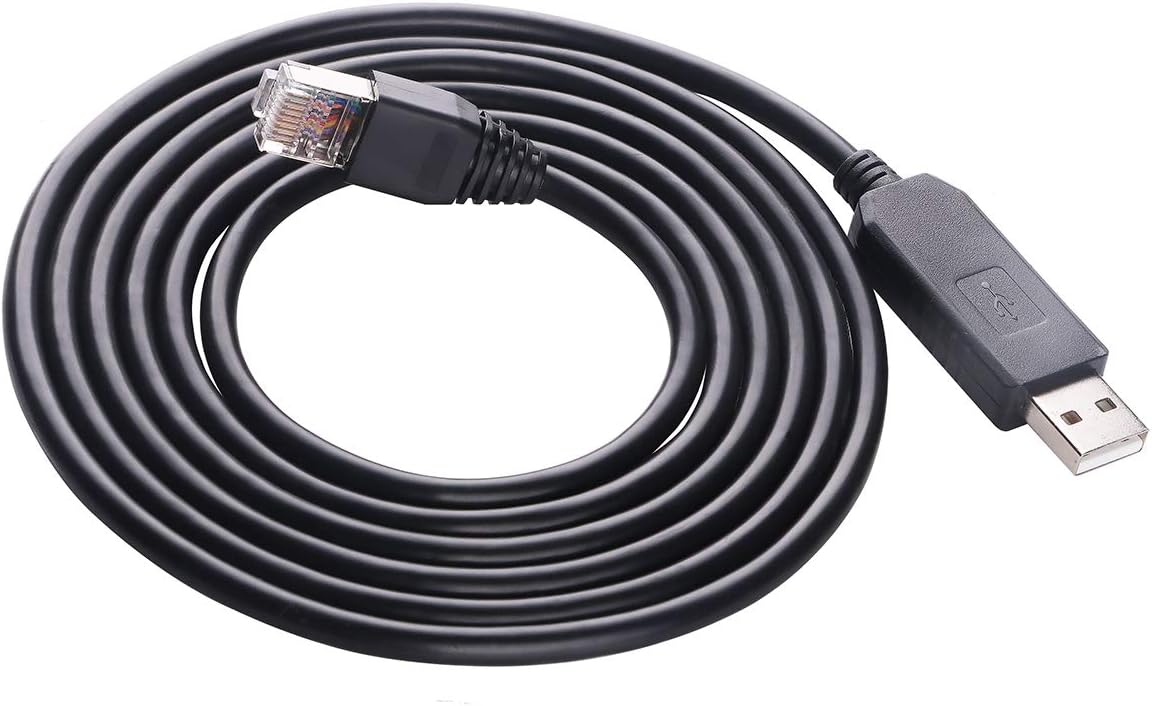
This six-foot USB-to-RJ45 RS232 cable is a targeted connection solution for Voltronic EG4 6000EX and 6500EX equipment and listed compatible inverter or power-system models. Its 4.6 rating and use of an FT231XS bridge chip make it appealing for users who need a direct serial connection from a modern computer.
We may earn a commission when you buy through this link, at no additional cost to you.
One end uses USB 2.0 for the computer, while the RJ45 end connects to the target device. The package includes one six-foot FT231XS USB-to-RJ45 RS232 serial cable. It is listed for applications involving Axpert EG4 6000EX and 6500EX units, Kodak Mecer MPP Solar, Phocos RCT, and The Sun Pays systems.
The cable may require the FTDI Virtual COM Port driver from FTDI's official website. That installation step is important for users who want the serial device to appear as a conventional COM port in their software. It is a complete cable-and-adapter solution rather than a separate box requiring additional signal wiring.
This is not a general RS232-to-Ethernet converter and should not be chosen simply because a device has an RJ45-shaped connector. It is best for a computer-to-equipment connection involving the specifically supported models. Buyers should verify the equipment model, RJ45 wiring, serial settings, and driver requirements before purchasing.
The integrated USB-to-RJ45 design eliminates the need for a separate desktop DB9 port. It is particularly useful for configuration and monitoring tasks involving the listed compatible power equipment.
The FT231XS chip provides a familiar bridge for Windows-compatible software, although the appropriate virtual COM driver may need to be installed. Confirm that the host operating system and application support the required serial connection.
We may earn a commission when you buy through this link, at no additional cost to you.
This two-piece set combines a DB9 male-to-RJ45 female adapter and a DB9 female-to-RJ45 female adapter, providing the common endpoints needed for a straightforward RS232 extension. Its 5.0 rating is the highest listed in the guide, although ratings should be considered alongside the product's specialized passive function.
We may earn a commission when you buy through this link, at no additional cost to you.
The adapters use molded strain relief, grip treads for handling, and screws for secure DB9 connections. Their nickel-plated, oxygen-free copper contacts are intended to reduce crosstalk and suppress noise. The stated maximum extension distance is 65 feet over Cat5, CAT5E, or CAT6 cable, and no external power is needed.
Compatibility is broad for standard nine-pin D-sub RS232 equipment, including laptops, PDAs, computers, projectors, routers, monitors, televisions, barcode printers, and POS devices. The pair is particularly useful for replacing a direct serial cable with a network-style route. The manufacturer also states that it is not a console adapter, so buyers should not select it solely for console-related tasks.
This pair is an attractive option for users who understand their serial wiring and want a robust physical extension without active electronics. It does not perform protocol conversion, create Ethernet connectivity, or resolve incompatible RS232 configurations. Correctly pairing the male and female ends and confirming the device pinout remain the most important buying checks.
Screws help keep each DB9 connector firmly seated, while molded strain relief protects the cable entry from bending stress. These construction details suit service setups where connections are handled regularly.
A matched male-and-female pair allows two serial devices to communicate through familiar twisted-pair cable. It can make long connections easier to route through offices, workshops, or equipment installations.
We may earn a commission when you buy through this link, at no additional cost to you.
The right RS232 to RJ45 solution depends on the type of serial equipment, the required distance, the wiring at both ends, and whether you need a passive cable route or genuine network communication.
A passive DB9-to-RJ45 adapter simply carries existing serial signals through twisted-pair wiring. It is appropriate when two compatible RS232 devices need a physical extension and both ends already use compatible connector genders and pin assignments. An active converter is necessary when the goal is to translate RS232 into a network protocol, connect to RS485 or RS422 equipment, or provide remote access through an IP address.
The DB9 end must physically match the serial port. Female-to-female, male-to-female, and male-to-male arrangements are all used in practice. A set that includes both male and female pieces is often easier to deploy because it offers a ready pairing for a direct male-to-female link. If the target equipment has a different connector arrangement, do not force an adapter into place or assume that a physically similar connector has the correct pinout.
DB9 is a physical connector, not a guarantee of one universal RS232 wiring arrangement. Some products use a straight-through one-to-one mapping from pins one through eight, while others may use a specific RS232 or network-style assignment. Compare the adapter's pin documentation with the manual or service guide for both devices. Pay particular attention to transmit data, receive data, ground, and any handshake or control signals that the equipment expects.
Most passive products in this guide state a reach of 65 feet, while one ten-piece adapter set claims up to 100 feet, and one extender listing also discusses longer UTP runs. These figures should be treated as product-specific guidance rather than a universal RS232 rule. Cable quality, baud rate, grounding, nearby electrical interference, and equipment sensitivity can all affect reliability over longer routes.
RS232, RS485, and RS422 are different electrical standards. RS232 is commonly found on older computers, POS equipment, printers, and control panels. RS485 supports multipoint arrangements, while RS422 commonly uses a four-wire full-duplex configuration. If both devices use RS232, a passive adapter may be enough. If one side uses RS485 or RS422, select an active converter designed to translate the signals correctly.
A product described as an Ethernet converter may still be a passive serial adapter that uses an RJ45-shaped plug. A true serial-to-Ethernet server contains networking electronics, assigns an IP address, and exposes the serial equipment to TCP, UDP, or a virtual COM port. Remote monitoring, network software integration, and operation across a LAN or the Internet generally require this active type.
Passive adapters need no power and are generally the simplest to deploy. Active gateways require a reliable power source and some configuration, but they add addressing, operating modes, and network-management functions. For industrial installations, surge protection, static protection, status indicators, and a broad operating-temperature range can be more important than a compact enclosure. Industrial gateways may also need wall or rail mounting rather than a loose desktop position.
A general-purpose adapter should support the standards and connector type used by your equipment, while specialized cables may be designed for particular product models. Software can be just as important as hardware: an Ethernet gateway may require virtual serial software, while a USB cable may require an FTDI virtual COM driver. Check the host operating system, communications application, baud rate, parity, data bits, and stop-bit settings.
Begin by identifying the connector gender, protocol, and pinout on both pieces of equipment. For a passive adapter, compare the documentation for the DB9 and RJ45 connections, then confirm that the intended adapter or matched pair will create the required straight-through path. For an active gateway, place the unit where it can receive power and reach the network cable without creating an accidental stress point.
Install the cable without sharp bends, twisting, or excessive tension. Secure both DB9 connections with their thumbscrews or screws, and verify that every locking tab on the RJ45 plug is fully seated. When using Cat5 or Cat6 cable, inspect the jacket for damage and avoid running the serial route parallel to power lines or other high-interference sources where practical.
For active models, configure the baud rate, parity, data bits, stop bits, IP address, and operating mode to match the connected device. Install any required virtual COM or FTDI driver before attempting to communicate. Test with a short cable first, then move to the full installation, and use TX, RX, link, heartbeat, or power indicators where provided to confirm that data is moving as expected.
Not necessarily. A passive adapter only carries RS232 signals through RJ45-style cable and does not create a network connection. Internet or LAN access requires an active serial-to-Ethernet server that assigns an IP address and supports an appropriate TCP or UDP mode.
Yes, when the adapters and equipment wiring are compatible. Twisted-pair cable can provide a convenient physical path for serial signals, but connector shape alone does not guarantee compatibility. Verify the DB9 pinout, RJ45 conductor mapping, grounding, and the other end of the link before use.
A passive adapter simply routes electrical signals and normally requires no power. An active converter includes electronics that can translate protocols, isolate signals, provide protection, or communicate over Ethernet. Active products are necessary for RS232-to-RS485 conversion and genuine network connectivity.
Look at the port on each device and identify its connector gender. A male DB9 plug has pins, while a female DB9 socket has holes. Also check the manufacturer's pinout because several physically similar ports can use different signal assignments.
A passive RS232 adapter cannot communicate with an Ethernet switch because Ethernet and RS232 use different electrical and protocol arrangements. An active serial-to-Ethernet gateway can connect to the network, but it must be configured and the connected software must use the appropriate TCP, UDP, or virtual serial connection.
The supported distance depends on the product, cable, baud rate, grounding, and environment. Products in this guide commonly state 65-foot runs, while one set lists up to 100 feet. Treat those figures as product-specific guidance and confirm compatibility with the manufacturer's documentation for a critical installation.
It depends on the cable. The FT231XS cable in this guide uses an FTDI chip and may require the Virtual COM Port driver from FTDI's official website. Passive DB9-to-RJ45 adapters generally do not require a software driver, while active gateways may require configuration or virtual serial software.
Some active models can, provided the correct mode and wiring are selected. The DTECH active converter in this guide supports two-wire half-duplex RS485 and four-wire full-duplex RS422. Check baud rate, topology, termination requirements, and connector assignment for each device before connecting them.
The DTECH male and female set is the most convenient option for a straightforward passive RS232 extension, while the ten-piece female adapter set stands out for multi-unit and maintenance use. For true network access, the USR-TCP232-302 provides transparent serial-to-Ethernet conversion, multiple operating modes, and remote configuration. The DTECH active protocol converter is the strongest premium option when the installation requires RS485, RS422, surge protection, and industrial features.
Before buying, identify whether the real goal is extending a serial cable or connecting equipment to an IP network. Confirm connector genders, protocol, pinout, cable distance, power availability, and any required software. A passive adapter is ideal for compatible endpoints, while an active gateway is necessary for translation, remote access, and network integration.
Product listings, ratings, and prices can change, and the final suitability of any converter depends on the equipment it must serve. Check the current product details, connector diagrams, and technical documentation before ordering, and compare the current listing for the most up-to-date information.