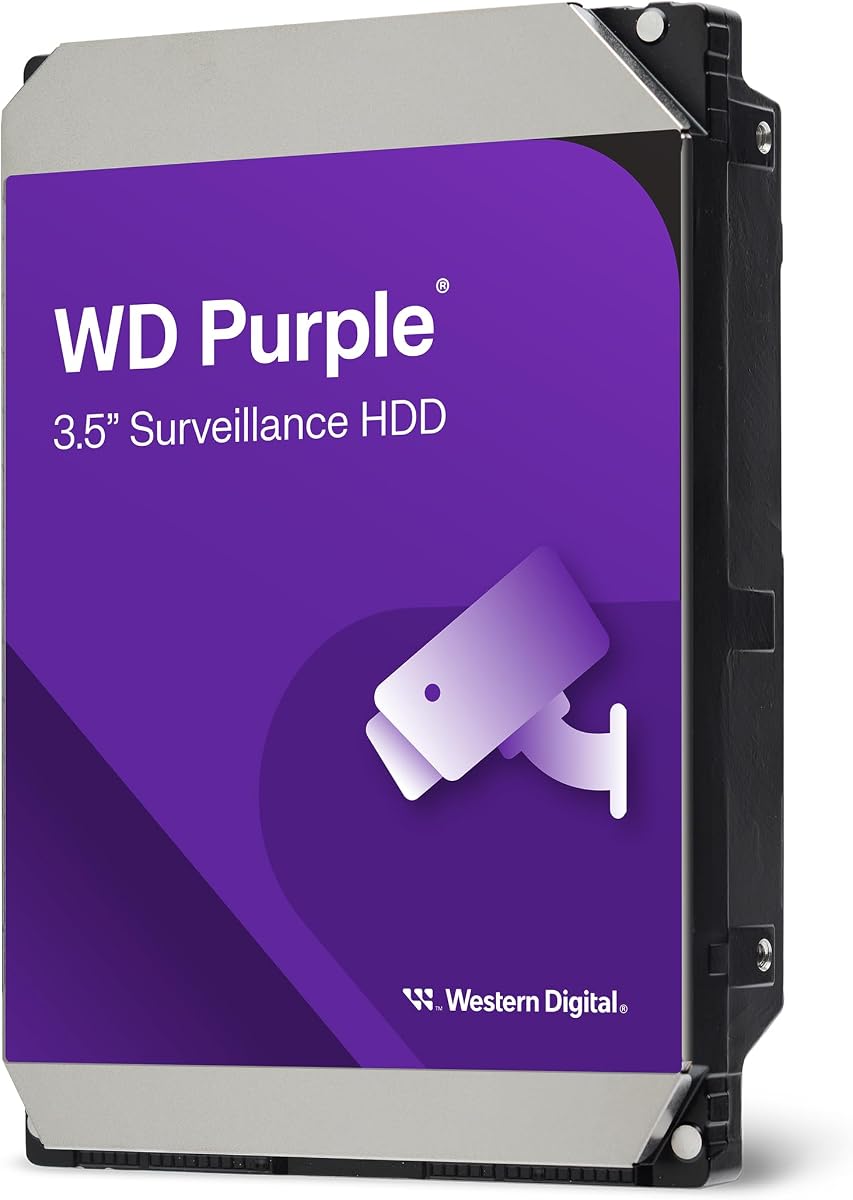
Western Digital WD Purple 4TB
4.3Editor score
Mainstream surveillance design
AllFrame workload optimization
Support for 16 bays
NAS for security camera NVR storage is ultimately about preserving continuous video without dropped frames, excessive wear, or constant maintenance. The most practical setup combines a compatible recorder or NAS with surveillance-rated hard drives designed for write-intensive workloads, dependable health monitoring, and enough capacity to balance camera count against retention time.
This guide compares ten internal SATA hard drives suited to NAS and NVR storage systems, including mainstream WD Purple, enterprise-oriented WD Purple Pro, and Seagate SkyHawk families. The evaluation focuses on capacity, workload ratings, camera support, cache, AllFrame or ImagePerfect technologies, multi-bay suitability, and the workload demands associated with continuous recording.
The list shows which drive is easiest to pair with a smaller surveillance installation, which models suit demanding multi-camera systems, and which capacities offer the most room for longer retention. Product ratings and specifications may change, and prices fluctuate frequently, so readers should confirm the current listing, recorder compatibility, and capacity requirements before purchasing.
4.3Editor score

4.0Editor score

4.2Editor score
As an Amazon Associate we earn from qualifying purchases.
The comparison below places all ten drives side by side, emphasizing the differences that matter most for continuous video recording: capacity, workload class, camera or bay support, cache, and surveillance-specific firmware.


The Western Digital WD Purple Pro 10TB is the strongest all-around recommendation in this guide for a serious NVR or NAS-based surveillance installation. It combines a 10TB capacity with a 550TB-per-year workload rating, enterprise-class reliability and performance, and a generous 512MB cache. Its user rating of 4.0 places it among the well-regarded options in the list, although that score is not the only factor worth considering.
We may earn a commission when you buy through this link, at no additional cost to you.
Its standout feature is the workload class. A 550TB annual rating makes this drive better suited to intensive, continuous recording than standard mainstream surveillance models. WD AllFrame technology is designed to help reduce dropped frames, an important advantage when several cameras write video at once. Western Digital Device Analytics also adds proactive health management, allowing compatible systems to monitor drive condition rather than waiting for a storage failure to interrupt recording.
The trade-off is that the WD Purple Pro belongs to a more specialized tier than the standard WD Purple family. A small installation with only a few cameras and modest retention needs may not generate enough traffic to need that level of workload support. Its 10TB capacity can also be more than necessary, while compatibility should still be confirmed with the NVR or NAS enclosure before installation.
Choose the WD Purple Pro 10TB when video retention is business-critical, several cameras record continuously, or the storage system runs in a demanding environment. It is a particularly compelling option for users who value frame integrity, workload headroom, and proactive health information over a lower-cost general-purpose drive. For smaller systems, the 2TB or 4TB WD Purple options will generally be more proportionate.
A 550TB-per-year workload rating provides considerably more operating headroom than the 180TB class used by mainstream surveillance drives. That margin is valuable in multi-camera NVR environments where footage is written continuously and analysis tools may also read stored video.
AllFrame technology targets dropped-frame problems, while WDDA supports proactive drive health management. Together, these surveillance-specific features make the drive more suitable for installations where uninterrupted recording and system visibility are priorities.
We may earn a commission when you buy through this link, at no additional cost to you.
The WD Purple 2TB is the most straightforward starting point for a small security camera NVR or NAS installation. Its 4.3 user rating is among the strongest in this comparison, and its design focuses on the conditions common to mainstream surveillance systems: repeated video writes, multiple streams, and near-continuous operation. The 2TB capacity keeps total storage requirements modest while preserving the specialized characteristics of a surveillance drive.
We may earn a commission when you buy through this link, at no additional cost to you.
This model uses CMR and has a 64MB cache, along with SATA 6Gb/s connectivity. WD AllFrame technology is optimized for write-intensive, low-bit-rate, high-stream-count workloads typical of mainstream surveillance applications. The stated workload support reaches 180TB per year, providing enough headroom for many common camera arrangements without moving into the heavier-duty WD Purple Pro or SkyHawk AI class.
Its main limitation is capacity. Two terabytes can be quickly consumed by multiple high-bitrate cameras, particularly when continuous recording and long retention are required. Bay support is also capped at eight for this capacity, according to the supplied specifications, and tarnish-resistant components are listed for capacities of 3TB and higher. Those limitations make it less attractive for larger or expansion-focused installations.
The WD Purple 2TB works well for a small apartment, office, shop, or modest home system with a limited number of cameras. It is also a sensible starting drive when a user wants to test retention requirements before filling a larger enclosure. For installations that already demand substantial capacity, choose the 4TB, 6TB, 10TB, or 16TB options instead.
The 2TB model offers a practical way to establish surveillance storage without overcommitting to unused capacity. It is best suited to installations with fewer cameras or shorter retention periods, where its 180TB annual workload class remains appropriate.
The specified CMR recording format is beneficial for sustained write workloads because it is designed to handle continuous data updates without the write-penalty behavior associated with SMR drives. That makes the model a more natural fit for continuous video recording.
We may earn a commission when you buy through this link, at no additional cost to you.
The WD Purple 4TB offers an effective balance between usable capacity and the simplicity of a mainstream surveillance drive. It carries a 4.3 rating, uses CMR, includes a 128MB cache, and supports up to 16 bays. For many buyers, those characteristics make it easier to match than either a minimal 2TB installation or a high-end AI-oriented model.
We may earn a commission when you buy through this link, at no additional cost to you.
WD AllFrame technology remains central to the drive's value. It is optimized for write-intensive, low-bit-rate, high-stream-count surveillance workloads, which describes the common pattern of a recorder receiving several camera feeds and writing them continuously. The 180TB-per-year workload rating aligns it with mainstream surveillance requirements rather than the most data-intensive AI systems.
Capacity remains the key trade-off. Four terabytes gives a system more room than the 2TB model, but it may not support extended retention across numerous high-resolution cameras. The listing does not claim AI-stream support, so buyers operating cameras with intensive video analytics should investigate the WD Purple 6TB with AllFrame AI or a SkyHawk AI drive.
This is a strong recommendation for a growing home or small-business NVR, particularly when the system supports multiple cameras and the owner wants a familiar 3.5-inch SATA drive with sufficient room for normal retention. It also works well as a balanced option within a multi-bay enclosure. Buyers should still calculate expected daily storage consumption before assuming that 4TB will meet their needs.
Four terabytes is often easier to incorporate into a moderate NVR plan than a very large capacity while still offering more retention room than the entry-level 2TB model. The 16-bay support also makes it compatible with more expansive multi-drive installations.
The 180TB workload rating and AllFrame optimization are tailored to conventional continuous recording rather than heavy AI analysis. That focus makes the WD Purple 4TB a dependable option for standard security footage and multi-stream recorders.
We may earn a commission when you buy through this link, at no additional cost to you.
The Seagate SkyHawk 6TB earns the highest user rating in the group at 4.6, making it an especially attractive conventional surveillance choice. It is built around ImagePerfect firmware for 24×7 video workloads, a 180TB-per-year workload rating, a 256MB cache, and SATA 6Gb/s connectivity. The result is a well-rounded drive for conventional DVR and NVR systems.
We may earn a commission when you buy through this link, at no additional cost to you.
A particularly useful detail is the inclusion of rotational vibration sensors on applicable 4TB-and-higher capacities. These sensors help maintain performance in RAID and multi-drive systems, where vibration from several operating drives can affect one another. That makes the 6TB model more interesting for a NAS or NVR enclosure containing multiple disks than a standalone desktop drive would be.
The drive is not marketed with the AI-stream capabilities of the SkyHawk AI family. It is intended for surveillance recording rather than intensive concurrent analysis workloads. The supplied listing also notes that available storage capacity may vary, so users should plan retention using the recorder's reported usable capacity rather than assuming the nominal figure translates directly into a fixed number of recording days.
The SkyHawk 6TB is a strong fit for standard continuous recording across several cameras, especially when the storage system uses multiple bays or RAID. Its high rating, health-management features, and vibration-aware design make it a balanced alternative to WD Purple models. For installations that specifically need AI analysis support, a SkyHawk AI capacity will provide a more appropriate specification match.
Rotational vibration sensors can help a drive maintain consistent performance when several hard disks operate together. This feature makes the SkyHawk 6TB particularly relevant to populated NAS and NVR enclosures, where multi-bay vibration is a practical concern.
The 180TB annual workload rating and ImagePerfect firmware cover a broad range of conventional continuous-recording environments. They also make this a more understandable choice for users who do not need the specialized AI features found higher in the Seagate line.
We may earn a commission when you buy through this link, at no additional cost to you.
The Seagate SkyHawk AI 10TB carries a perfect 5.0 user rating and is built for installations that place exceptional demands on surveillance storage. ImagePerfect AI firmware, a 550TB-per-year workload rating, and support for up to 16 AI streams distinguish it from standard SkyHawk and WD Purple models. It can also record up to 64 HD video camera streams.
We may earn a commission when you buy through this link, at no additional cost to you.
The main advantage is workload headroom. The 550TB annual rating is designed to absorb data-intensive footage while also supporting the random reads associated with AI-related tasks. A 10TB capacity adds generous room for recorded video, and the 256MB cache complements the drive's data-intensive positioning. Drive health management also helps administrators monitor the device within compatible surveillance systems.
This level of capability may exceed the needs of a modest installation. A home user with a few cameras and ordinary continuous recording may gain little from paying for AI-specific performance, especially when the primary objective is simply extending retention. In addition, the limited product protection plan requires registration for two-year Rescue Data Recovery Services, so the buyer must complete that step to receive its benefits.
Choose the SkyHawk AI 10TB for a busy commercial environment, a large camera deployment, or a system that performs substantial concurrent analytics. It combines high capacity with explicit AI-stream support and a 550TB workload class. It is also a sound choice for users who want additional performance margin even if their current camera count is below the maximum supported by the platform.
Supporting as many as 16 AI streams is a meaningful distinction for recorders that analyze footage while continuing to write video. ImagePerfect AI firmware is designed specifically for random-read, 24×7 workloads, which helps separate this model from conventional surveillance drives.
The 550TB annual workload rating gives the drive substantial capacity for demanding footage workflows. Combined with 10TB of storage, it suits users who need both a large recording archive and additional performance margin for analytics.
We may earn a commission when you buy through this link, at no additional cost to you.
The WD Purple 10TB is a high-capacity option for conventional surveillance systems that need room for extended retention. Its 4.5 user rating reflects a favorable reception, while its 10TB capacity, 256MB cache, and stated support for up to 64 HD cameras make it suitable for larger camera arrays. It is designed specifically for 24/7 operation.
We may earn a commission when you buy through this link, at no additional cost to you.
AllFrame technology is the drive's central technical feature. It is intended to improve performance under the repeated writes and multiple video streams associated with surveillance recording. The product is also engineered for compatibility, which matters when adding storage to a multi-bay NVR or NAS that was designed around conventional 3.5-inch SATA surveillance drives.
Compared with the WD Purple Pro, the supplied specifications provide less detail about the annual workload class, so buyers with exceptionally high write demand should verify the exact technical requirements of their recorder. This model also lacks the explicit AI-stream positioning of the SkyHawk AI range. The absence of that claim does not make it unsuitable for ordinary NVR use, but it matters for installations where concurrent analytics are a primary requirement.
This is a compelling choice for a large home, retail, or office system with numerous cameras and a meaningful retention requirement. The three-year manufacturer's limited warranty adds confidence for users who view the drive as a long-term system component. Buyers needing maximum workload headroom should consider the Purple Pro, while those requiring explicit AI-stream support should examine the SkyHawk AI models.
Stated support for up to 64 HD cameras makes the WD Purple 10TB relevant to larger NVR installations. Actual performance still depends on camera resolution, encoding settings, recording schedule, and the capacity and workload class of the rest of the storage system.
A three-year manufacturer's limited warranty complements the 24/7 surveillance design. The warranty does not replace proper monitoring, but it can be an important part of the total ownership experience for a drive expected to operate continuously.
We may earn a commission when you buy through this link, at no additional cost to you.
The Seagate SkyHawk AI 16TB is the premium capacity choice in this guide, combining the largest listed storage capacity with a 550TB-per-year workload rating. Its 4.2 user rating is solid, and its surveillance-specific features are aimed at demanding systems that need extensive retention, many concurrent camera feeds, or a meaningful amount of AI analysis.
We may earn a commission when you buy through this link, at no additional cost to you.
ImagePerfect AI firmware is designed to maintain image integrity during random-read, 24×7 workloads. The drive supports up to 16 AI streams while recording up to 64 HD video camera streams, providing a clear upgrade path for installers building a system around mixed recording and analytics. Its 256MB cache and high workload rating provide additional margin for data-intensive recording environments.
The obvious trade-off is overprovisioning. A 16TB drive is unnecessary for a small apartment system or a basic four-camera installation with short retention, and its large capacity may also make a full enclosure more expensive to populate. Buyers should calculate the actual daily bitrate of every camera and determine how much redundancy or RAID configuration they intend to use before filling multiple bays with this model.
For a large commercial property, campus, warehouse, or multi-site facility with extensive video retention, the SkyHawk AI 16TB is one of the strongest options here. It suits users who prefer a single large-capacity option with explicit AI support rather than several smaller mainstream drives. Installation remains subject to enclosure support, recorder validation, cooling, and the retention plan selected by the system administrator.
At 16TB, the drive consolidates a large recording archive into a single 3.5-inch SATA unit. That can simplify capacity planning in suitable enclosures while leaving room for substantial footage, although RAID or redundancy requirements may still call for multiple drives.
The combination of ImagePerfect AI firmware, up to 16 AI streams, and a 550TB workload rating is especially relevant to systems that process footage concurrently with recording. The platform is more purpose-specific than a conventional high-capacity desktop drive.
We may earn a commission when you buy through this link, at no additional cost to you.
The WD Purple 6TB combines a 4.5 rating with a useful middle-to-upper capacity for mainstream NVR storage. Its 256MB cache, 180TB annual workload rating, and support for up to 16 bays make it a versatile choice for home and small-business systems that need more retention room than the 2TB or 4TB versions provide.
We may earn a commission when you buy through this link, at no additional cost to you.
AllFrame technology targets the exact workload pattern common to surveillance: low-bit-rate, write-intensive data arriving from many streams. The drive's larger 4TB-and-above configuration also gains tarnish-resistant components according to the supplied details, improving its suitability for harsher storage environments than the smaller capacities within the same family.
As with other mainstream surveillance drives, it does not advertise the same explicit AI-stream capability found in the WD Purple 6TB AI or SkyHawk AI products. Users running extensive video analytics may want more specialized hardware. The actual amount of footage held also varies considerably with camera resolution, frame rate, codec, motion settings, and the number of cameras recording at once.
The WD Purple 6TB is an excellent general-purpose choice for a standard security system, especially one using multiple cameras and a multi-bay enclosure. It provides a comfortable balance of capacity, workload rating, and mainstream positioning. It is less compelling for a very small system, while larger deployments that require AI support should look toward the dedicated AI families.
Six terabytes provides useful flexibility for installations that need meaningful retention without moving to a high-capacity AI model. The drive's 180TB workload class and AllFrame optimization remain aligned with conventional continuous surveillance recording.
The listing identifies tarnish-resistant components for 4TB-and-higher capacities. This is a useful consideration for enclosed NVR and NAS systems placed in environments where component protection is especially valuable.
We may earn a commission when you buy through this link, at no additional cost to you.
The Seagate SkyHawk AI ST10000VE0008 is a 10TB internal SATA drive in the SkyHawk AI family. It holds a 4.4 user rating and provides a large capacity option for NVR or NAS-based surveillance systems. Its 3.5-inch form factor and SATA interface fit the same broad platform category as the other hard drives in this guide.
We may earn a commission when you buy through this link, at no additional cost to you.
Its main appeal is the combination of capacity and the AI-oriented family positioning. SkyHawk AI models are intended for surveillance systems that perform intensive recording and analysis, so the 10TB capacity can serve as a foundation for longer retention without occupying multiple bays. That can be particularly attractive when the enclosure offers enough cooling and reliable SATA connectivity.
The supplied product information is notably limited, listing only the model, capacity, internal 3.5-inch format, and SATA interface. Buyers should therefore consult the current manufacturer documentation and product listing for details such as workload rating, cache size, stream support, warranty terms, and AI-stream limits. The 10TB label is also listed as a model detail rather than a fully specified capacity line, so verification is prudent.
This drive is a sensible option for a user who recognizes the ST10000VE0008 model and specifically wants a Seagate AI-platform drive. It is less attractive when comprehensive technical comparisons matter most and the listing does not provide them. Confirming firmware support, camera count, workload requirements, and enclosure compatibility should precede installation.
Ten terabytes provides a useful middle point between the 6TB mainstream options and the 16TB premium model. It can provide a large archive while using only one 3.5-inch storage position in a compatible enclosure.
The abbreviated listing does not expose every technical detail, so confirming the current model sheet is important. In particular, verify supported stream counts, workload class, and recorder compatibility rather than relying only on the family name.
We may earn a commission when you buy through this link, at no additional cost to you.
The WD Purple 6TB AI stands apart from the conventional WD Purple 6TB by adding AllFrame AI technology and a higher stated workload rate for compatible AI-enabled recorders. Its 6TB capacity offers a practical middle ground, while its 4.5 user rating provides a favorable user-response signal. It is built for security systems that need more than ordinary desktop-drive behavior.
We may earn a commission when you buy through this link, at no additional cost to you.
The drive is tuned for write-intensive, low-bit-rate, high-stream-count surveillance workloads. Its AllFrame AI implementation is intended to provide additional enhancements and a higher workload rate in AI-enabled recorders, systems, and solutions. The supplied specification states support for up to 180TB per year generally and up to 360TB per year on drives supporting AllFrame AI technology.
That conditional workload figure is important to interpret correctly. Buyers should confirm that their recorder and software actually support the AI features rather than assuming the maximum applies in every environment. The drive also has a 128MB cache, which is smaller than several competing models in this comparison, although cache alone should not determine performance in a sustained surveillance workload.
The WD Purple 6TB AI is best suited to a system performing moderate analytics while retaining a substantial amount of video. It can be a particularly good match for users who want the WD Purple platform and AllFrame AI support without moving to a 10TB or 16TB capacity. Ensure the NVR, NAS, and monitoring software list compatible hardware before ordering.
Six terabytes can provide enough retention for many camera systems while leaving room for AI-assisted functions. The AllFrame AI feature is especially relevant to compatible recorders that perform analysis alongside continuous recording.
The published 180TB and 360TB figures depend on whether the deployment supports AllFrame AI. A buyer should therefore use the lower, more general figure for conservative planning and confirm the enhanced operating mode with the recorder manufacturer.
We may earn a commission when you buy through this link, at no additional cost to you.
Choosing surveillance storage requires balancing camera count, encoding quality, retention time, recorder capabilities, and drive workload class. The most important step is to estimate real storage consumption before selecting a capacity or drive family.
Camera bitrate, resolution, frame rate, codec, motion detection, and recording schedule all determine how quickly a disk fills. Rather than estimating from the number of cameras alone, review the recorder's estimated daily storage consumption or use a calculation based on each camera's actual encoded bitrate. Add space for snapshots, archives, RAID parity, filesystem overhead, and future camera expansion before choosing a drive capacity.
The WD Purple, SkyHawk, and WD Purple 6TB AI models support up to 180TB per year in the supplied data, while WD Purple Pro and SkyHawk AI models carry a 550TB annual workload rating. Higher camera counts, higher bitrates, and concurrent analytics can increase demands. Choose a workload class that leaves reasonable headroom rather than operating continuously at the apparent limit of the installation.
A drive can offer a large capacity and still be unsuitable for a particular recorder if its firmware and stream limits do not align with the system. The SkyHawk AI models state support for up to 16 AI streams while recording up to 64 HD streams, and the WD Purple 6TB AI adds AllFrame AI capabilities for compatible systems. Confirm these limits with the NVR or NAS manufacturer before installation.
The list covers 2TB, 4TB, 6TB, 10TB, and 16TB options. A 2TB drive is sensible for a small system, while 4TB and 6TB models provide more balanced capacity for typical multi-camera installations. The 10TB and 16TB drives suit larger archives, provided the enclosure supports the capacity, interface, cooling, and workload configuration. Larger capacity does not automatically mean better frame retention or a longer warranty.
Bay support varies within the WD Purple range. The supplied specifications indicate that the 2TB model supports up to eight bays, while several 4TB-and-higher models support up to 16 bays or more. If the plan includes RAID, mirroring, hot spares, or future expansion, check the enclosure and NVR restrictions alongside the drive specification. A larger multi-drive system also benefits from rotational vibration management.
WD Purple Pro includes Western Digital Device Analytics for proactive health management, while Seagate models state support for drive health management. These tools can provide visibility into drive condition and help identify problems before recording is interrupted. They are most useful when the recorder is configured to display alerts and when the administrator checks them regularly rather than assuming the feature eliminates the need for monitoring.
All ten products are internal 3.5-inch SATA hard drives, but physical size alone does not guarantee a successful installation. Check the NVR or NAS support list, maximum capacity per bay, supported RAID levels, SATA interface requirements, firmware revisions, and power requirements. Some systems also have approved drive lists or capacity limits that should be checked against the exact model number.
RAID can improve availability, but it is not a substitute for a separate backup strategy, and it should not be confused with video preservation in every failure scenario. For important footage, consider a second copy or off-site archive in addition to any RAID or redundancy configuration used inside the NVR. Test recovery procedures and retain verified copies of critical evidence according to the organization's needs.
Begin by confirming that the NVR or NAS supports the exact drive model, capacity, SATA interface, and intended RAID or standalone configuration. Review any manufacturer-approved drive list, then install the disk according to the enclosure's procedures. A new surveillance drive should normally be added through the recorder's storage-management interface so the system can recognize it, assign a filesystem, and configure recording as needed.
After adding storage, configure the camera recording schedules, retention period, overwrite behavior, and health notifications. Avoid repeatedly deleting files manually while the system is running, and do not move a disk between enclosures without first allowing the recorder to remove or properly initialize it. If the system uses RAID, allow all drives to finish their rebuilds before relying on the array for important recordings, and keep an eye on capacity warnings and drive-health notifications.
Maintain the enclosure by keeping airflow paths open, controlling dust, and ensuring the system is connected to reliable power appropriate for its environment. Review health reports and recorder alerts on a regular basis, test the backup process, and keep critical footage in a separate protected copy. When replacing a failed drive, use a compatible model with at least the same capacity and an appropriate workload class, and follow the recorder's rebuild sequence.
No. The products in this guide are internal 3.5-inch SATA surveillance hard drives intended for use with compatible NVRs, DVRs, and NAS enclosures. They provide the storage layer for security footage, but they do not include the processor, operating system, networking, camera connections, or enclosure found in a complete NAS appliance.
Often yes, provided the NAS supports the drive's capacity, SATA interface, physical format, and intended file system. You should check the NAS compatibility list because some systems impose approved-model, firmware, or RAID restrictions. A surveillance drive is optimized for continuous writes, so it may be less attractive for a mixed NAS workload dominated by file transfers and general applications.
The requirement depends on encoded bitrate, resolution, frame rate, codec, and recording schedule rather than camera count alone. Continuous recording can consume substantially more space than motion-only recording. Use the recorder's own storage estimator and the camera's actual bitrate settings to determine how many days or weeks each drive should retain.
It may be sufficient for many conventional surveillance systems, especially those with a moderate number of cameras and no heavy concurrent analysis. The figure is an annualized workload rating, not a retention guarantee. Camera density, bitrate, write intensity, and system configuration determine the appropriate capacity, so substantial headroom is preferable for busy installations.
An AI-oriented drive is most relevant when the NVR performs intensive video analytics while continuing to record. The SkyHawk AI models state support for up to 16 AI streams and 64 HD camera streams, while the WD Purple 6TB AI provides AllFrame AI enhancements for compatible systems. Confirm that the recorder and software actually support these features before paying for the specialized platform.
No. RAID can improve availability or allow a failed drive to be replaced without immediate data loss, depending on the RAID level, but it does not protect against accidental deletion, ransomware, enclosure failure, or broader site problems. Important footage should have a separate backup or off-site copy, and the backup process should be tested to confirm that footage can actually be restored.
A 16TB drive offers more room for retained footage and may reduce the number of drives needed in a compatible enclosure. It is most useful for large camera systems, long retention, or future expansion. A 10TB drive may be more proportionate for a moderate installation, and both still need to meet the recorder's capacity, workload, and compatibility requirements.
Install it through the NVR or NAS interface rather than formatting it on a general-purpose computer unless the recorder specifically requires that step. The system should detect the disk, initialize it, assign the intended filesystem or RAID role, and begin including it in health reporting. Keep the enclosure powered and ventilated during initialization, and do not interrupt a RAID rebuild or formatting process.
The WD Purple Pro 10TB is the leading all-around recommendation for demanding systems because its 550TB workload rating, AllFrame technology, 512MB cache, and proactive health management provide strong headroom. The WD Purple 4TB offers a more proportionate mainstream option, while the Seagate SkyHawk AI 16TB is the premium choice for large archives and installations combining extensive recording with AI analysis.
Prioritize workload class, recorder compatibility, and realistic retention requirements before focusing on capacity alone. Conventional systems can benefit from the 180TB WD Purple and SkyHawk range, while high-density or analytics-heavy deployments should consider the 550TB Purple Pro and SkyHawk AI options. Remember that a larger drive is only useful if the enclosure supports its capacity, the system can cool it properly, and the recording configuration benefits from the added space.
Check the current product listing and manufacturer compatibility documentation before ordering, because model details, ratings, and prices can change. Calculating daily footage consumption, planning for redundancy, and confirming the exact NVR or NAS support list will produce a more reliable result than choosing by capacity alone.