
PRGR HS 130-A
4.2Editor score
Measures club and ball speed
Tracks smash factor and distance
Stores 500 past swings
Compare the best mobile golf launch monitors for accuracy, portability, features, and indoor or outdoor practice to help you choose the right model today.
A mobile golf launch monitor turns an ordinary practice area into a useful training laboratory. The right device can reveal club speed, ball speed, smash factor, distance, launch direction, and other useful measurements without requiring a full golf-simulator installation. Portability also makes it easier to work on consistency wherever you have enough room to swing.
This guide compares ten portable launch monitors using the information supplied for each product. We look closely at the measurement types, indoor and outdoor suitability, storage, connectivity, displays, power options, and training features. Radar-based speed trainers are compared with camera-based systems and phone-connected units so golfers can find a device that fits their budget, space, and preferred practice routine.
Each review explains the standout capabilities, practical limitations, and most suitable buyer for all ten products. Data such as measurement availability, battery life, weather resistance, app requirements, and physical setup can change by model or software version, so readers should verify current details before buying. Product prices also change frequently and should be checked at the retailer.
4.2Editor score

4.1Editor score

4.3Editor score
The comparison below highlights the core measurement, portability, display, and connectivity features of each portable golf launch monitor, making it easier to compare simple speed trainers with advanced imaging and simulator systems.



The Voice Caddie SC200Plus is a compact golf swing analyzer built around Doppler radar, real-time feedback, and an LCD display. Its 4.2 rating reflects a generally useful package for golfers who want quick speed and distance feedback without paying for a large simulator or relying on a phone. Its most distinctive feature is a dedicated swing-speed mode that can be used without hitting a ball.
We may earn a commission when you buy through this link, at no additional cost to you.
The device measures swing performance through Doppler radar and atmospheric-pressure sensors, then provides instant results through its display and voice output. That combination is useful in a garage, living room, garden, or range because the golfer does not have to stop to look at a screen. Adjustable loft angles add another layer to practice, allowing users to vary simulated conditions and work on different clubs.
Shot data and club statistics are stored for later retrieval, including average distances for each club. The stated battery life of up to 20 hours makes it particularly convenient for repeated sessions. Its limitations are equally clear: it does not provide the camera-based impact imagery, direct spin data, or simulator experience available from more advanced systems. The voice-first design may also feel less engaging to golfers who prefer visual charts.
This is a strong choice for beginners, speed-training specialists, and anyone with a small indoor practice area. It is especially compelling when practicing without a ball is important, either because of space limitations or because the golfer wants to isolate movement quality. For golfers seeking richer launch-window data or video analysis, one of the phone-connected or camera-based alternatives would be a better fit.
The no-ball swing-speed mode is the SC200Plus's strongest training advantage. It lets a golfer rehearse tempo and speed in a confined area without needing a net, balls, or open field space.
Voice output and an LCD keep the feedback easy to understand during a swing. Saved club statistics also make it possible to compare performance across practice sessions rather than relying on one isolated number.
We may earn a commission when you buy through this link, at no additional cost to you.
The PRGR HS 130-A is a pocket-sized Doppler radar launch monitor with a 4.2 rating and a clear focus on repeatable swing-speed training. It measures club head speed, ball speed, smash factor, carry distance, and total distance, while also allowing club-speed measurement without a ball. That makes it one of the most versatile choices for golfers who alternate between full shots and abbreviated speed work.
We may earn a commission when you buy through this link, at no additional cost to you.
A major practical advantage is its independence from apps, Wi-Fi, and Bluetooth. The unit works directly with AAA batteries, which makes it straightforward to carry to a range, garage, gym, or course without needing a phone or separate power bank. Its memory can hold 500 past swings, allowing golfers to review a meaningful sample rather than only the most recent attempt.
The radar system also supports practice beyond golf. Club-speed tracking can be used for baseball, tennis, soccer, and hockey, giving the device broader value for multi-sport users. The trade-offs are that the experience centers on numerical feedback rather than video, spin, launch direction, or simulated ball flight. Users will also need to maintain a fresh battery supply for uninterrupted sessions.
The PRGR is best suited to golfers who want essential launch data without subscriptions and prefer a small, uncomplicated device. It is particularly attractive for speed training, frequent range visits, and users who want to compare many swings quickly. Those seeking a phone ecosystem, swing video, and deeper analysis should look toward the Garmin Approach R10 or another connected model.
The HS 130-A focuses on the measurements most golfers use to evaluate speed and distance. Direct operation without an app avoids setup friction and keeps practice focused on the swing rather than device management.
With room for 500 stored swings, the monitor can reveal trends in a golfer's speed, strike efficiency, and distance. Comparing batches of shots is often more valuable than reacting to a single result.
We may earn a commission when you buy through this link, at no additional cost to you.
The Garmin Approach R10 combines portable radar measurement with smartphone-connected analysis, giving it a balanced appeal for range practice, home training, and virtual golf. Its 4.1 rating reflects a feature-rich approach that includes shot metrics, automatic video capture, dispersion charts, and access to virtual courses when the appropriate Garmin Golf subscription is active.
We may earn a commission when you buy through this link, at no additional cost to you.
When paired with a compatible phone, the R10 tracks club head speed, ball speed, swing tempo, ball spin, launch angle, and other useful measurements. It also records video clips automatically and links the footage to the metrics from each swing. Training mode organizes results by club and provides a shot-dispersion chart based on estimated ball flight, helping golfers visualize consistency rather than focusing only on maximum distance.
Portability is a major strength. The device is waterproof to IPX7, supports voice and app control, includes a phone mount for the golf bag, and offers up to 10 hours of battery life. Virtual-round access extends its utility, although some connected features depend on an active subscription. The phone requirement may also be inconvenient for golfers who prefer a self-contained display.
The R10 is a strong all-around recommendation for golfers who want more than a single swing-speed number. It is particularly suitable for players working on face-to-path consistency, strike efficiency, dispersion, and repeatable ball flight. For a simpler standalone monitor, choose the PRGR; for deeper onboard visualization and premium imaging, consider the Garmin Approach R50.
Automatic recording links visual evidence with each swing's metrics. Seeing the club path alongside launch and tempo data can make an abstract number easier to interpret and turn into a practical practice target.
The R10's portability, phone mounting, and weather resistance suit both indoor and outdoor sessions. A golfer can carry it to the range, set it up at home, and keep meaningful performance history through the Garmin Golf app.
We may earn a commission when you buy through this link, at no additional cost to you.
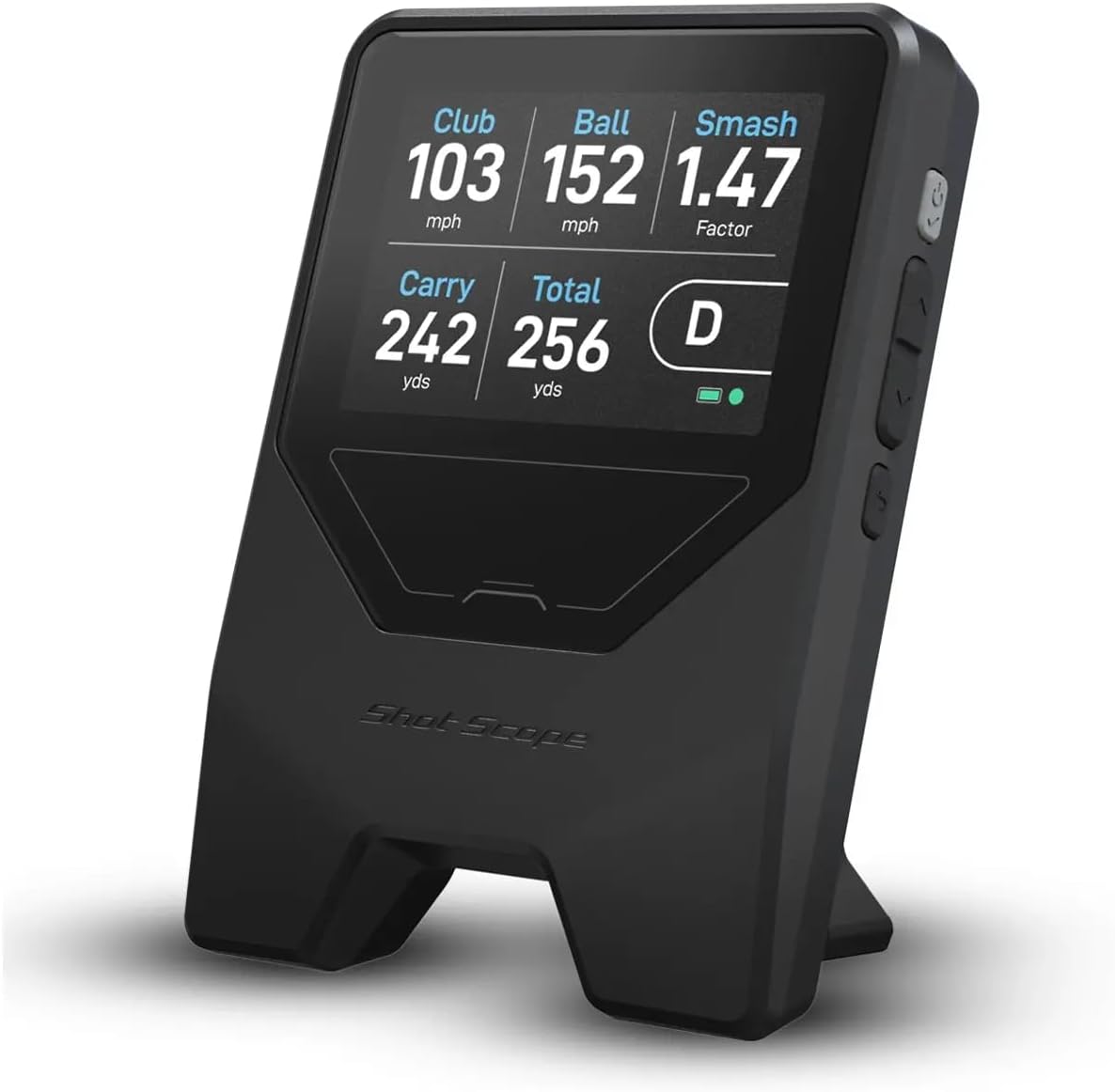
The Shot Scope LM1 is a portable launch monitor designed around essential speed, distance, and smash-factor data, with a free Golf GPS app and no subscription requirement. Its 3.8 rating is lower than those of several competing devices, but the feature set is attractive for golfers who want connected session history without recurring fees.
We may earn a commission when you buy through this link, at no additional cost to you.
The LM1 measures club speed and ball speed, then displays smash factor immediately. It also captures both carry and total distance, giving users a more complete view of each shot. A dedicated speed-training mode works with regular clubs and speed sticks, while selectable session types include on-course, practice-range, and speed-training options.
Its IPX3 rating indicates a rain-ready design for indoor and outdoor range use. The rechargeable battery lasts more than five hours, and the included USB-C charger simplifies replenishing power. Users can switch between Mph/Yards and Kmph/Meters, while the free app preserves lifetime shot history. The product does not provide the same level of spin, launch-window, or video detail as the advanced imaging systems in this list.
The LM1 is a good match for golfers who prioritize affordability, portable speed training, and unrestricted access to past sessions. It is less suitable for someone seeking a built-in display, automatic video, simulated ball flight, or professional-grade spin analysis. Its lifetime-history promise and no-fee app add especially strong value for regular practice.
Lifetime access to session history removes a common source of frustration in connected golf technology. Golfers can return to older sessions without paying a monthly subscription to review their records.
The dedicated training mode makes the LM1 useful beyond full-ball sessions. Golfers can work with clubs or speed sticks, isolate speed changes, and carry the device between the range, course, and home.
We may earn a commission when you buy through this link, at no additional cost to you.
The Shot Scope LM1 Portable Golf Launch Monitor PlayBetter Power Bundle combines the LM1's core launch-data functions with a larger portable power solution. Its 4.2 rating places it among the stronger-rated options in the list, while the bundle is aimed at golfers who want longer sessions away from an outlet.
We may earn a commission when you buy through this link, at no additional cost to you.
Doppler radar delivers club speed, ball speed, and smash factor after each swing. Carry and total distance are also measured, allowing golfers to understand how far the ball travels in the air and how much additional roll contributes to the overall result. The lifetime app subscription includes session-history access without monthly fees.
The included PlayBetter 5,000mAh charger and wall adapter are the bundle's defining additions. A protective case, cleaning cloth, USB-C cable, and user manual round out the package. IPX3 weather resistance helps support outdoor use, and the monitor can be positioned about five feet behind the ball for practice.
This bundle is best for golfers who spend extended periods at the range or practice away from reliable power. It offers the same basic measurement focus as the standalone LM1 but improves mobility through the larger battery. It remains less appropriate for buyers seeking automatic video, direct spin readings, or a large touchscreen, because the bundle prioritizes power and protection instead.
The included portable charger is meaningful at the range or during outdoor drills where access to a wall outlet may be limited. It reduces the chance that a long session ends because the monitor's own battery is depleted.
A protective case makes the monitor easier to move between locations and helps guard it during transport. The additional accessories create a more complete kit for golfers who want to practice in different environments.
We may earn a commission when you buy through this link, at no additional cost to you.
The GOLFBUDDY Shot Mate is a standalone Doppler launch monitor with a full-color TFT LCD, multiple training modes, and up to 1,000 shots of storage. Its 3.8 rating suggests a mixed customer reception, but the specification list targets golfers who want immediate visual feedback without relying on a phone.
We may earn a commission when you buy through this link, at no additional cost to you.
Club speed, ball speed, smash factor, and carry distance appear after each shot. The auto-adjusting full-color screen is designed to remain easy to see in changing lighting, which is helpful both on an outdoor range and in a garage. Practice and Target modes give the unit a more structured feel than a basic swing-speed device by supporting repetition drills and accuracy-based training.
The Shot Mate stores as many as 1,000 shots and automatically retains the last 10 swings for quick comparison. Its rechargeable lithium-polymer battery provides up to 10 hours of continuous use, while its lightweight, compact construction keeps transportation simple. The stated ball-flight tracking range extends to 320 yards, broadening the types of shots it can evaluate.
This monitor is a compelling option for golfers who prioritize a clear built-in screen and organized training modes. It can serve beginners who want readable prompts and more experienced players who want to compare recent shots quickly. However, it does not offer direct spin, launch direction, impact video, or simulator features, so golfers wanting deeper technical analysis should choose a more advanced system.
The auto-adjusting TFT screen is the Shot Mate's most visible advantage over small monochrome displays. Clear visuals make it easier to build a routine around reading each result immediately after impact.
The included Practice and Target modes turn the monitor into a training tool rather than simply a readout. These options are particularly useful for golfers working on repeatable movement and controlled accuracy.
We may earn a commission when you buy through this link, at no additional cost to you.
The Garmin Approach R50 is the most advanced dedicated simulator system in this roundup, combining a three-camera measurement array with a built-in 10-inch color touchscreen. Its 4.3 rating is the highest supplied rating among the ten products, and the device is designed for golfers who want precise launch information, impact video, and virtual-course play without relying entirely on a phone.
We may earn a commission when you buy through this link, at no additional cost to you.
Measurements include ball speed, launch angle, face to path when the required tracking sticker is used, improved spin rate, and spin axis. Training mode records club-by-club statistics and displays a shot-dispersion chart based on an advanced ball-flight trajectory model. High-speed impact footage allows golfers to see the moment of contact and connect technique with the resulting data.
The touchscreen provides access to insights, course selection, impact videos, and virtual rounds. An active Garmin Golf membership is required for Home Tee Hero access, including more than 43,000 courses, putting, multiplayer options, and weekly tournaments. HDMI connectivity enables output to a separate monitor or projector for a larger presentation, while the built-in barometer supports atmospheric-pressure-based carry calculations.
The R50 is best for golfers building a serious home-simulator setup or wanting the deepest built-in analysis in this guide. Its trade-offs are size, complexity, and a battery stated at up to four hours, which is shorter than several portable alternatives. It is less appropriate for someone wanting a pocketable speed trainer or a low-commitment device for occasional range use.
High-speed impact video gives the technical measurements a visible cause. Golfers can examine delivery, contact, and ball response together, making it easier to decide which part of the swing deserves attention next.
The 10-inch touchscreen, virtual-course access, club statistics, and dispersion charts create a more complete experience than a basic radar trainer. HDMI output expands that experience to a larger screen when the room and budget allow.
We may earn a commission when you buy through this link, at no additional cost to you.
The PlayBetter Garmin Approach R10 Golf Launch Monitor & Simulator Stand Bundle adds a dedicated alignment stand, tripod, phone mount, carry case, and USB cable to the familiar R10. Its 4.4 rating is the highest supplied rating in the group, reflecting a well-rounded package for golfers who want an organized, repeatable setup wherever they practice.
We may earn a commission when you buy through this link, at no additional cost to you.
The alignment stand is intended to help place the R10 on the correct plane and angle, improving measurement consistency. The unit records shot metrics and automatically captures swing video when connected to the Garmin Golf app. Club-specific statistics and estimated shot-dispersion charts help golfers evaluate patterns rather than isolated shots.
The upgraded Home Tee Hero app provides realistic graphics, more than 43,000 courses, enhanced courses, and an on-course practice mode. The included tripod and phone mount simplify positioning for video review, and the carry case supports transport between the range, course, and home practice area.
This bundle is ideal for golfers who value setup accuracy and want all the supporting equipment in one package. It is particularly attractive if the R10 will be used in different locations or if a phone stand is otherwise missing from a standard purchase. Its limitations are the need for a compatible smartphone and the additional bulk created by the alignment and tripod accessories.
A properly aligned unit is easier to compare from shot to shot. The included stand helps users establish a repeatable position and angle, which can make speed and launch data more useful.
The tripod, phone mount, carry case, and USB cable cover the main setup needs for range, course, and home use. It reduces the need to source separate accessories before beginning a connected practice routine.
We may earn a commission when you buy through this link, at no additional cost to you.
The FlightScope Mevo is a lightweight, portable 3D Doppler radar launch monitor that records video and data for every full swing. Its 4.2 rating reflects a capable measuring device with eight performance parameters and direct spin measurements, offering more technical information than many basic speed-focused alternatives.
We may earn a commission when you buy through this link, at no additional cost to you.
A major distinguishing feature is its ability to measure spin directly rather than relying only on estimated or speed-derived values. Alongside spin, the Mevo supports detailed full-swing analysis at home, on the course, or at the range. Combining a video record with numerical data makes it possible to review a delivery and identify the technical changes behind each result.
The built-in Mevo Skills Challenges include PGA and LPGA challenges, a long-drive competition, and a range competition. These gamified sessions can add structure and motivation to repetitive practice. Its lightweight construction supports easy movement between locations, while its radar-based design makes it appropriate for established practice spaces and connected mobile workflows.
The Mevo is best for golfers who want direct spin data and full-swing parameters in a portable format. It is less suited to users who need a large built-in touchscreen, a self-contained simulator menu, or the newest camera-based visual system. Its relatively limited supplied feature list also means buyers should confirm current app compatibility and subscription details before purchase.
Direct spin measurement helps golfers examine how the ball reacts at impact rather than concentrating only on speed. That makes the Mevo useful for players studying spin rate, launch behavior, and consistency.
The included challenge formats turn data collection into structured goals. Long-drive, range, PGA, and LPGA challenges can help golfers stay engaged while pursuing repeatable performance.
We may earn a commission when you buy through this link, at no additional cost to you.
The Bushnell Golf Launch Pro Circle B Edition is a camera-based launch monitor built around a proprietary three-camera infrared imaging system. Its 3.4 rating is the lowest supplied rating among these picks, but the device targets golfers who want impact-based measurement and detailed club data rather than a simple radar swing-speed readout.
We may earn a commission when you buy through this link, at no additional cost to you.
The imaging system measures performance at impact and provides exact carry distance, launch information, spin, and club head speed. Because the system observes the collision directly, it is designed to reduce the reliance on radar-based algorithmic estimates. Ball data is included, while club data is tied to an active subscription, so the complete experience is not entirely available without ongoing service access.
The Launch Pro is designed for indoor and outdoor use at ranges, courses, garages, or dedicated simulator rooms. It also connects with compatible Foresight Sports laser rangefinders to provide personalized club recommendations, although the rangefinder is sold separately. The package includes a USB-C cable, Ethernet cable, alignment stick, power cord, club marker pack, and a trial of a Foresight membership option.
This monitor is best for golfers who value camera-based precision, spin, launch details, and integration with a broader club-fitting ecosystem. It is less attractive to buyers seeking an inexpensive standalone tool or a device with every major feature included from the outset. Buyers should also confirm the space and setup requirements of the three-camera system and review current subscription terms.
The three-camera infrared design observes ball and club behavior at contact. This gives the Launch Pro a distinct appeal for golfers interested in detailed launch and spin information tied to an impact-based system.
Compatibility with Foresight Sports rangefinders extends launch data into equipment suggestions. The potential value is strongest for golfers already invested in that ecosystem, although the required rangefinder and membership terms should be considered.
We may earn a commission when you buy through this link, at no additional cost to you.
The right mobile golf launch monitor depends on the data you want, the space available, your tolerance for apps and subscriptions, and how often you practice. Consider measurement depth, portability, setup, and ongoing requirements rather than focusing on one headline statistic.
Basic launch monitors concentrate on club speed, ball speed, smash factor, and distance. These numbers are useful for swing-speed work and establishing repeatable contact. More advanced systems add launch angle, spin, spin axis, face-to-path data, video, dispersion, or simulated ball flight. A golfer focused on distance and strike efficiency may be satisfied with a simpler radar device, while a technical player working on delivery and window control may need imaging, spin, and video.
More data is not automatically better for every practice routine. Choose measurements that directly support a goal, because a complex interface can distract from the swing. If the primary aim is speed training, prioritize club speed without a ball; if the aim is shot shaping, look for launch, spin, and directional information.
A genuinely mobile monitor should be straightforward to carry, position, and operate wherever the golfer practices. Some devices work without a ball, making them suitable for small rooms, while ball-based systems generally require a safe hitting area and enough space for full swings. Radar products may be more forgiving in some indoor layouts, whereas multi-camera systems often require careful alignment and a defined footprint.
Check the stated weather resistance if the device will be used outside. IPX7 indicates stronger water protection, while IPX3 suggests rain readiness but less exposure. Indoor users should also consider screen visibility, required clearance, net placement, and whether a phone must be connected during every session.
Connected launch monitors often unlock their most useful features through an app. Video analysis, dispersion charts, cloud history, tournament play, and virtual courses may depend on a compatible smartphone, an active subscription, or both. Before buying, confirm which features work without payment and whether historical data remains accessible if the subscription ends.
Standalone products can be more convenient for quick practice. The PRGR HS 130-A and Voice Caddie SC200Plus emphasize direct feedback without requiring an app, while the Shot Scope LM1 provides connected history with no recurring fee. Contrast that convenience with the broader simulator features offered by subscription-based ecosystems.
Battery life should be matched to the length and location of a typical session. A range practice that lasts a full morning places more importance on endurance than a short indoor drill. Rechargeable systems are convenient when a charger is available, while replaceable batteries can offer useful flexibility at the course or range.
Stated runtimes vary considerably across this list, from approximately four hours on the Garmin Approach R50 to as much as 20 hours for the Voice Caddie SC200Plus. The Shot Scope LM1 Power Bundle adds a separate 5,000mAh charger for longer sessions away from an outlet. Always consider charging lead time and whether the battery specification applies under typical use.
Consistent placement is essential for meaningful comparisons. Radar monitors generally need to be positioned at a proper distance and aimed correctly, while camera systems demand stable, level alignment. A tripod, alignment stick, phone mount, or dedicated stand can make setup faster and reduce variation between sessions.
The Garmin R10 stand bundle and Bushnell Launch Pro include alignment aids, while the Shot Scope LM1 is described as being placed about five feet behind the ball. Read the current setup instructions carefully and establish a marked hitting position. A repeatable routine is often more valuable than owning the device with the largest number of specifications.
Storage allows a golfer to examine trends across many shots instead of making decisions from one isolated result. The PRGR stores 500 swings, the GOLFBUDDY Shot Mate stores as many as 1,000, and the Shot Scope LM1 provides lifetime session history through its app. Memory capacity matters only if the interface makes saved information easy to access and compare.
Look for last-shot recall, club averages, dispersion charts, and video tagging. A large storage number is less useful if browsing and interpretation are cumbersome. For many golfers, club-by-club statistics offer more actionable insight than a single overall average.
The best feedback is the feedback a golfer can understand and use. Voice output is helpful during active practice, a large color display is easier to read at a glance, and video can make technical changes easier to diagnose. Some users prefer a glanceable screen, while others want detailed data reviewed after the session.
Consider whether the device must be self-contained. A built-in screen suits practice without a phone, but app-connected models may provide stronger video, history, and course experiences. Brightness, readability, control method, and automatic shot recording all influence how naturally the device fits into a practice routine.
A launch monitor can become the foundation of a broader home-golf setup. Virtual rounds, putting, multiplayer tournaments, impact video, and external-display support create a more simulator-like experience. These features are strongest in dedicated systems such as the Garmin Approach R50, while the Approach R10 models provide a lighter portable alternative.
Expansion requirements include a safe hitting area, suitable lighting, a net or screen, compatible hardware, and sometimes an active membership. A buyer interested mainly in occasional swing-speed checks may gain little from paying for simulator functions, but a golfer practicing year-round at home may find them central to the purchase.
Begin by choosing a safe practice location with enough clearance for a full swing. Check the manufacturer's current placement instructions, set the device on a stable surface or approved stand, and confirm that the required angle and distance are correct. Mark the same ball position for each session so later comparisons remain meaningful. Before swinging, verify the selected club, units, operating mode, and any app connection.
Warm up with a few gradual practice swings before recording serious numbers. Hit several balls for each club instead of judging the first strike, then review averages, dispersion, or recent shots. Use a consistent routine: one warm-up set, one working set, a short break, and a final comparison set. If the device provides target or challenge modes, use them to give the session a clear purpose rather than collecting data without a plan.
Power down the monitor after use, remove the ball if the unit uses one, and keep the measurement area free of moisture and debris. Protect camera lenses and radar surfaces, store cables with their supplied case, and avoid leaving the device in extreme heat or a damp vehicle. Review app updates and subscription terms periodically, and confirm current firmware, calibration, and setup guidance before important measurements.
Yes, but the space and device matter. Radar monitors that can measure club speed without a ball are especially useful in small areas, while systems requiring full ball flight need more clearance, a net, and safe surroundings. Follow the placement and safety instructions supplied with the specific monitor rather than assuming every indoor layout is suitable.
No. The Voice Caddie SC200Plus and PRGR HS 130-A are designed for direct use without an app, while Garmin and Shot Scope devices add connected features through apps. Some virtual-course, video, history, and analysis features may require a compatible smartphone and, in certain cases, an active subscription.
Radar systems typically track speed and sometimes estimate distance from reflected signals, which makes them convenient and often portable. Camera-based systems image the ball and club at impact, enabling detailed visual or spin-related measurements. The best choice depends on the metrics required, available space, and preference for speed training versus high-level visual analysis.
Yes. The Voice Caddie SC200Plus and PRGR HS 130-A can measure swing or club-head speed without a ball. This makes them useful for indoor tempo work and tight practice areas. Other models may require a ball or an additional attachment to provide all of their advertised measurements.
A batch of several shots per club is more useful than reacting to one result. Warm up first, record a consistent group, and compare averages and dispersion across sessions. The right number varies with skill and goal, but taking ten or more representative shots often gives a better picture than a small sample.
Follow the manufacturer's calibration and setup instructions for the model. Some devices use automatic setup or software-assisted procedures, while others require a specific placement procedure. Consistent alignment, correct units, a stable surface, and a properly positioned ball are often more important than performing an extra calibration that the device does not require.
No. Basic models often emphasize club speed, ball speed, smash factor, and carry distance. Devices such as the FlightScope Mevo, Garmin Approach R10, Garmin Approach R50, and Bushnell Launch Pro offer more advanced spin or launch-related data. Check the exact metric list and any subscription conditions before buying.
Use each product consistently and compare trends within that device rather than assuming readings are identical across brands. Different measurement methods, placement rules, software models, and ball conditions can affect results. Record the setup, club, ball, and target distance so meaningful changes can be separated from normal variation.
The PRGR HS 130-A is the most straightforward recommendation for golfers who want essential speed and distance data without an app or recurring fee. The Garmin Approach R10 stands out for connected video, dispersion analysis, and a strong mix of range and home functionality, while the Garmin Approach R50 offers the most complete dedicated simulator experience in the group.
Before buying, prioritize the measurements and practice conditions that matter most. Ball-free swing training demands a radar unit with no-ball capability, indoor users need a safe setup and suitable screen, and technical players may want spin, launch direction, impact video, and club statistics. Bundles can simplify setup, but the underlying device and ongoing software terms should drive the decision.
Finally, check current specifications, compatibility, subscription requirements, and product price at the retailer before ordering. Launch-monitor features and software can evolve, and bundle contents may change. Selecting a model that matches a realistic practice routine will deliver more value than choosing solely by the longest specification list.