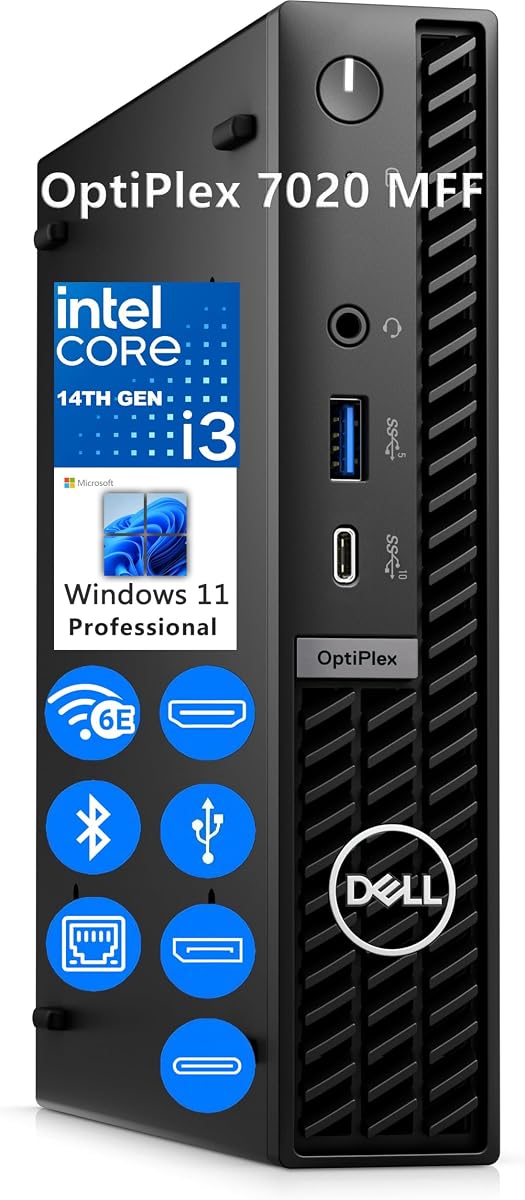
Dell OptiPlex 7020 MFF
4.9Editor score
14th Gen Core i3 processor
32GB DDR5 memory
1TB PCIe NVMe storage
Wi-Fi 6E connectivity
Three-display support
Our Intel Core i3 Mini PC guide compares ten compact systems for performance, connectivity, displays, memory, storage, and productivity.
Intel Core i3 Mini PCs combine compact enclosures, capable integrated graphics, and efficient processors for productivity, learning, media, and light creative work. A good model should offer enough memory and storage, convenient connections, quiet cooling, and displays support that matches your monitor setup, rather than simply minimizing its footprint.
We compared all ten systems using their listed processors, memory, storage, networking, display outputs, operating systems, physical design, and connectivity. The list includes budget-oriented builds, renewed business desktops, modern Windows 11 Pro machines, and more recent Core i3 models, allowing shoppers to weigh capability against platform age and feature set.
Each review identifies the most suitable use for its system and explains the compromises involved. The top selections emphasize the strongest balance of processor performance, memory, storage, expansion, and connectivity, while budget and premium alternatives are also included. Product listings and prices can change, so confirm the current specifications and terms before buying.
4.9Editor score

5.0Editor score

4.2Editor score
The following side-by-side comparison highlights processor generation, memory, storage, display capability, and the principal strengths of each Intel Core i3 Mini PC.


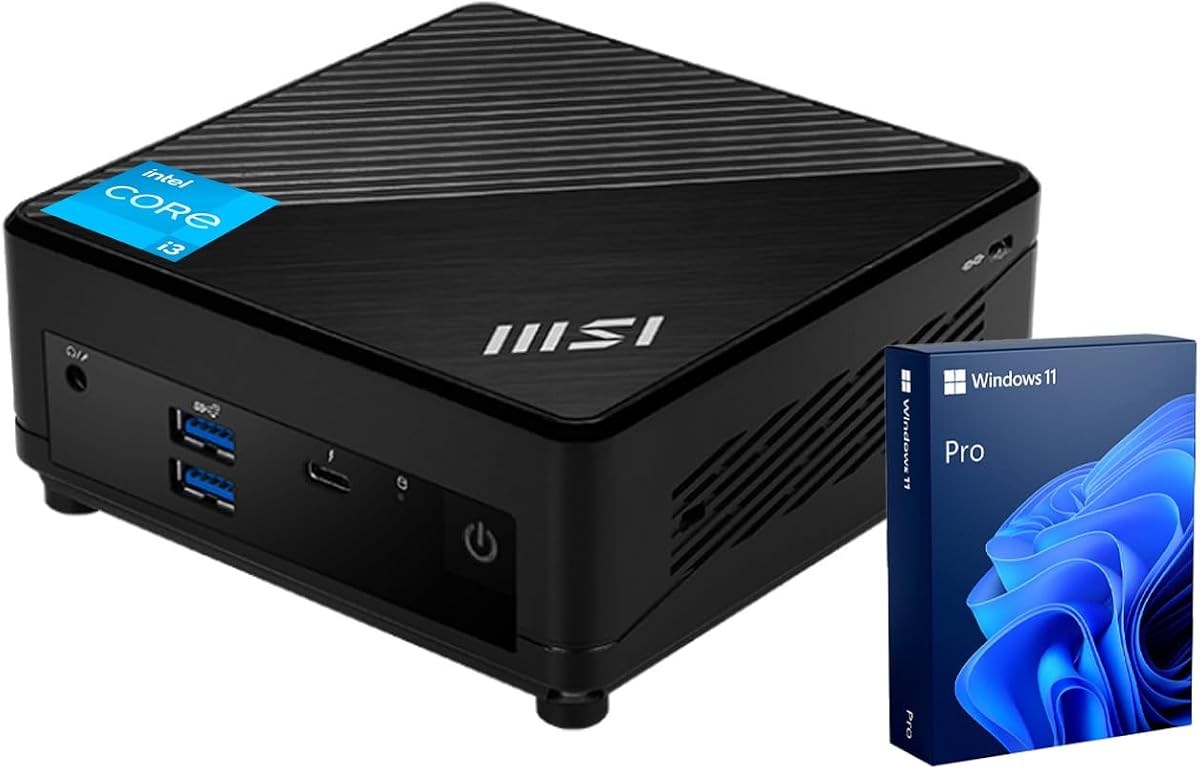


The GMKtec G3 PRO is a well-equipped compact PC built around the 10th generation Intel Core i3-10110U. Its 4.4 rating reflects a generally capable specification, particularly the combination of 16GB dual-channel DDR4 memory, 512GB storage, dual 4K display support, Wi-Fi 6, and 2.5GbE Ethernet. That mix makes it unusually complete for an office-oriented mini computer.
We may earn a commission when you buy through this link, at no additional cost to you.
The Core i3-10110U operates at up to 4.1GHz and supports four USB 3.2 ports rated at up to 5Gbps. Two HDMI 2.0 outputs can drive two 4K displays at 60Hz, while integrated Intel graphics handle 4K playback and AV1 decoding. For network-heavy offices, its Intel i226-based 2.5GbE connection is a meaningful advantage over basic gigabit Ethernet, and Wi-Fi 6 plus Bluetooth 5.2 cover wireless peripherals.
Storage is more flexible than the headline 512GB configuration alone suggests. The primary M.2 2280 PCIe or SATA slot is joined by an M.2 2242 SATA expansion slot, providing room to add storage. The cooling system also includes an upgraded fan and thermal paste, although the older processor platform and unspecified memory speed mean it is not the strongest choice for demanding sustained workloads.
This is a compelling recommendation for basic offices, study areas, home productivity, light media use, and small servers that benefit from fast Ethernet. Buyers seeking the newest platform, the most advanced business security, or substantial headroom for intensive applications may prefer a 12th, 13th, or 14th generation alternative. Even so, the G3 PRO delivers one of the strongest balanced feature sets in this guide.
The 2.5GbE Ethernet port is especially useful when moving large files locally or operating a network-heavy office workload. Two HDMI 2.0 outputs support a clean dual-monitor arrangement, with both displays capable of running at 4K resolution and 60Hz.
Sixteen gigabytes of dual-channel DDR4 gives the system a useful foundation for browser-heavy office work. The additional M.2 expansion slot also makes it easier to separate operating-system data from media, projects, or backups as storage needs grow.
We may earn a commission when you buy through this link, at no additional cost to you.
The QAZIPO Core i3-8109U mini PC combines a 5.0 rating with an approachable specification for everyday computing. It is powered by an eighth generation Intel Core i3 processor with a 3.0GHz base speed and up to 3.6GHz turbo, supported by Iris Plus 655 graphics with 128MB of eDRAM. The result is a compact system aimed at remote work, online learning, streaming, and light gaming.
We may earn a commission when you buy through this link, at no additional cost to you.
Its 28-watt thermal design is notable because it can maintain higher clock speeds for longer than many 15-watt alternatives. The system includes 12GB of RAM and a 256GB M.2 2280 NVMe drive, and its dual SSD slots permit expansion to a stated total of 4TB. That storage potential is especially valuable for locally stored media, project files, backups, or lightweight server use.
Connectivity is well judged for a small PC. HDMI and DisplayPort allow simultaneous dual-4K output, while two USB 3.0 and two USB 2.0 ports handle peripherals. Dual-band Wi-Fi, Bluetooth, Gigabit Ethernet, and a 3.5mm audio connection cover everyday desk needs. Its dimensions of 4.9 by 4.4 by 1.3 inches, along with the included VESA mount, make placement behind a monitor straightforward.
The principal limitation is storage: 256GB can fill quickly if the computer becomes a media repository, and Windows plus applications will consume part of that capacity immediately. The platform is also older than newer alternatives. Nevertheless, for users seeking a small, flexible office PC with a five-star customer rating, generous expansion options, and no need for heavy graphics, this is a particularly attractive entry point.
The included VESA bracket allows this model to sit behind a display or beneath a desk, preserving usable workspace. Its small footprint is especially helpful in dorm rooms, reception areas, retail kiosks, and compact home offices.
Dual SSD positions make the mini PC more adaptable than a system limited to a single drive. Iris Plus 655 graphics and dual 4K output also suit media playback, side-by-side research, and light casual gaming.
We may earn a commission when you buy through this link, at no additional cost to you.
The C3 Mini PC is an older but deliberately focused Intel Core i3-5005U system. Its 4.2 rating reflects a dependable platform for basic browsing, office applications, and routine light multitasking. The processor belongs to an older generation, but the 15-watt design, quiet cooling focus, and extensive storage provisions make the system relevant for specialized or always-on roles.
We may earn a commission when you buy through this link, at no additional cost to you.
The supplied 8GB of DDR4 memory can be expanded to 32GB. A 512GB M.2 2280 SSD provides considerably more starting storage than several competing compact PCs. The case also supports an M.2 SATA or NVMe drive up to 2TB and an additional 2.5-inch SATA SSD or hard drive up to 2TB, allowing a combined maximum of 4TB according to the listed specifications.
Connectivity includes two front USB 3.2 Gen 1 ports, one front data-only USB Type-C port, and two rear USB 2.0 ports. Gigabit Ethernet, Wi-Fi 5, and Bluetooth 5.0 cover networking, while two HDMI outputs support displays up to 2560 by 1600 at 60Hz. The integrated Intel HD Graphics 5500 is suitable for media playback and general visual work, but it is not intended for modern gaming.
This is a strong choice for digital signage, thin-client duties, monitoring terminals, media servers, and basic multi-monitor office work where low power and storage flexibility matter more than modern CPU speed. The 15-watt processor and optimized cooling fan are designed for steady operation, while the three-year limited warranty adds useful support. For demanding applications, choose a newer generation instead.
The low 15-watt architecture and optimized cooling fan target steady commercial or industrial use. That makes the C3 relevant to digital signage, thin clients, point-of-sale displays, and lightweight servers where consistent operation matters.
The combination of a 512GB starting SSD, an M.2 expansion option, and a 2.5-inch drive bay is unusually flexible. It supports media libraries, backups, and business files without requiring a larger external enclosure.
We may earn a commission when you buy through this link, at no additional cost to you.
The MSI Cubi 5 Professional earns a 4.8 rating by pairing a 12th generation Intel Core i3-1215U with 16GB of DDR4 memory and a 512GB PCIe M.2 drive. The six-core, eight-thread processor has a 3.3GHz base frequency, up to 4.4GHz turbo, and 10MB of cache, giving it more processing headroom than most older Core i3 mini PCs in the guide.
We may earn a commission when you buy through this link, at no additional cost to you.
Its professional feature set extends beyond the processor. Four USB 3.2 Gen2 Type-A ports, Thunderbolt 4, DisplayPort 1.4, HDMI, a microphone and headphone combination jack, two RJ45 connectors, Wi-Fi 6, and Bluetooth create a broad connectivity platform. Support for three 4K monitors is particularly valuable for financial charts, programming tools, editing previews, research, and multi-application workflows.
Windows 11 Pro adds BitLocker, Remote Desktop, and management-oriented features that distinguish this model from consumer-oriented mini PCs. The 16GB memory configuration supports several applications and browser tabs, while PCIe storage improves boot and transfer responsiveness. A potential drawback is that the listing does not identify the memory module type, speed, or maximum capacity, so buyers needing specific upgrade compatibility should verify those details.
The Cubi 5 Professional is well matched to hybrid offices, home studios, developers, and business users who want a small Windows Pro machine with modern display support. It is more compelling than a basic office mini PC for active multitasking, while the Core i3 designation still helps keep it below higher-tier workstation platforms. It is a strong all-round recommendation when business features and compactness both matter.
Three-monitor support makes this mini PC useful for traders, editors, and developers who need reference material beside active work. DisplayPort 1.4 and HDMI provide the necessary video outputs for expanded 4K workspaces.
Windows 11 Pro brings BitLocker, Remote Desktop, and business management tools. Thunderbolt 4 and USB 3.2 Gen2 provide faster pathways for compatible displays, storage, docks, and other peripherals.
We may earn a commission when you buy through this link, at no additional cost to you.
The renewed Dell OptiPlex 3060 Micro is a practical business desktop for buyers seeking a familiar Dell platform without moving to the newest generation. It carries a 4.2 rating and pairs an eighth generation Intel Core i3-8100T quad-core processor with 8GB of 2666MHz DDR4 memory, a 128GB solid state drive, and Windows 11 Pro 64-bit.
We may earn a commission when you buy through this link, at no additional cost to you.
The i3-8100T runs at 3.1GHz and includes 6MB of cache, providing adequate performance for office applications, browser-based work, communication tools, and light multitasking. Storage is the immediate weakness: 128GB is limited even before applications and Windows consume part of the available capacity. Users with substantial files should budget for a larger SSD or secondary storage.
Its six USB 3.0 ports are generous for a compact unit, and the inclusion of RJ-45, HDMI, and DisplayPort makes it well suited to a conventional office setup. Dual-display support at 4K resolution allows extended Windows, mirrored content, or a single expanded desktop. The renewed designation may also involve varying cosmetic or packaging conditions, which is the principal tradeoff beyond capacity and age.
This OptiPlex makes sense for schools, offices, reception desks, or home users who prioritize Windows Pro, stable enterprise conventions, and abundant USB connectivity. It is less attractive for modern gaming, heavy media editing, or demanding software. For straightforward productivity at a restrained cost, however, the 3060 Micro remains a credible and highly practical choice.
Six USB 3.0 ports are unusually generous for a micro desktop. Users can connect several peripherals, storage devices, and office accessories without relying on a hub.
Windows 11 Pro provides the security and remote-work features associated with a business operating system. The renewed status can make this mature platform more accessible for basic deployments.
We may earn a commission when you buy through this link, at no additional cost to you.
The MSI PRO DP21 is a well-rounded 13th generation office mini PC with a 4.6 rating. Its Intel Core i3-13100 has four cores, eight threads, 12MB of L3 cache, a 3.4GHz base clock, and up to 4.5GHz turbo. Paired with 16GB of RAM and a 512GB PCIe NVMe drive, it offers a modern foundation for productivity and multitasking.
We may earn a commission when you buy through this link, at no additional cost to you.
The included Windows 11 Pro operating system adds a polished business environment, while Intel UHD Graphics handles general visual output. The system supports two 4K displays through DisplayPort 1.4 and HDMI 2.0b, which is enough for a focused professional workspace. Its larger port selection includes four USB 2.0 Type-A ports, one USB 3.2 Gen2 Type-A, two USB 3.2 Gen1 Type-A ports, a USB Type-C port, audio connections, and RJ-45 Ethernet.
A wired keyboard and mouse are included, reducing the number of accessories required for a first setup. Wi-Fi and Bluetooth support provide wireless options as well. The main limitation is that it does not advertise three-monitor support or Thunderbolt 4, so it may not suit users with particularly ambitious desktop layouts or a need for the latest universal high-speed interface.
The DP21 is a strong choice for a new office, home workplace, classroom, or managed Windows environment where a complete package and current processor are priorities. It should handle communication applications, browser workloads, spreadsheets, documents, and several background services comfortably. Buyers prioritizing maximum connectivity can move to the MSI Cubi 5 Professional or Dell OptiPlex 7020.
A wired keyboard and mouse make this a convenient starting point for a new desk. The compact computer can then be mounted or placed wherever best supports the user's workflow.
The Core i3-13100 provides four cores, eight threads, and up to 4.5GHz turbo. Combined with 16GB of memory and NVMe storage, it is well suited to responsive office multitasking.
We may earn a commission when you buy through this link, at no additional cost to you.
The ASUS ExpertCenter PB63 is a compact business desktop built around a 14th generation Intel processor. Its 4.0 rating is solid but less emphatic than the leading models, and the concise listing does not specify an exact Core i3 CPU, memory capacity, or storage configuration. Prospective buyers should therefore review the current configuration carefully before purchasing.
We may earn a commission when you buy through this link, at no additional cost to you.
The system supports 4K UHD resolution across two displays, which is useful for financial analysis, office applications, and detailed productivity work. Intel Wi-Fi 6 provides high-speed wireless networking, while Bluetooth 5.2 supports compatible keyboards, mice, headsets, and other peripherals. ASUS also includes a built-in Kensington lock slot, a meaningful feature for shared offices, reception counters, and public workspaces.
Dynamic tuning technology is listed as a way to optimize performance automatically, reducing the need for manual system management. The three-year warranty is another advantage for organizations that want longer support coverage. On the other hand, the missing processor, memory, storage, and detailed port information makes direct comparison with fully specified alternatives more difficult.
The PB63 is best suited to buyers who prioritize a modern business platform, compact form, wireless convenience, and physical security. It may be especially attractive for institutional or office deployments where warranty length and device-lock support matter. If maximum specification detail or abundant high-speed ports are the top priorities, one of the fully documented MSI, Dell, or Lenovo alternatives is easier to assess.
The integrated Kensington lock slot helps physically secure a compact desktop in open offices, classrooms, and retail environments. A three-year warranty also provides a reassuring support commitment.
Wi-Fi 6 and Bluetooth 5.2 cover contemporary wireless needs, while dual 4K output supports a productive two-monitor arrangement. These features help keep the desk uncluttered.
We may earn a commission when you buy through this link, at no additional cost to you.
The Lenovo ThinkCentre Neo 50q Gen4 1L combines a 5.0 rating with a highly space-efficient design. At just 1.4 inches tall, 7 inches wide, and 7.2 inches deep, it is among the smallest systems here, yet it carries 16GB of RAM, a 512GB PCIe NVMe SSD, and a six-core Intel Core i3-1215U processor.
We may earn a commission when you buy through this link, at no additional cost to you.
The processor can operate up to 4.4GHz, providing ample performance for business applications, communication tools, web research, and light content creation. A PCIe NVMe drive improves boot and file-access responsiveness, while dual 4K output through HDMI and DisplayPort creates a useful productivity workspace. Wi-Fi 6 and RJ45 Ethernet support both wireless and wired network environments.
Its greatest advantage is physical flexibility. The one-liter chassis can stand upright, lie flat, or be mounted behind a monitor, on a wall, or beneath a desk with an optional VESA kit. The listing does not include that mounting hardware in the stated features, so it may require a separate purchase. Two displays are supported, which is less than some competing business mini PCs.
This ThinkCentre is an excellent recommendation for users who need a capable PC but have very little desk space. It is especially useful in reception areas, compact home offices, shared workspaces, and productivity setups where two monitors are sufficient. Its rating, efficient platform, flexible placement, and professional configuration make it one of the most balanced compact choices in the guide.
The compact one-liter enclosure can disappear behind a monitor or beneath a desk. Multiple placement orientations make it easier to integrate the computer into an existing workspace without dedicating substantial surface area.
The six-core Core i3-1215U, 16GB of memory, and NVMe storage form a capable everyday office platform. ENERGY STAR certification further distinguishes it for users interested in efficient computing.
We may earn a commission when you buy through this link, at no additional cost to you.
The Dell OptiPlex 7020 MFF is the most fully equipped premium option in this guide. Its 4.9 rating is backed by a 14th generation Intel Core i3-14100T with four cores, eight threads, 12MB of cache, a 2.7GHz base frequency, and up to 4.4GHz turbo, plus 32GB of DDR5 memory and a 1TB PCIe NVMe SSD.
We may earn a commission when you buy through this link, at no additional cost to you.
It is particularly well configured for business multitasking. The memory provides comfortable headroom across Microsoft Office, Teams, Chrome, and business software, while the terabyte SSD offers useful capacity for project files and local applications. Intel UHD Graphics 730 handles display output and general graphics, and Windows 11 Pro adds BitLocker, Remote Desktop, and enterprise-oriented management features.
Wi-Fi 6E, Bluetooth, and Gigabit Ethernet cover modern networking. Three simultaneous displays can be connected through two DisplayPort 1.4a outputs and one HDMI 1.4b output. The front includes a 10Gbps USB-C port, a 5Gbps USB-A port with PowerShare, and an audio jack, while the rear adds two 5Gbps USB-A ports, two USB 2.0 ports, and RJ-45 Ethernet.
The 1.42 by 7.01 by 7.17-inch micro form factor weighs 2.41 pounds, making it easy to position behind a monitor or fit into a tight commercial workspace. This system is best for organizations that need modern performance and ample memory without moving to a larger desktop. It is the premium recommendation for multi-display offices, remote work, and demanding multi-application environments.
Thirty-two gigabytes of DDR5 and a 1TB NVMe drive provide unusually generous headroom for a Core i3 system. This configuration suits communications, research, business software, and many concurrent applications.
Two DisplayPort outputs and one HDMI output support as many as three displays. Users can keep communications, reference material, and active work visible across a professional workspace.
We may earn a commission when you buy through this link, at no additional cost to you.
The Dell OptiPlex 7020 Mini delivers a current 14th generation Core i3-14100T in a compact business enclosure. It has a 4.4 rating, four processor cores, eight threads, 12MB of cache, a 2.7GHz base frequency, and up to 4.4GHz turbo. The operating system is Windows 11 Professional in English.
We may earn a commission when you buy through this link, at no additional cost to you.
Its 8GB of DDR5 memory is adequate for ordinary office tasks, but it is the least generous memory configuration among the newer systems in this guide. The 256GB M.2 PCIe NVMe drive also provides limited room for a large application library, media collection, or projects. These constraints make the system more appropriate as a starting platform that may later be upgraded.
The major strength is connectivity. It supports up to three displays through one HDMI and two DisplayPort outputs, and includes Wi-Fi 6E, Bluetooth, Gigabit Ethernet, and a front 10Gbps USB-C port. The remaining front and rear USB connections are well distributed, giving users room for peripherals, external storage, charging, and display-related accessories.
Intel UHD 730 graphics, current processor performance, and Windows 11 Pro make the OptiPlex 7020 suitable for modern offices, reception desks, point-of-sale systems, and home offices. Users with many browser tabs or demanding applications should upgrade the memory, while media-heavy users may need more storage. A separate VESA mount is also required for behind-monitor installation.
Wi-Fi 6E, Bluetooth, Gigabit Ethernet, and a front 10Gbps USB-C port create a flexible interface for modern working environments. Three-display support expands the computer beyond a single-screen office model.
The current Core i3 processor and Windows 11 Pro provide a solid foundation. The 8GB memory and 256GB SSD may eventually limit heavier workflows, but they keep the initial configuration focused and economical.
We may earn a commission when you buy through this link, at no additional cost to you.
A useful Intel Core i3 Mini PC should fit the intended workload, display arrangement, and upgrade path. The processor generation, memory, storage, connectivity, and operating system matter more than chassis size alone.
Processor generation is often more revealing than the Core i3 label itself. The Core i3-5005U and Core i3-8109U systems in this guide are suitable for basic productivity, while the Core i3-1215U, Core i3-13100, and Core i3-14100T models provide progressively more capable modern platforms. Look at core count, thread count, cache, base speed, and turbo speed rather than relying on family name alone.
Choose a current generation for smoother multitasking, better media support, and a longer useful lifespan. Older processors may still make sense for inexpensive dedicated tasks, but they offer less performance headroom and fewer modern platform benefits.
Memory is one of the most important considerations for browser-heavy office use. Sixteen gigabytes provides a comfortable balance for many applications, 12GB can be adequate for lighter work, and 8GB is best reserved for basic tasks or systems that can be expanded. DDR5 offers a more modern platform, while DDR4 systems may provide broader compatibility with older business hardware.
Verify the installed capacity, memory type, module format, and maximum supported amount before buying. The C3 explicitly supports expansion to 32GB, whereas some listings do not provide enough information to confirm their memory limits.
A PCIe NVMe SSD is preferable for responsiveness, while SATA and hard drives can provide inexpensive bulk storage. A 256GB drive is easy to fill after Windows and applications are installed, making 512GB a more comfortable starting point for most users. The 1TB option in the premium Dell system is ideal for larger libraries and business files.
Check the number and type of expansion slots. M.2 sockets support compact high-speed drives, while a 2.5-inch bay accepts SATA SSDs or hard drives. Systems with multiple slots provide more flexibility for media, backups, and project archives.
A mini PC may need to drive one, two, or three displays. HDMI and DisplayPort are the most common outputs, while USB-C can be useful with compatible monitors but should not be assumed to carry video. Verify maximum resolution, refresh rate, and the number of simultaneous displays before purchasing.
Integrated Intel graphics are well suited to office applications, 4K media playback, and casual gaming. They do not replace a dedicated graphics card for modern 3D games or GPU-accelerated professional work. Display support should therefore be judged by outputs, resolution, and refresh rate.
USB-A remains essential for keyboards, mice, printers, storage, and legacy accessories, while USB-C can provide faster transfers and a cleaner single-cable setup. Pay attention to both port quantity and rated speed. Systems with only two or three USB ports may need a hub, whereas the OptiPlex 3060 Micro offers six USB 3.0 ports.
Wi-Fi 6 or 6E provides modern wireless performance, while Gigabit Ethernet remains dependable for offices. The GMKtec's 2.5GbE stands apart for fast local transfers. Bluetooth, audio connectors, Wake-on-LAN, PXE boot, and auto power-on are useful for desk setups, kiosks, and lightly managed server roles.
Windows 11 Home is sufficient for general personal computing, while Windows 11 Pro adds features relevant to business users, including BitLocker, Remote Desktop, and centralized management options. Linux and Ubuntu compatibility can also matter for developers and infrastructure projects, though buyer should confirm the exact operating system and driver support.
Remote-access and wake capabilities are particularly valuable for unattended systems. Consider how the mini PC will be managed and whether an operating system is included, especially when comparing business models and compact units sold for specialist use.
The smallest micro form factors are useful behind monitors, beneath desks, in reception areas, and at retail kiosks. Confirm the dimensions, weight, and mounting options. VESA compatibility is useful, but the bracket may not be included, as with the larger Dell OptiPlex configurations.
Cooling is particularly important for sustained operation. Systems with upgraded fans or low-wattage processors may run quietly and efficiently, but actual acoustics depend on workload and ambient conditions. Leave adequate clearance around vents and avoid placing the unit in an enclosed cabinet.
Start with the applications and number of concurrent tasks you genuinely need. Browsing, video calls, documents, spreadsheets, and media playback are modest requirements, while software development, large datasets, intensive editing, and gaming deserve a current processor and more memory. A compact system that is comfortable for browsing may feel constrained in those heavier workflows.
Choose a lower-power older model for a dedicated display, kiosk, or basic office role. Choose a recent generation with 16GB or more for a primary desktop, and consider 32GB when serious multitasking is routine.
Begin by identifying the intended role of the computer and placing it where air can circulate around the vents. Connect the display, keyboard, mouse, network, and power before powering it on, and install essential security and productivity updates. If the system is to be mounted behind a monitor or beneath a desk, use an appropriate VESA bracket and ensure cables do not restrict cooling.
For a clean setup, use the faster USB-C port for compatible accessories, reserve USB-A for devices that require it, and connect Ethernet when stable wired performance matters. Allow space around local storage, keep the system updated, and periodically check available memory and drive capacity. Remote deployment can benefit from Wake-on-LAN, PXE boot, or auto power-on when those functions are supported.
To keep the mini PC healthy, maintain airflow and avoid placing it on soft surfaces that can block intake. Use a surge protector or appropriate power protection in areas prone to voltage fluctuations, and shut the system down normally before moving storage or adding components. Upgrade memory or drives only after confirming compatibility with the manufacturer or seller. For long-term operation, schedule restarts and check that important files are backed up independently.
Yes, an Intel Core i3 Mini PC is well suited to browsing, office applications, email, video calls, learning, and media playback. Models with at least 16GB of RAM and a 512GB SSD offer the most comfortable balance for multitasking. Older Core i3 systems remain useful for basic or specialized roles, but they are less appropriate for demanding software and modern games.
Many can, but the exact count depends on the model. The QAZIPO, MSI Cubi 5, Dell OptiPlex 3060 Micro, MSI PRO DP21, Lenovo ThinkCentre Neo 50q, and both Dell OptiPlex 7020 systems advertise multiple-display support. Check the specific HDMI and DisplayPort outputs, maximum resolution, refresh rate, and whether all displays are intended to operate simultaneously.
Eight gigabytes can handle basic work, but 16GB is a more practical target for heavy browser use, communication apps, and several office programs. Thirty-two gigabytes provides additional headroom for intensive multitasking and business software. Verify whether the memory is DDR4 or DDR5 and confirm module compatibility and maximum capacity before upgrading.
It can be enough for light use, but the operating system and applications quickly consume a meaningful portion of the capacity. A 512GB SSD is more comfortable for general use, while 1TB is preferable for large application libraries, creative files, or local media. Systems with expansion slots can add storage later without replacing the primary drive.
Yes. Several models in this guide include Windows 11 Pro, while others use Windows 11 Home or do not state an operating system in the supplied listing. Windows 11 Pro adds features such as BitLocker, Remote Desktop, and business management tools, making it useful for professional and managed deployments.
They are suitable for light gaming, video playback, and less intensive editing, particularly when using modern Intel integrated graphics. Modern 4K streaming, simultaneous monitors, and faster media workflows are among the stronger use cases. High-end games and demanding 3D or video production generally require more capable processors and dedicated graphics.
They need adequate airflow because their compact enclosures and fast storage can generate heat. Some models use active fans, while low-power designs may rely on a combination of fan-assisted and passive cooling. Keep vents unobstructed, leave clearance around the chassis, and avoid enclosing the system in a tightly packed cabinet.
A renewed OptiPlex can be a practical way to obtain a recognizable business platform with Windows 11 Pro, useful ports, and a compact enclosure. Its age, storage capacity, warranty terms, and physical condition should be checked carefully. It is generally most suitable for basic productivity rather than demanding modern workloads.
The Lenovo ThinkCentre Neo 50q Gen4 1L stands out as the best-balanced choice, combining a five-star rating, a six-core Core i3, 16GB of memory, NVMe storage, dual 4K output, and an exceptionally small one-liter enclosure. The Dell OptiPlex 7020 MFF is the premium selection for buyers who prioritize 32GB of DDR5, a 1TB NVMe drive, Windows 11 Pro, Wi-Fi 6E, and three-display support.
For value-focused users, the renewed Dell OptiPlex 3060 Micro provides Windows 11 Pro, six USB 3.0 ports, and dual 4K output on a mature business platform. The GMKtec G3 PRO is another strong all-round option with 16GB dual-channel memory, two M.2 slots, 2.5GbE Ethernet, and modern wireless connectivity. The right choice ultimately depends on workload, monitor count, upgrade needs, and operating-system preference.
Before buying, confirm the current CPU, memory configuration, storage capacity, included operating system, ports, and warranty. Listings can change, and the same model family may appear in different configurations. Comparing those details alongside current prices will help identify the most suitable Intel Core i3 Mini PC without paying for capabilities the intended workload never needs.
