
AMBIR DS687
4.3Editor score
One-time software purchase
Automatic data extraction
Customizable age restrictions
Local-only data storage
ID scanners for dispensaries help staff verify customer age, reduce manual data-entry errors, and create more consistent compliance records. A useful unit should read the identification formats accepted in your location, present clear results, and fit the way your team operates. Portability, privacy, and counterfeit-detection capabilities also deserve careful consideration.
This guide compares ten ID scanners using their supplied specifications, ratings, compatibility claims, software features, and intended operating environments. The selections range from portable handheld models to fixed countertop readers and PC-connected desktop scanners, covering options for small dispensaries, busy checkout counters, and businesses that need centralized customer management.
Each review explains the strongest reason to consider the scanner, its notable limitations, and the type of dispensary it may suit best. Ratings and technical details reflect the supplied product information, while availability and pricing can change at any time, so buyers should confirm current requirements and costs before purchasing.
4.3Editor score

4.8Editor score

5.0Editor score
As an Amazon Associate we earn from qualifying purchases.
The comparison below highlights the scanner format, identification coverage, age-verification approach, and operational strengths of each model. The Editor's Choice favors portable customer management, the Best Budget option provides bundled software and local storage, and the Best Premium selection emphasizes authentication-grade image capture.




The Unitech EA660 is a touchless handheld scanner intended for age verification and visitor management, and its supplied rating is 4.0. Its most appealing feature for a dispensary is the combination of portable hardware, electronic touch operation, and support for U.S. state IDs, Canadian IDs, military identification, and passports.
We may earn a commission when you buy through this link, at no additional cost to you.
The included VeriScan Basic software automates age-related checks and records verified visitor information, reducing the need to inspect and copy identification manually. Its listed uses also include healthcare and medical offices, making the scanner relevant to dispensaries that must verify identity before allowing access to age-restricted areas or products.
The main qualification is that only one year of VeriScan Basic software is specified, unlike several competitors that advertise lifetime software updates. Buyers who need more advanced customer management, counterfeit analysis, or long-term update coverage should investigate what renewal or upgrade options are available before relying on the included software indefinitely.
This is a sensible option for a dispensary with multiple entry points, a mobile verification workflow, or a front-desk security process. It is less attractive for a single fixed register that only requires basic age calculation and local recordkeeping, particularly if the business wants a permanently simple setup with minimal ongoing software management.
The touchless handheld format lets staff move between a register, entrance, and other verification points without returning to a docked computer. It is especially useful when a dispensary separates product pickup from the initial customer check.
Support for state IDs, Canadian identification, military IDs, and passports reduces the chance that a legitimate customer will need an entirely manual review. The supplied information indicates that the software automatically verifies and manages common identity records.
We may earn a commission when you buy through this link, at no additional cost to you.
The IDVisor Smart V2 earns the Editor's Choice distinction because it combines quick ID verification with an unusually broad customer-management toolkit. Its supplied 4.8 rating is the highest among the portable, software-led scanners in the list, and the unit promises one-second reads across passports, IDs from all 50 states, Canadian provinces, and military identification.
We may earn a commission when you buy through this link, at no additional cost to you.
Automatic age calculation is reinforced with intuitive icons, vibration, spoken warnings, and alerts for underage, expired, tagged, and passback situations. Optional challenge questions add a secondary way to evaluate identity claims, while customizable jurisdictional age thresholds can help align the scanner with age-restricted product rules.
The CRM functions are extensive: the device can distinguish new from repeat customers, count visits, store contact information, assign loyalty membership, maintain VIP or banned categories, and upload or download records through Wi-Fi or USB. FIND MY DEVICE adds location visibility and remote lock or erase controls, although teams that do not need these functions may find the setup more complex than a basic age checker.
For a busy dispensary that wants portability, repeat-customer recognition, and meaningful operational reporting, this is among the most complete choices. It is best for operators willing to configure age rules, records, alerts, and device-management policies rather than buyers who only need a minimal barcode reader with no long-term data functions.
A stated one-second scan time and more than 12 hours of active battery operation make the Smart V2 suitable for extended counter shifts. The included cradle provides a practical charging location, while the spare battery supports continuity during a busy day.
Repeat-visit indicators, visit counts, loyalty assignments, and VIP or banned tags turn age verification into a broader customer-management tool. These functions are particularly valuable for dispensaries seeking a more consistent record of customer interactions.
We may earn a commission when you buy through this link, at no additional cost to you.
The AgeVisor Mini is a compact countertop scanner for businesses seeking straightforward age verification, and its supplied rating is 3.9. It supports IDs from all 50 states, Canadian provinces, military IDs, and optionally passports, with one-second scans and motion activation that removes the need to press a button.
We may earn a commission when you buy through this link, at no additional cost to you.
The software automatically calculates age and warns staff about underage customers, expired identification, and barcode-detective status. It also includes customer visit counting, optional customer banning, optional photo capture, anti-passback, and an optional DMV verification service that checks documents with issuing agencies in more than 40 states.
Its strongest value proposition is the absence of a required subscription for standard use, combined with lifetime software upgrades and complimentary U.S.-based phone and email support. A dispensary that only needs age, expiration, and basic repeat-visit information can use these core functions without paying for a recurring software plan.
This model fits a permanent register where counter space is limited and staff need fast, familiar operation. It may be less suitable for a business requiring extensive cloud synchronization, customer photographs, portable operation, or advanced VIP management, and buyers should confirm whether optional passport and paid verification functions meet their local requirements.
Motion-activated scanning allows employees to present identification without learning a complicated sequence of controls. Clear age and warning icons help reduce manual calculations at the point of sale.
The included Barcode Detective subscription analyzes hidden barcode information, while optional DMVCheck support can validate scanned documents with issuing agencies. These layers make the compact unit more useful where counterfeit IDs are a meaningful concern.
We may earn a commission when you buy through this link, at no additional cost to you.
The IDVisor Smart Plus is built around a larger five-inch LCD display, making it easier to review age, expiration, and customer information at a busy counter. It has a supplied rating of 4.2 and retains the portable design, one-second scanning, broad ID coverage, and lifetime software updates associated with a capable handheld verifier.
We may earn a commission when you buy through this link, at no additional cost to you.
Age calculation is automatic, with visual, vibration, and spoken warnings for underage and expired documents. Pop-up alerts cover tagged customers and passback situations, while configurable challenge questions can support age-restricted product decisions. The device also supports customer notes, VIP and banned categories, repeat-visit counts, loyalty membership, and optional contact information.
Records can be exported in Excel format over Wi-Fi or USB, and optional IDVisor Sync cloud networking allows transfer among multiple devices. That flexibility is useful for a growing dispensary, although a single-location business seeking only a basic go or no-go result may not use most of the management features.
The Smart Plus is best for staff who want a highly visible portable screen and a broad customer-management system. It suits multi-device operations or retailers that want repeat-customer context, while a fixed counter with a simple PC-based workflow may find a desktop model easier to manage.
The extra-large screen provides more room for age status, warnings, and customer details than a compact display. This can be helpful for employees who must make quick decisions while also serving waiting customers.
Optional cloud synchronization can reduce the friction of moving records among devices. Wi-Fi and USB export or import also support different operational preferences, although teams should establish clear policies for customer data.
We may earn a commission when you buy through this link, at no additional cost to you.
This Countertop ID Scanner is a fixed-position age-verification system for bars, clubs, and other regulated businesses, with a supplied rating of 4.5. It scans the barcode on U.S. driver's licenses and state-issued IDs, produces results in less than a second, and presents a clear Sale or No Sale decision.
We may earn a commission when you buy through this link, at no additional cost to you.
The standard features cover age and expiration verification plus an automatically created compliance log. A durable ID-scanning notice is included to signal that identification is being checked, while manual entry remains available for passports, worn or damaged documents, and certain Florida IDs that have barcode issues.
Optional fake-ID detection uses encrypted barcode information and a live security database, but the service operates through scan credits rather than unlimited included checks. The scanner also requires continuous connection to a standard outlet and has no battery, making it specifically suited to a fixed counter rather than mobile verification.
A dispensary with one stable verification station will appreciate the simple result screen, standalone operation, adjustable logging, and privacy-friendly lack of photo storage. It is less appropriate for roaming staff or businesses that require unlimited advanced counterfeit checks without separate usage.
The scanner works fully on its own and turns the scan into a conspicuous go or no-go result. This can simplify training because employees do not need to interpret a complex age calculation screen.
Administrators can configure logged information for business, audit, or compliance needs and export it later. The included notice helps communicate the verification process to customers before a scan occurs.
We may earn a commission when you buy through this link, at no additional cost to you.
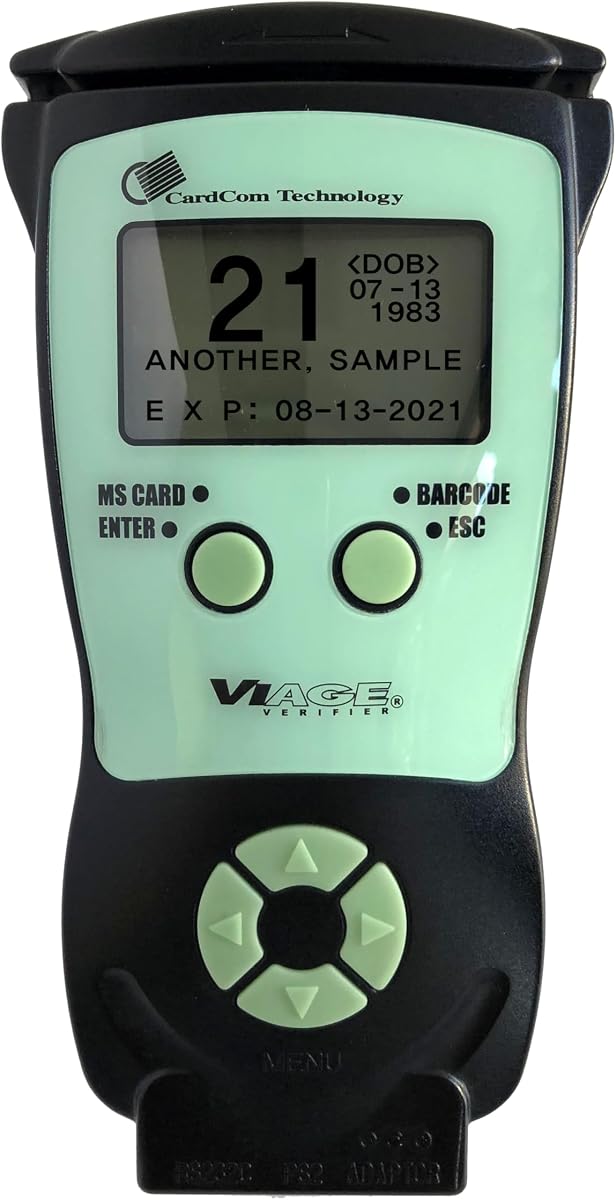
The CAV3200 is a compact portable scanner that combines 2D barcode and magnetic-stripe readers for U.S. and Canadian identification, and its supplied rating is 4.7. It offers quick age and expiration status on a backlit display without requiring a connection to an external device.
We may earn a commission when you buy through this link, at no additional cost to you.
Its dual-scanning technology allows the unit to work with different card formats, which is useful when a customer presents a driver's license or another identification card with a differently encoded data area. The handheld form also allows a dispensary to move verification between the entrance, counter, and customer-service point.
Compliance reporting can be enabled or disabled, and the included free compliance software supports due-diligence documentation. Lifetime ID updates and the absence of required subscriptions or hidden fees simplify long-term ownership, although the supplied details do not describe the broad CRM or cloud synchronization tools found in some alternatives.
The CAV3200 is a strong fit for a retailer that prioritizes a simple standalone check, portable placement, and broad card-reading support. It may be less appealing than a full customer-management system for a business wanting loyalty tracking, VIP tags, remote device controls, or detailed repeat-customer history.
Supporting both 2D barcodes and magnetic stripes increases compatibility with different identification formats. That versatility can reduce friction when customers carry state IDs other than a standard driver's license.
Because the device does not require an external system to operate, staff can use it at multiple points without a complicated network dependency. The backlit display supports quick reading in different working environments.
We may earn a commission when you buy through this link, at no additional cost to you.
The Quantum Edge V3 is a handheld reader designed for demanding environments, with a supplied rating of 4.5. Its water- and dust-sealed enclosure is particularly relevant to busy hospitality, healthcare, and high-traffic points of sale where splashes and dust could disrupt equipment.
We may earn a commission when you buy through this link, at no additional cost to you.
The listed capabilities include reading and validating identification from all 50 states, Canada, Mexico, military documents, and many other countries. Optional passport checks and driver-license authentication add more advanced validation, while age indicators, audible warnings, and vibration communicate outcomes without requiring staff to study the display closely.
Customer records can include entrant and identification photos, with up to three pictures supported when enabled. Wi-Fi connectivity allows the scanner to work with multiple devices, and optional PC software handles data transfer with free updates and support. These features make the package flexible but also mean that setup and data policies should be planned before deployment.
The Quantum Edge V3 is a compelling choice for a high-volume dispensary needing a rugged handheld reader or an operation serving travelers and customers with varied international documents. A business that only scans domestic driver's licenses and wants the simplest possible countertop workflow may prefer a less complex alternative.
The sealed enclosure is designed to resist small amounts of dust and exposure from snow, rain, or drink splashes. That durability makes the handheld format practical for counters where liquids and routine wear are common.
Coverage beyond U.S. states and Canada may be valuable for dispensaries near transportation hubs or in locations with international customers. Optional passport validation adds another route to identity checking.
We may earn a commission when you buy through this link, at no additional cost to you.
The AMBIR DS687 combines a desktop card scanner with bundled software in a single package, and its supplied rating is 4.3. It reads 2D barcodes on valid U.S. and state-government IDs, automatically extracting information such as name, address, and date of birth.
We may earn a commission when you buy through this link, at no additional cost to you.
A duplex scanner captures both sides in one pass, while USB power keeps setup simple on Windows and Mac computers. Customizable age restrictions flag minors, expired-ID detection identifies invalid credentials, and anti-passback detects repeated use of the same card during a specified period.
Local data storage, password protection, backup and restore, and a two-year hardware warranty make this a privacy-conscious desktop option without a required cloud connection or internet service. The trade-off is dependence on a nearby computer and a less portable workflow than handheld or standalone units.
The DS687 is best for a small dispensary with a dedicated workstation and a need for dependable age verification without recurring software fees. It is less suitable for staff who need to verify customers away from the counter or for operations requiring the advanced customer-management and synchronization tools of premium portable scanners.
The hardware and card-scanning software are included in one purchase, with no subscription required. Lifetime ownership costs make this option appealing to small operators seeking predictable operating expenses.
Scanned information remains on the local system instead of depending on cloud storage or an internet connection. This can simplify privacy planning for businesses that prefer direct control over customer records.
We may earn a commission when you buy through this link, at no additional cost to you.
The ACUANT AssureTec ID-150 Sentinel is a desktop scanner built for identity-capture workflows, and its supplied rating is 5.0. Duplex one-pass scanning captures the front and back of identification cards, with 600-dpi color imaging and near-infrared capture available for authentication processes.
We may earn a commission when you buy through this link, at no additional cost to you.
A simple USB 2.0 connection supports use with Windows 10 or 11 PCs, while magstripe reading covers ISO 7811 AAMVA identification from the United States and Canada. The combination of visible and near-infrared images gives authentication software more information to work with than a basic barcode-only age reader.
This is a hardware-only product that works with AssureID or AcuFill software, and those licenses are sold separately. A dispensary must therefore treat the scanner and compatible software as a complete system, evaluating the software's age-verification, workflow, record-management, and compliance capabilities alongside the hardware.
The Sentinel is best for an organization that prioritizes high-quality document imaging and has the technical infrastructure to support desktop authentication software. It is less convenient for a small counter needing a portable, self-contained age checker, and the separate software requirement adds a purchasing step.
Color and near-infrared capture provide complementary information for document-authentication workflows. At 600 dpi, the scanner is oriented toward detailed image acquisition rather than only reading a barcode.
Capturing both sides in a single pass reduces handling compared with manually scanning the front and back separately. This is useful when an authentication workflow requires a complete record of the presented card.
We may earn a commission when you buy through this link, at no additional cost to you.
The AMBIR PS667 is a desktop ID reader and software package with a supplied 5.0 rating. It automatically extracts data from 2D barcodes on valid U.S. and state-government IDs, including customer name, address, and date of birth, while local storage keeps records on the business's own system.
We may earn a commission when you buy through this link, at no additional cost to you.
The included tools go beyond basic verification. Staff can set custom age restrictions, detect expired documents, track customer visits, maintain ban lists, export customer information, and use anti-passback to identify repeated scans of the same card within a selected period.
USB power and Windows and Mac compatibility make the hardware approachable for a small business, while password protection, backup and restore, and a two-year warranty support reliable operation. The principal limitation is that this is a stationary PC-based solution rather than a portable standalone scanner, so it depends on a dedicated checkout workstation.
The PS667 is a strong recommendation for a dispensary that values repeat-customer history and local record control without recurring software fees. It is less suitable for mobile verification, high-volume authentication imaging, or businesses seeking a free-standing scanner with cloud synchronization.
Visit tracking and instant ban-list recognition give staff context beyond a customer's calculated age. These features can support consistent service policies and repeated interactions at a busy register.
Local storage avoids a required cloud connection, while password controls and backup functions help protect and preserve the database. Export and restore options support practical administration and continuity planning.
We may earn a commission when you buy through this link, at no additional cost to you.
The right ID scanner depends on your counter layout, identification rules, verification volume, staff workflow, and data-retention policy. Comparing hardware format, age-check features, compatibility, and software requirements is more useful than focusing on a single headline feature.
Standalone and handheld scanners can move between entry points and function without a desktop computer, making them useful for multi-point verification or roaming staff. Countertop models provide a stable home at the register and may be easier for employees to learn. PC-connected desktop scanners generally suit a permanent workstation and can support detailed image capture, but they require a nearby computer, compatible operating system, and a physical connection.
A dispensary should verify which IDs customers are expected to present and match those documents to the scanner's stated coverage. Some models support U.S. state licenses, military IDs, Canadian identification, and passports, while others focus on 2D barcodes found on domestic government IDs. Manual entry or optional passport support may be important for damaged cards, international travelers, or identification formats without readable barcodes.
Automatic age calculation eliminates much of the mental arithmetic involved in checking identification. Customizable thresholds are important when product categories or jurisdictions have different rules. Look for clear underage and expired-document warnings, simple sale or no-sale decisions, and an interface that employees can understand without extensive training. Challenge questions or secondary checks may add value where counterfeit documents are a concern.
Basic barcode reading confirms encoded information but does not necessarily prove that a document is genuine. More advanced models may analyze hidden barcode data, compare records with issuing agencies, authenticate driver-license images, or capture color and near-infrared images. These functions vary considerably: some are included, some are optional, and some use credits or separate licenses. A dispensary should determine the level of risk it needs to manage before paying for premium authentication tools.
Some bundles include software with lifetime updates, while others provide only a limited introductory period or require a separate license. Optional cloud synchronization, photo capture, customer management, DMV verification, and fake-ID checks may have different terms. Before buying, identify which capabilities are included, which require a subscription or credits, and which require compatible software to be installed on another device.
ID scanners can create records containing names, addresses, birth dates, photographs, visit histories, and other personal information. Some products keep data locally, others support cloud transfer, and others avoid photos altogether. Choose a model whose storage model fits the dispensary's privacy obligations and internal policies. Administrators should also establish access controls, retention periods, backup procedures, and secure handling of exported files.
Repeat-visit counters, loyalty status, VIP tags, ban lists, notes, and visit timing can make customer interactions more consistent. These features are most useful in a dispensary that wants more than immediate age verification. For a business focused strictly on compliance, they may add complexity without meaningful benefit. A middle-ground scanner can provide basic age and expiration checks, a compliance log, and duplicate detection without a full customer relationship management system.
Fast one-second scans can reduce queues, but speed matters only if the device is easy to use and produces clear results. Consider motion activation, backlit screens, audible warnings, vibration, readable age icons, and a charging cradle or spare battery. High-traffic or spill-prone locations may justify a sealed enclosure, while fixed counters can prioritize plug-in operation and a large display. Staff training and physical placement are important parts of real-world performance.
Before deployment, review the scanner's compatibility, supported operating requirements, age thresholds, and local record-retention rules. Set the minimum age and other restrictions according to the products being sold and applicable requirements, then test the unit with the identification formats staff expect to encounter. Establish which warnings require a stop, manual review, or supervisor intervention so every employee follows the same procedure.
Place the scanner where it can be reached without blocking the register, but keep it away from excessive heat, direct sunlight, moisture, and liquids. For portable models, charge the unit in its cradle or with the specified accessory and keep the battery in good condition. Desktop scanners should be connected to the designated computer, and staff should avoid unplugging or moving them while a scan or record transfer is in progress.
Clean the scanner according to the manufacturer's instructions, using an appropriate dry or lightly dampened cloth and avoiding abrasive cleaners or unapproved liquids. Review scans and logs regularly, update eligible software and identification databases, back up important local records, and remove or anonymize information when its authorized retention period ends. Periodically test age warnings, expiration alerts, and duplicate detection to ensure the workflow remains accurate and consistent.
It depends on the model and the dispensary's workflow. Some units create logs, customer records, visit counts, or photographs, while others focus on age and expiration results without storing images. Local-only desktop systems can also be appropriate for businesses that want records kept on the premises. Buyers should identify required data fields and establish a clear retention policy before enabling customer management features.
Age verification reads identification information and calculates whether the customer meets an age threshold. Fake ID detection performs additional checks that may analyze hidden barcode data, contact issuing agencies, or evaluate document images. A scanner can provide fast and reliable age verification without advanced authentication, so dispensaries should weigh counterfeit checks against their risk level, workflow, and any service charges.
Yes. Several products in this guide bundle software without requiring recurring subscription fees, while others include a limited software period or offer optional services. Some advanced counterfeit checks use scan credits, and the ACUANT AssureTec ID-150 Sentinel requires separate AssureID or AcuFill software licenses. Confirm the complete software and service terms before purchasing.
It depends on the customers and identification policies. Passport support can be useful for international travelers, but some models offer it only as an optional feature. If passports are not routinely accepted, a scanner that reliably reads the driver's licenses and state IDs used by most customers may be sufficient. Confirm supported formats before choosing a model.
A handheld or portable unit is useful when staff verify customers at different points, near an entrance, or away from a dedicated workstation. A countertop scanner is usually easier to place consistently at one register and may run continuously on outlet power. PC-connected desktop scanners are appropriate when a permanent workstation is available and detailed image capture or local software is required.
There is no single retention period that applies to every dispensary. The appropriate duration depends on applicable laws, operational needs, and the business's privacy policy. A business may need certain records for compliance or security while having little reason to retain photographs or contact information. Keeping data locally, restricting access, backing it up, and deleting it when no longer needed can support a controlled approach.
No. Basic models commonly read barcodes, calculate age, and detect expired documents, while premium or optional tools provide deeper authentication. The Countertop ID Scanner offers optional live-database counterfeit checks, the AgeVisor Mini includes Barcode Detective with an optional DMV service, and the Sentinel captures images for compatible authentication software. Buyers should not assume that a successful barcode read proves a document is authentic.
Staff should follow the dispensary's written identification policy rather than attempting to bypass the scanner or guess missing information. Some models support manual entry for passports, worn identification, or cards with barcode problems, while others offer passport authentication and camera capture. The key is to establish a consistent manual-review procedure and document each exception appropriately.
The IDVisor Smart V2 is the most versatile top pick for a dispensary seeking fast portable checks and extensive customer management, while the AMBIR DS687 offers a focused, subscription-free desktop workflow with local storage. The ACUANT AssureTec ID-150 Sentinel stands apart for premium document imaging, although buyers must obtain compatible authentication software separately.
The remaining products cover distinct operational needs. The AgeVisor Mini and IDVisor Smart Plus suit fixed and portable customer-management workflows, respectively, while the Countertop ID Scanner emphasizes simple sale decisions and configurable compliance logs. For buyers who value dual card readers, rugged construction, or local repeat-customer tools, the CAV3200, Quantum Edge V3, and AMBIR PS667 each provide a credible path forward.
Before ordering, confirm the identification types, age rules, software terms, data-storage model, physical setup, and ongoing feature costs that matter to your dispensary. Product availability and pricing can change, so check the current listing and the latest manufacturer information before making a final purchasing decision.