
ASUS ROG Strix G16 RTX 5060
4.4Editor score
RTX 5060 Blackwell architecture
FHD+ 165Hz gaming display
16GB DDR5 memory
Advanced ROG cooling system
This ASUS ROG Strix Laptop guide compares 10 models for gaming, graphics, cooling, displays, memory, storage, and everyday versatility.
The ASUS ROG Strix Laptop family combines high-refresh gaming displays, dedicated NVIDIA graphics, advanced cooling, and configurable RGB styling for players and power users. A strong model should feel fast in demanding games while remaining balanced enough for streaming, creative work, school, or professional tasks.
We compared the supplied 2025 and 2026 configurations by examining processor, GPU, display resolution and refresh rate, memory, storage, operating system, cooling features, connectivity, upgradeability, and graphics switching. The list covers 16-inch G16 models, larger 18-inch designs, the Scar 18, and configurations from entry-level to high-end performance tiers.
Each review identifies the configuration most suitable for a particular type of buyer, from the ASUS ROG Strix G16 with RTX 5060 to high-end systems with RTX 5070 Ti or RTX 5080 graphics. Specifications, configurations, and prices can change, so confirm the exact listing and current hardware before purchasing.
4.4Editor score

4.3Editor score

4.3Editor score
The comparison below places all ten ASUS ROG Strix Laptop configurations side by side, focusing on the hardware and display differences that most strongly affect gaming performance, productivity, portability, and upgrade potential.





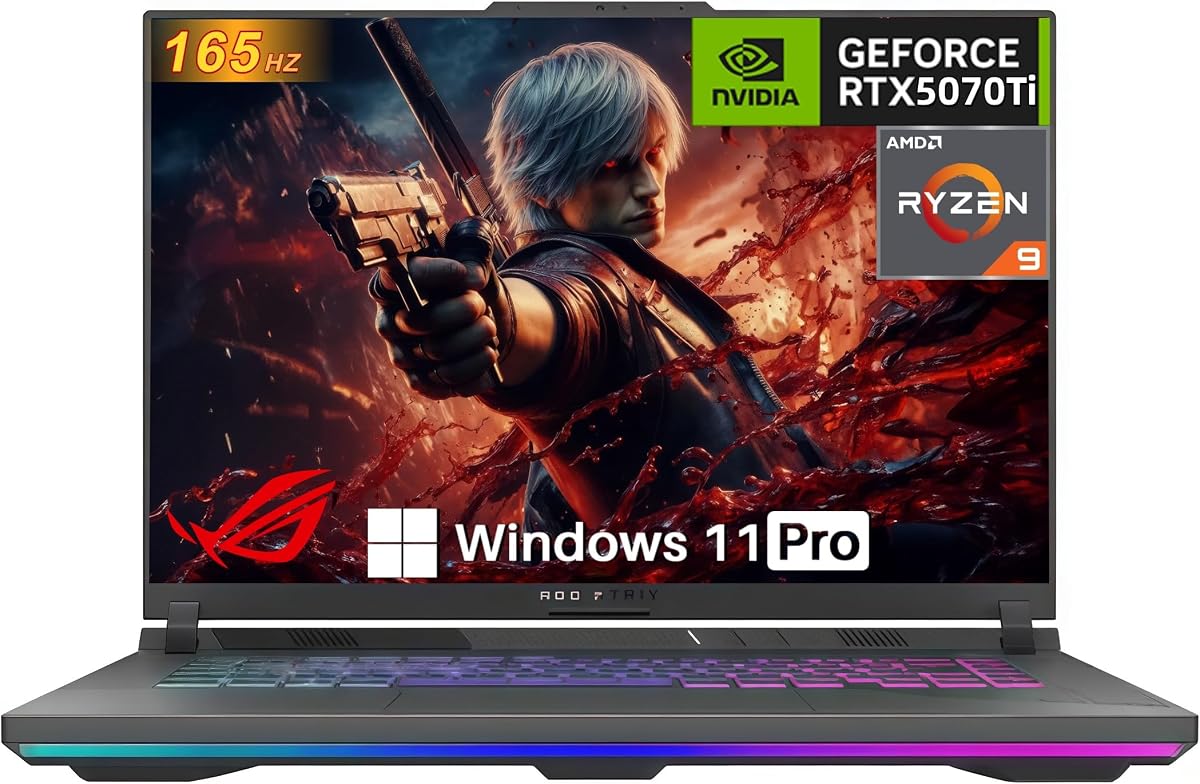

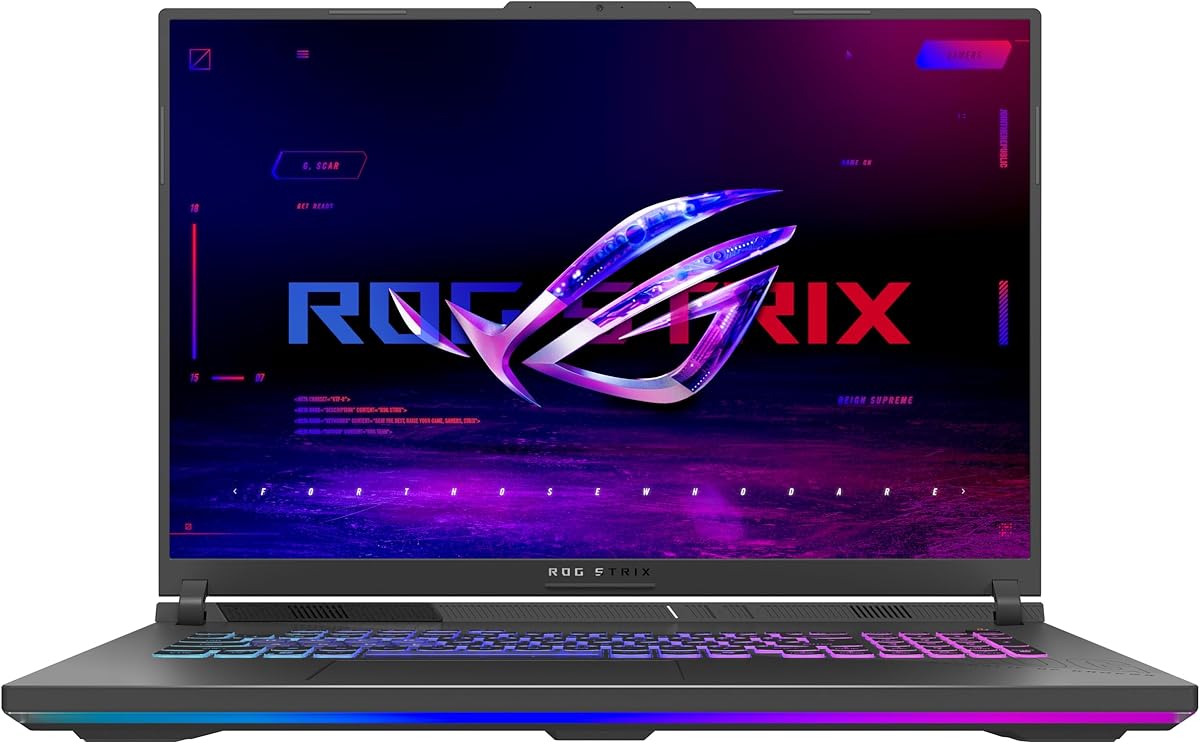
The ASUS ROG Strix G16 RTX 5060 is the most approachable configuration in this guide, combining a Core i7 14650HX processor, an NVIDIA GeForce RTX 5060 Laptop GPU, 16GB of DDR5-5600 memory, and a 1TB PCIe Gen 4 SSD. Its 4.4 rating reflects a generally favorable balance of performance, display quality, cooling, and everyday convenience, although the 16-inch chassis remains a substantial gaming machine rather than an ultraportable.
We may earn a commission when you buy through this link, at no additional cost to you.
The FHD+ 16:10 panel operates at 165Hz with a stated 3ms response time. That is a useful combination for competitive and fast-paced games because it provides more frequent visual updates than a conventional 60Hz laptop. ROG's anti-glare film is also designed to improve contrast and reduce reflections, which can help in bright rooms. The RTX 5060 uses NVIDIA Blackwell architecture and supports DLSS 4 and Max-Q technologies, while the system includes Wi-Fi 7, a full-surround RGB light bar, and a Stealth Mode for a more subdued appearance.
Thermal hardware is a major strength. The listed cooling system combines an end-to-end vapor chamber, tri-fan technology, and Conductonaut Extreme liquid metal on the chipset. Those features are especially relevant to a gaming laptop because sustained performance depends on managing heat without allowing clocks and noise to become disruptive. The tradeoff is that the 16GB memory configuration may be limiting for heavy multitasking, video editing, large project files, or running demanding software alongside a game.
This G16 is a sensible recommendation for a buyer who wants recognizable ROG Strix design, modern NVIDIA graphics, and a fast gaming display without moving to the highest specifications in the range. It should suit general PC gaming, streaming, schoolwork, and productivity. Buyers who routinely keep many applications open may prefer one of the 32GB configurations, while those focused on image sharpness or competitive high-refresh play should examine the 2.5K 240Hz alternatives closely.
Overall, the RTX 5060 G16 earns the Best Budget badge by delivering the core features that matter most in a modern ROG Strix laptop without adding the most demanding display and processor tier. Its rapid panel, capable GPU, advanced cooling, and strong user rating make it a versatile starting point for the category.
The 165Hz FHD+ display provides a straightforward path to smooth gameplay without requiring a higher-resolution panel. Its 16:10 proportions also provide more horizontal room than a traditional 16:9 display, a practical benefit in strategy games, competitive shooters, and everyday productivity.
An end-to-end vapor chamber, three fans, and liquid-metal thermal compound work together to manage the heat generated by the processor and GPU. This multi-part design is important for anyone who expects long gaming sessions rather than short bursts of performance.
We may earn a commission when you buy through this link, at no additional cost to you.
This ASUS ROG Strix G16 RTX 5070 Ti configuration combines an Intel Core Ultra 9 275HX processor with an NVIDIA GeForce RTX 5070 Ti Laptop GPU, making it one of the strongest all-around options in the guide. The supplied rating is 4.3, and the hardware is aimed at gamers who want more GPU capability than an RTX 5060 model while retaining the familiar 16-inch G16 format.
We may earn a commission when you buy through this link, at no additional cost to you.
Its ROG Nebula display is a major attraction. The 2.5K resolution provides noticeably finer detail than FHD+, while the 240Hz refresh rate and 3ms response time target fast, competitive play. The supplied information also notes an ACR film intended to improve contrast and reduce glare. Inside, 32GB of DDR5-5600 memory gives it more room for games, creative applications, browser tabs, and background processes, while a 1TB PCIe Gen 4 SSD provides fast game-loading and application-launch performance.
The GPU uses NVIDIA Blackwell architecture and supports DLSS 4 and Max-Q technologies, while the cooling system adds an end-to-end vapor chamber, tri-fan design, and Conductonaut Extreme liquid metal over the chipset. A 360-degree RGB light bar syncs with ROG peripherals, and Stealth Mode turns off lighting for quieter professional environments. These details make the laptop equally suitable for a streamed session, a work presentation, or a game-focused setup.
The main consideration is cost, along with the inherent bulk of a 16-inch gaming laptop. A buyer who does not need the RTX 5070 Ti or 240Hz panel may gain little from this configuration. However, for a high-end gaming system that also needs to handle content creation and demanding multitasking, the combination is difficult to dismiss.
It earns the Editor's Choice badge because it does not emphasize only one feature. The processor, GPU, 32GB memory, high-resolution high-refresh screen, advanced cooling, and Wi-Fi 7 form a coherent package. It is our strongest general recommendation for buyers who want premium gaming performance without moving to the largest 18-inch chassis or the range's absolute top GPU tier.
Combining 2.5K resolution with a 240Hz refresh rate offers a useful balance of clarity and responsiveness. The higher resolution reveals more environmental detail, while the quick refresh rate can make movement feel more fluid in suitable games.
With 32GB of DDR5-5600 memory, this model is better positioned than a 16GB configuration for heavy multitasking, streaming, and creative software. It also pairs high-bandwidth memory with a fast PCIe Gen 4 solid-state drive.
We may earn a commission when you buy through this link, at no additional cost to you.
The ASUS ROG Strix Scar 18 is the standout premium model here because it combines an 18-inch ROG Nebula HDR Mini LED display with top-tier Core Ultra 9 and RTX 5070 Ti hardware. Its 4.3 rating reflects a strong overall proposition, but the defining feature is the screen. Mini LED technology, more than 2,000 dimming zones, dual ACR layers, 100% DCI-P3 color, and a 240Hz refresh rate create a display well suited to gaming, HDR entertainment, and visual work.
We may earn a commission when you buy through this link, at no additional cost to you.
The performance platform is equally substantial. An Intel Core Ultra 9 275HX processor and NVIDIA GeForce RTX 5070 Ti Laptop GPU are joined by 32GB of DDR5-5600 memory and a 1TB PCIe Gen 4 SSD. The supplied storage information states raw throughput up to 7,000MB/s. ROG Intelligent Cooling uses an end-to-end vapor chamber, tri-fan technology, and Conductonaut Extreme liquid metal at the chipset to support sustained performance.
The Scar 18 also stands apart in practical features. Its tool-free access system allows RAM and SSD customization through a sliding latch, while a removable frame protects other hardware and provides deeper access. A MUX Switch can route frames directly from the discrete GPU for a stated 5–10% gaming-performance boost, and Advanced Optimus can switch between integrated and discrete graphics without restarting. Windows 11 Pro is included, and three months of PC Game Pass access are listed with more than 100 games.
The primary compromises are physical. An 18-inch display requires more space than a 16-inch model and is less convenient for frequent travel. High-end components also place this configuration beyond the practical limits of a value-focused buyer. For someone with a permanent desk setup who values picture quality, screen area, expandability, and professional software, those costs may be entirely justified.
The Best Premium badge recognizes the Scar 18's unusually complete feature set. It does not merely provide faster gaming hardware; it adds a sophisticated HDR panel, convenient upgrades, advanced graphics routing, and a large workspace. It is the most compelling choice here for desktop replacement use, premium entertainment, and buyers who want the best display-focused experience.
The panel's 2,000-plus dimming zones enable finer control of local contrast, while Mini LED backlighting supports high brightness and rich HDR imagery. Its 100% DCI-P3 coverage also makes the Scar 18 attractive for color-conscious visual workflows.
A sliding latch provides access to RAM and storage, and a protective removable frame helps keep other components undisturbed. This makes future expansion more approachable for owners who want to increase memory or storage.
We may earn a commission when you buy through this link, at no additional cost to you.
This ASUS ROG Strix G16 configuration is unusual because it places a Core Ultra 9 275HX processor and a 2.5K 240Hz ROG Nebula display beside an RTX 5060 Laptop GPU. Its 4.0 rating is respectable, though lower than several alternatives, and the mismatched tiers make it most compelling for buyers who prioritize a premium screen and CPU rather than maximum gaming headroom.
We may earn a commission when you buy through this link, at no additional cost to you.
The display provides 2.5K resolution, a 240Hz refresh rate, and 3ms response time. An ACR film is intended to improve contrast and reduce glare, while Dolby Vision HDR adjusts color and brightness to create a richer presentation. This is an especially useful combination for competitive gaming, high-refresh action titles, and media viewing where a smoother and more detailed image matters.
Performance hardware includes the NVIDIA Blackwell-based RTX 5060 with DLSS 4 and Max-Q support. The processor is the Core Ultra 9 275HX, and the system includes 16GB of DDR5-5600 memory, a 1TB PCIe Gen 4 SSD, and Wi-Fi 7. The advanced cooling design combines a vapor chamber, tri-fan technology, and Conductonaut Extreme liquid metal at the chipset.
The principal concern is the 16GB memory capacity. At this hardware level, users may want more headroom for modern games, streaming tools, creative applications, and numerous background tasks. The RTX 5060 may also struggle to push every game at the full capability of a 2.5K 240Hz display, particularly in demanding raster or ray-traced titles. That is not a flaw for every use case, but it is a meaningful imbalance to consider.
This model suits a buyer who loves a high-quality display but does not need the higher-tier RTX 5070 Ti. It also works for users whose productivity demands benefit from the faster processor. Verify the games and applications you intend to run before committing, and compare the 32GB alternatives if multitasking is a major requirement.
The 2.5K panel offers more working detail than FHD+, while 240Hz provides a high update ceiling. Dolby Vision HDR and the anti-glare ACR film add further appeal for games, videos, and everyday viewing.
The Core Ultra 9 275HX provides substantial CPU capability, but 16GB of RAM is the limiting factor. Buyers who regularly multitask should consider whether an upgrade or a 32GB configuration better fits their needs.
We may earn a commission when you buy through this link, at no additional cost to you.
The AMD-powered ASUS ROG Strix G16 combines a Ryzen 9 9955HX processor with an NVIDIA GeForce RTX 5070 Laptop GPU. It is a strong option for buyers who prefer an AMD CPU while still wanting NVIDIA's current graphics technologies. The supplied product data does not include a numerical customer rating, so this configuration should be evaluated primarily on its specifications and feature set.
We may earn a commission when you buy through this link, at no additional cost to you.
The RTX 5070 uses NVIDIA Blackwell architecture and supports DLSS 4 and Max-Q, while the Ryzen 9 9955HX supplies high-end CPU performance. Together with 16GB of DDR5-5600 memory and a 1TB PCIe Gen 4 SSD, the hardware is positioned for demanding games, streaming, and productivity. The MUX Switch can route frames directly from the discrete GPU for a listed 5–10% boost, while Advanced Optimus switches between integrated and discrete graphics according to the task.
Its 16-inch FHD+ 16:10 display operates at 165Hz with a 3ms response time. That refresh rate is well suited to fast gameplay, although the resolution is lower than the 2.5K panels found on several competing entries. ROG Intelligent Cooling includes tri-fan technology, a full-width heatsink, and full-surround vents, while a customizable RGB light bar adds the familiar ROG appearance and can be disabled in Stealth Mode.
Wi-Fi 6E rather than Wi-Fi 7 is the most obvious specification difference from many of the 2025 G16 models. It remains a capable wireless standard, but buyers who expect the newest listed connectivity option may prefer another configuration. The 16GB memory capacity also deserves attention, particularly because the CPU and GPU are high-performance components.
This laptop is a good match for an AMD enthusiast who values CPU capability, the RTX 5070, and a competitively smooth FHD+ display without moving to the largest chassis. It is less compelling for buyers who put a premium 2.5K panel, Wi-Fi 7, or 32GB memory at the top of their priorities.
The Ryzen 9 9955HX brings high-end multicore capability, while the RTX 5070 adds Blackwell architecture, DLSS 4, and Max-Q. This combination gives buyers a distinct CPU-platform preference while retaining modern NVIDIA gaming features.
The MUX Switch sends frames directly from the discrete GPU, which can improve gaming performance. Advanced Optimus handles transitions between integrated and discrete graphics to support a more favorable balance between performance and battery use.
We may earn a commission when you buy through this link, at no additional cost to you.
This ASUS ROG Strix G16 stands out for its high-power RTX 5070 Ti configuration, which includes 12GB of GDDR7 video memory and a 140W TGP. Paired with the 16-core, 32-thread AMD Ryzen 9 8940HX processor, it forms a serious gaming platform. The supplied 5.0 rating is the highest among the listed products, though ratings alone do not reveal the exact experiences of every buyer.
We may earn a commission when you buy through this link, at no additional cost to you.
The 16-inch WUXGA LED display has a 165Hz refresh rate, 16:10 aspect ratio, and 3ms response time. Its 100% sRGB coverage and ACR anti-glare film are useful for both games and content creation. The lower resolution and refresh rate compared with the 2.5K 240Hz models may disappoint buyers who consider a very fast high-resolution panel essential, but the 140W GPU gives this system considerable gaming performance.
The Ryzen 9 8940HX is listed with 16 cores, 32 threads, and speeds up to 5.3GHz. The system also has 32GB of DDR5 RAM and a 1TB SSD, with supplied expandability claims of up to 64GB memory and 4TB PCIe storage. Connectivity includes two USB-C 4 ports, two USB-A 3.2 ports, HDMI 2.1, 2.5G Ethernet, an audio jack, Wi-Fi 6E, and a 1080p webcam.
ROG Intelligent Cooling combines a vapor chamber, tri-fan technology, and Conductonaut Extreme liquid metal. Advanced Optimus switches between graphics modes, and the MUX Switch offers a listed 5–10% performance increase by bypassing integrated graphics. Additional features include an RGB keyboard with Aura Sync and Dolby Atmos Hi-Res Audio. A package is also listed with an RJ-45 accessory.
This is a strong recommendation for a buyer who prioritizes GPU power, memory capacity, ports, and future expansion over a 240Hz high-resolution display. The 140W RTX 5070 Ti and 32GB of RAM make it especially compelling for high-settings gaming, streaming, and creative work. Its large chassis and high-power hardware, however, make it better suited to a desk than frequent travel.
The RTX 5070 Ti is specified at 12GB GDDR7 and 140W TGP, giving this configuration a performance-focused foundation. DLSS, Frame Generation, Advanced Optimus, and direct MUX routing all support smooth, modern gaming.
Two USB-C 4 ports, HDMI 2.1, 2.5G Ethernet, and USB-A connections cover many accessory needs. Expandability up to 64GB of memory and 4TB of PCIe storage adds flexibility for owners planning to retain the laptop longer.
We may earn a commission when you buy through this link, at no additional cost to you.
This ASUS ROG Strix G16 RTX 5070 Ti listing combines an AMD Ryzen 9 8940HX processor with an NVIDIA GeForce RTX 5070 Ti Laptop GPU and has a supplied rating of 4.9. The product information emphasizes upgradeability, making it a particularly interesting option for buyers who expect to expand memory or storage after purchase. The title references 8GB graphics memory, while the detailed features describe 12GB, so buyers should verify the exact specification at the listing.
We may earn a commission when you buy through this link, at no additional cost to you.
The detailed description lists the Ryzen 9 8940HX as a 16-core, 32-thread processor reaching up to 5.3GHz. It also identifies 16GB of DDR5-5600 memory, two tool-free SO-DIMM slots, PCIe Gen 4 storage with throughput up to 7,000MB/s, and PCIe Gen 5-ready SSD slots. These upgrade-focused details are valuable for a buyer who wants a laptop that can evolve as games and applications become more demanding.
Tool-free access extends to RAM, SSDs, and fans according to the supplied information. A Q-latch SSD system is intended to simplify component swaps, while a removable frame protects other hardware and permits deeper access. The design makes routine maintenance more convenient and reduces the need to open the laptop with a screwdriver for the listed accessible components.
ROG Intelligent Cooling uses an end-to-end vapor chamber, tri-fan technology, and Conductonaut Extreme liquid metal. The GPU section also lists Advanced Optimus, DLSS, and Frame Generation. Because the supplied listing does not provide complete display specifications, screen size, resolution, and refresh rate should be confirmed directly before comparing this model on display quality.
The 4.9 rating supports the appeal of this configuration, and the upgrade path is its defining characteristic. It is a strong candidate for gamers and creators who want a powerful RTX 5070 Ti platform and do not mind initially working with 16GB of memory. The conflicting memory description is the most important item to verify before purchase.
Two tool-free SO-DIMM slots, accessible memory, and the Q-latch SSD mechanism make expansion more approachable. The removable frame helps protect components while giving advanced users deeper access to the internals.
The RTX 5070 Ti combines with DLSS, Frame Generation, and Advanced Optimus to support smooth output and flexible graphics switching. A 16-core Ryzen 9 processor adds strong parallel performance for modern games and productivity workloads.
We may earn a commission when you buy through this link, at no additional cost to you.
The 2026 ASUS ROG Strix G16 RTX 5080 is the most powerful conventional G16 configuration in this guide. Its title identifies an Intel Core Ultra 9 290HX Plus processor, NVIDIA GeForce RTX 5080 Laptop GPU, 32GB DDR5 memory, and a 1TB PCIe Gen 4 SSD. The supplied 5.0 rating is exceptionally strong, and the combination is built for buyers who want the highest graphics tier available in this 16-inch ROG Strix lineup.
We may earn a commission when you buy through this link, at no additional cost to you.
The ROG Nebula HDR display uses a 2.5K resolution, 240Hz refresh rate, and 3ms response time. The feature description mentions an AGLR film designed to reduce glare and improve contrast, Dolby Vision HDR, and wide viewing angles. The supplied title says 240Hz, although one bullet in the description refers to an ultra-fast 300Hz display, making the exact panel specification another point worth confirming on the live listing.
RTX 5080 graphics are based on NVIDIA Blackwell architecture and support DLSS 4 and Max-Q technologies. With a Core Ultra 9 processor and 32GB of DDR5-5600 memory, the system offers substantial resources for demanding games, content creation, and multitasking. A 1TB PCIe Gen 4 SSD handles storage duties, while Wi-Fi 7 provides the newest listed wireless standard among the higher-end G16 models.
Tool-free access allows RAM, SSD, and fan customization through a sliding latch, and a removable frame protects other internal components. The MUX Switch can route frames directly from the discrete GPU for a listed 5–10% boost, while Advanced Optimus handles graphics transitions. A full-surround RGB light bar and Stealth Mode support both expressive and professional use. Three months of Game Pass with access to more than 200 games are also listed.
This is the option for buyers who prioritize maximum GPU capability and can accommodate a premium cost. It may be unnecessary for standard 1080p gaming, but it is well suited to high-resolution settings, advanced ray tracing, content creation, and demanding future workloads. As with every high-power laptop, stable power, room for cooling, and a suitable surface are important.
The RTX 5080 places this model at the top of the listed G16 graphics hierarchy. DLSS 4, Max-Q, and direct MUX routing provide tools for maximizing frame output and maintaining high performance across demanding games.
A 2.5K 240Hz HDR display targets both detail and motion smoothness, while 32GB of DDR5 and tool-free access support longer-term flexibility. Dolby Vision and glare-reducing film further improve the viewing experience.
We may earn a commission when you buy through this link, at no additional cost to you.
The ASUS ROG Strix G16 RTX 5070 configuration stands out for its generous 2TB PCIe Gen 4 SSD, 32GB of DDR5-5600 memory, and high-end Core Ultra 9 275HX processor. Its 4.2 rating reflects a balanced package that is particularly attractive to buyers who want room for a large game library and the flexibility of Windows 11 Pro.
We may earn a commission when you buy through this link, at no additional cost to you.
The 16:10 2.5K ROG Nebula display operates at 240Hz with a 3ms response time. Its ACR film is designed to improve contrast and reduce glare, while Dolby Vision HDR provides richer, brighter, and more vivid imagery according to the supplied description. This panel is one of the strongest in the guide for fast games, detailed work, and HDR entertainment.
The NVIDIA GeForce RTX 5070 Laptop GPU uses Blackwell architecture and supports DLSS 4 and Max-Q. It sits below the RTX 5070 Ti and RTX 5080 options in this list, but it should still provide a major step up from the RTX 5060 models. The processor and 32GB of memory make the system well equipped for gaming, streaming, and productivity, while 2TB of storage reduces the need to manage a tightly packed drive.
Cooling includes an end-to-end vapor chamber and tri-fan technology, with a 360-degree RGB light bar that synchronizes with the keyboard and other ROG peripherals. Stealth Mode disables the lighting for professional settings. Wi-Fi 7 and Windows 11 Pro round out a feature set that feels more oriented toward productivity than the Home-equipped alternatives.
This model makes sense when storage and memory are equal priorities to raw graphics tier. It is a strong all-rounder for a buyer who wants a sharp 240Hz screen, a capable processor, and ample local capacity without moving to the RTX 5080. The principal decision is whether the RTX 5070 offers the right graphics level for the games and applications the buyer intends to run.
A 2TB PCIe Gen 4 SSD provides more room for games, applications, videos, and project files. Combined with 32GB of DDR5 memory, the configuration is comfortable for a broad mix of workloads.
Windows 11 Pro supports a more business-oriented environment, while Dolby Vision HDR and a 240Hz panel suit media consumption. Stealth Mode can remove the visual distraction of RGB lighting when needed.
We may earn a commission when you buy through this link, at no additional cost to you.
The ASUS ROG Strix G18 RTX 5050 combines a large 18-inch display with an AMD Ryzen 9 8940HX Mobile Processor and NVIDIA GeForce RTX 5050 Laptop GPU. Its 4.4 rating is strong, and the model offers a different balance from the 16-inch G16 configurations: more screen area, but a graphics tier designed for a different level of gaming performance.
We may earn a commission when you buy through this link, at no additional cost to you.
The ROG FHD+ display uses a 16:10 aspect ratio and 144Hz refresh rate, with a stated 3ms response time. Its anti-glare ACR film is intended to improve contrast and reduce reflections. While 144Hz is lower than the 240Hz available on the premium G16 panels, the 18-inch size can make games, videos, and general desktop use feel more immersive.
The RTX 5050 is based on NVIDIA Blackwell architecture and includes DLSS 4 and Max-Q technologies. The Ryzen 9 8940HX provides a strong CPU foundation, while 16GB of DDR5-5200 memory and a 1TB PCIe Gen 4 SSD form a conventional gaming specification. Wi-Fi 6E is included, which is one generation behind the Wi-Fi 7 standard listed on many of the G16 models.
ROG Intelligent Cooling uses tri-fan technology, a full-width heatsink, and full-surround vents. A customizable RGB light bar coordinates with ROG peripherals, and Stealth Mode turns the lighting off for a cleaner professional appearance. The main concern is the RTX 5050's position below the RTX 5060, 5070, 5070 Ti, and 5080 options elsewhere in this guide.
This G18 is best for a buyer who values screen size and processor power over maximum gaming performance. It can serve as a large-screen general-purpose computer, media system, and gaming laptop, but a higher-tier GPU configuration will appeal more to enthusiasts seeking the strongest frame rates. Its large footprint also makes it less convenient to carry than a 16-inch model.
The larger FHD+ 16:10 panel provides generous screen space for gaming, media, and everyday work. Its 144Hz refresh rate remains responsive, although the 240Hz alternatives offer a higher update ceiling.
A Ryzen 9 8940HX brings strong CPU performance, while the Blackwell-based RTX 5050 includes DLSS 4 and Max-Q. This combination favors buyers who need a capable large-screen laptop without paying for a top-tier GPU.
We may earn a commission when you buy through this link, at no additional cost to you.
Choosing an ASUS ROG Strix Laptop means balancing graphics power, processor capability, display quality, memory, cooling, portability, and the amount of screen space you need. The most important decision is to identify the workloads and games you expect to run before selecting a configuration.
The GPU usually has the greatest influence on gaming performance, but it also drives much of the laptop's cost, heat, and power requirements. This guide ranges from the RTX 5050 and RTX 5060 to the RTX 5070, RTX 5070 Ti, and RTX 5080. The RTX 5050 model is positioned as the most modest option, while the RTX 5060 configurations provide a modern middle ground. The RTX 5070 and RTX 5070 Ti move into stronger high-performance territory, and the RTX 5080 is the flagship graphics choice in the list.
Choose the RTX 5050 for a large-screen machine where everyday gaming and general use matter more than maximum settings. Consider an RTX 5060 for a balanced 16-inch ROG Strix system, or move to an RTX 5070 when you want a stronger GPU without the absolute top tier. RTX 5070 Ti and RTX 5080 machines make the most sense when demanding games, high-resolution output, advanced graphics features, or content creation justify the additional hardware.
A powerful processor can improve game loading, system responsiveness, background tasks, and CPU-heavy creative workloads. The list includes Intel Core i7 14650HX, Core Ultra 9 275HX, Core Ultra 9 290HX Plus, Ryzen 9 9955HX, and Ryzen 9 8940HX platforms. These are not interchangeable marketing names: their core counts, architecture, graphics integration, power behavior, and platform features can differ.
The RTX 5060 G16 with a Core i7 14650HX is a balanced entry configuration, while the 2.5K 240Hz model with the Core Ultra 9 275HX places more emphasis on CPU and display performance. The Ryzen 9 models are attractive to buyers who prefer AMD processing. Match the processor to your primary work and avoid paying for a high-end CPU that will spend most of its time waiting on a more modest GPU.
Resolution determines how much detail the panel can display, while refresh rate affects how frequently the image updates. The included FHD+ models offer 144Hz or 165Hz, both of which can produce smooth gameplay. The 2.5K ROG Nebula options raise the detail level and pair it with a 240Hz refresh rate, while the Scar 18 adds Mini LED HDR technology and extensive local dimming.
A high refresh rate is particularly valuable in competitive games where rapid movement and low visual latency are important. A higher resolution benefits detailed environments, creative work, and media, but it also places more demand on the GPU. Match the display to the graphics tier: the RTX 5050 and RTX 5060 may not exploit every advantage of a 2.5K 240Hz panel in every title.
Memory affects multitasking, game loading, content creation, and the ability to keep applications open without frequent system swapping. Five configurations in the list provide 16GB of DDR5, while the remaining high-end options provide 32GB. A 32GB laptop is the safer starting point for streaming, editing, large project files, and demanding games in 2026, especially when paired with a Core Ultra 9 or Ryzen 9 processor.
Storage ranges from 1TB to 2TB. A 1TB drive is adequate for many buyers, while the 2TB configuration is convenient for large game libraries, videos, and creative assets. Upgradeability matters too: several models mention tool-free RAM and SSD access, PCIe Gen 5-ready slots, or support for expanded memory and storage. Confirm the exact configuration and upgrade limits before purchase.
Gaming laptops generate considerable heat, and performance over an extended session depends on the cooling system. ROG Intelligent Cooling across these models uses combinations of end-to-end or full-width vapor chambers, tri-fan technology, full-surround vents, and Conductonaut Extreme liquid metal on the chipset. The Scar 18 and selected G16 models also list tool-free fan access, which can simplify maintenance.
Do not choose solely by the number of cooling components. Consider the combined thermal design, chassis size, GPU power level, and the workload you intend to run. The 18-inch Scar has more screen space, while the 140W RTX 5070 Ti G16 places a high power demand on its cooling system. Whichever model you choose, allow the cooling vents room to operate and use a hard, level surface during demanding games.
Most models in the guide use a 16-inch display, while the Scar 18 and G18 use an 18-inch panel. The 16-inch format is generally easier to accommodate at a desk, in a backpack, or on the move. The 18-inch format provides a larger visual and desktop workspace but requires more room and offers less portability.
Choose a 16-inch model if you regularly travel, study in different locations, or want a more conventional gaming-laptop footprint. An 18-inch option makes more sense when the laptop will remain on a desk and you value screen area, larger viewing geometry, and an expansive workspace. The supplied data does not list exact dimensions or weights, so consult the final listing before committing.
Several configurations support a MUX Switch and Advanced Optimus. The MUX Switch can route frames directly from the discrete GPU to the display, with the Scar 18 and G16 descriptions citing a 5–10% gaming-performance boost. Advanced Optimus can automatically switch between integrated and discrete graphics depending on the task, helping reduce unnecessary power use.
These features are useful for people who switch between gaming and general productivity. A direct GPU path can also help avoid synchronization overhead, while automatic switching improves convenience. Availability varies by configuration, so confirm that the exact model includes the feature if it is important to your workflow.
Windows 11 Home suits general gaming and personal use, while Windows 11 Pro appears on the Scar 18 and the 2TB RTX 5070 G16. Some listings also include three months of PC Game Pass, with one model advertising access to more than 200 games. Other extras include a 360-degree RGB light bar, AniMe Vision on the Scar 18, 2.5G Ethernet, HDMI 2.1, USB-C 4, a 1080p webcam, and Dolby Atmos audio.
Treat these extras as tie-breakers after graphics, display, memory, and cooling are in line with your needs. RGB and bundled game subscriptions are appealing to many gamers, while Windows Pro, extensive ports, and replaceable components may matter more to creators and professionals. Check the exact listing carefully because feature bundles can differ between closely related configurations.
Begin by configuring Windows, installing your preferred browser and essential applications, and updating the operating system and graphics software. Choose a performance mode appropriate to your workload, connect to Wi-Fi, and adjust the keyboard lighting, screen brightness, and power settings. For a first gaming session, test the display, controls, audio, webcam, and network connection before installing a large library of games.
ROG Intelligent Cooling is designed to manage heat during demanding workloads, but it still needs room to operate. Place the laptop on a hard, level surface and avoid blocking its full-surround vents. During long sessions, take occasional breaks, keep drinks away from the keyboard, and monitor system behavior rather than maximizing every setting by default. Use the MUX Switch when a direct discrete-GPU path is desired and Advanced Optimus when automatic graphics switching is more convenient.
Maintain the system by keeping the cooling openings clean, saving work before shutdown, and following the supplied guidance for component access. Models with tool-free RAM, SSD, or fan access make expansion more convenient, but owners should still observe the listed safety and protective-frame procedures. For shared or public systems, use a strong sign-in password, keep software current, and consider an encrypted drive for sensitive files.
The RTX 5080 G16 is the strongest graphics option in this guide, while the Scar 18 and the Core Ultra 9 RTX 5070 Ti G16 also target demanding gaming. The best choice depends on display size, portability, and how much you value the RTX 5080's additional power. A 2.5K 240Hz panel and 32GB of memory are also worth considering alongside the GPU.
The RTX 5060 G16 is a balanced option for modern gaming because it combines Blackwell architecture, DLSS 4, and Max-Q with a fast 165Hz display. Its Core i7 configuration is well suited to a value-oriented buyer, although 16GB of memory and FHD+ resolution leave room for higher-tier alternatives. It remains a practical choice for mainstream gaming.
A 16-inch model is easier to carry and usually works better in compact spaces, while an 18-inch model provides a larger screen for gaming, media, and desktop work. The Scar 18 additionally offers a Mini LED HDR panel, while the G18 uses a 144Hz FHD+ display. Your workspace and portability needs should guide the decision.
It is highly desirable for heavy multitasking, streaming, creative applications, and future game libraries. The 16GB configurations can work well for focused gaming and ordinary productivity, but 32GB gives the operating system more room when games and background applications are active. A larger amount of memory is especially helpful in configurations paired with top-tier processors and GPUs.
The MUX Switch creates a direct route from the discrete GPU to the display, which can improve gaming performance by reducing synchronization overhead. Advanced Optimus automatically changes between integrated and discrete graphics based on the current task. Models supporting both give buyers a choice between direct routing and automatic switching.
Several models in this guide list tool-free access to RAM, SSDs, or fans. The Scar 18, RTX 5080 G16, and one RTX 5070 Ti G16 explicitly mention tool-free component access, while another model lists two tool-free SO-DIMM slots and a Q-latch system. Exact support varies by configuration, so check the individual listing and protective-frame instructions.
An HDR display can provide richer contrast, brighter highlights, and more vivid imagery when the game and content support HDR. The 2.5K 240Hz panels also offer high resolution and a fast refresh rate, while the Scar 18's Mini LED backlight adds extensive local dimming. These benefits are strongest with compatible games, calibrated settings, and suitable viewing conditions.
Wi-Fi 7 is the newest wireless standard listed in this guide and is present on most of the Core Ultra 9 G16 configurations, the Scar 18, and the RTX 5080 G16. It can improve performance on compatible networks and future-proof the system somewhat. However, actual speed depends on the router, network congestion, distance, and the client device.
The ASUS ROG Strix G16 RTX 5060 is the most approachable balanced pick, pairing modern Blackwell graphics with a fast FHD+ 165Hz display and advanced cooling. The Core Ultra 9 RTX 5070 Ti G16 is the strongest all-rounder because it combines 32GB of memory, a 2.5K 240Hz Nebula panel, and high-end graphics in the familiar 16-inch format. The Scar 18 wins the premium category with its Mini LED HDR display, larger workspace, and tool-free upgrades.
Prioritize the GPU and display together rather than treating either one in isolation. A higher-tier GPU benefits demanding games, while a 240Hz panel benefits competitive play, but an excessive panel can exceed what the graphics can drive in every title. Memory, cooling, upgrade access, connectivity, and portability should then refine the choice according to your actual workflow.
Finally, verify the exact listing before buying because closely related ROG Strix models can differ in memory, display claims, operating system, wireless standard, and bundled features. Hardware configurations and prices change, so check the current specifications, warranty information, and seller details to ensure the selected ASUS ROG Strix Laptop meets your needs.