
Kensington VeriMark Desktop 1.0
4.1Editor score
Windows Hello certified
FIDO U2F and FIDO2 support
Match-in-Sensor technology
Extended desktop-reaching cable
Our best biometric scanner for PC guide compares ten Windows Hello readers for speed, compatibility, security, portability, setup ease, and every user.
A biometric scanner for PC can make everyday sign-ins faster while keeping passwords out of sight. The right desktop fingerprint reader should work reliably with your version of Windows, recognize your fingers from several angles, and integrate cleanly with Windows Hello and the services you use every day.
This guide compares ten USB fingerprint readers based on their supplied specifications, platform support, authentication features, physical design, portability, and intended deployment environment. The list covers compact models for one desk, cable-heavy models for flexible placement, and certified hardware for organizations with formal security requirements.
Each numbered review explains the strongest reason to consider the scanner, along with any limitations stated in the product information. The top selections reflect the balance of compatibility and convenience, while prices and availability can change, so confirm the current listing and system requirements before buying.
4.1Editor score

4.0Editor score

3.7Editor score
The table below places all ten fingerprint readers side by side, highlighting their primary connection, authentication, placement, and compatibility characteristics to help narrow the field quickly.


The Kensington Upgraded VeriMark Desktop 2.0 combines broad Windows compatibility with a security-oriented design, earning a 4.0 rating among the supplied products. Its standout feature is support for both USB-C and USB-A, which makes it practical for newer desktop builds as well as systems that still rely on traditional USB Type-A ports. The reader is also listed as certified to Microsoft's ESS and SDCP standards.
We may earn a commission when you buy through this link, at no additional cost to you.
Windows Hello with ESS support gives it relevance beyond a basic password replacement. It can support password-free access to Windows and Microsoft 365 accounts while also working with Windows features such as Copilot Recall. FIDO U2F and FIDO2 support gives users additional authentication options, making the device more versatile than a reader limited strictly to local sign-in. The hardware also uses on-device biometric storage and processing, a meaningful design choice for privacy-conscious users and regulated environments.
The stated 360-degree fingerprint recognition and wired USB design make the scanner especially suitable for a fixed workstation. A desktop can be positioned where the user naturally reaches it, avoiding the awkwardness of touching a sensor attached directly to a monitor. The TAA compliance claim and stated support for privacy frameworks including GDPR, BIPA, and CCPA may matter in professional environments, although actual organizational requirements should always be verified.
This is the strongest all-around recommendation for a PC user who values certification, modern port support, and useful Windows integrations. It is less appropriate for someone who needs a highly portable reader or expects broad support outside Windows. For a fixed office or home desktop running Windows 10 or 11, though, its combination of security features and connection flexibility makes it a particularly balanced choice.
Supporting both USB-C and USB-A is especially useful in 2026 because desktop and laptop ecosystems still contain both connection types. A fixed reader with wired placement can remain attached to the machine while remaining usable across compatible systems.
On-device fingerprint storage limits where biometric data must travel, while ESS, SDCP, and TAA-related support indicates that the product was designed with formal security requirements in mind. These features are most relevant to users who need more than basic convenience.
We may earn a commission when you buy through this link, at no additional cost to you.
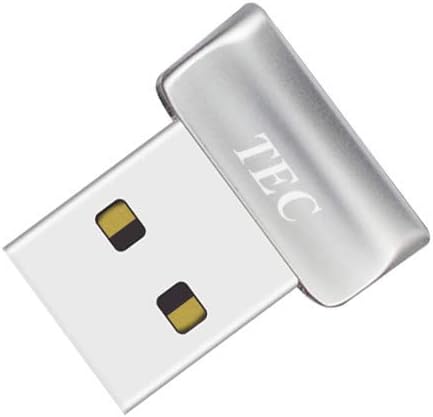
The TEC Mini USB Fingerprint Reader is a compact option with a 4.2 rating, placing it among the more highly rated devices in this guide. It is designed for Windows 10 and Windows 11 Hello, offering a straightforward way to replace repeated password entry with fingerprint authentication. Its small format suits a desk where space is limited, while the 360-degree touch system is intended to recognize fingers placed at different angles.
We may earn a commission when you buy through this link, at no additional cost to you.
This reader supports more than local sign-in. Its listed file and folder encryption functions can complement an existing Windows security workflow, while multi-fingerprint registration makes it better suited to one user with several fingers than to a large shared roster. That distinction matters because a family computer or occasional shared workstation may benefit from being able to enroll more than one fingertip.
Compatibility is the principal caveat. The product information explicitly says that the device is not compatible with ARM-based chipsets, which excludes some Windows PCs and laptops using Qualcomm-based processors. The listing also directs buyers to a troubleshooting guide for driver installation and offers customer support through the seller's store. As a result, setup may require more attention than a reader explicitly designed for no-driver installation.
Choose the TEC Mini when you want a small, Windows-oriented reader, recognize multiple fingers, and may use biometric verification with encrypted files. Confirm that your computer uses a supported x86-based chipset before buying, and be prepared to consult the supplied installation instructions if Windows does not recognize the device immediately.
The mini enclosure is well suited to compact workspaces and monitor stands. Its simple USB form factor avoids requiring a built-in fingerprint sensor in the computer itself.
Registering several fingers can make daily authentication less frustrating when a fingertip is dry, dirty, or inconvenient to position. It remains primarily a personal-device solution rather than a large enrollment terminal.
We may earn a commission when you buy through this link, at no additional cost to you.
The Kensington VeriMark Desktop 1.0 carries a 4.1 rating and is well suited to buyers who want one reader to handle Windows authentication, browser-based security keys, and organization services. It is FIDO U2F certified, FIDO2 WebAuthn compatible, and Windows Hello certified, including Windows Hello for Business. This wider protocol support gives it a clear advantage over devices described only as basic Windows Hello accessories.
We may earn a commission when you buy through this link, at no additional cost to you.
Its Match-in-Sensor Fingerprint Technology performs fingerprint matching inside the sensor rather than relying solely on the host computer. The product specifications also cite anti-spoofing technology, a 2% false rejection rate, and a 0.001% false acceptance rate. The reader supports Microsoft services including Office 365, Microsoft Entra ID, and Outlook, making it attractive for professional environments that use Microsoft's identity and productivity tools.
The long cable provides meaningful placement flexibility. Users can position the reader near a mouse, keyboard, or monitor without needing the sensor to be built into the display. On the other hand, Windows ARM-based computers are explicitly unsupported at the time of the supplied information, and the wired design is less attractive for frequent travel or shared hot-desking.
This model is an excellent choice for a managed Windows desk, an office seeking broader authentication standards, or a user who wants FIDO functionality alongside Windows Hello. Its certificate and integration support are more compelling than those of a basic convenience reader, making it the premium choice in this lineup.
FIDO U2F and FIDO2 compatibility allow the device to serve as a security key for participating websites as well as a Windows Hello reader. Tap-and-Go can also provide a token-style experience for services that use the older U2F standard.
Windows Hello for Business, Microsoft Entra ID, and Outlook support broaden the reader's value in workplaces. These integrations make it more suitable for organizations that manage sign-in through Microsoft platforms.
We may earn a commission when you buy through this link, at no additional cost to you.
The Portable USB-C Fingerprint Reader has a 4.6 rating, the highest among the products in this guide that are not positioned in the top three award selections. It is built around a particularly useful idea: adding biometric login to a modern laptop without forcing the user to give up the machine's only USB-C port. A built-in pass-through port allows charging or another USB-C connection to remain in use.
We may earn a commission when you buy through this link, at no additional cost to you.
Windows Hello support and an advertised recognition time of less than one second make the scanner attractive for frequent sign-ins. Its 360-degree capacitive touch system is designed to read a fingerprint without requiring a precise swiping angle. The aluminum alloy housing also gives it a more travel-friendly appearance than a typical desktop puck, while included 3M adhesive backing allows it to be mounted to a laptop lid or desk.
The pass-through connection is only as useful as the device's placement and the port arrangement of the computer. It also adds a layer of hardware between the laptop and any cable connected to the pass-through port. Buyers should verify that their USB-C port supports the necessary data and power functions, and they should consider whether a direct USB-A reader would be simpler for their setup.
This is the pick for a mobile professional who wants Windows Hello across several USB-C laptops or desktops. The combination of a pass-through hub, adhesive mounting, fast recognition, and portability gives it a distinct advantage over fixed readers. It is less suitable for older PCs that lack USB-C.
The built-in pass-through port keeps a charging cable or external accessory connected while the reader occupies the computer's USB-C interface. That convenience is particularly valuable on thin laptops with limited ports.
The aluminum casing, detachable cable, and adhesive mounting kit suit a traveler who moves between desks. The reader can remain attached to a laptop lid or be placed where it is easiest to reach.
We may earn a commission when you buy through this link, at no additional cost to you.
The DigitalPersona URU4500 is an original HID reader designed for desktop authentication, with a 3.8 rating and a specification sheet that emphasizes rugged construction. Its metal housing is intended to resist unintentional movement, while its rotation-invariant design allows fingerprints to be captured regardless of sensor orientation. The red flash provides a visible indication when an image has been captured.
We may earn a commission when you buy through this link, at no additional cost to you.
Imaging is specified at 512 dpi with 8-bit grayscale and 256 gray levels. The reader is also listed with ESD resistance, encrypted fingerprint data, and latent print rejection. Those features make it relevant to authentication workflows that need more than a simple convenience reader, and its support for a full range of software can help it fit into specialized systems.
The product supports Windows 11, including Windows 11 Pro, and Windows 10. It is also described as working with dry, moist, or rough fingerprints, which is useful for broad real-world use. The tradeoff is that its design and feature language are more infrastructure-oriented than those of newer consumer models, and its smaller form factor is not explicitly presented as a travel accessory.
Choose the URU4500 when authentication software compatibility, image quality, encrypted data, and physical durability matter more than a modern hub-style design. It is particularly relevant to users who already use DigitalPersona or HID-based systems. For a simple home Windows sign-in, other readers in the list offer more explicitly stated Windows Hello convenience.
The metal casing, rotation-invariant operation, and stated resistance to electrostatic discharge suit a reader intended to be used repeatedly. It is better aligned with permanent workstation deployments than with a temporary travel setup.
The 512-dpi, 256-level grayscale sensor and encrypted fingerprint data offer meaningful specifications for professional authentication workflows. Latent print rejection adds another layer intended for controlled use.
We may earn a commission when you buy through this link, at no additional cost to you.
The USB Fingerprint Reader for Windows is a budget-oriented option with a 3.7 rating. Its most persuasive feature is setup simplicity: the supplied information states that genuine Windows 10 and 11 systems should recognize the reader automatically without driver installation. That makes it an accessible choice for a user who wants native Windows Hello sign-in without a complicated configuration process.
We may earn a commission when you buy through this link, at no additional cost to you.
The reader can store up to ten fingerprints, which gives it unusual flexibility for a compact desktop model. It could support several family members or users of a shared computer, although Windows and organizational policies may still govern enrollment. Authentication is stated to take less than half a second, and the aluminum-alloy housing is paired with a five-foot braided extension cable for flexible placement.
Compatibility extends to 32-bit and 64-bit versions of Windows 10 and 11. The product description also states a 0.001% false acceptance rate and a 0.1% false rejection rate. These figures are manufacturer-supplied specifications rather than independent test results, so buyers should consider them alongside their own requirements. Custom or heavily modified Windows installations may require the driver update referenced in the quick-start guide.
This is the best budget recommendation for a typical home or office PC that runs standard Windows 10 or 11. It offers the core benefits of biometric sign-in, flexible positioning, and no-driver convenience without an advanced security certification focus. Users with customized enterprise systems should check the manual and driver path first.
Automatic recognition on genuine Windows systems removes much of the inconvenience associated with adding new authentication hardware. A standard PC user can connect the reader and begin the Windows enrollment process with minimal configuration.
Support for up to ten fingerprints makes this model more accommodating than a reader designed strictly for one person's index finger. It is a practical option for a family computer or lightly shared workstation.
We may earn a commission when you buy through this link, at no additional cost to you.
The Verifi P2000 Desktop is a 3.9-rated reader aimed particularly at users who rely on Windows Hello and leading password-management applications. Its 3D touch capacitance technology provides high-definition fingerprint imaging, while the device is also described as compatible with passkeys and additional Microsoft services, including Office 365.
We may earn a commission when you buy through this link, at no additional cost to you.
Its broad password-manager compatibility is a meaningful advantage in an era when many people store more credentials behind a single vault. Rather than limiting biometric convenience to the Windows lock screen, the P2000 can fit into a wider sign-in ecosystem. It is also Windows Hello certified, including support for Windows Hello for Business, giving it relevance in professional Microsoft environments.
Compared with newer models, its supplied specifications emphasize fewer protocol standards and do not provide a clear picture of connector type or cable length. The listing also does not make the same level of detail about data protection or false-rejection performance. Those omissions do not make the device unsuitable, but they make the listed compatibility features the best basis for judging it.
Choose the P2000 if password managers and passkeys are central to your workflow and you want a familiar desktop reader with Windows Hello certification. It is a particularly sensible match for users of leading password-management software who want fingerprint access without committing to a specialized security-key reader.
Compatibility with leading password managers expands the reader's value beyond the Windows sign-in screen. Users who rely on a password vault can potentially use the same familiar fingerprint gesture across supported services.
Windows Hello for Business and Office 365 compatibility make the reader a natural fit for Microsoft-centered workplaces. The product's certified status also separates it from an unverified generic USB sensor.
We may earn a commission when you buy through this link, at no additional cost to you.
The ineo USB Fingerprint Reader has a 4.0 rating and presents a straightforward way to add Windows Hello to a desktop. It supports Windows 10 and 11, offers plug-and-play setup, and includes a five-foot cable that gives the sensor more placement freedom than a short built-in-style lead.
We may earn a commission when you buy through this link, at no additional cost to you.
A particularly useful detail is the one-touch screen-lock workflow using the Win and L shortcut. When a user steps away from a desk, touching the scanner can lock the computer quickly. This is helpful in offices and shared spaces where an unattended session is a concern. The high-precision optical sensor is also described as providing quick, accurate recognition for everyday Windows authentication.
The compact enclosure keeps the reader visually unobtrusive on a desk. However, the product is explicitly not compatible with Mac, and its supplied feature list focuses on Windows Hello rather than FIDO standards, passkeys, password managers, or business certifications. Buyers seeking those features may find a more specialized model elsewhere in the guide.
The ineo reader is a good fit for a standard Windows desktop where quick login and one-touch locking are the main goals. Its straightforward setup, compact shape, and long cable make it easy to add to an existing workspace without bringing in a larger enterprise authentication appliance.
Integrating a fingerprint touch with the Windows lock shortcut creates a simple habit for securing a session. It is especially useful in offices, studios, and other shared environments.
The small sensor takes up little desk space, while the five-foot cable allows it to be positioned near the keyboard or mouse. That combination preserves usability without making the reader a prominent feature of the workspace.
We may earn a commission when you buy through this link, at no additional cost to you.
The Windows Hello Fingerprint Reader stands apart with a two-in-one design that combines biometric authentication and PC power control. A Y-split cable connects the reader while allowing the computer's original power button to remain functional. The product information specifies desktops only, so it is not suitable for a laptop with a different power-button arrangement.
We may earn a commission when you buy through this link, at no additional cost to you.
Its most visible feature is 18 selectable RGB lighting modes, allowing the reader to match a desk setup or provide a visual indicator of activity. The practical security features include support for up to ten fingerprints, one-touch screen locking, and fingerprint recognition in under one second from different orientations. It works with 32-bit and 64-bit versions of Windows 10 and 11.
A five-foot extension cable provides flexible positioning, such as behind a monitor or beneath a desk. The claimed 0.001% false acceptance rate and 0.1% false rejection rate sound appealing, although they are supplied figures rather than independent testing. The power-button integration is convenient only when the desktop's connector and physical layout work with the included design.
This reader is for users who want their biometric device to blend into a gaming or RGB-oriented desk while also controlling desktop power. It is less versatile for laptops, and buyers should check the splitter and power-button arrangement carefully. For a standard desktop without a specific aesthetic requirement, a simpler reader may be easier to integrate.
The Y-split arrangement preserves access to the original PC power button while adding fingerprint functionality. It can reduce the number of separate desktop controls within easy reach.
Eighteen lighting modes give the reader a visual role in addition to its authentication function. Buyers can align the indicator with the lighting scheme of a monitor, case, or desk accessory.
We may earn a commission when you buy through this link, at no additional cost to you.
The Verifi P6000 is the premium choice in this guide, holding a 5.0 rating while carrying the most formal certification language of the ten products. It appears on the FBI Certified Products List, and its high-speed fingerprint sensor meets the stated FIPS-201 fingerprint-quality standard. That makes it the most compelling option when an organization needs evidence-oriented image quality rather than convenience alone.
We may earn a commission when you buy through this link, at no additional cost to you.
For normal sign-in, the P6000 provides Windows Hello and Windows Hello for Business certification. It works with Windows laptops and desktops through plug-and-play USB connection, without requiring additional software according to the supplied information. The all-metal housing is built for durability, which suits a permanent workstation, shared counter, or managed office environment.
The main consideration is whether a business truly needs this level of certified fingerprint capture. A home user who only wants a convenient way to unlock a PC may not benefit from the specialized hardware, while a regulated organization may find the certification central to its selection process. Buyers should also verify their internal requirements and the current certification status of the exact model.
The P6000 is best for professional deployments, identity workflows, and buyers who prioritize recognized fingerprint quality and durable construction. For individual home use, it remains a capable Windows Hello reader, but its premium positioning makes it most compelling where certification and long-term institutional use matter.
Inclusion on the FBI Certified Products List and conformance with the stated FIPS-201 quality standard distinguish the P6000 from convenience-focused readers. These details are most useful to organizations with formal capture requirements.
The all-metal body and plug-and-play Windows Hello operation make the reader suitable for a permanent desk. Windows Hello for Business support adds value for managed deployments.
We may earn a commission when you buy through this link, at no additional cost to you.
The most useful fingerprint reader is one that your operating system recognizes, suits your computer's ports, and remains within easy reach. Certification, fingerprint capacity, cable design, and intended deployment should guide the final decision.
Start with the operating system rather than the shape or speed claims of the reader. Most models in this guide are designed specifically for Windows 10 or Windows 11 and use Windows Hello for local authentication. Some products add compatibility with 32-bit and 64-bit systems, while others are limited to standard x86 processors and explicitly exclude ARM-based chipsets. A no-driver model is convenient on a normal installation, but custom builds and managed enterprise systems may still need the manual or an updated driver. Verify processor architecture, Windows edition, and the manufacturer's stated requirements before ordering.
Windows Hello is the foundation for PC sign-in, but some readers support much more. FIDO U2F and FIDO2/WebAuthn compatibility can let a device act as a security key for participating websites and online services. Windows Hello for Business matters in managed organizations, while passkey and password-manager support can extend convenience to third-party credential workflows. A device can work perfectly for Windows unlock while offering no broader authentication capabilities, so decide whether you need a focused fingerprint reader or a multifactor security key.
For professional use, examine certifications and architecture rather than relying only on generic security language. The Kensington Upgraded VeriMark Desktop 2.0 lists ESS, SDCP, TAA, and privacy-framework support, while the VeriMark Desktop 1.0 uses Match-in-Sensor technology and anti-spoofing features. The Verifi P6000 is listed on the FBI Certified Products List and meets the stated FIPS-201 fingerprint-quality standard. On-device processing and storage can also reduce where biometric information is handled. Formal organizational requirements should always take priority over marketing shorthand.
Check the connector before considering any other feature. Some readers use standard USB-A, which remains common on desktop PCs, while others use USB-C for modern laptops. The Portable USB-C Fingerprint Reader adds a pass-through port, allowing charging or another USB-C accessory to remain connected to a thin laptop. Its hub function is useful, but it also adds bulk and depends on the capabilities of the host port. A direct USB reader is usually simpler, while a pass-through model may be the only convenient option on a computer with a single USB-C port.
Look for 360-degree recognition, broad orientation tolerance, and a stated false rejection rate when reliable everyday use is important. Several readers claim recognition in under one second, while one Microsoft-certified model lists a 0.001% false acceptance rate and 0.1% false rejection rate. These figures come from the supplied product information and should not be treated as independent test results. Your own fingers, skin condition, sensor placement, and how consistently you touch the reader will ultimately influence the experience. Registering more than one finger can provide a useful fallback.
A personal scanner only needs enough capacity for your own fingers, often two or three registrations. Shared desks, family PCs, and small offices may benefit from devices that support ten fingerprints. Capacity does not guarantee that a device will be suitable for a large office because Windows enrollment rules, device policy, and fingerprint distinguishability still apply. For high-volume environments, a desktop reader with a long cable and durable housing may be more appropriate than a compact portable model.
A scanner that feels awkward to reach will be used less often. Five-foot extension cables appear on several models, allowing the sensor to sit beside the mouse, keyboard, or monitor rather than at the end of the computer. The Kensington VeriMark Desktop 1.0 has a cable close to four feet, offering similar flexibility. Portable readers with aluminum bodies and adhesive mounting are better for hot-desking and travel. Fixed desktop models may be more rugged but harder to move between computers.
Metal housings, braided cables, and rotation-invariant sensors can make sense in offices or managed installations. A smaller, lighter reader is more appropriate for a home office or travel bag. The DigitalPersona URU4500 emphasizes rugged construction, 512-dpi imaging, ESD resistance, and support for varied finger conditions. The Verifi P6000 uses an all-metal housing and recognized image-quality certification. At home, the main priorities may instead be simple setup, compact size, and a cable that fits the available desk space.
Begin by confirming that the computer runs a supported Windows version and that the reader's connector matches an available port. Connect the scanner before opening Windows Settings, then wait for the operating system to identify it. On most supported systems, Windows will open the relevant enrollment path automatically or make the fingerprint option available under Windows Hello settings.
When adding a fingerprint, use a clean, dry finger and place it flat on the sensor rather than swiping across it. Follow the prompts to capture different portions of the fingertip, then repeat the process for a second finger. Keeping the reader in a stable position during enrollment improves consistency. After saving, test the sign-in while your normal password remains available so you can return to the account if the biometric sensor does not recognize you.
For everyday care, wipe the sensor with a soft, dry or lightly damp cloth and avoid abrasive cleaners, moisture, and aggressive chemicals. Do not press hard on the glass or use the scanner on an exposed outdoor surface where dirt and moisture can reach the electronics. Route the cable so it cannot be pulled sharply, and use the mounting hardware for portable models. If recognition becomes unreliable, remove and re-enroll the affected finger, clean the sensor, and confirm that the Windows driver is still functioning correctly.
No, although most readers in this guide support common versions of Windows 10 and 11. Check the processor architecture because some products explicitly exclude ARM-based chipsets. Also verify the connector, Windows edition, and any driver requirements, particularly on custom or managed systems. A genuine standard Windows installation generally provides the smoothest setup.
The products in this guide are primarily designed for Windows and Windows Hello, and the ineo model explicitly states that it is not compatible with Mac. A product description that mentions Windows support should not be assumed to provide equivalent macOS or Linux support. Check the manufacturer's current compatibility statement and driver requirements for any non-Windows system.
A compatible reader can be useful for Windows sign-in and websites that support FIDO2, WebAuthn, passkeys, or Windows Hello authentication. The security of the full sign-in flow also depends on the site, your account settings, and the device's protected storage. For managed or regulated work, use models with clear certifications and follow the organization's security policy.
Windows Hello provides platform-level biometric sign-in and can unlock devices and supported Microsoft accounts. FIDO2 expands the use of the hardware as a cryptographic security key for compatible websites and services. Readers supporting both give users broader options, while a basic Windows Hello reader is intended mainly for local and supported Microsoft authentication.
Registering at least two fingers is advisable so you have a backup when one fingertip is dirty, dry, injured, or positioned awkwardly. Shared computers may need additional registrations, and some products support up to ten fingerprints. Avoid enrolling the same finger repeatedly in the hope of improving recognition; instead, redo the capture cleanly for a better template.
Disconnect and reconnect the device, then try another USB port and confirm that the computer meets its system requirements. Clean the sensor and re-enroll the affected finger through Windows Hello settings. If the issue continues, consult the included manual and look for the correct driver, paying special attention to the explicit ARM-chipset limitation on some models.
You can place it wherever it remains comfortable and convenient to reach, but you should not hide it so completely that you need to adjust your hand position awkwardly for every sign-in. Readers with five-foot or longer cables are especially easy to position near the mouse or keyboard. Portable models may also include adhesive mounting for attachment to a desk or laptop lid.
They are not always necessary for a personal Windows PC, where driver-free setup, reliable recognition, and convenient placement may matter more. Certifications become more important in business, government, or regulated environments that require formal biometric capture standards, business identity integration, or documented durability. Choose the level of certification required by your actual use case.
The Kensington Upgraded VeriMark Desktop 2.0 is the most balanced overall pick because it combines USB-C and USB-A support with Windows Hello, ESS, FIDO capabilities, and on-device biometric processing. The Kensington VeriMark Desktop 1.0 stands out for professional identity features, while the USB Fingerprint Reader for Windows provides the most straightforward budget route to native Windows Hello sign-in.
Your priorities should guide the rest of the selection. Choose a compact USB-C model for travel, a long-cabled reader for flexible desk placement, an RGB and power-control design for a specialized desktop setup, or a formally certified device for institutional requirements. Above all, verify Windows version, processor architecture, connector type, and enrollment capacity before ordering.
Product listings, availability, and prices can change, so check the current details and user feedback at the time of purchase. The supplied features make it possible to narrow the field, but current compatibility documentation and your own hardware requirements should make the final decision.