
JJC Mobile Film Scanner 35mm and 120 Set
4.9Editor score
Supports 35mm and 120
Eleven-level LED backlight
Wireless remote included
Adjustable phone clamp
A scanner for 120 film should do more than photograph a negative. It must support the chosen medium-format frames, hold curled strips flat, illuminate them evenly, and produce consistent digital images without excessive reflections, cropping, or focus errors. The right setup depends heavily on your phone, camera, and preferred level of control.
We compared all ten products by examining their stated film compatibility, optical resolution, lighting systems, alignment features, editing options, storage, and physical design. The list covers smartphone digitizers, camera-based copying rails, dedicated automatic scanners, film carriers, and complete copying systems with 120-format support.
Each pick highlights a different route into digital conversion: a convenient phone workflow, a dedicated all-in-one scanner, a camera-based system, or a modular professional setup. Product details and availability can change, and current prices fluctuate, so readers should verify specifications and compare the latest offers before purchasing.
4.9Editor score

4.2Editor score

As an Amazon Associate we earn from qualifying purchases.
The table below compares 120-film support, capture method, lighting, and major workflow features. It also highlights products that are accessories rather than complete scanners, helping buyers distinguish standalone digitizers from carriers and copying systems.


The JJC Mobile Film Scanner is a phone-based digitizing system for 35mm and 120 medium-format negatives. Its 4.2 rating reflects a practical design that places an illuminated film stage, adjustable clamp, and camera phone in a repeatable arrangement. The supplied wireless remote is especially helpful because it lets the user trigger the camera without touching the phone after positioning the negative.
We may earn a commission when you buy through this link, at no additional cost to you.
The magnetic LED panel has eleven brightness levels and uses Type-C power. Its location can be adjusted on the rail, while the film holder can move along the X and Y axes to help line up each frame with the phone's lens. The clamp accepts phones between 55 and 90 millimeters wide and can move vertically to establish a suitable macro distance for close focus.
A 120-specific holder is included, along with a separate 35mm holder. Transparent masks help flatten and locate the negatives, magnetic closures simplify opening, and silicone pads protect the scanning surface. One limitation is that the system does not include conversion software; the instructions recommend downloading a free application such as Snapspeed. Image detail also depends on the camera capabilities and focusing behavior of the selected phone.
This is a sensible pick for photographers who already have a capable smartphone and want to digitize 120 film without buying a standalone scanner. The stable metal base, remote, flexible adjustment, and dedicated holder make it more versatile than a simple DIY light box. For buyers who want a straightforward 120 workflow at a modest entry point, it offers a strong balance of convenience and control.
The X-and-Y movement of the holder and panel makes it easier to match a particular 120 frame to the phone camera. This is valuable when working with different negative sizes or when a phone camera lens is not perfectly centered.
Eleven brightness levels help balance the light against the exposure settings of different phones. The detachable remote reduces the chance of moving the rig at the exact moment the camera takes the picture.
We may earn a commission when you buy through this link, at no additional cost to you.
The JJC Mobile Film Scanner Digitizer Set combines a phone clamp, magnetic LED backlight, 35mm and 120 film holders, and a detachable wireless remote. It earns a 4.9 rating, the highest numerical score in this group, and is a particularly attractive option for users who want clear 120-format support in a compact phone-based setup.
We may earn a commission when you buy through this link, at no additional cost to you.
The lighting panel attaches magnetically to the sliding rail and offers eleven brightness levels. Its horizontal movement helps position the negative for different frame sizes, while the clamp travels up and down the support to find a workable macro distance. Silicone pads improve grip and help protect both the phone and the scanning surface. The 120 holder uses a transparent mask, magnetic closure, and non-slip base to keep a negative flat and properly located.
The main limitation is that the result is not entirely determined by the scanner. The phone's camera, software, macro focus, and exposure controls all influence the finished image, and no conversion application is bundled. Buyers should therefore treat the included remote as a capture aid and use a capable editing or conversion workflow afterward. The system also remains phone-based rather than providing a built-in sensor.
This set is an excellent first option for someone converting a modest collection of 120 negatives without investing in a dedicated scanner. Its strong rating, clear format support, adjustable lighting, and stable construction make it easier to establish a repeatable process. For users who already own a good smartphone, it provides a capable, economical bridge between physical film and digital files.
The sliding illumination rail and vertically adjustable clamp make it possible to reproduce a similar camera-to-film distance for multiple strips. Repetition is essential when scanning an entire roll and comparing frames from the same exposure series.
The included magnetic 120 holder does more than store film. Its transparent mask, closure, silicone protection, and flat positioning help the negative remain stable during exposure.
We may earn a commission when you buy through this link, at no additional cost to you.
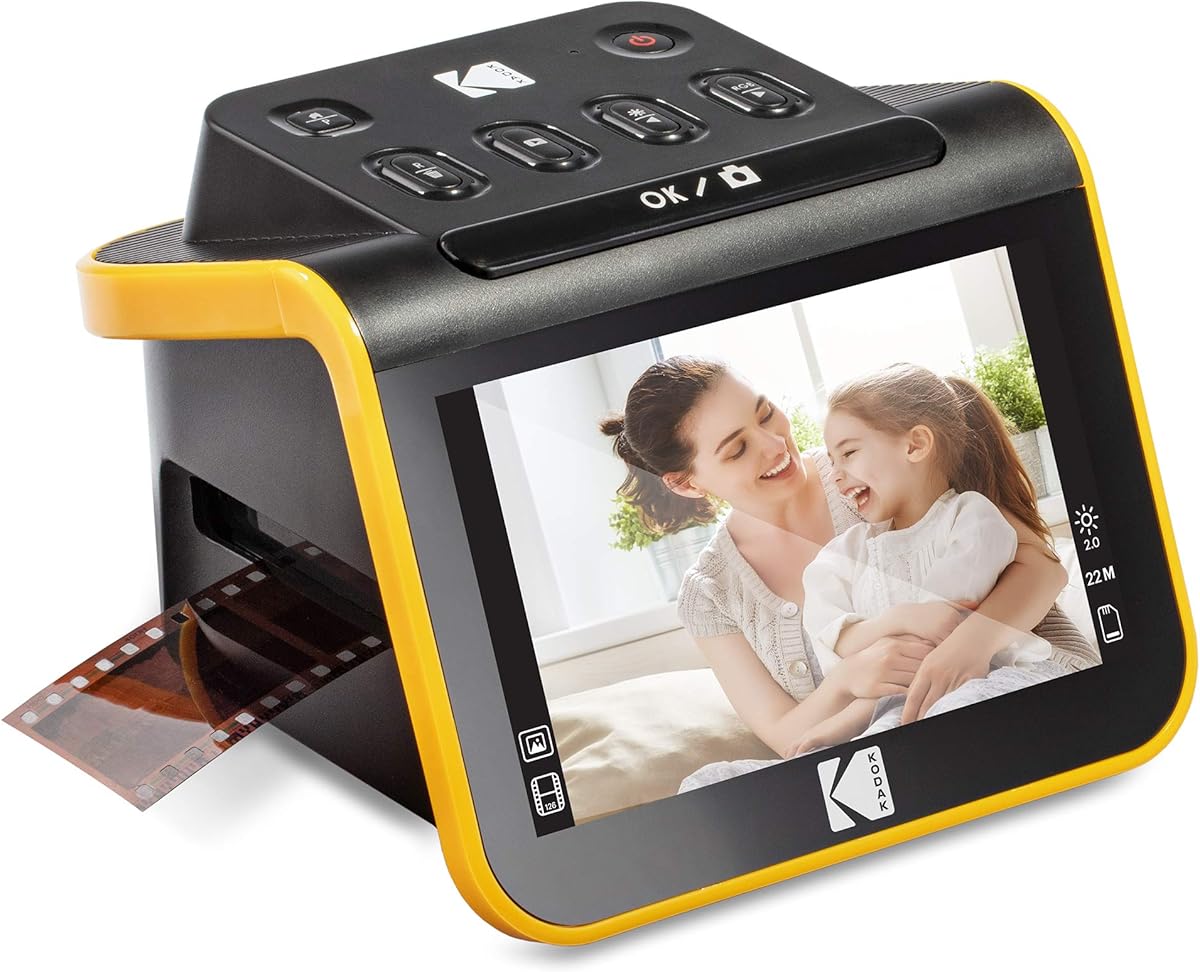
The KODAK Slide N Scan is a dedicated 22-megapixel film and slide scanner with a five-inch LCD, built-in editing, and support for 135, 110, 126, and 50mm formats. Its 4.3 rating makes it an attractive general-purpose scanner for collections dominated by standard small negatives, but it should not be treated as a confirmed 120-film solution based on the supplied specifications.
We may earn a commission when you buy through this link, at no additional cost to you.
The automatic quick-feed trays simplify handling, while a gallery-style display allows the user to preview, edit, and share images without immediately transferring them to a computer. The capture software can resize and convert photographs, while controls for film type, color brightness, and date or time are accessible from a simple scan-oriented interface.
Its most important limitation for this guide is format compatibility. Nothing in the supplied product information states that the scanner accepts 120 medium-format negatives, and its listed holders cover 135, 110, 126, and slides. A 120 strip may physically resemble small negative formats, but the dimensions and image area are different, so buyers should not assume compatibility or crop the image digitally to compensate.
Those restrictions make this scanner best for 35mm and slide collections rather than a 120-focused purchase. It is still worth considering as a separate all-in-one option if the buyer owns only compatible film. For anyone whose priority is specifically 120 medium format, one of the scanners or copying systems explicitly listing 120 support is the safer choice.
The integrated sensor, screen, editing tools, and card storage allow scanning without a smartphone, camera, or computer. That simplicity can be valuable for users who prefer a single self-contained appliance.
A high resolution cannot compensate for an unsupported negative size. Confirm the dimensions of your 120 frames and the scanner's listed holder formats before considering this model for medium-format work.
We may earn a commission when you buy through this link, at no additional cost to you.
The ProMaster Digitizing Kit for 35mm and 120 Film, model 90420, is a premium camera-copying setup centered on a precision sliding rail. It is intended for photographers who want repeatable positioning, a rigid support, and high-quality LED illumination when digitizing 120 medium-format negatives. No numerical customer rating is supplied for this product.
We may earn a commission when you buy through this link, at no additional cost to you.
The etched scale markings support fast, repeatable setup, while the rail permits the film holder and light source to move accurately in relation to the lens. The main rail is machined from aluminum for rigidity, and the lighting claims a 97 CRI and 98 TLCI. Those color-rendering figures indicate that the source is designed to reproduce color more faithfully than a basic cool-white panel.
This is not a standalone scanner, so the buyer must supply an appropriate camera, lens, and capture device. Its premium benefits therefore come from precision and repeatability rather than a built-in sensor. The included components and exact camera-mounting details should be verified before use, and software conversion and post-processing will also be required.
The kit is best suited to an enthusiast or professional who values alignment and color consistency over a phone-based capture. Its explicit 120 support, robust construction, adjustable rail, and warranty make it a compelling high-end route for medium-format digitization. Users should confirm that their camera and lens can focus closely enough to fill the frame before assembling the system.
Etched scales and a precision rail make it easier to return the camera, holder, and illumination to the same relationship for every frame. Consistent geometry reduces repeated adjustments and supports a more uniform archive.
A CRI of 97 and TLCI of 98 are strong specifications for a film-copying light. Accurate illumination is particularly valuable when evaluating skin tones, product colors, and subtle differences across a series of exposures.
We may earn a commission when you buy through this link, at no additional cost to you.
The Negative Supply Enthusiast Plus Kit is a substantial camera-copying system for 35mm, 120, and 4×5-inch film. It uses a large baseboard and a 26-inch working height to minimize vibration, making it more of a dedicated studio workflow than a compact tabletop accessory. No numerical rating is supplied.
We may earn a commission when you buy through this link, at no additional cost to you.
The kit includes Basic Film Carrier MK2 units and a 4×5-inch sheet-film scanning kit. Stabilizing masks help keep negative frames flat, improving the chance that the entire image plane will remain in focus. The light source claims a CRI of 99 and provides even illumination across the supported negative area.
Its physical scale is both a strength and a limitation. The tall riser can provide more room to position a camera, but it will require a stable tabletop and sufficient working clearance. The system also does not appear to include a camera, so buyers need to match their lens, camera body, and mounting hardware to the copying arrangement.
This kit is a strong candidate for photographers who regularly handle 120 film and may also scan 4×5 sheets. The combination of a stable base, accurate lighting, and format-specific carriers makes it more specialized than a phone holder. Choose it when a permanent or semi-permanent digitizing station is preferable to a portable setup.
The wide baseboard and 26-inch working height provide a more stable platform than a small rail on a household table. Stability becomes increasingly important as the camera is positioned closer and the resulting image is magnified.
Separate 35mm, 120, and 4×5 carriers make it possible to organize the workflow by format. Stabilizing masks also address a common challenge with older film: keeping curled negatives consistently flat.
We may earn a commission when you buy through this link, at no additional cost to you.
The Upped Film Digitizing Adapter uses an existing digital camera and lens to photograph 35mm and 120 negatives. Its 3.7 rating is the lowest numerical score among the rated products, but the underlying feature set is appealing for photographers who already own camera equipment and want an adjustable copying rail.
We may earn a commission when you buy through this link, at no additional cost to you.
The aluminum rail supports a distance of 265 to 470 millimeters, and a locking knob holds the chosen position. An eleven-level detachable LED backlight uses Type-C power, while the 1/4-inch threaded connection lets the light attach to the rail. This separation between camera distance and light position gives the user more freedom to compose each frame.
The bottom of the slide includes 1/4-20 and 3/8-16 holes, an Arca-Swiss-style quick-release structure, and a supplied flathead tool. Those options allow the adapter to work with compatible monopods or tripods. A magnetic 120 holder with a transparent mask and silicone pads is included for flat, stable placement.
This is best for a user who has a suitable camera, close-focusing lens, tripod, and post-processing software already. The main trade-off is that setup and technique become the user's responsibility, while the lower rating may suggest some inconsistency among owners. Even so, the rail range, fine locking control, and broad mounting support make it a versatile 120 conversion option.
Separating the camera-to-film distance from the light position helps photographers adapt the rig to different frame sizes and lenses. The locking knob is particularly useful once that geometry has been established.
Multiple threaded patterns and an Arca-style interface allow the adapter to fit more camera-support setups. That makes it easier to build a stable rig without requiring a single proprietary support system.
We may earn a commission when you buy through this link, at no additional cost to you.
The JJC Negative Film Holder is a specialized 120-format accessory rather than a complete digitizing system. It holds one strip containing three negative frames and is compatible with the JJC FDA-S2 digitizer, copying equipment, and a standard flatbed scanner with suitable transparency support. Its 3.9 rating reflects a useful niche design.
We may earn a commission when you buy through this link, at no additional cost to you.
The transparent PC sheet helps flatten curled or aged film, while aligned notches establish the position of the strip. A magnetic closure secures the holder without requiring a complicated latch, and silicone pads protect the scanner glass from scratches. The listed scanning area is 190 by 57.1 millimeters.
The important limitation is that the holder performs no capture by itself. It must be paired with a suitable scanner, camera, or adapter. Incorrect placement can also leave part of the image out of focus, while dust trapped beneath the film can appear in the scan. The manufacturer specifically recommends confirming placement and removing lint with a blower before capture.
This is the right purchase for a photographer who already owns a compatible scanner but needs a reliable 120 carrier. It can be particularly useful for organizing three-frame strips and preventing the negative from shifting during a long copy session. Buyers should pair it with one of the explicitly compatible digitizing or copying setups rather than expecting it to work as a stand-alone solution.
The transparent mask gently holds older film in a flatter position, improving the odds that the full frame will be sharp. This is one of the most important preparation steps in medium-format copying.
Holding a strip of three frames in a fixed format simplifies alignment with different 120 masks. Magnetic closure and silicone padding reduce movement and protect both the film edges and the scanning surface.
We may earn a commission when you buy through this link, at no additional cost to you.
The Magnasonic FS71 is a 24-megapixel all-in-one scanner designed for 35mm, 126, 110, and Super 8 negatives along with common slide formats. Its 4.3 rating and five-inch display make it a practical standalone option, but the supplied specifications do not list 120 medium-format support.
We may earn a commission when you buy through this link, at no additional cost to you.
The scanner saves JPEG files to an SD card and can display images on its own screen or through an HDMI connection to a television or monitor. Built-in controls allow brightness adjustment, RGB color correction, flipping, and mirroring without separate editing software. Fast-loading trays are advertised as reducing the time required for each image.
As with the KODAK model, it is important to distinguish general film-scanning capability from 120 compatibility. The listed formats center on 35mm and smaller film, while no 120 carrier or 120 image area is mentioned. Buyers should not assume that a 120 strip can be cropped successfully from a 35mm frame because the aspect ratio, framing, and image circle are different.
For 35mm and slide collections, this scanner offers a straightforward, computer-free workflow with a good resolution specification and useful on-device controls. It is not the appropriate pick for a collection made primarily of 120 negatives. Those buyers should favor the JJC, ProMaster, Negative Supply, Upped, or Simple systems that explicitly mention 120-format components.
Brightness, RGB color correction, flip, and mirror controls are accessible directly on the scanner. This reduces the need for complicated drivers or editing-software installation during basic archival work.
Fast-loading trays and direct SD card storage support a straightforward batch workflow. The built-in screen also provides an immediate way to check framing and image quality before moving to the next negative.
We may earn a commission when you buy through this link, at no additional cost to you.
The Simple 35 and 120 Film Scanning System is a modular copying kit built around separate Basic Film Carrier 35 MK2 and Basic Film Carrier 120 MK2 components. It is designed for photographers who want explicit 120 compatibility, multiple frame masks, and high-quality illumination. No numerical customer rating is supplied.
We may earn a commission when you buy through this link, at no additional cost to you.
Stabilizing masks hold 35mm and 120 negatives securely and consistently, which supports sharp results and repeatability. The listed mask options cover panoramic, standard, half-frame, 6×9-centimeter, 6×7-centimeter, 6×6-centimeter, and 6×4.5-centimeter formats. This flexibility is useful for photographers whose collection includes more than one 120 frame size.
The 4×5-inch Basic Light Source MK2 has a stated CRI of 97, supporting accurate and even color illumination. The 120 carrier is made from carbon fiber, combining low weight with rigidity. Since the information does not identify a built-in camera, this should be understood as a copying and carrier system rather than a self-contained scanner.
The system is a strong match for users who want a dedicated 120 workflow and already have suitable camera equipment. Multiple masks reduce the need to improvise framing for different negative shapes, while the carbon fiber carrier is easier to reposition during a long session. Confirm the full contents and camera requirements before purchase, since the supplied description focuses on carriers, masks, and lighting rather than a complete imaging device.
Seven listed mask formats cover common square, rectangular, panoramic, and half-frame arrangements. Proper masks make it easier to position each negative consistently while preventing unwanted areas from entering the frame.
Carbon fiber keeps the 120 carrier light without sacrificing rigidity. That balance can be helpful for photographers who move between a controlled work surface and other locations.
We may earn a commission when you buy through this link, at no additional cost to you.
The HP FilmScan is a 13-megapixel film and slide scanner with a seven-inch color touch display. Its 4.0 rating reflects a user-friendly standalone appliance, but the supplied information lists 135, 126, and 110 formats without confirming support for 120 medium-format negatives.
We may earn a commission when you buy through this link, at no additional cost to you.
The large display provides room for previewing, cropping, and editing without a computer. On-device tools can adjust scans before transfer, while USB connectivity supports moving files to a computer and HDMI allows a slideshow on a television. A quick-feed tray and 50mm adapter help users process mixed collections of supported negatives and slides.
As a dedicated scanner, it avoids the variable results that can occur when a phone camera supplies the capture sensor. The trade-off is its 13-megapixel specification, which is lower than the 22- and 24-megapixel sensors offered by the two dedicated scanners in this roundup. The seven-inch screen and touch workflow are nevertheless the main attraction.
This model makes sense for a 35mm-and-slide collection and for buyers who value a large interface. It is not an appropriate recommendation for scanning 120 negatives unless the manufacturer or seller confirms compatible hardware. A 120-focused buyer should instead choose a system that explicitly includes a 120 carrier, 120 light source, or 120 medium-format scanning protocol.
The seven-inch touch display makes framing and image selection easier than on a compact built-in screen. Buyers can crop and adjust images directly before transferring the finished files.
USB provides a route to computer storage, while HDMI turns the scanner into a convenient display frame. These options make the device useful both during digitizing and when reviewing an archive.
We may earn a commission when you buy through this link, at no additional cost to you.
The best scanner for 120 film is not necessarily the one with the largest advertised resolution. Format support, flatness, alignment, lighting quality, camera suitability, and the desired level of automation should guide the decision.
A product that scans film is not automatically a product that scans every film format. Look for explicit references to 120 medium format, 6×4.5-centimeter, 6×6-centimeter, 6×7-centimeter, 6×9-centimeter, panoramic, or half-frame support. Also check whether the listed film holders actually include a 120 carrier. The KODAK, Magnasonic, and HP scanners in this roundup have useful general film-scanning features, but their supplied specifications do not confirm 120 support.
In short, explicit format compatibility should be your first filter. A model marketed only for 135, 126, 110, Super 8, or slides should not be assumed to handle 120 film.
There are three broad approaches. A phone-based scanner uses the camera already in your pocket, offering convenience and a relatively compact footprint. A camera-copying rail uses a dedicated digital camera and lens for more control over framing and image quality. A standalone scanner integrates a sensor, display, controls, and storage for a largely automatic workflow. Each approach can produce useful results, but the required skills and total equipment differ.
Choose a phone system for convenience, a copying rail for precision, or a standalone scanner for minimal setup. Make sure the product you select does not require equipment you do not already own or intend to buy.
Older negatives often curl, wrinkle, or sit unevenly inside a camera. A good 120 carrier should keep the strip flat, protect the film edges, and align the frame with the imaging area. Stabilizing masks, transparent masks, and close-fitting holders all serve this purpose. The JJC 120 holder, Simple system's masks, and Negative Supply carriers are particularly relevant because they directly address 120 geometry and film stability.
Prioritize holders that prevent movement without forcing the film in a way that could cause damage. In short, flat and repeatable film placement is essential for keeping the entire frame sharp.
Uniform backlighting is essential for revealing shadow detail and maintaining consistent exposure. Phone systems in this list offer eleven brightness levels, while the more specialized ProMaster, Negative Supply, and Simple systems cite CRI figures of 97, 99, and 97 respectively. High color-rendering performance is especially useful for accurate reproduction, but even illumination, appropriate brightness, and freedom from reflections are equally important.
Look for adjustable output and a light source that can be aligned easily with the film. In short, choose neutral, controllable illumination rather than assuming the brightest setting produces the best scan.
Standalone scanners advertise fixed sensor resolutions such as 13, 22, and 24 megapixels. Phone and camera-rail systems do not have one universal resolution because the result depends on the selected phone or camera, lens, cropping, and output settings. For a copying rail, verify the camera can focus closely enough to fill the frame and whether it offers manual focus or a suitable magnified live view.
In short, more pixels can improve fine detail, but effective resolution still depends on optics, focus, and film condition. Match the capture device to the size and quality of the 120 frame rather than comparing resolution numbers alone.
A film that shifts between frames produces inconsistent crops and focus. Sliding rails, locking knobs, etched scales, rigid aluminum construction, and adjustable phone clamps make positioning more repeatable. Dedicated copies systems add a large baseboard and 26-inch working height, while smaller phone units prioritize portability. A stable surface remains necessary regardless of the product's construction.
In short, look for repeatable positioning controls and a base that resists tipping. The best setup is one you can adjust once and reproduce for an entire roll.
Standalone scanners may provide on-device brightness, RGB color correction, crop, flip, mirror, and other controls, then save images to an SD card. Phone-based systems require a compatible app and usually a workflow for converting a negative into a positive image. Camera-rail products also depend on editing software to invert the negative and apply color corrections. Computer and television connections can make reviewing and organizing the archive easier.
In short, choose the workflow that matches your technical comfort. In short, check that required software, cables, memory cards, or editing tools are included or readily available.
Phone scanners are compact enough for a small workspace and can be packed for travel. Camera rails are longer and may need a tripod or a larger table. The Negative Supply Enthusiast Plus Kit has an 11.25-by-14.75-inch baseboard and 26-inch working height, making it better suited to a permanent station. Standalone scanners occupy a middle ground because they require a surface and a power connection but need no separate camera.
In short, consider where the system will live. Choose portability for occasional work or a larger stable surface for high-volume, high-magnification digitizing.
Begin by identifying the frame sizes in your collection and confirming that the scanner, holder, and masks support them. Clean the work area and scanner glass or imaging surface, then inspect each strip for dust, scratches, tears, and severe curl. Use a blower or suitable soft cleaning method before placing a negative into a holder. Handle the film by its edges, and do not force a curled strip into a mask.
Next, install the appropriate film carrier and establish the geometry between the imaging device, negative, and light. Position the illuminated area over the frame, adjust camera-to-film distance, and focus while viewing the image at magnification. Turn off automatic exposure or otherwise lock the settings if your workflow allows, and use a consistent exposure for every frame in a series. For phone systems, use the supplied remote to avoid shaking the rig when taking the picture.
Capture a test image and inspect it for focus, color cast, reflections, framing, dust, and blown highlights. Adjust brightness, white balance, orientation, and cropping as needed, then create a repeatable profile for the film type and camera combination. Save the original capture along with the edited version, organize files by roll or event, and back them up in more than one location. For long-term storage, use file names and metadata that clearly connect each digital file to its source negative.
Only if it explicitly supports 120 or the specific dimensions of your frames. Many affordable scanners handle 35mm, 110, and 126 film but omit 120 because medium-format strips have different proportions and image areas. Check the listed holders, image area, and compatible frame sizes before purchasing, and do not assume that cropping a 35mm scan will produce a complete 120 image.
A smartphone scanner can be effective when the phone has a capable camera, good macro focus, controlled exposure, and a capable editing application. A dedicated copying rail can add precision, while a standalone scanner offers more consistent automation. The key factors are even lighting, flat film placement, accurate framing, and repeatable focus, regardless of which capture method you choose.
A 120 film holder positions and flattens a strip of medium-format negatives, but it does not capture an image by itself. A scanner or copying system combines a light source, an imaging sensor or camera, alignment controls, and software or storage. The JJC 120 holder is therefore an accessory that must be paired with compatible copying or scanning equipment.
A high-CRI source is desirable because it renders colors more faithfully, especially in skin tones and subtle gradients. The ProMaster, Negative Supply, and Simple systems list CRI ratings of 97, 99, and 97 respectively. Lighting must also be even and correctly exposed, so CRI should be considered alongside brightness controls, diffusion, alignment, and the camera's white balance.
Use a carrier with a transparent or stabilizing mask that holds the strip flat without creasing it. Place the film in the notches carefully and close the holder gently, then confirm that every part of the intended frame is in focus. A blower can remove dust before scanning, but persistent curl may require a film conservator rather than aggressive flattening.
It depends on the system. Standalone scanners can save files to an SD card and perform basic edits without a computer, while phone and camera-rail products generally require an app or editing software for negative conversion and color correction. Even if a computer is not required for capture, it can be useful for arranging, correcting, backing up, and preserving a larger archive.
Look for a system with dedicated carriers and masks for both formats. The JJC phone sets, ProMaster kit, Negative Supply Enthusiast Plus Kit, and Simple 35 and 120 Scanning System all explicitly mention 35mm and 120 support. The right choice among them depends on whether you prioritize phone convenience, copying-rail precision, system stability, or modular masks.
No scanner can fully restore information that is physically missing, severely scratched, faded, or improperly exposed. A good scanner can minimize copying problems, maintain even color, and preserve the details that remain visible. Preparing the film carefully, keeping it flat, cleaning the optical surface, and choosing suitable exposure settings are just as important as the hardware itself.
The JJC Mobile Film Scanner Digitizer Set is the strongest entry-level choice for 120 film because it combines explicit format support, adjustable LED lighting, a stable phone clamp, a wireless remote, and a dedicated holder. The original JJC Mobile Film Scanner is also highly flexible, while the ProMaster Digitizing Kit represents the premium route for photographers who want a precision rail, rigid construction, and high color-rendering illumination.
Prioritize compatibility before resolution. Confirm that the product accepts the exact 120 frame sizes in your collection, then evaluate film flatness, alignment, lighting, and whether the required camera, lens, phone, software, or storage device is already available. Dedicated scanners such as the KODAK, Magnasonic, and HP models may suit 35mm and slide collections, but their supplied specifications do not confirm 120 support.
Finally, check the current product listing, included accessories, warranty terms, and latest price before ordering. Film-scanning specifications can change between production runs, and availability may vary. Treat the guide as a feature-based shortlist, then compare the live listing with the size and condition of your negatives to make the final choice.