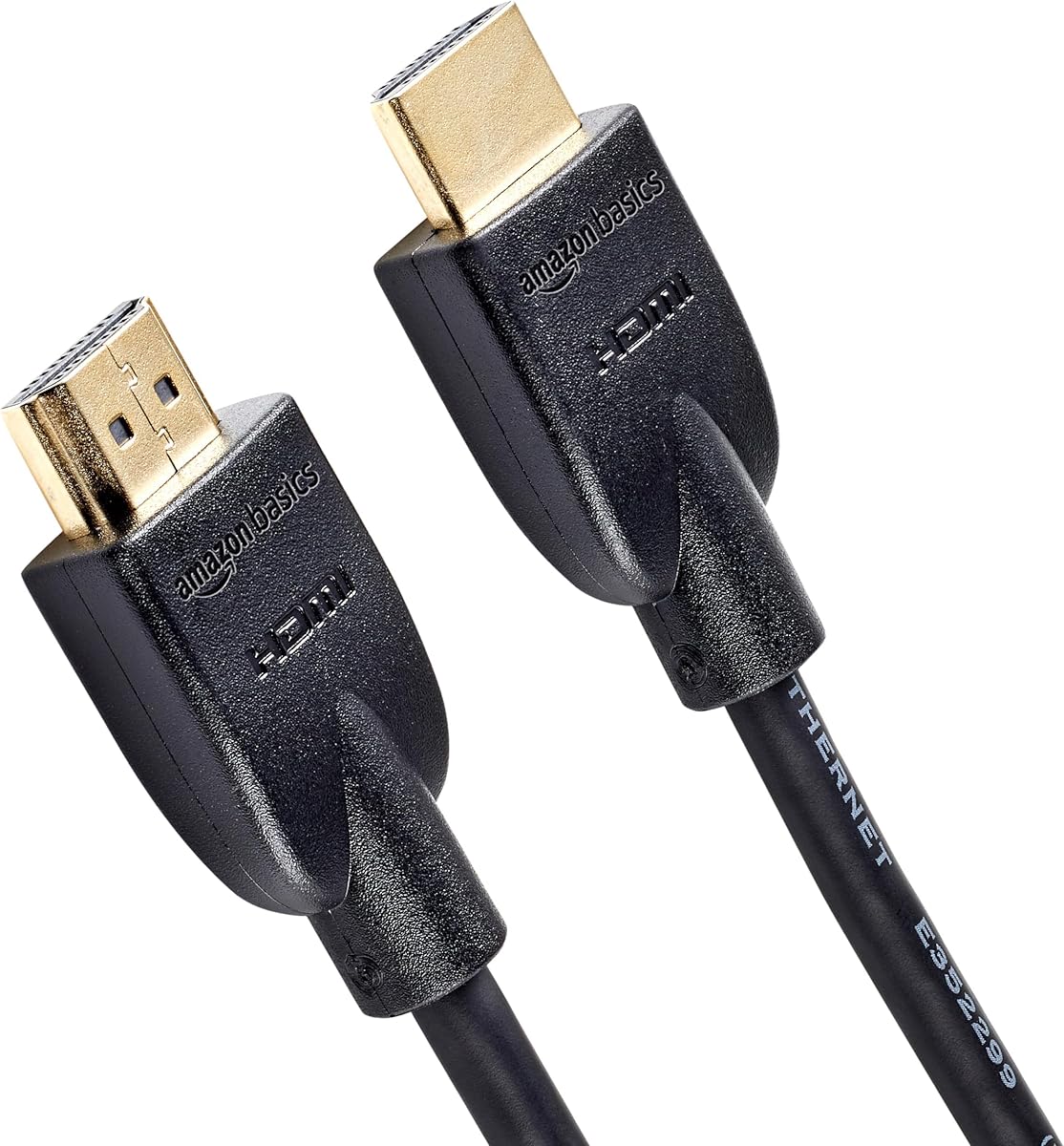
Amazon Basics HDMI Cable, 3ft
4.7Editor score
3-foot standard HDMI cable
4K at 60Hz support
18Gbps maximum bandwidth
Discover the best HDMI cable for PS3, comparing length, bandwidth, HDMI standards, durability, connectivity, and PS3 compatibility.
An HDMI cable for PS3 should provide a dependable connection, support the resolution and audio formats available on the console, and fit neatly into a home entertainment setup. Although newer cables advertise 8K, 10K, or 48Gbps capabilities, a PS3 primarily outputs 1080p video, so cable selection should emphasize compatibility, signal reliability, length, and build quality rather than headline specifications alone.
This guide compares ten HDMI cables listed for use with the PlayStation 3 and other HDMI-enabled devices. The analysis considers stated bandwidth, supported resolutions, connector construction, cable length, audio features, installation needs, and practical value. It also distinguishes basic 1080p requirements from advanced HDMI 2.1 features that may matter more when the same cable serves a newer console, television, projector, or gaming PC.
Each review explains the strongest reasons to consider a particular cable without assuming that every advertised capability changes the PS3 experience. The list includes a compact budget option, several 4K and high-bandwidth models, a 30-foot cable for unusual installations, and dedicated PS3-compatible leads. Ratings and specifications reflect the supplied product information, while prices and availability can change over time.
4.7Editor score

4.6Editor score

4.7Editor score
The table below compares the ten cables by length, stated bandwidth, headline resolution support, and the qualities that most directly affect a PS3 installation.





The 6FT HDMI Cable is a straightforward and broadly compatible option for connecting a PS3 to a television, projector, or other HDMI-equipped display. Its stated 18Gbps bandwidth and support for 4K video at 60Hz exceed the PS3's native 1080p ceiling, making it a practical fit for the console. The supplied rating is 4.6, which reflects generally favorable customer feedback without indicating a perfect score.
We may earn a commission when you buy through this link, at no additional cost to you.
The cable's strongest advantage is its balanced specification sheet. It supports 2160p video, 48-bit color depth, 3D, Ethernet, and Audio Return Channel. Those features make it more versatile than a basic 1080p lead, particularly if the same connection is used with a PS4, PS5, Blu-ray player, Xbox One, laptop, or desktop computer. Its six-foot length provides useful flexibility for placing the PS3 on a media shelf while still avoiding a large excess of cable behind the television.
There are limits to consider. The listing does not mention certification, shielding construction, variable refresh rate, or other advanced gaming functions. That makes the cable better suited to straightforward home use than to a buyer who wants a future-facing connection for 4K at 120Hz, 8K displays, or demanding PC gaming. However, none of those unimplemented capabilities is necessary for the PS3 to deliver its intended 1080p presentation.
This is a strong recommendation for someone who wants a simple cable with enough bandwidth for both the PS3 and common modern entertainment devices. Choose it when reliable everyday connectivity, a moderate cable length, and broad format support matter more than premium construction or gaming-specific features.
The 18Gbps capacity provides comfortable headroom for 4K at 60Hz and common HDR-related connections. This makes the cable more useful across a mixed collection of PlayStation systems, streaming boxes, computers, and disc players than a lead designed strictly around 1080p.
Six feet is long enough for many standard media-console arrangements but short enough to manage easily. It is a sensible middle ground when the PS3 sits near, but not directly beside, the television.
We may earn a commission when you buy through this link, at no additional cost to you.
The Highwings 8K 10K 4K HDMI Cable combines certified ultra-high-speed positioning with a 48Gbps bandwidth rating and a 4.7 customer rating. It is far more capable than a PS3 requires, but that makes it an appealing choice for a household that wants one dependable cable to serve the PS3 alongside newer consoles, televisions, projectors, and gaming PCs. Backward compatibility allows it to be used with older HDMI versions.
We may earn a commission when you buy through this link, at no additional cost to you.
The cable supports 8K at 60Hz, 4K at 120Hz, and 4K at 240Hz according to the supplied description. It also lists variable refresh rate as part of its gaming-oriented feature set. Reinforced anti-bending tails and military-grade tensile nylon are intended to improve durability at the connector ends, where cables commonly experience the most repeated flexing during plug-in, removal, and routine repositioning.
The main trade-off is mismatch between capability and need. A PS3 cannot output 4K at 120Hz, 8K, or modern variable-refresh-rate video, so those advantages will remain dormant when the cable connects that console. High-end features also depend on compatible source devices, displays, and the selected mode. The 6.6-foot length is generous for a console near the television without creating excessive slack, making cable management relatively straightforward.
Choose this model if your priority is a single high-bandwidth cable for a broader entertainment system rather than the lowest possible specification for a PS3 alone. It is especially attractive for buyers planning to retain older and newer gaming hardware at the same time and wanting the cable to remain relevant as their setup evolves.
HDMI 2.0b, 2.0a, 1.4, 1.3, 1.2, and 1.1 backward compatibility lets the cable serve a PS3 while also accommodating more demanding modern equipment. That versatility can reduce cable clutter in a shared media cabinet.
The upgraded anti-bending tail and tensile nylon construction focus protection on the connector ends. This design consideration is valuable in homes where the PS3 is connected and disconnected regularly or the cable is moved during maintenance.
We may earn a commission when you buy through this link, at no additional cost to you.
The Master Cables 6.6 Foot HDMI Cable is the most directly targeted option in this roundup. Its product title explicitly identifies compatibility with the HDMI cable for PlayStation 3, and the listing also names the PS4, Xbox 360, Roku, and other HDMI-enabled devices. The supplied rating is 4.6, indicating strong overall satisfaction among the product's customer base.
We may earn a commission when you buy through this link, at no additional cost to you.
Its 6.6-foot length gives a PS3 installation a moderate amount of placement flexibility, while the plug-and-play format means no setup beyond connecting the cable is required. Gold-plated connectors are included for corrosion resistance and conductivity. The stated support for resolutions up to 4K means the cable can also accompany a later console or other modern source, although the listing does not make claims about high refresh rates, variable refresh rate, or 8K output.
What separates this cable is its clarity of purpose rather than a long list of advanced specifications. Buyers searching specifically for a PS3 lead can quickly identify that compatibility. The stated construction also includes reinforced connectors and a sturdy cable body intended to withstand regular use, making it practical for a console that may remain connected continuously but still be unplugged occasionally.
For a shopper whose main source device is a PS3, this is an easy recommendation because it avoids paying for capabilities the console cannot use. It is also a sound choice for households that want a conventional, widely compatible HDMI cable for the PS3, PS4, streaming devices, and game systems without complicated setup requirements.
The product information directly names the PlayStation 3 and PS4. That clarity reduces uncertainty for first-time PS3 owners who may be sorting through generic HDMI leads with unfamiliar specifications.
Gold-plated connectors are intended to support stable conductivity and resist corrosion. They also give the cable a conventional, straightforward installation experience with no added hardware or configuration required.
We may earn a commission when you buy through this link, at no additional cost to you.
The Silkland Certified HDMI 2.1 Cable is built around a 48Gbps bandwidth rating and a wide range of high-resolution and high-refresh-rate modes. It carries a 4.7 rating and is positioned for gamers as well as home entertainment users. For the PS3 specifically, it is more than sufficient, but for a setup that also includes a PS5, Xbox, PC, or advanced television, it offers considerable flexibility.
We may earn a commission when you buy through this link, at no additional cost to you.
The stated resolution coverage includes 8K at 60Hz, 5K at 90Hz and 120Hz, 4K at 120Hz and 144Hz, and 2K at up to 240Hz. Dynamic HDR, eARC and ARC, DTS:X, Dolby Atmos, and HDCP 2.2 and 2.3 are also listed. Importantly, the product description states that games and source equipment must support the selected 4K high-refresh mode; the cable alone cannot create those capabilities.
Construction uses copper cores, ferrite magnetic beads, and a double-layer fishnet and nylon braid. The manufacturer says these elements support signal continuity and resist interference, while the braided exterior helps protect against everyday wear. The supplied information also mentions HDMI 2.1 certification and a QR code for verification, adding a level of accountability to the specification claims.
This cable is best for a buyer who wants the PS3 connection to share a cable ecosystem with modern high-end devices. It may be excessive for a dedicated PS3-only setup, but for a home with several generations of consoles it offers strong bandwidth, modern audio support, and rugged construction in a manageable 6.6-foot length.
Support for 4K at 120Hz and 144Hz makes the cable relevant to current gaming hardware. The PS3 remains comfortably within these limits, so the same lead can serve the console today and newer systems later.
Ferrite beads, copper cores, and layered nylon braiding are designed to maintain a stable connection and reduce susceptibility to interference. These features are especially relevant when the cable runs near entertainment components that generate electrical noise.
We may earn a commission when you buy through this link, at no additional cost to you.
The Amazon Basics HDMI Cable is a compact, high-rated option for a PS3 positioned close to the television. It supports 4K at 60Hz, 2160p, 48-bit color depth, 18Gbps bandwidth, Ethernet, 3D, and Audio Return Channel. Its stated compatibility includes the PS3, PS4, PS5, Xbox One, Xbox 360, streaming devices, computers, displays, and audio-video receivers.
We may earn a commission when you buy through this link, at no additional cost to you.
The three-foot length is the cable's defining practical feature. It works well when the console sits immediately beside or beneath a television, reduces excess cable behind a media cabinet, and can simplify a tight installation. The connector configuration is HDMI A Male to A Male, which is the standard connection used by the PS3 and most contemporary displays.
The primary limitation is also clear: the cable supports up to 4K at 60Hz, so it will not properly work with a device output that exceeds that standard. It also lacks the stated bandwidth for 4K at 120Hz or 8K. For the PS3, whose maximum output is 1080p, this limitation is largely theoretical, but it matters for mixed-generation setups that may include more demanding modern hardware.
This is the best budget recommendation for a PS3 owner with a short, straightforward connection. It combines a strong supplied rating with more than enough capability for the console, useful 4K support for future compatibility, and a short length that is easy to manage. Buyers should select a longer model when the PS3 has a substantial distance from the television.
A three-foot lead is a strong match for entertainment furniture with a dedicated console shelf. It provides enough reach for a close television while avoiding the visual clutter of a long cable.
18Gbps bandwidth, 4K at 60Hz, ARC, Ethernet, and backward compatibility cover the common needs of a PS3 and many other entertainment devices. The cable is designed for straightforward use rather than specialized high-refresh gaming.
We may earn a commission when you buy through this link, at no additional cost to you.
The Ubluker 10K 8K 4K HDMI Cable is an officially certified ultra-high-speed cable with a listed 48Gbps bandwidth, a 6.6-foot length, and a 4.7 rating. Its compatibility list explicitly includes PS3, PS4, and PS5, making it suitable for a multi-console setup. The PS3's 1080p requirement is comfortably within the cable's stated capabilities.
We may earn a commission when you buy through this link, at no additional cost to you.
Resolution support is comprehensive, including 10K at 60Hz, 8K at 60Hz, 5K at multiple refresh rates, 4K at up to 240Hz, and lower modes such as 1080p at 360Hz. The feature list also includes automatic low-latency mode, variable refresh rate, quick frame transport, dynamic HDR, HDR10+, CEC, HDCP 2.2 and 2.3, and VESA DSC 1.2a. These are ecosystem-dependent features, so the source and display must support the relevant modes.
Audio support includes eARC, ARC, DTS Master Audio, DTS:X, Dolby TrueHD, Dolby Vision, and Dolby Atmos. Compatibility extends across gaming PCs, televisions, projectors, soundbars, streaming platforms, and several console families. That broad positioning is useful for a cable expected to live in a varied entertainment setup rather than remain permanently attached to one PS3.
The trade-off is that most of these headline capabilities cannot be exercised by the PS3. For a buyer building a modern, feature-rich gaming system, that future readiness has clear value. For a PS3-only installation, the model is technically stronger than necessary. Even so, its certification, broad device support, and reasonable length make it a versatile long-term cable.
The listing identifies official HDMI certification and an included certification label. This is useful for buyers who want a clearly stated compliance position rather than relying only on broad performance language.
The combination of VRR, ALLM, high-refresh-rate support, and current audio formats makes the cable suitable for a shared modern setup. None of those features changes the PS3's 1080p output, but they add value when the cable is moved between generations of equipment.
We may earn a commission when you buy through this link, at no additional cost to you.
The Highwings HDMI Cable at 3.3 feet is a short, conventional HDMI 2.0 lead for PS3 installations near the television. It supports resolution up to 3840 by 2160 at 60Hz and carries 18Gbps of bandwidth, which comfortably covers the PS3's 1080p output. The supplied rating is 4.7, placing it among the strongest-rated products in this selection.
We may earn a commission when you buy through this link, at no additional cost to you.
Gold-plated connectors support stable signal transmission and corrosion resistance. The manufacturer also highlights a reinforced joint design and states that the cable was tested to withstand more than 15,000 bends. That attention to connector strain is worthwhile for a console that may be unplugged or repositioned occasionally. Plug-and-play installation adds no meaningful setup complexity.
The cable is backward compatible with HDMI 1.4, 1.3, and 1.2, so it suits older and newer equipment. Its practical limitation is reach. At 3.3 feet, it is appropriate for a PS3 directly beneath or beside a television, but it may be too short for entertainment furniture with a deeper console shelf or for a room where the display is mounted high above the console.
Choose this cable when short reach and a familiar HDMI 2.0 specification are the priorities. It provides more than enough capability for the PS3, adds 4K at 60Hz support for common modern devices, and emphasizes connector durability without adding features that a PS3 cannot use.
The reinforced joint and stated bend testing address the weakest area of many HDMI leads. That makes the cable a practical choice for gamers who regularly disconnect accessories or reposition their console.
At just over three feet, this lead works well for tight entertainment centers. It also avoids the excess cable that can make rear-panel connections harder to inspect or disconnect.
We may earn a commission when you buy through this link, at no additional cost to you.
The Highwings Long HDMI Cable is designed for installations where a short lead cannot reach. At 30 feet, it can connect a PS3 to a wall-mounted television, a projector positioned across the room, or a display placed on a separate entertainment unit. Its stated 18Gbps bandwidth and 4K at 60Hz support are more than sufficient for a PS3.
We may earn a commission when you buy through this link, at no additional cost to you.
The nylon-braided exterior is intended to protect the cable during longer routing requirements. The product also supports mirror and extended display arrangements, which can be useful when moving content between a console and a computer. Its HDMI 2.0 specification is backwards compatible with earlier HDMI 1.4, 1.3, and 1.2 versions, allowing the same lead to work with a PS3 and numerous other devices.
Cable length introduces trade-offs that specifications alone do not show. A 30-foot run can be difficult to conceal, may create a large loop behind furniture, and requires more careful handling than a six-foot cable. It is best reserved for a genuine distance problem rather than used merely as a general-purpose replacement for a short lead. The stated 4K at 60Hz limit also makes it less forward-looking than 48Gbps HDMI 2.1 models.
This is the best choice among the list for long-distance PS3 connections where routing through a wall or across a room is unavoidable. In a normal setup close to the television, a shorter cable is usually easier to manage and can offer a cleaner installation. The 30-foot option is most valuable when physical reach is the deciding factor.
The 30-foot length gives installers substantial freedom when the PS3 and television are separated by furniture, a wall, or a room boundary. It can eliminate the need to relocate either component.
The braided nylon exterior provides a practical durability layer for a long cable. Careful routing remains important, however, because pulling hard to reduce slack can stress the connectors.
We may earn a commission when you buy through this link, at no additional cost to you.
The MasterStor Premium Gold cable is a traditional HDMI lead designed around the requirements of 1080p televisions and compatible game systems. It explicitly supports the PS3 and PS4, along with Xbox 360 and Xbox One. Its supplied rating is 5.0, the highest numerical rating in this roundup, though the available product information provides fewer technical details than some of the newer HDMI 2.1 cables.
We may earn a commission when you buy through this link, at no additional cost to you.
At three meters, or nearly ten feet, the cable provides enough reach for PS3 installations where the console sits on a shelf below the television, in a wider cabinet, or behind equipment. Gold-plated connectors are highlighted as high-quality, high-speed components intended to resist corrosion and maintain conductivity. Its stated compatibility with smart HD televisions, 3D TVs, and several console generations aligns closely with the equipment many PS3 owners still use.
The principal limitation is specification breadth. The listing centers on 1080p, premium gold connectors, and broad console compatibility rather than a stated maximum bandwidth, refresh-rate range, or current high-resolution support. That makes it a natural match for the PS3's native capabilities but less attractive for someone who wants one cable to handle demanding 4K gaming on newer hardware.
For a dedicated PS3 setup, this cable is a compelling traditional option, especially for buyers who value its stated compatibility, three-meter reach, and 5.0 rating. A buyer expecting to upgrade to high-refresh-rate 4K gaming should choose a cable with explicit 18Gbps or 48Gbps bandwidth and modern gaming-feature documentation instead.
Explicit PlayStation 3 and PlayStation 4 support makes the intended use immediately clear. The cable focuses on delivering the conventional home-console connection without advanced specification complexity.
The three-meter cable reaches most standard console cabinets and entertainment units without requiring a very short lead. It is a practical option when the PS3 is not positioned directly beside the television.
We may earn a commission when you buy through this link, at no additional cost to you.
The PowerBear 4K HDMI Cable combines a ten-foot length with 18Gbps bandwidth and 4K at 60Hz support. It is compatible with the PS4 and other modern devices, and the supplied listing describes an HDMI cable suitable for TVs, Blu-ray players, streaming boxes, computers, monitors, and projectors. A PS3 can also use an ordinary male-to-male HDMI connection, making this cable more than capable of serving the console's 1080p output.
We may earn a commission when you buy through this link, at no additional cost to you.
Construction is a notable strength. The cable uses 30AWG copper wire, triple shielding, a double braided nylon exterior, and gold-plated connectors. It also carries a CL3 rating, which is relevant for more permanent in-wall routing. Additional support includes 48-bit HDR color depth, TrueHD 7.1 audio, ARC, Ethernet, 2K, and 1080p modes.
Its stated backward compatibility with HDMI 1.3, 1.4, 2.0, and 2.0a makes it usable across older equipment. It does not support 8K, so buyers planning to use a demanding future display would need a cable with a higher bandwidth rating. Ten feet may also be more cable than a tightly arranged PS3 shelf requires, although the extra reach can simplify a deeper cabinet or wall-mounted display.
This cable is a good middle-ground option when a buyer wants more reach and stronger construction than a basic lead. It provides a 4.7 rating, broad compatibility, and practical shielding without reaching the specification complexity of premium HDMI 2.1 alternatives.
The triple-shielded copper construction is intended to protect the signal from interference around computers, game systems, receivers, and other entertainment equipment. This is helpful in densely connected media cabinets.
The ten-foot length accommodates deeper media furniture, while the CL3 rating provides useful information for permanent cable routing. Always follow local building and electrical requirements when passing cable through a wall.
We may earn a commission when you buy through this link, at no additional cost to you.
A good PS3 HDMI cable should provide stable 1080p video and compatible audio without unnecessary complexity. Length, connector quality, bandwidth, and intended device ecosystem should take priority over the largest resolution headline printed on the package.
The PS3 is designed around HDMI connectivity and can deliver high-definition video, including 1080p at the appropriate refresh rate for the game, movie, or display configuration. A cable that supports 18Gbps and 4K at 60Hz provides more than enough capability for these requirements. Higher-bandwidth cables can be used without issue, but buyers should understand that a cable cannot upgrade the console's output. Matching the cable to the console's actual capabilities can produce a simpler and more economical purchase.
In short, choose at least a quality HDMI 2.0-style cable for 1080p, while considering newer standards only if other devices in your setup need them.
Length should reflect the distance between the PS3 and television rather than the largest available option. A three-foot cable is convenient for a console beside the screen, six to six-and-a-half feet offers more placement flexibility, and ten feet can suit a deeper cabinet. A 30-foot lead is appropriate when components are in separate rooms or when wall-mounted displays create a substantial distance.
Choose the shortest length that comfortably reaches without strain, as excess cable can create clutter and accidental pull stress at the connectors.
Bandwidth describes how much data an HDMI cable can carry. The most common 18Gbps rating supports 4K video at 60Hz and is comfortably adequate for a PS3. Cables advertising 48Gbps and HDMI 2.1 support higher resolutions and refresh rates, making them useful for newer consoles and PCs. Those modes still require compatible source devices, displays, settings, and content.
Prioritize dependable high-speed performance for the PS3, and treat 8K, 4K at 120Hz, and similar claims as future-proofing rather than PS3 enhancements.
The connector and outer jacket are common failure points because they flex whenever a device is plugged in or repositioned. Gold-plated connectors are intended to resist corrosion and support stable conductivity, while reinforced or anti-bending tails can make long-term use more reliable. Braided nylon adds another protective layer, although it does not make a cable immune to sharp bends or crushing.
Look for a strain-relieved connector design and a jacket that feels suitably robust for how often you will move the cable.
ARC can return television audio to a soundbar or receiver through the same HDMI connection, reducing the number of separate cables in a home theater setup. It is useful for PS3 owners who want game and movie audio handled by a modern sound system. eARC offers additional capabilities in modern setups, but those enhancements are not necessary for basic PS3 operation.
Check the television and soundbar for matching ARC support if you intend to use the return-audio feature.
Older HDMI standards remain capable of carrying the PS3's required signal. Backward compatibility means a newer HDMI 2.0 or 2.1 cable can be connected to older equipment without requiring a separate lead. This is useful in mixed-device homes and eliminates much of the risk associated with buying a cable that seems too advanced.
Choose a cable explicitly described as backward compatible if you plan to move it among a PS3, older television, and newer game console.
Variable refresh rate, automatic low-latency mode, and high 4K refresh rates can improve the experience on supported modern consoles and gaming PCs. None of these features increases the PS3's visual output, so they are secondary for a PS3-only purchase. They become important when the cable will also connect to a PS5, Xbox Series system, or gaming computer.
If the cable is strictly for a PS3, prioritize reliable basics. If it serves several modern devices, look for clearly stated HDMI 2.1 and high-refresh-rate support.
Shielding can help maintain signal quality in entertainment areas crowded with power supplies, receivers, computers, and other electronics. Certification provides a clearer indication that a cable meets formal HDMI requirements, which may be reassuring for buyers comparing newer high-bandwidth models. A cable intended for permanent in-wall routing may also need an appropriate fire-rating designation and compliance with local installation rules.
For an exposed desktop connection, a certified or well-constructed standard cable is usually sufficient. For permanent routing, consult installation requirements and avoid assuming every in-wall-rated cable is approved in every location.
Connect the HDMI male end of the cable to the correct HDMI output on the PS3, then connect the other end to an available HDMI input on the television, projector, or receiver. Turn on the display and select the matching HDMI input. The PS3 should detect the connection automatically, although the console's video output settings may need to be reviewed if the screen remains blank or shows an incompatible-resolution message.
After connecting the cable, select the appropriate output resolution and refresh-rate options in the PS3 display settings. Choose a 1080p mode when using the PS3 as intended and confirm that the television is not applying an incompatible aspect-ratio or overscan setting. If audio is connected separately, route it through the television or receiver as desired; if using ARC, ensure that the television and soundbar support it and that the return-audio option is enabled.
To care for the cable, grasp the connector housing rather than pulling the lead itself when unplugging it. Avoid sharp bends, crushing under furniture, and twisting around very tight corners. Coil longer cables loosely for storage, and inspect the connector and jacket periodically. If the picture flickers, appears black, or drops audio, reseat both ends and test another input before assuming the cable itself has failed.
No. A PS3 outputs up to 1080p, so a dependable HDMI cable with sufficient high-speed bandwidth is enough for normal use. An HDMI 2.1 cable can still work and may be useful if you also connect newer consoles, televisions, projectors, or gaming PCs. Choose based on the needs of the entire setup rather than the largest specification available.
The PS3 uses a standard HDMI male-to-male connection, so most quality modern HDMI leads are physically compatible. The cable must also support the signal the console and television negotiate, including 1080p and the desired audio format. Very old, damaged, or substandard cables may produce instability, so using a cable explicitly listed as PS3-compatible is the safest approach.
Choose a length that comfortably reaches without stretching the connector. Three feet works when the console sits directly beside the television, while six to ten feet provides more room for a larger cabinet. A 30-foot cable is appropriate for unusually distant components. Longer runs should be routed carefully to protect the connectors and keep excess cable manageable.
A better cable can make the connection more reliable, but it cannot add resolution or refresh-rate capability that the PS3 does not produce. The most noticeable improvements are stability, easier connection, stronger construction, and broader compatibility with other devices. For a PS3-only setup, a solid HDMI 2.0 cable is generally sufficient.
Yes, provided the cable meets the bandwidth required for the desired PS5 display mode. An 18Gbps HDMI 2.0 cable is commonly sufficient for 4K at 60Hz, while 4K at 120Hz and other advanced modes generally call for a higher-bandwidth HDMI 2.1 cable. The PS3 portion of the setup will remain limited to its native output regardless of the cable.
First, confirm that the television is switched to the HDMI input connected to the PS3 and that the cable is firmly seated at both ends. Then review the console's video output resolution and television settings. A black screen can also result from a damaged port, an unsupported mode, or a faulty cable, so testing with another cable or input helps isolate the cause.
Braided construction can improve resistance to everyday wear, particularly around a cable that will be moved or routed through a busy entertainment area. It does not change the PS3's image quality or unlock additional modes. The more important considerations remain connector fit, signal reliability, length, and compatibility.
No. Ethernet support over HDMI is not required for basic PS3 gaming or video playback. Most standard high-speed HDMI cables work as direct video and audio connections. A cable with Ethernet, ARC, or other extra capabilities can still be useful in a broader home entertainment setup, but those features are optional for the console itself.
The Amazon Basics HDMI Cable is the most practical budget choice because its three-foot length, 4.7 rating, 18Gbps bandwidth, and explicit PS3 compatibility cover the console's needs without unnecessary complexity. The Master Cables 6.6 Foot model is the most purpose-focused option, while the Silkland HDMI 2.1 cable stands out as the premium pick for setups that will also use modern high-resolution gaming equipment.
Prioritize a clean, stress-free connection, a length that suits the furniture arrangement, and documented compatibility with the devices you actually own. A PS3 does not require 8K bandwidth or high-refresh gaming modes, so a straightforward HDMI 2.0 cable is often enough. Move to a 48Gbps HDMI 2.1 cable only when a newer console, television, projector, or PC benefits from those additional capabilities.
Ratings, specifications, availability, and prices can change, so check the current product listing and television requirements before purchasing. Also confirm the final cable length against your setup and avoid forcing connectors into a tight port. With those checks in mind, the right PS3 cable can provide a reliable connection for gaming, films, streaming, and years of continued use.