
48 Color QR Code Labels for Storage Bins & Moving Boxes
4.9Editor score
Color-coded PET plastic labels
Waterproof and UV-laminated finish
No subscription required
QR code labels turn anonymous moving boxes and storage bins into searchable records that can be identified with a smartphone. The right system combines scannable labels, useful organization features, dependable adhesive, and an app that makes saving, finding, and updating container information straightforward.
This guide compares ten QR code label products for moving, storage, closets, garages, self-storage, and small-business inventory. The evaluation considers label count, color coding, app compatibility, cataloging tools, sharing options, environmental resistance, and the trade-offs involved in each system.
Each review identifies the product's strongest feature and also explains where it may fit less comfortably. Ratings reflect the supplied customer feedback, while practical selection depends on your containers and workflow. Product prices and availability can change, so check current listings before purchasing.
4.9Editor score

4.7Editor score

4.7Editor score
As an Amazon Associate we earn from qualifying purchases.
This side-by-side comparison highlights the differences in label quantity, dimensions, color coding, app features, and resistance to demanding storage conditions.



SmartLabels combines color-coded QR stickers with an app built around visual cataloging, giving it a customer rating of 4.4. Its standout feature is smart photo extraction: photograph the items going into a box or bin and let the app separate them, generate descriptions, and organize the associated records. This can substantially reduce the repetitive typing that makes many moving and storage systems difficult to maintain.
We may earn a commission when you buy through this link, at no additional cost to you.
The free app supports unlimited label scans and an unlimited number of images and descriptions, making the core service suitable for beginners, households, frequent movers, and small inventories. A search tool can retrieve items by stored information, while color coding makes container groups easier to recognize physically. For more advanced recordkeeping, the optional professional tier adds exportable PDFs and CSV or spreadsheet files.
The main trade-off is that detailed document and spreadsheet exports sit behind the optional upgrade rather than the free core experience. That may not matter for a family trying to identify seasonal bins, but it could frustrate a business that wants to hand off formal inventory records regularly. App availability should also be checked against your preferred mobile devices before committing to a larger labeling project.
This is a strong choice for people who would rather photograph a group of belongings than build a detailed list by hand. Choose it when rapid initial cataloging, flexible descriptions, and searchable photos matter more than having every export function included at no charge. For the most demanding organizational workflows, it is also one of the more flexible options in this roundup.
The photo extraction workflow is the defining advantage here. Instead of entering every object separately, a user can photograph the planned contents and use the app's generated descriptions to establish the container record.
Unlimited free images and descriptions support a wide range of uses, while optional PDF and CSV exports help users who need portable, detailed documentation of labeled containers.
We may earn a commission when you buy through this link, at no additional cost to you.
ToteScan Intelligent QR Labels earn a 4.7 rating by pairing 45 unique, multicolored labels with a capable free app and no subscription requirement. The 2.5-by-3-inch format is large enough to recognize on a tote and still practical for standard moving boxes and storage containers. Each label is globally unique, reducing the likelihood of scanning duplicate codes across a large move.
We may earn a commission when you buy through this link, at no additional cost to you.
Users can assign titles and then record descriptions, quantities, locations, keywords, and photos for stored items. Search works across tote names, item names, descriptions, and keywords, while the exported inventory can provide useful documentation. The system also supports common-account sharing for family members or business teams and adds an Alexa skill for hands-free searching with an Echo Dot.
ToteScan requires an active internet connection because the app connects to its online data service. That requirement makes the system less useful in fully offline situations, such as a remote cabin or a warehouse with unreliable connectivity. The included labels are paper and intended for cardboard or smooth surfaces; people needing tear- or water-resistant labels should consider the manufacturer's heavier-duty line.
This is an excellent choice for households, teams, and movers who want a complete system rather than blank QR stickers. It stands out for unique identifiers, account sharing, exports, and voice-assisted retrieval. As long as consistent internet access is available, it offers a polished and flexible way to manage many containers at once.
ToteScan supports more than a simple box name. Titles, descriptions, quantities, locations, photos, and keywords can all help make a record precise and easy to retrieve later.
A common account lets family members or coworkers work from the same labeled inventory. Alexa compatibility adds another way to locate information without manually handling the phone.
We may earn a commission when you buy through this link, at no additional cost to you.
SnapFind's 48 color-coded labels combine a conventional physical organization method with AI-assisted digital cataloging. The 4.5-rated product includes 2.5-by-2.5-inch labels and an app for iOS and Android. Photographing the contents of a box, bin, or container allows the software to name, categorize, tag, and estimate the value of individual items, reducing repetitive entry.
We may earn a commission when you buy through this link, at no additional cost to you.
A labeled container can be opened directly by scanning its QR code, and users can also search by item name or tag or browse categories. Colors provide a useful visual layer for assigning rooms, spaces, or purposes. The system is versatile enough for moving boxes, closets, garages, attics, basements, seasonal decorations, storage units, and small-business supplies.
The AI-generated value estimate should be treated as a starting point rather than an authoritative appraisal. Users should review names, categories, tags, and values before relying on them for insurance, financial, or inventory-control decisions. The supplied information does not detail the app's ongoing-fee structure, so buyers should verify current app terms if subscription-free access is important.
SnapFind is well suited to people who want a quick visual start and are willing to correct automated records when necessary. Its combination of color, photos, search, categories, and a two-year manufacturer warranty makes it a balanced option for creating a searchable inventory across many types of containers.
SnapFind's strongest differentiator is its automated naming, categorization, tagging, and value-estimation process. A quick review afterward helps ensure the resulting record accurately reflects the contents.
Colors make it possible to sort containers physically even before opening the app. Assigning colors by room, zone, family member, or category creates a fast visual system around the digital inventory.
We may earn a commission when you buy through this link, at no additional cost to you.
This SmartLabels listing offers the same photo-centered organization system as the first-ranked product and carries a 4.4 rating. Color-coded QR labels are paired with an app that can scan a group of items, separate their images, and add descriptions automatically. This reduces the labor involved in creating a first inventory of a packed box or bin.
We may earn a commission when you buy through this link, at no additional cost to you.
The app provides a dedicated search tool for finding previously stored objects, and it works on both iOS and Android devices. Free users can scan unlimited labels and add unlimited images and descriptions. Users who need exportable PDF or CSV records can access them through the optional professional plan, which makes the system relevant to frequent movers and detailed inventory projects.
Its limitations mirror those of the broader SmartLabels ecosystem. Users who only need casual bin identification may not require paid exports, while users who require routine spreadsheet handoffs will need to account for the optional tier. The supplied listing does not state the label dimensions or count, so buyers should verify those physical details before ordering for tightly sized containers.
This product is best for organizers who want a low-friction digital index built around images rather than long handwritten lists. It is a flexible choice for home storage, moving, and small-business use, particularly when users value search speed and unlimited free records more than included professional exports.
The app's intelligent extraction separates photographed items and adds descriptions, allowing a container record to develop quickly. This is especially helpful before a move when many boxes must be packed in a short period.
Unlimited free scans, images, and descriptions make the basic system approachable. PDF and spreadsheet exports are available for users whose organization or business requires more formal recordkeeping.
We may earn a commission when you buy through this link, at no additional cost to you.
This second SmartLabels option is aimed at users who want to move from scattered box labels to a portable digital inventory. It has a 4.4 rating and offers color-coded QR stickers, photo-based extraction, descriptions, and search across labeled items. Its free app is available for iOS and Android, making it broadly accessible for household moves and small-business inventories.
We may earn a commission when you buy through this link, at no additional cost to you.
The most useful feature is the ability to photograph the items planned for a container and let the app add corresponding descriptions. That workflow saves time during packing and gives each container a searchable identity. Users can also add unlimited images and descriptions, and the paid professional features can generate portable PDFs and CSV or spreadsheet exports for more detailed record management.
Users focused only on identifying boxes will find enough functionality in the free version, but professional users may need the upgrade to move records into portable files. The supplied listing does not clarify how many labels are included or their dimensions, making it important to compare those details with the SmartLabels listings before deciding which version best matches the planned project.
This is a practical choice for people who want flexible photos, searchable descriptions, and optional document exports in one app-based system. It works especially well for repeat movers, organizers of mixed household inventories, and small businesses that want a digital index without creating a new handwritten manifest for every box.
A digital record can be accessed when the physical container is not immediately within reach. Photos and descriptions provide context that a simple room name or box number would miss.
PDF and spreadsheet exports make it easier to move inventory information into reports, shared files, or formal documentation. The upgrade matters most for high-detail or professional workflows.
We may earn a commission when you buy through this link, at no additional cost to you.
SnapFind's white-label set delivers a clean, understated appearance while retaining the same AI-assisted inventory capabilities as the color-coded version. The 4.5-rated package includes 48 labels measuring 2.5 by 2.5 inches. They are intended to adhere securely to a range of container surfaces and create a visual inventory of stored belongings.
We may earn a commission when you buy through this link, at no additional cost to you.
The app can name, categorize, tag, and estimate the value of photographed items, while searches can be conducted by name or tag. Users can also browse by category or scan a label to open the relevant container record. The included iOS and Android compatibility supports both moving projects and long-term organization around closets, garages, attics, basements, storage units, and business supplies.
White labels offer less immediate visual sorting than a multicolored assortment. That can be an advantage for a clean appearance, but it may reduce the ability to recognize different categories at a glance. As with any automated catalog, generated names, tags, categories, and value estimates should be checked for accuracy before being used in consequential decisions.
This set is best for users who want understated labels and powerful AI-assisted records without a colorful physical coding scheme. The warranty also provides added confidence, making it a sensible choice for an organized moving or household storage system that will be used over time.
The neutral white design blends into cardboard, plastic, and other common surfaces. It is useful when the visual appearance of the storage area matters more than instant color differentiation.
Scanning the code opens the associated container record, allowing users to see what is stored without opening every nearby box. Category browsing and search provide additional retrieval routes.
We may earn a commission when you buy through this link, at no additional cost to you.
This 48-label set combines a strong supplied rating of 4.9 with a notably tough label material. Rather than using ordinary paper, the stickers are made from durable PET plastic film with a waterproof, UV-laminated surface described as scratch- and tear-resistant. They are well suited to storage units, moving boxes, home organization, and small-business inventory where labels may face handling and environmental exposure.
We may earn a commission when you buy through this link, at no additional cost to you.
The pack contains 12 blue, 12 green, 12 yellow, and 12 red labels, providing four practical color groups. The free app requires no recurring subscription or activation. Users can add items through photos, typed names, or AI-powered object recognition, then search by box name, keyword, or item. Shared web links allow recipients to view box contents without installing the app.
One account can be shared across multiple iOS and Android devices, which is helpful for family members or teams managing the same inventory. Labels can also be renamed or boxes relocated as storage arrangements change. The app's web-link sharing adds flexibility, but the physical label dimensions are not stated in the supplied information, so buyers should verify fit before applying them to small containers.
This is the strongest premium option for users who need more resilience than a standard paper sticker provides. The combination of color coding, PET plastic, water and UV protection, sharing, AI-assisted entry, and no subscription makes it especially attractive for long-term storage projects. It is a particularly good choice for self-storage and frequently handled containers.
Waterproof, UV-laminated PET film offers a more resilient surface than paper labels. That makes the set a better fit for garages, storage units, and other locations where moisture, sunlight, or frequent handling may be concerns.
The app can be used without a recurring subscription, and shared web links let other people see box contents without installing software. Multi-device access supports coordinated household or team inventories.
We may earn a commission when you buy through this link, at no additional cost to you.
SmartPacks focuses on an intuitive pack-and-track process. Its 48 stickers connect to a free mobile app that lets users scan a label, attach it to a box or tote, and enter the container's name, contents, location, keywords, and photos. The product has a 4.5 rating and positions itself as a simple way to reduce the confusion associated with moving and storing possessions.
We may earn a commission when you buy through this link, at no additional cost to you.
The workflow is straightforward: install the app, scan the label, place it on the container, and create its record. A QR scan then provides access to the saved details later. This system is suitable for moving boxes, storage containers, attic and garage organization, and small-business inventory. The manufacturer emphasizes free app access and a faster, more intuitive user experience.
The supplied information does not specify label dimensions or material composition, so shoppers should confirm that the stickers will fit their intended surfaces. It also provides less detail about shared accounts, exports, AI functions, and environmental resistance than some competing listings. Those omissions do not undermine the basic system, but they may matter for advanced or high-exposure uses.
SmartPacks is a strong choice for users who value a straightforward interface and detailed box metadata over advanced automation. Its combination of names, locations, keywords, descriptions, and photos creates a useful record, while the stated focus on secure adhesion supports the labels during moving and repeated handling.
The label becomes the link between a physical container and a detailed app record. Users can add the information they need most while the box is being packed, avoiding a second round of guesswork later.
Names, contents, locations, keywords, and photos work together to support different search habits. This makes the system useful whether you remember where a box was stored or only what it contained.
We may earn a commission when you buy through this link, at no additional cost to you.
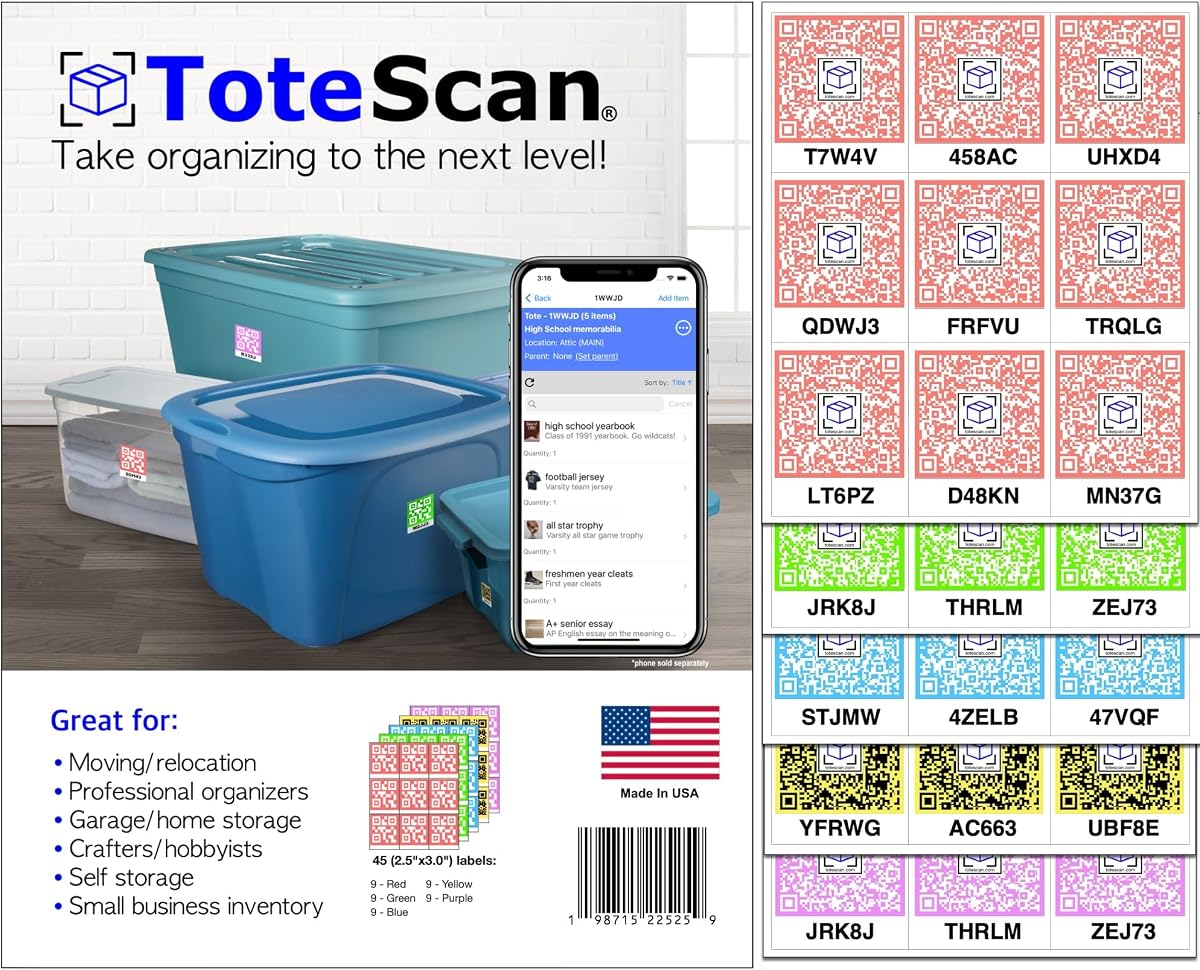
This ToteScan multi-color set offers 45 unique, ready-to-use paper labels in red, green, blue, yellow, and purple. It carries a 4.7 rating and is designed for cardboard boxes and smooth storage totes or bins. The five-color assortment makes it a versatile choice for moving, organization, and inventory projects where visual categories are important.
We may earn a commission when you buy through this link, at no additional cost to you.
The free app assigns a title to each label and supports descriptions, quantities, locations, photos, and keywords. Records can be exported for documentation, and a common account can be shared by family or team members. Alexa integration provides hands-free searching, while dynamic content lets users update a label's information and reuse labels as their storage system changes.
These are peel-and-stick paper labels, so they should be kept away from excessive moisture, tearing, and abrasion. The listing specifically recommends a heavy-duty line for users who require tear or water resistance. The app also needs an internet connection, which is an important limitation for remote storage areas or offline moves.
For buyers creating a five-category physical system on ordinary boxes and bins, this product offers an attractive balance of color variety and mature app features. It is a particularly good budget choice for families that want the no-subscription ToteScan experience and plan to use labels on protected cardboard or smooth indoor containers.
The red, green, blue, yellow, and purple assortment supports more detailed physical grouping than a four-color set. Colors can represent rooms, priorities, owners, destinations, or container types.
Because the digital content can be updated, the physical label does not need to be discarded when a box's purpose changes. That flexibility is useful for movable items and evolving storage arrangements.
We may earn a commission when you buy through this link, at no additional cost to you.
AI PackNFind offers 48 three-by-three-inch QR stickers in a mid-size format intended to balance visibility with compact placement. The 4.3-rated product is designed for moving boxes, storage bins, and home organization. Its adhesive is described as strong enough to remain attached during stacking, heavy use, or shipping while still peeling away cleanly when a container changes purpose.
We may earn a commission when you buy through this link, at no additional cost to you.
The free app includes a stated allowance of 1,000 AI scans that can generate titles and descriptions, accelerating inventory creation from photographed objects. A QR scan provides access to the associated records, while the optional professional tier adds features such as additional labels, expiry and reminder alerts, shared access, and further AI scans.
The paid upgrade is optional, and essential scanning and item-finding functions remain available in the free version. However, users who need broad team collaboration or extensive AI processing may outgrow the included allowances. The three-inch size is easy to notice, but it may not fit smaller totes or narrow container faces as neatly as a compact label.
This is a good choice for movers who expect to reuse boxes and want labels that can be removed and repositioned. It also suits users who want AI assistance without committing to a complex enterprise inventory platform, provided the standard label dimensions fit the containers in question.
Clean removal is valuable during a move because cardboard boxes are often reused at the destination. Repositioning a label can be simpler than discarding it and applying an entirely new code.
The included AI allowance can turn photographed objects into titles and descriptions, reducing repetitive typing. Users can use the free core functions without paying, while advanced alerts and collaboration remain optional.
We may earn a commission when you buy through this link, at no additional cost to you.
The most useful QR label system is one that matches your containers, recordkeeping habits, and physical environment. Consider app workflow, label resilience, quantity, color strategy, sharing needs, and long-term inventory requirements before choosing.
The labels are only as useful as the system that stores and retrieves their records. Look for an app that supports the way you naturally describe a container, whether that means a box name, item keyword, photo, category, location, or full description. Fast scanning matters during unpacking, while strong search and category browsing are more important when boxes have been stored for months.
Paper stickers may be sufficient for protected cardboard boxes and indoor bins, but garages, attics, storage units, and frequently handled containers can expose labels to moisture, sunlight, dirt, and abrasion. PET plastic, waterproof lamination, UV protection, and tear resistance provide a wider margin of durability. Match the material to the environment rather than relying on a code that was never intended to remain outdoors.
A pack of 45 or 48 labels covers many closets and a modest move, but large households, multiroom storage, or business inventory may require additional sets. Check whether codes are globally unique or unique only within the supplied pack, because duplicates can create confusion. It is also worth choosing a system whose records can be expanded without redesigning your entire physical organization.
Colors make containers recognizable before anyone opens the app. Four or five distinct colors can represent rooms, destinations, family members, priorities, or seasons, while white labels provide a cleaner appearance. Choose a scheme you can remember and maintain; too many colors without a consistent meaning can become confusing rather than helpful.
AI-assisted labeling can save considerable time when many objects are being cataloged, but generated names, categories, tags, and values should be reviewed. Photo-based systems are particularly useful for visual belongings that do not lend themselves to neat text descriptions. Manual entry remains important for correcting errors and adding information the automated process may miss.
Shared accounts are valuable when relatives, movers, roommates, or coworkers need to view the same inventory. Web links can make individual box records accessible without requiring every recipient to install an app. Consider whether you need to edit records collaboratively, locate items by voice, export information for documentation, or simply share a container's contents with one person.
Some systems provide unlimited free scanning and cataloging, while professional PDF, spreadsheet, sharing, reminder, or advanced AI features require an optional paid plan. That distinction matters most for businesses, frequent movers, and large inventories. Verify current app terms before buying, and prioritize a system that remains useful through its free core features even if you never upgrade.
The code should be large enough to scan reliably but still fit the available label area. Two-and-a-half-inch square and 2.5-by-3-inch formats are common in this category, while 3-by-3-inch stickers improve visibility but can be too large for small bins. Consider surface texture, handle placement, stacking, and whether the label might be covered by another object.
Begin by defining a simple physical grouping method. Assign each color to a room, destination, person, or category, and place the labels in a consistent position on your boxes or bins. This makes containers recognizable even when the app is unavailable and makes the system easier to maintain during a busy packing session.
Create each digital record while the container is still open. Scan the label, enter a clear name, identify the location, add a brief description, and photograph the contents. If the app offers AI generation, review every automated title, tag, category, and estimated value. Accurate records created during packing will save considerably more time during unpacking.
After labeling, inspect the adhesive and test a scan under the lighting where the box will be stored. Clean and dry the surface before application, and keep paper labels away from excessive moisture and abrasion. Update or move records whenever containers are relocated, and periodically test representative labels to ensure the physical codes and app links still work as intended.
QR labels can store more detailed information, including photos, descriptions, locations, and search terms. Writing directly on a box remains useful for a quick room name or basic orientation. Many people use both: a large written destination for immediate visibility and a QR code for the detailed digital inventory.
That depends on the product. The ToteScan listings specifically state that the app requires an active internet connection to use. Other systems may cache some information locally, but users should verify offline behavior before relying on a label system in a remote location, basement, or other place with unreliable service.
Most compatible labels can be applied to cardboard and suitable smooth surfaces, but the material and adhesive should match the surface. ToteScan paper labels are intended for cardboard boxes and smooth totes or bins. For rough plastic or demanding conditions, select a durable label with stronger adhesion and environmental protection.
At minimum, include the destination room, container name, and a concise list of its major contents. Photos can clarify items that names alone do not describe, while keywords help you find things without remembering their exact title. For insurance or long-term storage, add more detail than you would need for an item discarded shortly after the move.
No. AI tools can speed up cataloging, but they may misidentify objects, group similar items incorrectly, or estimate values poorly. Review generated names, categories, tags, and values before relying on them for insurance, financial decisions, or mission-critical inventory control.
Count the actual boxes, totes, and other containers rather than the number of rooms. A 45- or 48-label pack works well for many household moves and smaller storage projects. Larger moves or multiple properties may need several packs, and it is helpful to leave a few spare codes for containers discovered later.
Several systems support a shared account across family or team members. ToteScan explicitly supports common-account sharing, while other apps offer multi-device access or shared links. Review the exact editing and viewing permissions, and confirm that the shared option covers everyone who needs to retrieve a container record.
The physical color is primarily a visual organization tool and does not need to mirror an app setting. You can use blue for one room and yellow for another, or use all colors for inventory types. The important step is choosing a consistent meaning that everyone working with the system understands.
The 48 Color No-Subscription Labels lead the guide for their combination of a 4.9 rating, durable PET construction, four-color organization, AI-assisted entry, sharing, and a subscription-free core. ToteScan Intelligent QR Labels offer a well-rounded alternative with globally unique codes, detailed records, exports, shared accounts, and Alexa compatibility. The multi-color ToteScan set is an appealing budget-oriented choice for buyers who want five colors and flexible records.
Prioritize the labels that fit your containers and the app workflow you will realistically maintain. Durable film is valuable in garages and storage units, while paper can work well on protected cardboard. Search quality, photo support, unique codes, and easy record creation usually matter more during ordinary use than rarely accessed advanced features.
Before purchasing, confirm the current label count, dimensions, app compatibility, material, and subscription terms on the product listing. Customer ratings and product configurations can change, and prices vary over time. Checking those details at the point of purchase will help ensure that the selected QR label system matches your moving or storage project.
