
Cable Matters 10Gbps Snagless Cat 6 Ethernet Cable
4.8Editor score
Up to 550 MHz bandwidth
24 AWG copper conductors
Supports PoE devices
Our expert Ethernet Cable for Mac guide compares 10 cables for speed, length, shielding, durability, MacBook compatibility, and flexible installation options.
A dependable Ethernet connection can give a MacBook steadier performance for gaming, large file transfers, video calls, and high-resolution streaming. The right cable depends on your network equipment, available space, installation route, and whether you value maximum bandwidth, low interference, or a compact flat profile.
We compared ten relevant options based on their stated category, supported speed, bandwidth, conductor construction, shielding, length, connector design, and compatibility with common RJ45 networking equipment. The list includes shielded Cat 8 cables, flat Cat 6 and Cat 8 models, an outdoor-rated installation cable, and a USB-C adapter for MacBook users without a built-in Ethernet port.
Each review explains the cable's most useful qualities, practical limitations, and ideal setup. Award labels are reserved for the three standout picks, while every remaining product receives an in-depth comparison. Product details and availability can change, so verify current specifications, connector fit, and listing information before ordering.
4.8Editor score
4.7Editor score

4.7Editor score
The table below compares all ten products by their most relevant attributes for MacBook and desktop networking, including connection standard, bandwidth, construction, installation considerations, and notable use cases.



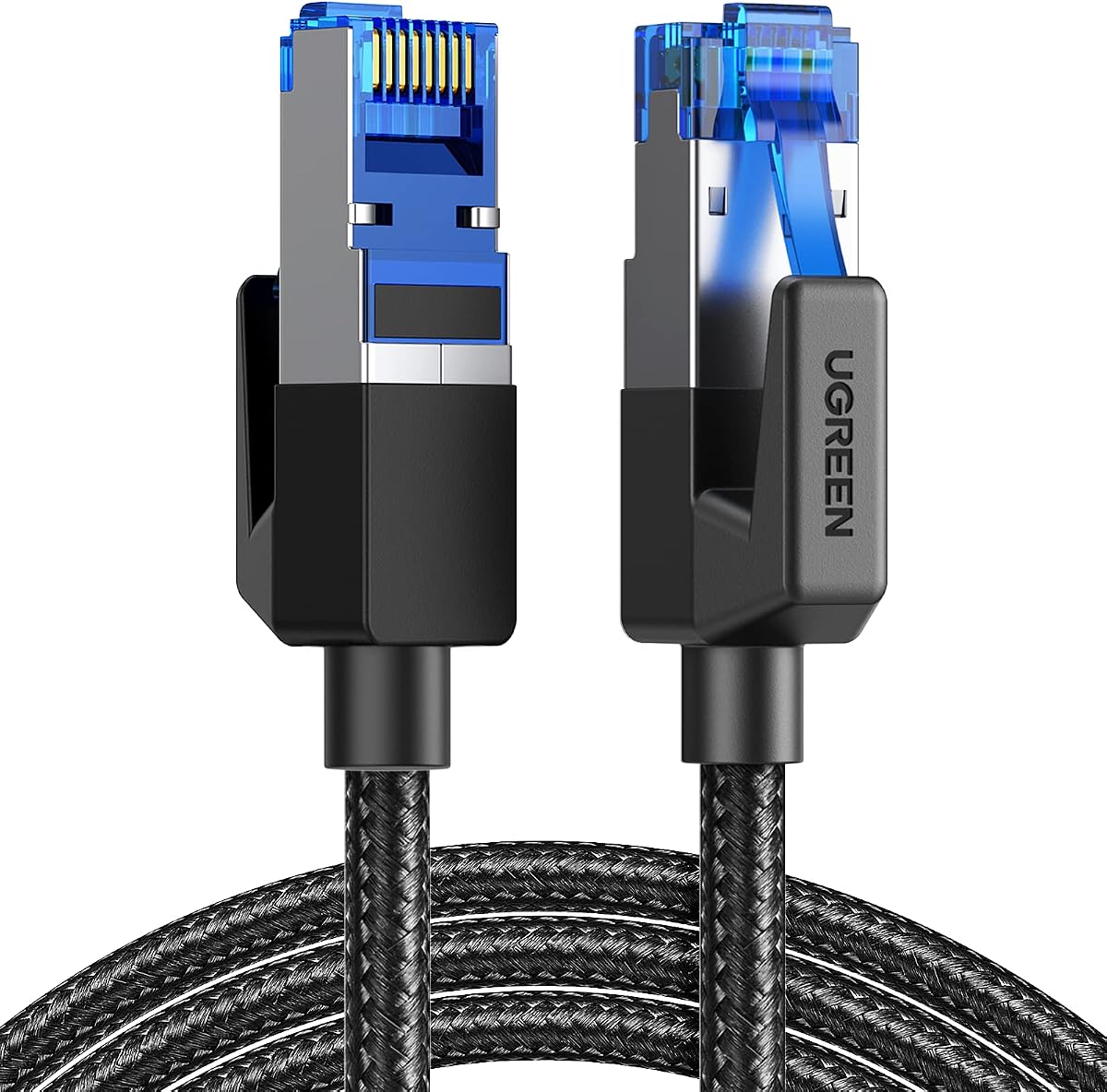
The UGREEN Cat 8 Ethernet Cable 6FT combines a 40 Gbps transfer rating, 2000 MHz bandwidth, and shielded foiled twisted pairs in a conventional six-foot form. Its 4.7 rating reflects a strong balance of useful specifications and broad RJ45 compatibility, making it an easy recommendation for a MacBook connected to a router, switch, or network adapter.
We may earn a commission when you buy through this link, at no additional cost to you.
The cable uses four shielded foiled twisted pairs and a pure copper core to reduce interference, noise, and crosstalk. That construction is particularly helpful around routers, desktop computers, gaming equipment, and bundled network wiring. Gold-plated RJ45 connectors add corrosion resistance, while the cotton-braided exterior is stated to withstand at least 10,000 bends.
Its main trade-off is that the ambitious Cat 8 specification is unnecessary for many Mac users whose router or internet plan operates at lower speeds. A six-foot cable also has less routing flexibility than the longer options in this guide, and the braided jacket may be less discreet behind a desk than a flat profile.
This is the strongest general recommendation for someone who wants fast stated performance, dependable shielding, and a durable cable without specializing the installation. It suits MacBook desktops, temporary work areas, entertainment setups, and home offices where the equipment and wall outlets are close together.
Four independently shielded pairs can help maintain cleaner signal transmission when the cable runs near electronics or other network cables. The construction does not guarantee faster internet speeds by itself, but it is a sensible feature for a high-performance wired connection.
Six feet gives a MacBook room to move around a desk while remaining short enough to avoid a conspicuous cable run. It is particularly appropriate when a nearby wall jack or router is already within reach.
We may earn a commission when you buy through this link, at no additional cost to you.
The Smolink Cat 8 Ethernet Cable 50ft is built for setups where the Mac and network equipment are separated by a significant distance. It advertises 40 Gbps transfer speed and 2000 MHz bandwidth, while its 4.7 rating places it among the well-regarded products in this roundup.
We may earn a commission when you buy through this link, at no additional cost to you.
Each of the four twisted pairs is wrapped in aluminum foil in a U/FTP arrangement, helping reduce crosstalk, noise, and interference. A nylon-braided jacket adds flexibility and resistance to repeated bending and pulling. The fifty-foot length can reach across rooms, follow walls, run beneath desks, or connect a television, printer, workstation, or gaming console.
Length is both its main advantage and the factor that requires the most planning. A fifty-foot cable can be inconvenient when the devices are only a few feet apart, and excess cable may need to be coiled without creating a tight bend. Its stated performance also exceeds what most consumer routers and internet services can deliver.
Choose this cable when routing distance is the deciding requirement and you want a Cat 8 specification with shielding. It is a practical option for a MacBook in a home office, a living-room media connection, or a multi-room layout where a shorter patch cable would not reach.
The fifty-foot length provides enough freedom to position a MacBook away from a wall-mounted router or connect entertainment equipment in another part of the room. Measure the complete path before ordering, including corners, furniture, and cable-management hardware.
The nylon braid helps the cable remain manageable during installation, while the foil shielding can reduce interference in a busy network. Together, the features suit longer temporary or permanent runs that may pass near other wiring.
We may earn a commission when you buy through this link, at no additional cost to you.
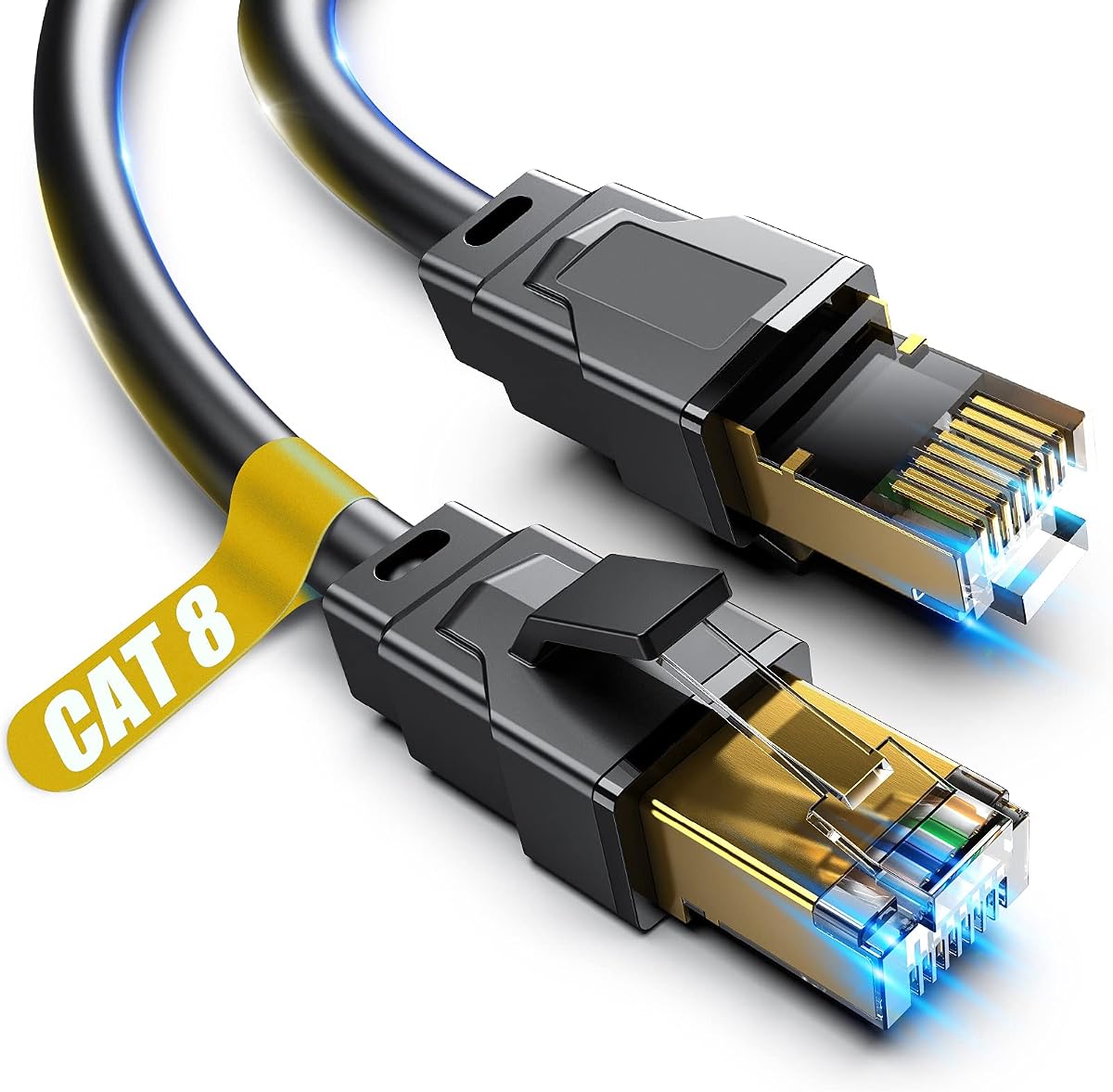
The DbillionDa Cat 8 Ethernet Cable 6FT stands out because it is designed for outdoor and direct-burial installations while retaining a high stated Cat 8 performance level. Its 4.7 rating and rugged construction make it a sensible choice for a Mac connected to a garage, outdoor access point, or camera-related network run.
We may earn a commission when you buy through this link, at no additional cost to you.
Four shielded foiled twisted pairs and 26 AWG oxygen-free copper conductors are specified for stable high-load networking. The cable supports bandwidth up to 2000 MHz and transfer speeds up to 40 Gbps. A waterproof, anti-corrosion, and UV-resistant PVC jacket is intended to handle sunlight, humidity, cold, and hot weather.
This product is not as discreet or flexible as an indoor flat cable, and its six-foot length is short for many outdoor routes. Users should also confirm local burial and installation requirements. Although backward compatibility is stated with Cat 7, Cat 6, Cat 5e, and Cat 5 equipment, the high bandwidth figures still depend on compatible network hardware.
It is the top budget pick for users who specifically need weather resistance or direct-burial capability. For a standard indoor MacBook connection, a flat cable may be easier to manage, but this model offers the strongest environmental construction among the shorter options.
The weatherproof PVC jacket and UV resistance distinguish this cable from typical indoor patch leads. It is better suited to a run between a building, garage, or exterior networking device where ordinary jacket materials could deteriorate.
The 26 AWG oxygen-free copper and F/FTP shield layers are intended to support stable high-speed transmission over distance. These details are especially relevant for permanent links exposed to changing conditions or installed near interference sources.
We may earn a commission when you buy through this link, at no additional cost to you.
The Jadaol Cat 8 Ethernet Cable 25ft combines high stated bandwidth with a flat shape that suits tidy MacBook workspaces. Its 4.7 rating reflects a well-rounded option for users who want cable flexibility, broad device compatibility, and an easy route along walls, edges, or corners.
We may earn a commission when you buy through this link, at no additional cost to you.
The cable supports up to 40 Gbps and 2000 MHz. S/FTP shielded twisted pairs and gold-plated RJ45 connectors help reduce electromagnetic interference and maintain a reliable connection. Its stated compatibility includes routers, switches, modems, computers, laptops, printers, NAS devices, smart televisions, and other RJ45-enabled equipment.
A flat cable is not automatically more flexible at every bend, and the twenty-five-foot length may be excessive for a simple desk connection. The white jacket may also be more visible in a dusty or heavily used area. As with the other high-bandwidth choices, real-world throughput remains limited by the Mac, adapter, switch, router, and internet service.
This is a good match for a MacBook under a desk, behind a media console, or near a wall outlet where a traditional round cable would be visually intrusive. It offers a strong balance of stated performance and practical routing for home and office installations.
The low-profile jacket can sit more neatly along baseboards, desk edges, and tight corners than a round cable. It is especially helpful where a visible connector lead would interfere with the appearance of a workstation.
The shielded Cat 8 construction offers substantial stated bandwidth without requiring a specialized connector. That makes it convenient for Mac users connecting through a standard USB-C Ethernet adapter or a network with mixed equipment categories.
We may earn a commission when you buy through this link, at no additional cost to you.
The UGREEN Cat 8 Ethernet Cable 3FT is a compact desktop option for a MacBook positioned close to a wall jack, router, or adapter. It carries a 4.7 rating and preserves the same broad 40 Gbps and 2000 MHz headline specifications as UGREEN's longer round cable.
We may earn a commission when you buy through this link, at no additional cost to you.
Its flat design can be routed beneath a desk, beside trim, or under a carpet, while the cotton-braided jacket is stated to tolerate at least 10,000 bends. Four U/FTP-shielded pairs, 26 AWG pure copper conductors, and gold-plated connectors are designed to reduce crosstalk and maintain stable high-speed transmission.
The three-foot length is the decisive limitation. It works well for a fixed desk but leaves little room to relocate the Mac or route the cable around a tall monitor base. Users whose router sits across the room should choose a longer model, and most standard networks will not exercise the full bandwidth claim.
For a compact, tidy Mac workstation, this cable is an attractive fit. It is particularly useful with a USB-C Ethernet adapter kept close to the computer or with an RJ45 wall plate mounted just behind a desk.
Three feet is enough for most nearby wall jacks and compact routers while preventing excess cable around a monitor. It is well suited to users who keep the MacBook in one place during work or study.
The flat braided jacket combines a low visual profile with reinforcement for repeated handling. It can be tucked beneath a desk edge or carpet more easily than many round, heavily insulated models.
We may earn a commission when you buy through this link, at no additional cost to you.
The Cat 8 Ethernet Cable 8 ft offers a middle-ground length and a heavily reinforced exterior. It has a 4.7 rating and is described as a braided, shielded RJ45 network cable for high-speed data transfer, including server applications, gaming, uploads, downloads, and HD streaming.
We may earn a commission when you buy through this link, at no additional cost to you.
The construction uses four SSTP-shielded twisted pairs of copper wire, solid copper conductors, and 50-micron gold-plated connector contacts. Its outer layer is made from a 48-strand cotton yarn braid intended to improve strength and reduce tangling, while the stated performance reaches 40 Gbps and 2000 MHz.
The eight-foot length provides useful freedom for connecting a MacBook to a router without a large loop of spare cable. However, the product uses a generic category-style name, and its statement about performance in cold, wet, and hot environments should be considered in the context of a properly routed installation. It is not presented as a specialized direct-burial cable.
This option suits buyers who want a substantial, tangle-resistant braid and a high-bandwidth specification for a home or office network. Verify the listing details and connector fit before purchase, especially if you need a guaranteed outdoor rating or a particular installation standard.
The 48-strand braid is designed to withstand repeated bending and pulling better than a basic smooth jacket. It can be useful in a home office where the Mac connection is moved or plugged in frequently.
Eight feet can bridge a monitor, docking area, and nearby network port while remaining shorter than a room-spanning lead. It also leaves more installation flexibility than the compact three-foot UGREEN model.
We may earn a commission when you buy through this link, at no additional cost to you.
The Jadaol Cat6/Cat6A Ethernet Cable 50FT is a long, flat option for connecting a Mac across rooms or along extensive walls. Its 4.7 rating and support for 10 Gbps make it more than adequate for many wired networks, even though it does not carry the higher headline specifications of the Cat 8 selections.
We may earn a commission when you buy through this link, at no additional cost to you.
The cable uses 30 AWG bare copper in an unshielded twisted-pair configuration, with gold-plated RJ45 connectors. It is stated to support 10BASE-T, 100BASE-TX, 1000BASE-T, and 10GBASE-T, as well as Cat 7, Cat 8, and Cat 6 network environments. The included clips help maintain a neat route along a wall or edge.
Because it is unshielded, it may be less suitable than an F/FTP or U/FTP model in electrically noisy environments or installations where the cable must run close to power lines and other interference sources. Fifty feet can also be more than necessary. As with all long runs, proper handling around corners matters, and the flat shape should not be sharply creased.
This Jadaol cable is ideal for a MacBook or desktop in a home office, living room, or workshop where a long, low-profile connection is needed. It is a practical alternative for users who prioritize reach and neat routing over the maximum bandwidth claimed by Cat 8 models.
The generous length can connect network equipment across a large room, along a hallway, or behind several pieces of furniture. Its flat shape makes it easier to conceal along edges and baseboards.
Support for 10-Gigabit Ethernet and 250 MHz bandwidth covers demanding local transfers and common high-speed network equipment. Internet speed will still be governed by the router and service.
We may earn a commission when you buy through this link, at no additional cost to you.
The Cable Matters 10Gbps Snagless Cat 6 Ethernet Cable earns the highest rating in this roundup at 4.8. It is a refined Cat 6 option for Mac users who want a clearly specified cable, generous bandwidth, and a twenty-five-foot length without moving into the more specialized Cat 8 category.
We may earn a commission when you buy through this link, at no additional cost to you.
A 24 AWG copper core supports performance up to 550 MHz and 10-Gigabit Ethernet. The cable is stated to meet or exceed Category 6 requirements under the TIA/EIA 568-C.2 standard. Gold-plated contacts, strain-relief boots, and bare copper conductors form a durable design for PCs, servers, printers, routers, and other LAN equipment.
It also supports PoE, PoE+, and PoE++, which can be valuable when the same network cable will later connect an IP camera, VoIP phone, or wireless access point. The snagless boots may take slightly more care to remove than a standard boot. As a Cat 6 cable, it lacks the shielding included in several Cat 8 alternatives.
This is the premium pick for a MacBook or Mac desktop that benefits from a 25-foot connection and thorough Cat 6 specification. It is especially suitable for professional desks, entertainment areas, and homes with mixed wired devices where support for common standards matters.
The 24 AWG copper core, 550 MHz bandwidth, and stated TIA/EIA 568-C.2 performance make this a dependable choice for high-speed local networking. Those characteristics provide useful headroom for modern routers, switches, and storage devices.
Support for PoE, PoE+, and PoE++ allows one cable to carry data and power to compatible devices. That can simplify a plan to connect a Mac network alongside cameras, access points, or VoIP equipment.
We may earn a commission when you buy through this link, at no additional cost to you.
The Vabogu Cat 8 Ethernet Cable 6FT is a heavy-duty option designed for both indoor and outdoor networking. It carries a 4.7 rating and states support for 40 Gbps transfer speeds, 2000 MHz bandwidth, 26 AWG conductors, and multiple layers of shielding.
We may earn a commission when you buy through this link, at no additional cost to you.
Its construction uses four thick, shielded twisted pairs of oxygen-free copper, an aluminum foil shield, a woven mesh shield, and a UV-resistant PVC jacket. The product is described as weather resistant, resistant to aging, and suitable for direct burial, making it relevant to a Mac network extending through an exterior area.
The listing encompasses many possible lengths, although the pictured and linked selection is six feet. That short run works for nearby equipment but may not cover a garage or garden route. Users should ensure any outdoor installation follows appropriate local requirements and that connectors remain protected and dry.
This cable is a good choice when a MacBook or desktop needs a short but unusually durable link and the installation environment is the priority. For a basic indoor desk, a flat cable may be easier to conceal, but Vabogu's layered shielding and exterior construction provide greater installation flexibility.
The aluminum foil and woven mesh shielding go beyond a basic twisted-pair jacket. Combined with a UV-resistant outer layer, the design is aimed at installations exposed to weather and electrical interference.
The product family is offered in numerous lengths, allowing users to match a nearby desktop link or a longer room-spanning run. Confirm that the selected variation matches the required route before ordering.
We may earn a commission when you buy through this link, at no additional cost to you.
The TP-Link USB C to Ethernet Adapter is included because many modern MacBook models no longer include a built-in RJ45 port. It transforms a USB-C connection into a wired 10/100/1000 Mbps Ethernet port and carries a 4.6 rating for a practical mobile-network solution.
We may earn a commission when you buy through this link, at no additional cost to you.
The adapter is designed for use with USB-C 3.0 or faster connections and does not require drivers across supported versions of macOS, Windows, Chrome OS, and Linux. Its stated dimensions are 2.8 by 1.0 by 0.6 inches, making it easy to carry between a home office, conference room, and travel setup.
The adapter itself does not create a wired connection; it needs a compatible Ethernet cable and an active network link. Its maximum 1 Gbps rate is also lower than the 40 Gbps headline specifications of the Cat 8 cables. Users should verify that their USB-C port supports the required data and power features.
Choose this adapter when portability and Mac compatibility are more important than a permanent wall installation. It is ideal for a MacBook Air, MacBook Pro, or other compatible USB-C device that needs an occasional stable Ethernet link in a location without an available wall port.
The compact adapter solves the common problem of a MacBook without a built-in Ethernet jack. It can turn into a reliable wired connection for meetings, gaming, media streaming, and file transfers when paired with a suitable cable.
Plug-and-play operation reduces setup friction for users who may switch between macOS and other operating systems. The listed compatibility includes major desktop and mobile operating systems, subject to having a compatible USB-C port.
We may earn a commission when you buy through this link, at no additional cost to you.
The most useful Mac Ethernet cable is not necessarily the one with the largest headline specification. Cable category, length, shielding, connector fit, network hardware, and routing conditions should guide the decision.
Choose a Cat 6 cable for typical home and office networks, or a Cat 8 model when you want stated high bandwidth, shielding, or compatibility with demanding local equipment.
Choose three feet for a tightly arranged desk, six to eight feet for typical room connections, and twenty-five to fifty feet for larger spaces.
Favor shielding for interference-prone or professional installations, and prioritize a clean route or unshielded construction when cost and simplicity matter more.
Verify the Mac's RJ45 or USB-C port first, then choose an adapter only when a built-in Ethernet socket is unavailable.
Select flat geometry for concealed routes and braided or snagless designs for frequent handling or tighter connector spaces.
Use an outdoor-rated model for exposed or buried runs, and do not treat a standard indoor patch cable as a weatherproof installation.
Prefer reputable construction and appropriate shielding, and use conductor gauge as one factor rather than the only measure of cable quality.
Prioritize PoE compatibility when the same network plan includes powered network devices; otherwise, focus on length, category, and routing.
Start by identifying the device-side connection. Plug the RJ45 end into a Mac desktop Ethernet port or a compatible USB-C Ethernet adapter, then connect the other end to a router, switch, modem, or wall jack. Allow macOS to recognize the wired network, and confirm the active connection in System Settings or the corresponding network panel for your Mac.
Route the cable without creating sharp bends, pulling the plug, or wrapping it tightly around furniture. Secure longer runs with clips or sleeves, leave a little strain relief near each connector, and keep indoor cables away from damp areas. For an outdoor installation, use the specified outdoor-rated product, protect connections from moisture, and follow applicable local guidance for direct burial.
Inspect the cable periodically for crushed insulation, damaged shielding, corrosion, or connectors that no longer seat firmly. Disconnect it from both ends before cleaning. Keep the cable dry, avoid sharp bends near the RJ45 plugs, and coil it loosely for storage. Replacing a damaged patch cable is generally preferable to troubleshooting an intermittent link with compromised hardware.
A Cat 8 cable can provide greater bandwidth than a basic Cat 5e or Cat 6 cable, but the available internet speed still depends on the router, modem, internet plan, server, and local network equipment. If any of those components is slower, a Cat 8 cable will not create the missing performance. Its main value may be local transfer speed, reduced interference, or useful headroom for future equipment.
Many modern MacBook models do not include a full-size RJ45 Ethernet port. A compatible USB-C Ethernet adapter can provide a wired 10/100/1000 Mbps connection. Check the exact Mac model and USB-C port capabilities, then connect the adapter to a suitable Ethernet cable. Some Mac desktops and older portable models include a native Ethernet socket.
Cat 6 is usually sufficient for ordinary home and office networks, while Cat 8 offers higher stated bandwidth and stronger shielding options. The better choice depends more on your equipment and environment than on the Mac itself. A well-constructed Cat 6 cable can deliver a stable, practical connection, but Cat 8 may suit demanding local transfers, specialized switches, or installations near interference.
Three to eight feet works well when the Mac is close to a router or wall outlet. Twenty-five to fifty feet is useful across larger rooms or around furniture. Measure the complete path, including corners and strain relief, and avoid buying substantially more length than needed. A flat cable can also help when the run passes beneath a desk or along a wall.
Not always. Shielding is most helpful where cables run near power lines, electronics, industrial equipment, or many other network cables. In a quiet home area, a quality unshielded Cat 6 cable may be sufficient. A shielded model can provide added installation flexibility, but it may be stiffer and more expensive than a basic cable.
Yes, an outdoor-rated cable can normally be used indoors because its heavier jacket and weather-resistant construction are designed for more demanding conditions. It may be less discreet or more difficult to bend than a slim indoor flat cable. Choose an indoor model for a tidy desktop and an outdoor-rated model for exposed or buried portions of the route.
The Cable Matters 10Gbps Snagless Cat 6 cable in this guide states support for PoE, PoE+, and PoE++, while the UGREEN 6-foot Cat 8 model also supports PoE except in its 65-foot version. PoE is most relevant to devices such as IP cameras, VoIP phones, and wireless access points rather than the Mac itself. Confirm that the powered device and network equipment support the same PoE standard.
First, check macOS network settings to confirm that the wired interface is active and selected. Restart the Mac and router, reseat both cable ends, and test a different port or cable if available. For USB-C adapter users, try a different compatible adapter or port. Also compare the wired result with the internet plan, because a fast local link cannot exceed a slower WAN connection.
The UGREEN Cat 8 Ethernet Cable 6FT is the strongest all-around choice because it combines high stated bandwidth, F/FTP shielding, a durable braid, and broad device compatibility. The Cable Matters 10Gbps Snagless Cat 6 cable is the premium pick for a refined 25-foot connection, while the DbillionDa 6-foot Cat 8 cable is the budget winner when outdoor or direct-burial readiness matters.
Most Mac users should choose a cable that fits the route and network rather than automatically selecting the highest category. Three to eight feet suits a desk, 25 feet handles larger rooms, and 50 feet supports more involved layouts. Pay particular attention to native RJ45 support, adapter requirements, shielding, PoE, and whether a flat or outdoor-rated construction is appropriate.
Before ordering, verify the selected length, connector type, Mac connection method, and current product specifications. Ratings, product configurations, and availability can change over time, as can the cost of individual cables and adapters. Comparing those details alongside the current listing helps ensure that the selected Ethernet Cable for Mac fits the intended network and installation.