
3 IN 1 Multi Charging Cable
4.4Editor score
Two four-foot cables included
Three connector types
Lightning data and CarPlay support
Our 3 in 1 USB Charging Cable guide compares 10 options for connector compatibility, charging speed, data sync, durability, portability, and everyday value for
A 3 in 1 USB Charging Cable combines USB-C, Lightning, and Micro USB connectors in one portable cord, helping reduce cable clutter at home, in the office, or while traveling. The most useful model offers dependable charging, durable construction, sensible length, and compatibility with the devices you actually use.
We compared all ten featured cables using the supplied specifications and customer ratings, focusing on connector coverage, charging capabilities, data synchronization, material quality, pack quantity, cable length, portability, and warranty support. The list includes basic charging-only options, multifunction travel cables, retractable designs, and premium multi-use cords.
Each review explains the strongest reasons to consider a particular model while also noting important limitations such as charging-only operation, shared power demands, or a lack of data transfer. Ratings reflect the information supplied for these products, and prices and availability can change, so check the current listing before buying.
4.4Editor score

4.8Editor score

5.0Editor score
The comparison below highlights connector types, data support, construction, length, and pack quantity so shoppers can quickly identify the cable that matches their devices and routine.


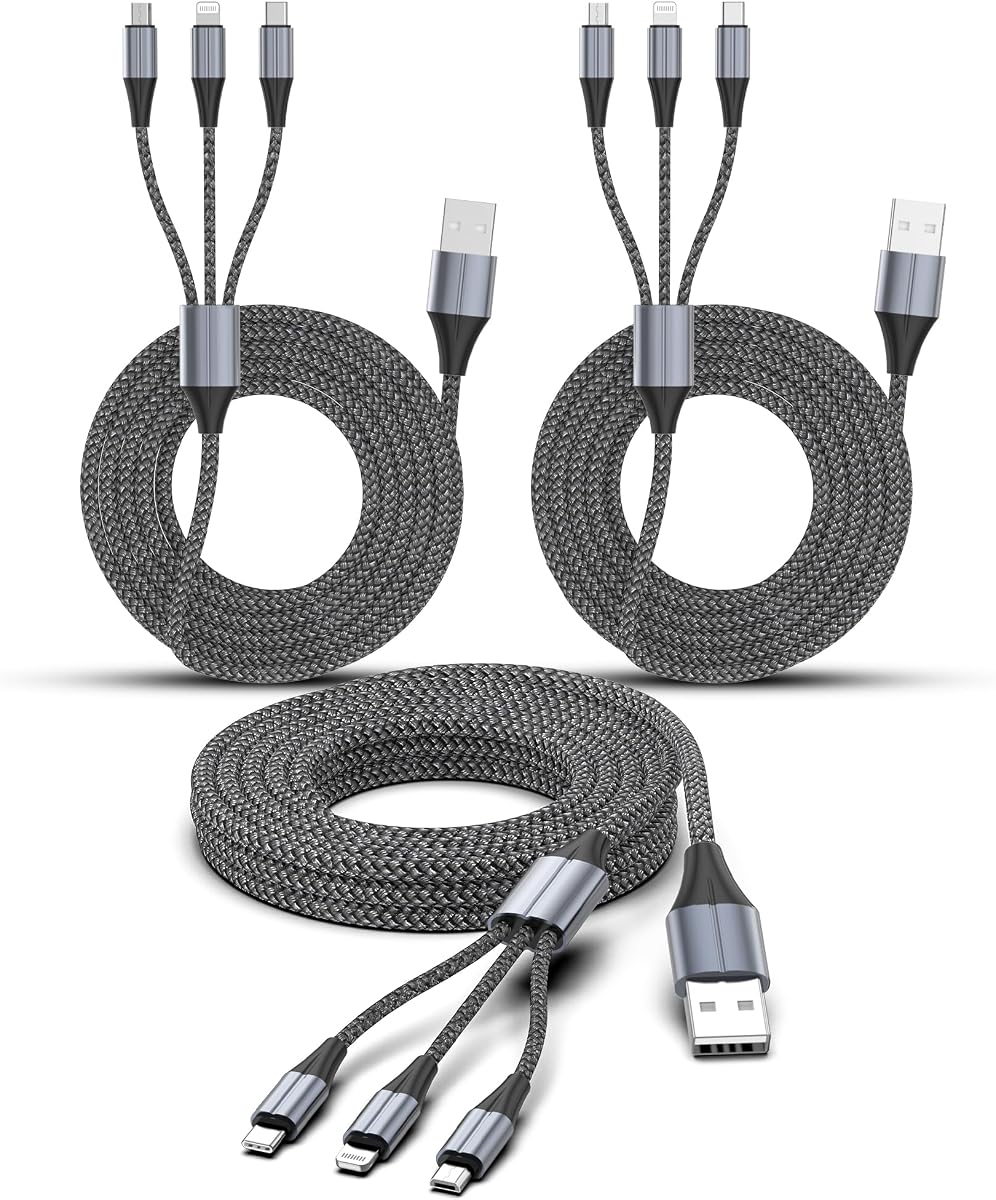
This two-pack combines USB-C, Lightning, and Micro USB connections in four-foot cords, giving it broad household and travel utility. Its 4.4 rating reflects generally positive customer feedback, while the two-cable format makes it easy to keep one cable at home and another in a vehicle, office, or travel bag.
We may earn a commission when you buy through this link, at no additional cost to you.
The standout feature is selective data support. The supplied specifications state that the Lightning connection supports data transfer up to 480Mbps and works with CarPlay, while the Type-C and Micro USB branches are charging-only. This makes the cable more useful for iPhone users who need navigation, file transfer, or basic synchronization without carrying several separate leads.
Construction uses thickened tinned copper wire, while the product information claims a military-fiber layer that increases tension and supports a bending lifespan of more than 20,000 cycles. It is not a simultaneous three-device charging cable in the conventional multi-output sense, so shoppers should interpret the three connectors as alternate device ends rather than three independent charging ports.
This is an appealing choice for families, travelers, and mixed-device users who want one adaptable cable format and two included units. It is particularly useful for road trips because of the CarPlay-capable Lightning branch, although buyers who require data transfer through USB-C or Micro USB should look elsewhere.
The Lightning branch adds data synchronization and CarPlay functionality, giving this product more everyday utility than charging-only alternatives. The other two branches remain dependable ways to connect compatible devices for power.
Receiving two four-foot cables makes placement easy: one can remain by a nightstand while the other travels in a backpack or stays in the car. The length also provides practical reach when a device is used on a bed, sofa, or rear seat.
We may earn a commission when you buy through this link, at no additional cost to you.
This three-pack of four-foot multifunction cables is built for households, shared workspaces, and travel groups that want several identical charging solutions. It carries a 4.4 rating and offers USB-C, Lightning, and Micro USB branches, covering modern phones, tablets, and many older accessories that still rely on Micro USB.
We may earn a commission when you buy through this link, at no additional cost to you.
Apple MFi certification is the most significant detail for iPhone users. The product information emphasizes compatibility with a broad Lightning-device range and states that certification helps prevent warning messages. The braided nylon exterior, polished aluminum alloy housings, a stated 30,000-bend requirement, and pull-force resistance all point toward a durability-focused design.
The listing describes broad device compatibility, including iPhones, iPads, iPods, Samsung devices, tablets, cameras, game controllers, Bluetooth speakers, power banks, and other USB-equipped products. It does not make a universal claim that every branch provides identical data-sync capabilities, so users needing reliable file transfer should verify the relevant connector before relying on that function.
This package is well suited to anyone who wants a spare cable for each bag, vehicle, or family member. It is less compelling for people who need only one cable, but the three-pack format, four-foot length, and MFi-certified Lightning branch make it a practical shared-device option.
Apple MFi certification is an important differentiator when charging Lightning devices through an adapter or wall charger. It also gives buyers greater confidence that the connector is designed to work properly with supported Apple hardware.
The three-pack eliminates the need to keep separate cords for phones, tablets, and legacy Micro USB devices. Each four-foot cable can cover a different location or traveler while retaining the same connector versatility.
We may earn a commission when you buy through this link, at no additional cost to you.
The Aioneus option is a straightforward two-pack of four-foot, three-connector charging cables. Its 4.4 rating indicates solid customer reception, and the USB-C, Lightning, and Micro USB branches allow the same cord to serve most phones and compatible tablets found in a mixed household.
We may earn a commission when you buy through this link, at no additional cost to you.
Its most notable charging specification is a Type-C branch that can deliver up to 3A. The product information says reduced resistance from quality copper wire helps it charge faster than many comparable 3-in-1 cables. Braided nylon construction, aluminum connector housings, laser welding, and a stated 20,000-plus bend-test result support its durability positioning.
The limitations are clearly stated: this is for charging only, with no data transfer or Apple CarPlay support. That distinction makes it appropriate for travelers who mainly need power in a car, at a hotel, or at a shared meeting space. It is less appropriate for anyone who expects to transfer files or connect through CarPlay with the same cable.
Overall, the two-pack provides good value for basic power needs. The combination of a 3A-rated Type-C branch, flexible four-foot length, and broad connector coverage makes it a useful companion for Android users, families with mixed devices, and anyone who wants a spare cable without paying for advanced sync features.
The stated 3A maximum for the Type-C branch offers useful headroom for compatible phones, tablets, and quick-charge accessories. Actual results will still depend on the wall charger, power bank, device, and cable's shared wiring.
Braided nylon and reinforced aluminum connector housings help the cable tolerate bending, pulling, and regular packing. Its four-foot length balances portability with enough reach for common travel and household locations.
We may earn a commission when you buy through this link, at no additional cost to you.
Anker's Powerline II 3-in-1 uses interchangeable built-in Micro USB, USB-C, and Lightning connectors to adapt one main cable to a wide range of devices. Its 4.4 rating and straightforward design make it a familiar option for anyone who values brand recognition, a simple format, and strong warranty support.
We may earn a commission when you buy through this link, at no additional cost to you.
Apple MFi certification and strict quality testing form the core of the product's charging proposition. Extreme reinforcement is intended to protect the internal wiring from bending and general wear, while the connector system avoids the inconvenience of carrying three unrelated charging cords for phones, accessories, and older hardware.
Unlike several budget-style competitors, this package focuses on one established cable rather than a multipack. The trade-off is less placement flexibility, but it can be a better fit for a desk, bedside table, or travel kit where one dependable cable is sufficient. The brand also backs the product with an everlasting warranty, adding meaningful long-term reassurance.
Choose the Powerline II when certification, reinforced construction, and a recognizable support policy matter more than having several spare cables. It is a balanced option for a compatible Lightning phone, USB-C device, and occasional Micro USB accessory user, particularly anyone willing to organize their setup around a single cable.
The interchangeable connector design lets one main lead connect to different device standards. Once connected, the active connector becomes a dedicated-looking cable to the selected phone or accessory.
Reinforced internal wiring addresses a common weak point in multifunction cables: repeated flexing near the connector. Anker's everlasting warranty further reduces the perceived risk of choosing an established brand for long-term daily use.
We may earn a commission when you buy through this link, at no additional cost to you.
This two-pack offers a practical way to reduce cable clutter across a car, desk, bedroom, or travel bag. Each 1.2-meter cable combines USB-C, Lightning, and Micro USB interfaces, and its 4.3 rating reflects generally favorable customer feedback for a simple charging solution.
We may earn a commission when you buy through this link, at no additional cost to you.
The cable uses a nylon braid and aluminum connectors to balance flexibility with everyday protection. Its three interfaces support individual or multiple device charging scenarios, while the included warranty and customer-service commitment provide some reassurance for routine household use.
The most important limitation is that it supports charging only. It does not transfer data or work with CarPlay, so buyers who need navigation integration, media synchronization, or file movement should treat it as a dedicated power accessory rather than an all-purpose computer connection.
This model fits shoppers who want two flexible cables and broad connector compatibility without paying for advanced synchronization. It is particularly useful in vehicles, where family members can use a shared cable with different phones, or in homes where separate USB-C and Lightning charging leads have become inconvenient.
The 1.2-meter length works well for use on a sofa, bed, desk, or vehicle seat. Two cables allow separate locations to remain equipped without continuously unplugging a single shared lead.
The absence of data transfer and CarPlay support keeps the design focused on power delivery. Verify that your workflow does not require synchronization before choosing this otherwise versatile option.
We may earn a commission when you buy through this link, at no additional cost to you.
This 1.5-meter multifunction cable combines broad device compatibility with data synchronization and a claimed charging output of up to 3A. Its 4.8 rating is the highest among the featured products, making it a strong all-around choice for shoppers who want more than basic charging capability.
We may earn a commission when you buy through this link, at no additional cost to you.
The supplied information highlights 480Mbps data exchange, rapid power delivery, strengthened connector joints, and a molded housing designed to resist fraying. Its stated 10,000-plus bend-cycle endurance and heat-resistant silicone and zinc-alloy body are meaningful for a cable expected to be plugged, unplugged, folded, and carried regularly.
The 1.5-meter length gives users comfortable freedom to move while charging in bed, at an office cubicle, or in a car's rear seat. Compatibility with smartphones, tablets, power banks, wireless earbuds, and gaming controllers broadens its potential uses, though the product description does not explicitly confirm support for every Micro USB device.
This is the most balanced recommendation for a user who needs charging and occasional data transfer in one cable. Its single-cable format is portable, its rating is strong, and its construction details are more clearly developed than those of many budget competitors. Check the final connector details and power requirements before ordering.
The ability to transfer files while also providing power makes this cable more versatile than charging-only alternatives. The stated 480Mbps transfer rate is suitable for everyday music, photo, and video synchronization.
Strengthened joints and molded connector housings target the areas that usually fail first in flexible charging cables. The heat-resistant construction also supports use during extended charging or more demanding data sessions.
We may earn a commission when you buy through this link, at no additional cost to you.
This two-pack stands apart through its retractable format, which stores the three connector branches in a compact unit suitable for a handbag, laptop bag, or pocket. Each cable measures 3.3 feet, and the listed 4.3 rating indicates positive customer reception for a portable multifunction design.
We may earn a commission when you buy through this link, at no additional cost to you.
The product information specifies up to 3A charging, with 2.4A for iPhone and 3A for Type-C use. Lightning, USB-C, and Micro USB branches support fast charging and synchronization at 480Mbps, while hot-plug functionality allows devices to be connected without shutting down the source, according to the supplied description.
Retractability is both the main benefit and the main trade-off. A retractable cable can reduce tangles and simplify packing, but it requires more care around the winding mechanism than a conventional flexible cord. Users should avoid forceful yanking and ensure the cable is fully returned before storing it.
This is an appealing choice for frequent travelers who value a compact footprint over maximum cable length. It also suits commuters who want one cable to cover several device standards, while the two-pack allows one cable to remain in a work bag and another in a carry-on or vehicle.
The retractable structure keeps the alternate connectors together when they are not in use. This reduces the visual and physical clutter that normally comes from carrying several full-length charging leads.
Data transfer at 480Mbps across the stated connector branches makes this more useful than a charging-only travel cable. The connector-specific current ratings also help buyers judge which branch is best for their devices.
We may earn a commission when you buy through this link, at no additional cost to you.
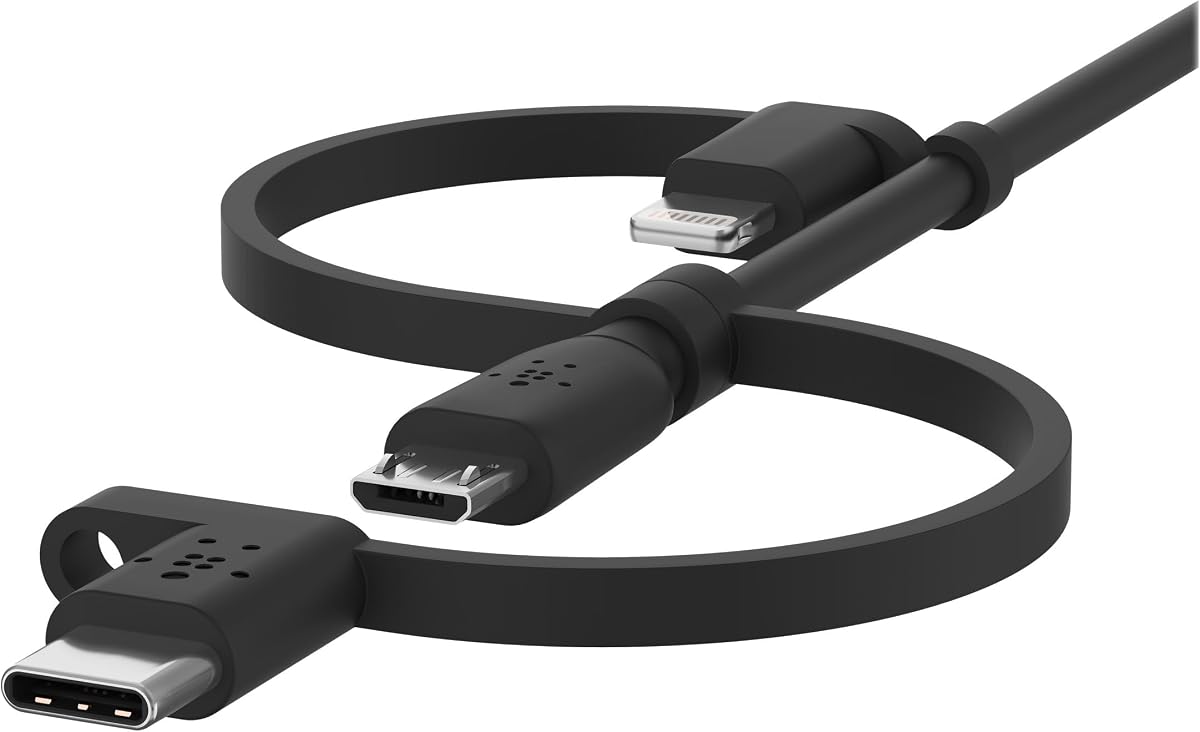
Belkin's 3.3-foot cable combines USB-C, Lightning, and Micro USB connections in one USB-A-based design intended to charge and synchronize supported devices. Its 4.1 rating is the lowest in this list, but the product offers recognized brand support, MFi certification for Lightning, and a useful organization feature.
We may earn a commission when you buy through this link, at no additional cost to you.
Each adapter has a small hook that connects to the main cable, helping keep the unused branches tidy and reducing tangles. The MFi-certified Lightning connector is specifically designed for safe, optimal charging, while broad device coverage includes Android phones, iOS devices, tablets, power banks, digital cameras, and headphones.
The main trade-off is that Belkin's rating trails the other featured options, and the product is a single cable rather than a multipack. Buyers who prioritize a simple established design, charging and synchronization in one lead, and a two-year warranty may still find these features more valuable than a higher aggregate rating.
This cable is best for a desk, home office, or travel setup where organization matters and the owner uses a mixture of modern and legacy connectors. It is also a sensible gift for someone who prefers a recognized accessory brand and appreciates a two-year warranty.
The small hooks give Belkin's cable a practical distinction from many alternatives. They help keep unused connectors together and make the multifunction design easier to manage when it is not actively charging a device.
MFi certification supports confidence in the Lightning connector's fit and charging behavior. The product also supports data synchronization, adding versatility for compatible computers and mobile devices.
We may earn a commission when you buy through this link, at no additional cost to you.
The FEEL2NICE three-pack is built for people who want a ready-to-use charging cable near multiple outlets. It has a 4.5 rating and includes three six-foot cables, each with USB-C, Lightning, and Micro USB connectors, allowing one to stay by a bed, one at a desk, and one in a vehicle.
We may earn a commission when you buy through this link, at no additional cost to you.
Braided nylon jackets help resist tangles, fraying, and daily wear, while sturdy connector housings make the plugs easier to grip and protect the connection during repeated use. The USB-A input works with standard wall chargers, car adapters, power banks, and computer USB ports, covering many common charging sources.
Its emphasis is charging rather than data synchronization, and actual performance depends on the power source, connected device, and total demand. Six-foot cables also require more bag space than shorter or retractable options, so the three-pack is better suited to fixed locations than minimalist travel packing.
This is a strong choice for households with several charging zones, particularly when one person uses a newer USB-C phone and another uses a Lightning or older Micro USB device. The generous reach and three-cord bundle reduce the need to unplug and relocate a single cable throughout the day.
A three-pack can be distributed immediately across the home, office, or car. That avoids the common inconvenience of moving one charging cable from a bedside table to a sofa or dashboard whenever different family members need power.
Six-foot cables provide comfortable distance from many wall outlets and USB ports. The braided jacket improves flexibility and resists the tangles and edge wear that can shorten the life of ordinary cords.
We may earn a commission when you buy through this link, at no additional cost to you.
The TRIPP LITE M101-006-LMC-BK is a six-foot USB-A cable with Apple Lightning, USB Micro-B, and USB-C connectors on the same end. It holds the highest listed rating in the comparison at 5.0 and is positioned as a premium all-in-one solution for charging and synchronizing frequently used mobile devices.
We may earn a commission when you buy through this link, at no additional cost to you.
Its strongest advantage is explicit data-transfer support. The supplied information states synchronization at USB 2.0 speeds up to 480Mbps, while the same cable can also deliver power from a computer, laptop, or wall charger. That combination reduces the need to maintain separate charging and synchronization leads.
The premium positioning introduces an obvious trade-off: it costs more than the multipack alternatives, and only one cable is included. Buyers should also remember that all-in-one cables still depend on the connected source, device, and protocol for real-world transfer and charging performance. A six-foot cable can feel cumbersome in a small travel bag.
For a professional desk, home office, or traveler who wants one long cable that can charge and synchronize several device standards, this is a compelling premium choice. The 5.0 rating and focused feature set make it particularly attractive for users who value a refined multifunction design over having several spare cords.
The USB 2.0 synchronization support is the defining feature for this premium cable. It can move everyday data at up to 480Mbps while also serving as a charging cable through a standard USB-A source.
The six-foot length provides ample reach across a desk or room, while three connector branches cover Lightning, USB Micro-B, and USB-C devices. This makes the cable particularly suitable for users with a varied but established set of devices.
We may earn a commission when you buy through this link, at no additional cost to you.
The right multifunction cable depends less on connector count alone and more on device compatibility, data requirements, physical design, and how often the cable will travel. Use the following factors to narrow the options before making a purchase.
A cable advertised as 3 in 1 usually combines USB-C, Lightning, and Micro USB connectors, but names and connector combinations can vary. Check the exact branches and compare them with the ports on your phone, tablet, earbuds, speakers, power banks, controllers, and other devices. Pay particular attention to newer USB-C phones, older Lightning models, and legacy Micro USB accessories.
Buy only when all three connector types match your actual equipment. A universal-looking cable is not useful if one of its branches is incompatible with your daily devices.
Charging and data synchronization are different functions. Some multifunction cables use a single data-capable branch, while the others only deliver power. The specifications for the picks in this guide range from charging-only designs to models supporting 480Mbps synchronization on one or more connectors.
Choose a charging-only model for simple power needs. Select a synchronization-capable cable if you move files, connect to a computer, or require a specific integration such as CarPlay.
A 3-in-1 cable generally offers three alternate ends rather than three fully independent outputs. Its available power may be shared through the internal wiring, and actual charging speed depends on the charger, device, protocol, and total demand. Claims of 3A or fast charging are most meaningful when the connected device and power source support those levels.
For tablets, power banks, and other high-demand accessories, check the branch-specific current rating and the capabilities of your wall charger or power bank. Do not assume the label automatically guarantees maximum speed on every connector.
Short cables are easier to carry but can be awkward between an outlet and a sofa, bed, or desk. Four-foot and six-foot models offer more freedom, while the retractable option balances portability with an extendable 3.3-foot section. Longer cables also take up more space and can tangle if their construction is not equally good.
Choose a short or retractable model for travel and compact bags. Select a four-foot or six-foot cable for home, office, vehicle, or bedside charging where reach is the priority.
Apple MFi certification provides additional assurance for compatible Lightning devices and can reduce uncertainty about connector compatibility and warning messages. It is especially relevant when the cable is used through wall adapters, power banks, or car systems. Certification does not, by itself, guarantee that every other function or connector on the cable performs equally well.
Prioritize MFi models for an iPhone-centered setup. For Android and USB-C-focused use, examine the specified current, supported device list, and data-transfer details instead.
A multifunction cable is flexed, folded, and pulled near its connector more often than a simple straight cord. Braided nylon, reinforced joints, aluminum housings, and internal strain relief can extend useful life. The listed products cite bend-test figures ranging from more than 10,000 to more than 30,000 cycles, but such figures should be considered manufacturer claims rather than independent laboratory results.
Look for a flexible braid, secure connector shells, and reinforced transition points. Also avoid sharp bends or yanking at the branch junction, since even well-built cables are vulnerable to damage from careless handling.
Multipacks can be more practical than a single premium cable when several people use different connector types or when charging stations are located in separate rooms. One cable is easier to gift and may feel more premium, while a two- or three-pack provides redundancy. Warranty length and customer-service commitments can also influence long-term value.
Choose a multipack for shared households, vehicles, and travel groups. Choose a single cable for a dedicated desk, a minimal carry-on kit, or a buyer who values established brand support over spare quantity.
Retractable cables reduce bulk but require care when winding the connectors. Braided straight cables are simpler to deploy and can resist tangles when packed well. Belkin's connector hooks and the included quantities in several multipacks offer other ways to keep a collection organized.
For frequent travelers, favor retractability, a short profile, or a coordinated pack with a dedicated storage location. For permanent setups, cable length and connector retention may matter more than compactness.
Identify the correct branch before connecting a device, then attach the matching USB-A end to a wall charger, car adapter, power bank, or computer. Connect only one device at a time unless the manufacturer explicitly describes a simultaneous multi-output arrangement. Use a power source whose output meets the device and connector requirements, and avoid forcing a connector into a port that appears obstructed.
When using data synchronization, connect the data-capable branch to the computer and choose the correct file-transfer behavior on the device. If a connector feels loose, produces repeated warnings, or fails to deliver power, disconnect it and inspect the port and plug. Do not rely on a cable whose insulation is split, whose internal wires are visible, or whose housing has separated from the cable.
For long-term care, coil cables loosely rather than making tight bends around the connector joints. Keep the cable away from heat, moisture, sharp edges, and heavy objects that could crush the wiring. Retractable models should be wound evenly and returned fully before storage, while braided models should be cleaned gently with a dry cloth and kept free of grit around the connector housings.
Usually, a 3-in-1 cable provides three alternative connectors for one shared cable, not three independent charging outputs. You normally select the branch matching one device and connect that device. Some product descriptions discuss charging several devices individually or simultaneously, but the exact behavior should be verified because power may be shared across branches.
No. Many multifunction cables provide power only, while others support data synchronization on one or more connector branches. The products in this guide include charging-only designs and models with stated 480Mbps synchronization. Check the branch-specific details before using a cable for file transfer, computer connections, or CarPlay.
Lightning is used by many Apple devices, USB-C appears on newer phones, tablets, and accessories, and Micro USB remains common on older Android devices and accessories. A cable that includes all three is convenient for mixed-device users, but you should confirm that your exact devices use the connector and standards described in the product listing.
Only if the product specifically supports the required connection. Among the featured options, the 3 IN 1 Multi Charging Cable states that its Lightning port supports CarPlay, while other models explicitly do not. Compatibility also depends on the car, phone, connector, and current software requirements, so verify all parts before relying on the feature.
No. Charging speed depends on the cable's supported current, the wall adapter or power bank, the device, its battery state, and the charging protocol. A stated 3A output can help a compatible device reach its supported rate, but the charger and device must also support the required power level.
A retractable cable is often easier to organize because its branches wind into a compact housing. It can be especially useful in handbags and laptop bags, but it requires more careful handling than a conventional straight cable. Travelers should avoid pulling the cable while extended and ensure it is fully retracted before storage.
Coil the cable in a loose loop and secure it with a reusable tie or small organizer. Braided jackets help reduce tangling, while connector hooks or retractable mechanisms can keep unused branches organized. Do not wrap the cable tightly around its connector or bend it sharply at the shared branch.
Replace it if the connector becomes loose, charging becomes intermittent, data transfers fail consistently, the outer jacket cracks, or internal wiring becomes visible. Repeated warnings can indicate connector wear or a device-port problem, so test the cable with another known-good charger and cable before deciding which component has failed.
The 3 in 1 Charger Multi Cable stands out as the most balanced overall option because it combines a 4.8 rating with 480Mbps synchronization, up to 3A output, reinforced construction, and a practical 1.5-meter length. The 3 IN 1 Multi Charging Cable is a strong value-oriented alternative for people who want two cables, while the TRIPP LITE model is the premium choice for long-term charging and synchronization.
Prioritize the details that affect your routine: match all three connector types to your devices, confirm whether any branch supports data, choose a length suited to your charging locations, and review the power requirements. A charging-only cable is sufficient for simple travel, but sync support becomes important when moving files, using CarPlay, or connecting to a computer.
Ratings, product details, prices, and availability can change, so verify the current listing and recent customer feedback before ordering. Checking the current connector compatibility, included accessories, warranty terms, and power-source requirements will help ensure that the selected cable fits your devices and daily routine.