Creality K2 SE
3.8Editor score
500 mm/s maximum speed
Automatic bed leveling
Expandable CFS support
Direct drive extruder
Explore the best 3D printer for cosplay props, comparing speed, build volume, materials, multi-color features, accuracy, and workflow for cosplay fabrication.
A 3D printer for cosplay props should combine accurate surfaces, practical build volume, dependable filament handling, and a workflow that suits both detailed accessories and oversized costume pieces. The right machine can turn digital designs into repeatable armor panels, masks, weapons, greebles, and display props while preserving fine edges and consistent dimensions.
This guide compares ten FDM printers by the features that most directly affect cosplay fabrication. It examines print speed, acceleration, build volume, enclosure and chamber heating, supported materials, tool-changing systems, multi-color capability, automatic calibration, monitoring, and ease of setup rather than treating any single specification as decisive.
Each ranked review identifies the work the printer is best suited to, along with the compromises worth considering. The first three selections represent an overall choice, a budget-focused option, and a premium multi-material system. As with all Amazon listings, availability, bundles, specifications, and prices may change, so confirm the current product details before buying.
3.8Editor score

4.7Editor score

4.3Editor score
The comparison below highlights the major differences in speed, scale, color handling, temperature control, and usability so cosplay makers can match a printer to their prop sizes, materials, and production volume.





The Bambu Lab P2S Combo earns a 4.7 rating and stands out as the most balanced option for cosplay makers who want speed, color, automated operation, and material flexibility in one package. Its headline capability is a maximum print speed of 600 mm/s, but the more important benefit for props is the balance between rapid production and detailed surface quality.
We may earn a commission when you buy through this link, at no additional cost to you.
The included AMS 2 Pro supports seamless multi-color and multi-material printing, allowing costumes to use contrasting colors without manually changing filament between every layer. Its built-in drying function reaches temperatures of up to 65°C, which is useful when keeping filament ready between long print sessions. The printer itself does not provide multi-color output without the AMS, so buyers interested in that capability should confirm that they are choosing the Combo version.
Adaptive airflow is another valuable feature. It can cool overhangs with cooler air or maintain a 50°C chamber for materials that benefit from a warmer environment. The carbon filter adds another layer of environmental control, while automatic calibration, AI failure detection, quick-swap nozzles, and a stated 15-minute setup reduce the friction associated with preparing a new machine for a cosplay deadline.
This is the strongest recommendation for creators producing detailed masks, modular armor, glowing costume inserts, and color-coded weapon replicas. It is less attractive for someone who needs an exceptionally large build volume, but for many wearable props and accessories, its combination of speed, automation, and integrated color management is exceptionally useful. Confirm the current bundle contents before ordering.
The AMS 2 Pro makes eye-catching color transitions more practical because multiple filaments can be coordinated within one print. That is particularly helpful for layered insignia, contrasting trim, skin-tone bases, and accessories that would otherwise require extensive manual filament swapping.
High-speed motion and active flow-rate compensation help reduce print time while maintaining controlled extrusion. For cosplay builders producing repeated straps, clips, brackets, decorative tiles, or duplicate costume pieces, faster cycle times can significantly shorten the production schedule.
We may earn a commission when you buy through this link, at no additional cost to you.
The Bambu Lab A1 carries a 4.7 rating and offers a friendly route into FDM printing for beginners, families, and cosplay makers who want straightforward setup without advanced assembly. Automatic calibration handles tasks such as Z-offset and bed leveling, allowing new users to concentrate on preparing models rather than learning every mechanical adjustment.
We may earn a commission when you buy through this link, at no additional cost to you.
Its stated acceleration of 10,000 mm/s² supports brisk production, while active flow-rate compensation helps maintain smooth extrusion as print conditions vary. The one-clip quick-swap nozzle simplifies maintenance and makes it easier to change nozzle sizes for different prop details, while active motor noise cancellation helps keep the printer manageable in a shared workspace.
The A1 can support multi-color output through AMS lite, although that accessory is not included with the standard configuration described in the product listing. This distinction matters for creators whose designs depend on several colors. Open or less enclosed designs can also be less consistent with high-temperature materials than fully enclosed machines with active chamber heating.
The A1 is best suited to smaller costume accessories, display pieces, test prints, and projects made by a beginner who values automation over maximum scale. It is a compelling choice for learning the complete cosplay modeling, slicing, and printing process. Verify whether your chosen bundle includes AMS lite if multicolor printing is essential.
Automatic calibration and active flow-rate compensation reduce common sources of failed first layers and inconsistent extrusion. These features are especially useful for beginners who may not yet know how to tune a machine for different prop geometries.
The quick-swap nozzle supports changes between fine detail and more productive layer heights. That flexibility lets a cosplay maker use one machine for miniature insignia, larger costume ornaments, and repeated practical components without committing to a single nozzle size.
We may earn a commission when you buy through this link, at no additional cost to you.
The Sovol SV08 MAX has a 4.0 rating and is built around one clear advantage: very large cosplay projects. Its 500×500×500 mm build space can accommodate full-scale prototypes, oversized props, furniture-like costume pieces, or multiple smaller components in a single batch.
We may earn a commission when you buy through this link, at no additional cost to you.
CoreXY kinematics reduce moving mass and support a listed maximum speed of 700 mm/s with 40,000 mm/s² acceleration. A 50 mm³/s high-flow nozzle complements that performance, while the eddy-current scanning bed sensor provides contactless leveling and automatic calibration. These capabilities are compelling for creators who regularly work near the limits of conventional printer dimensions.
The built-in 1280×720 camera enables remote monitoring, time-lapse recording, and integration with Obico for cloud-based control and failure detection. The hotend supports temperatures up to 300°C and a broad range of filaments including PLA, TPU, PETG, ABS, ASA, PA, PC, and selected reinforced variants. A heated chamber is not included, and future chamber compatibility requires the separate module.
This printer is best for advanced cosplay builders, prop rental houses, convention exhibitors, and workshops that regularly need larger-than-life objects. Its size, specialized hardware, and additional chamber requirement make it less convenient for a small desk or first-time buyer. It is a specialist choice for scale rather than a simple entry-level recommendation.
The unusually large build area can reduce the need to split large props into many printable sections. That may simplify assembly and reduce visible seams on broad back panels, chest pieces, oversized weapons, and exhibition-scale replicas.
The combination of high speed, acceleration, and flow capability supports efficient batches. Cosplay studios can print repeated clips, rivets, trim pieces, or duplicate accessories while keeping the CoreXY motion system's lower moving mass aligned.
We may earn a commission when you buy through this link, at no additional cost to you.
The FLASHFORGE Creator 5 Pro earns a 4.3 rating and stands out as the premium option for creators who want to combine multiple colors and materials without repeatedly purging a shared nozzle. Four preloaded, preheated toolheads each hold their own filament, allowing the machine to move directly to the appropriate material during a print.
We may earn a commission when you buy through this link, at no additional cost to you.
The seven-second FlashSwap design addresses a common weakness of filament-changing systems: wasted time and material during purges. The listed material range includes PLA, PETG, TPU, ABS, PVA, ASA, PA-CF, PET-CF, PAHT-CF, PPA-CF, PPS-CF, and HIPS. That range is useful for props that need flexible trim, dissumerable supports, durable shells, or reinforced structural pieces.
A fully enclosed CoreXY design and 65°C actively heated chamber support stronger layer bonding and reduced warping. The hardened nozzle reaches 320°C, while adaptive airflow cools the chamber for materials such as PLA when necessary. Flow Dynamics Calibration is designed to compensate for changing extrusion conditions, including nozzle wear, residue, or filament moisture.
This is the best fit for professional cosplay studios, convention props, custom commissions, and designers who routinely mix rigid and flexible materials. A basic costume maker working only in one filament type may receive little benefit from four toolheads. Even for advanced users, the system is more complex than a single-material printer, so the extra capability should justify the investment.
Independent toolheads allow rigid shells, flexible edging, soluble supports, and contrasting colors to coexist in one job. This can simplify complex prop construction and reduce the material waste normally associated with frequent color changes.
The 65°C chamber creates a stable environment for ABS, ASA, and other demanding materials. For large costume shells and panels, controlled heat can improve layer adhesion and help maintain flatness compared with an open printer in a variable room climate.
We may earn a commission when you buy through this link, at no additional cost to you.
The Bambu Lab P1S has a 4.5 rating and provides a balanced combination of speed, enclosure design, and simple setup. Its listed maximum speed of 500 mm/s and 20,000 mm/s² acceleration can shorten production time for cosplay components that are printed repeatedly or completed in batches.
We may earn a commission when you buy through this link, at no additional cost to you.
The fully enclosed body improves performance with materials such as ABS, ASA, PETG, and TPU by reducing the effect of changing room conditions. Automatic bed leveling and a stated 15-minute setup make it approachable for makers who want to move quickly from unboxing to a completed print.
Multi-color and multi-material output is possible when Bambu Lab AMS is connected, but it is not part of the basic configuration described. Supported materials include PLA, PETG, TPU, PVA, PET, ABS, and ASA. Carbon- and glass-fiber-reinforced polymers are specifically listed as not recommended for this model.
The P1S is well suited to durable masks, armor trim, prop weapons, and repeated accessories, particularly when a creator wants more enclosure support than an open printer. It may not satisfy builders who need the P2S Combo's integrated color unit or advanced airflow system, but it remains a strong general-purpose machine for detailed cosplay fabrication.
The high stated speed and acceleration are valuable when producing multiple copies of the same component. Faster motion can make the difference between completing a set of identical shoulder pieces, clips, or decorative panels in one session and extending work across several sessions.
The enclosed body helps protect prints from drafts and temperature changes. That stability is useful for longer shells, vertical surfaces, and ABS or ASA parts where inconsistent cooling can contribute to splitting, curling, or poor layer adhesion.
We may earn a commission when you buy through this link, at no additional cost to you.
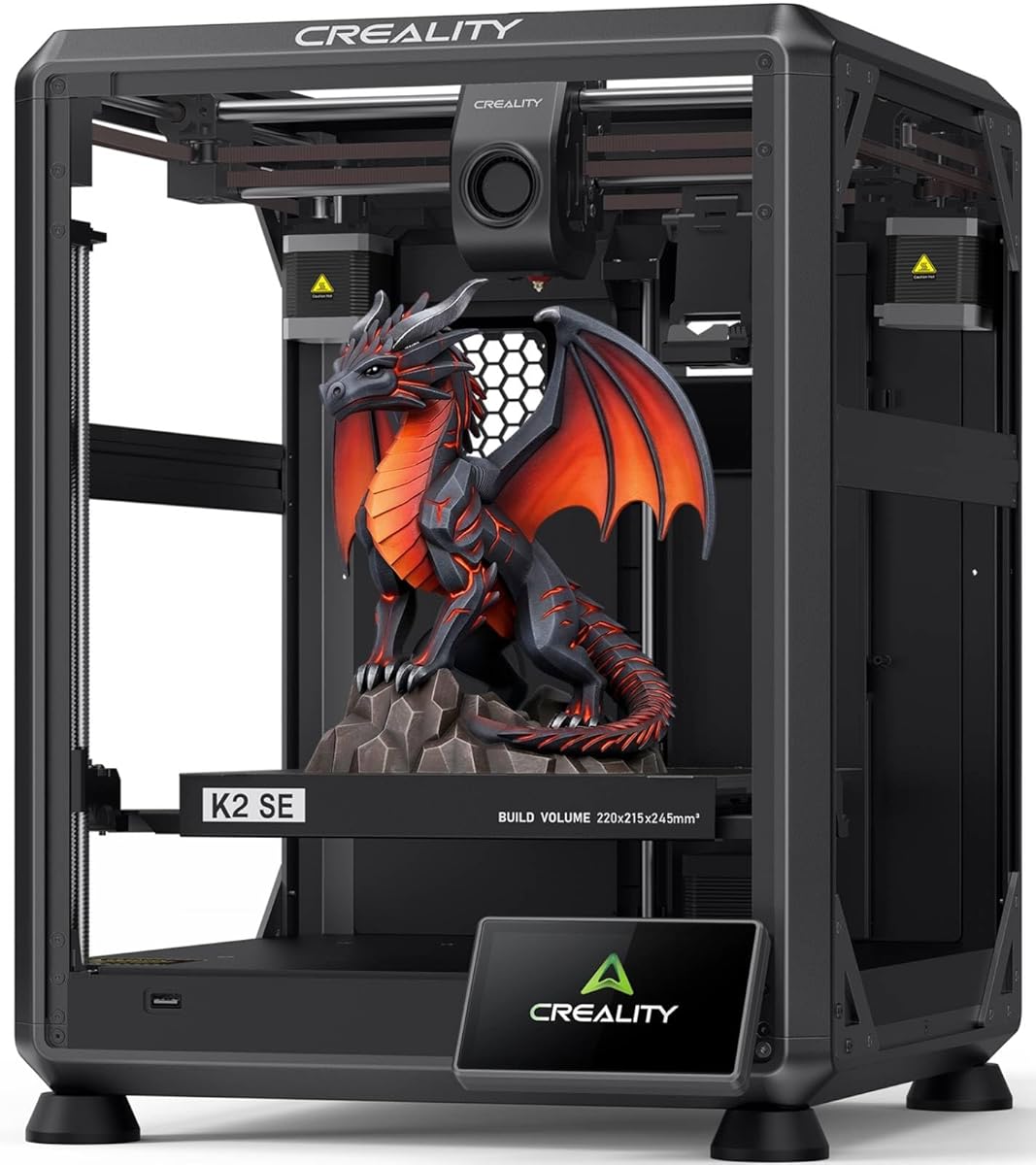
The Creality K2 SE has a 3.8 rating and is a budget-focused alternative for cosplay makers who want modern speed and automation without moving directly to a premium multi-tool system. Its lightweight CoreXY design supports speeds of up to 500 mm/s and acceleration of 20,000 mm/s².
We may earn a commission when you buy through this link, at no additional cost to you.
The die-cast aluminum frame, corner gussets, and dual-side crossbeams are intended to limit flex during rapid movement. A modular direct-drive extruder includes hardened steel dual-drive gears, a run-out sensor, and a quick-swap nozzle. These features support controlled feeding, easier maintenance, and reliable monitoring during detailed or functional prop jobs.
The printer has a 220×215×245 mm build volume, which is large enough for many wearable and display props but not full-scale costume structures. It is compatible with the separately sold Creality CFS system for multi-color printing, including automatic filament identification, relay switching, and run-out detection.
Setup is designed to take around five minutes of assembly, followed by touchscreen-guided bed leveling, fan calibration, and first-time tuning. It is a practical choice for small props, armor ornaments, accessories, and repeated components. Its lower listed rating and optional CFS requirement are the main reasons it does not rank higher for general cosplay use.
CoreXY motion, input shaping, and a rigid frame deliver the speed capabilities many cosplay makers want without moving to the largest premium systems. This is particularly helpful for batches of smaller accessories that benefit from short print cycles.
CFS compatibility lets a creator begin with a straightforward single-color workflow and add color later. The upgrade path is useful for props that eventually require several materials or distinct colors without replacing the entire printer.
We may earn a commission when you buy through this link, at no additional cost to you.
The FLASHFORGE Adventurer 5M Pro receives a 4.0 rating and is especially interesting for cosplay makers working in shared rooms. Its fully enclosed all-metal CoreXY structure, low-noise motion control, and stated operation below 50dB make it a practical choice around a bedroom, office, classroom, or convention prep area.
We may earn a commission when you buy through this link, at no additional cost to you.
A listed maximum speed of 600 mm/s and 20,000 mm/s² acceleration support efficient production. Integrated vibration compensation reduces ringing and ghosting, while one-click automatic leveling handles bed calibration. The tool-free nozzle mechanism supports 0.25, 0.4, 0.6, and 0.8 mm options and can be replaced in approximately three seconds.
The 280°C nozzle and 110°C heated bed accommodate PLA, PETG, ABS, ASA, and PETG-CF within the stated range. A dual filtration system works with the enclosed chamber, and a built-in camera provides live viewing, time-lapse creation, status alerts, filament detection, and power-loss recovery through Flash Studio.
This printer fits creators who value quiet operation, quick setup, and good general performance. It does not include a multi-color unit or multi-tool changer, so highly layered costumes may require manual material changes. For detailed accessories, durable costume parts, and repeated production in a shared space, it offers a focused and practical feature set.
A fully enclosed CoreXY frame and low-noise motion control reduce distracting sound while preserving a stable printing environment. Cosplay makers working late or near other people can benefit from quieter operation during long print sessions.
The tool-free quick-release nozzle reduces downtime when moving between fine and coarse layers. Automatic leveling and a guided touchscreen workflow also minimize setup time, making it easier to switch between several prop components in one session.
We may earn a commission when you buy through this link, at no additional cost to you.
The FLASHFORGE Creator 5 Pro 4-Toolhead has a 4.0 rating and focuses on efficient multi-color production. Its four independent toolheads and seven-second FlashSwap changer move between preloaded nozzles without flushing filament through a single shared hotend, reducing purge waste and color-transition delays.
We may earn a commission when you buy through this link, at no additional cost to you.
The machine combines a rigid CoreXY structure, precision linear rails, and high-torque timing belts with a maximum speed of 600 mm/s. A 65°C active chamber supports ABS, PC, and PA, helping reduce warping in larger or more demanding props. Adaptive airflow and dual filtration create a more controlled internal environment.
Toolhead offset calibration, vibration compensation, and dynamic flow calibration support repeatable first layers and extrusion. The built-in HD chamber camera supports progress monitoring and time-lapse generation through Flash Studio on desktop or mobile devices. These monitoring and calibration features are useful for unattended production, although an attentive operator is still important for long jobs.
This model is well suited to professional prop studios that need distinct colors or materials without excessive purge waste. Compared with the standard single-tool option, the multi-tool architecture adds complexity and takes more space. Creators making simple one-color accessories may find that capability unnecessary, but teams producing recurring characters or complex costumes can gain considerable workflow value.
Independent nozzles avoid the repeated flushing required by many single-nozzle color systems. For costumes with many small transitions, this can conserve filament and shorten the machine's time spent on nonproductive purges.
The actively heated chamber supports difficult materials and helps maintain consistent conditions across long jobs. Its rigid motion system and filtration also make this a practical option for repeat production in a dedicated workshop.
We may earn a commission when you buy through this link, at no additional cost to you.
The FLASHFORGE Creator 5 Pro Industrial carries a 4.4 rating and emphasizes controlled production through active chamber heating, HEPA13 filtration, and four independent extruders. The sealed enclosure and adaptive outside-in air circulation are particularly relevant for workshops printing ABS, ASA, PC, or nylon while maintaining cleanliness in shared spaces.
We may earn a commission when you buy through this link, at no additional cost to you.
Four independent toolheads permit true multicolor and multi-material work without mixing colors in one nozzle. Automatic platform leveling and toolhead offset calibration support first-layer consistency, while the rigid all-metal CoreXY architecture contributes to precision at a maximum speed of 600 mm/s and acceleration of 30,000 mm/s².
The sensor suite monitors filament run-out and tangles, and the 4-inch color touchscreen provides a direct control interface. Tool-less nozzle changes are listed as taking under 30 seconds, and the flexible PEI magnetic build plate simplifies removal of completed pieces. The enclosed 256 mm³ build volume is more constrained than the largest machines in this guide but remains practical for many wearable props.
This is a strong choice for a professional or institutional cosplay workspace where filtration, safety monitoring, and consistent multi-color production matter. A creator working primarily on small single-color parts may not need four extruders, while anyone printing full-scale backpieces or very large panels should look to a larger build volume.
Dedicated toolheads keep each color or material in its own channel, reducing contamination and transition delays. This separation benefits props that combine vivid trim with structural shells or flexible components.
The HEPA13 recirculation filter and sealed enclosure help capture particles and fumes from filament. That makes the printer more suitable for dedicated studios, classrooms, and offices where prop production occurs near other people.
We may earn a commission when you buy through this link, at no additional cost to you.
The Creality K2 Pro Combo has a 3.9 rating and combines a 300×300×300 mm build volume with an integrated CFS for up to 16 colors. That combination makes it appealing for large costume shells that need both generous dimensions and multi-color detailing.
We may earn a commission when you buy through this link, at no additional cost to you.
The printer reaches a listed 600 mm/s with 20,000 mm/s² acceleration, supported by FOC step-servo motors and linear rails. Its direct-drive extruder uses hardened steel gears, supports a 40 mm³/s flow, includes automatic filament cutting, and has a quick-swap hotend. The package description also includes a hardened steel nozzle and 500g of Hyper RFID filament.
An active chamber reaches up to 60°C to help limit corner warping with ASA and PPA. The dual AI camera system combines chamber monitoring, failure detection, build-plate checks, and time-lapse filming with a nozzle camera that performs flow-rate, pressure-advance, and waste-chute blockage checks. Automatic leveling probes only the area under the model to reduce setup time.
This is a strong option for advanced makers producing large, vividly colored props and for studios that want to print multiple small parts in a batch. The included CFS and extensive sensor suite add considerable complexity, while the 300 mm dimensions still do not cover the largest exhibition-scale pieces. It suits creators who value color and scale together more than compactness.
The cubic build area gives a creator room for broad armor panels, masks, and multi-part assemblies, while CFS support permits contrasting details in the same job. This combination can reduce the number of separate prints needed for a complex costume.
Dual cameras extend beyond simple remote viewing by checking the build plate, recording time lapses, and watching for print failures. The nozzle camera also supports real-time flow optimization, which is helpful for long production prints.
We may earn a commission when you buy through this link, at no additional cost to you.
The best printer for cosplay props is the one whose build volume, thermal system, material support, color workflow, and automation match the scale and complexity of your costumes. Start with the parts you most often make, then consider the level of repeatability and production speed your deadline requires.
Build volume determines whether a design can be printed as one piece or must be divided into sections. General-purpose machines commonly cover medium accessories and wearable components, while the Sovol SV08 MAX offers a 500×500×500 mm space for oversized props and the Creality K2 Pro Combo provides a roomy 300×300×300 mm cube. Large volume is not automatically better, however: bigger printers need more desk space, clearance around the machine, and careful handling of tall or flexible prints.
Measure your longest, widest, and tallest costume sections before choosing. Allow room for the model, supports, brim, and movement of the print head. Smaller printers are often easier to learn and can work well if props are modular, but splitting a prop introduces seams and extra assembly work.
Maximum print speed indicates potential throughput, but acceleration and motion control determine how smoothly a machine can reach and sustain that speed. A CoreXY platform with input shaping or vibration compensation can preserve surface quality at high speeds. For cosplay, faster production matters when printing duplicate clips, armor trim, repeated greebles, or several costume variants.
Treat the fastest advertised speed as a system capability rather than a promise for every model. Small details, tall thin walls, heavy infill, and complex supports often need lower practical speeds. A machine that combines high acceleration with stable extrusion is generally more useful than one that merely advertises a large top speed.
An enclosed printer shields the print from drafts and room-temperature changes, while an actively heated chamber provides greater control over warping and layer bonding. This distinction matters for ABS, ASA, PC, PA, and other engineering polymers used for durable armor shells, frames, and weapon props. Open designs are often easier to access and may be sufficient for PLA accessories.
Check the chamber temperature separately from the heated-bed temperature. A hot bed improves first-layer adhesion, but a heated chamber controls the air around the entire part. For tall or broad components, chamber control can be more valuable than a small increase in bed temperature.
Multi-color systems can reproduce layered logos, eye details, contrasting trim, and segmented costumes without manually changing filament for every layer. AMS 2 Pro on the Bambu Lab P2S Combo includes drying, while the Creality K2 Pro Combo includes CFS support for as many as 16 colors. The Creality K2 SE can later use CFS, although that upgrade is separate.
Independent toolheads take multi-material further because they can switch between dedicated nozzles rather than purging one shared nozzle. The FLASHFORGE Creator 5 Pro configurations support rigid, flexible, and reinforced materials with four preheated heads. This is valuable for complex commissions, but it also increases cost, setup time, and maintenance demands.
PLA is clean, approachable, and effective for decorative pieces. PETG adds toughness and is useful for straps, clips, buckles, and other functional parts. TPU provides flexibility for armor trim, capes, gloves, and wearable components. ABS, ASA, PC, PA, and reinforced filaments can produce stronger or heat-resistant parts, but they usually need an enclosed printer and more careful temperature control.
Match the filament to the nozzle. A standard brass or steel hotend may not be appropriate for every abrasive composite. The Sovol SV08 MAX supports a 300°C nozzle, the Creator 5 Pro reaches 320°C, and the Creality K2 Pro package includes a hardened steel nozzle. Review the manufacturer's supported and not-recommended material lists before planning a prop.
Automatic bed leveling, first-layer inspection, flow calibration, and first-time tuning reduce wasted filament and failed overnight prints. These features are especially valuable for beginners and for intricate props with small, isolated details. Contactless sensors can make leveling faster, while selectively probing only the area beneath a model can shorten preparation time.
Automatic systems are aids rather than replacements for good habits. Check that the build plate is clean, the nozzle is seated correctly, and the model is positioned within the intended area. Use a test print after a major filament, nozzle, or hardware change to confirm that the machine's calibration still suits your chosen material.
A cosplay workspace may be a bedroom, home office, classroom, or shared studio. Quiet motion control and an enclosed structure can reduce noise, while HEPA13 and activated-carbon filtration help capture particles and fumes. The Adventurer 5M Pro is listed below 50dB, and both Creator 5 Pro configurations incorporate filtration systems.
Filtration cannot eliminate every need for safe material handling. Store filaments properly, follow the material supplier's guidance, and avoid printing unsuitable or unverified materials. A ventilated workspace is still sensible when working with engineering polymers, particularly during long print sessions.
Built-in cameras, time-lapse recording, remote monitoring, power-loss recovery, run-out detection, and filament-tangle alerts help manage long jobs. They are especially valuable when the printer runs unattended while the maker is painting, sewing, or assembling other costume sections. The Sovol SV08 MAX includes a 1280×720 camera and Obico integration, while the Creality K2 Pro Combo uses dual AI cameras.
Also consider slicer compatibility, file-format support, network controls, and model preparation. The Creality K2 Pro works with Creality Print and other common workflows, while the Bambu products connect with Bambu Studio and MakerWorld. A smooth software experience can save more time during a deadline than a small difference in raw print speed.
Begin by organizing the prop into parts that can be printed safely and efficiently. Orient masks, armor panels, weapons, and accessories so the model sits securely on the plate with minimal support material. Scale each component to the printer's build volume, check wall thickness, and decide which surfaces must remain visible before selecting the layer height and infill.
Prepare the material according to the printer and filament recommendations. Clean the build plate, load the filament correctly, and run the machine's leveling or calibration process before starting a long job. Use the recommended temperature and drying procedures for the selected material, especially for hygroscopic filaments that can absorb moisture and affect flow.
Monitor the first layers closely, then use the printer's camera, alerts, and recovery features for longer prints. After completion, allow the part to cool before removing it, clean the plate, and store filament in a dry environment. Inspect the prop for layer adhesion, warping, loose supports, and sharp edges before sanding, priming, painting, or adding to the costume.
The Sovol SV08 MAX has the largest stated build volume in this guide at 500×500×500 mm, making it the strongest option listed for oversized costume sections and exhibition-scale replicas. The Creality K2 Pro Combo is smaller but offers multi-color printing and a 300 mm cube, which may suit builders who prioritize both scale and color. Large volume must be balanced against available workspace and the need for good ventilation.
No, but it can make detailed costumes easier to reproduce. A multi-color system helps with logos, eye pieces, trim, and layered designs that would otherwise require many manual changes. Single-color printers remain effective when parts are painted after printing, so evaluate whether painted finishing could handle the color work more efficiently.
PLA is suitable for decorative pieces, while PETG is a practical choice for clips, buckles, straps, and other flexible functional parts. TPU works well for flexible trim and wearables. ABS, ASA, PC, PA, and reinforced composites can provide greater strength or heat resistance, but they generally require a suitable enclosed printer, nozzle, and temperature-control setup.
It depends on the material and the size of the part. PLA and many PETG accessories can be produced on a well-enclosed printer without an actively heated chamber. A heated chamber is more useful for ABS, ASA, PC, nylon, and large flat components that are more susceptible to warping and uneven cooling.
It matters most when producing duplicates, batches of small components, or several costume parts under a tight deadline. A fast printer with stable acceleration and good flow control can shorten the schedule without sacrificing detail. Very small features, thin walls, and dense infill still require conservative settings, so realistic time savings depend on the model.
An open printer is simpler and often sufficient for PLA decorations and small accessories. An enclosed printer is preferable for ABS, ASA, TPU in some workflows, long prints, and locations with changing air conditions. An actively heated chamber offers still more consistency, but it is not essential for every cosplay project.
Divide them at structurally sensible points that will be hidden by seams, trim, glue, or overlapping costume sections. Keep separate parts consistent in scale and account for material shrinkage and assembly tolerances. Print test joints or alignment pins when a part must fit closely, and design the split so it does not compromise the appearance of major surfaces.
Yes, if its build volume and material range fit the largest intended project. The Bambu Lab P2S Combo and Creality K2 Pro Combo are versatile for detailed accessories and colored designs, while the Sovol SV08 MAX targets oversized work. Many builders benefit from using one machine for small repeated parts and another for large shells, depending on their space and production needs.
The Bambu Lab P2S Combo is the strongest all-around recommendation because it combines 600 mm/s performance, automatic setup, adaptive airflow, and an integrated AMS 2 Pro with filament drying. The Creality K2 SE offers an approachable route into fast CoreXY printing, while the FLASHFORGE Creator 5 Pro represents the premium choice for independent multi-tool printing and a controlled 65°C chamber.
For the largest props, prioritize build volume before speed and choose the Sovol SV08 MAX if its specialized footprint and optional chamber requirements suit the workspace. For quiet production, examine the Adventurer 5M Pro; for a large multicolor system, consider the Creality K2 Pro Combo. Whichever printer you choose, select the material system and color workflow that match the costume rather than paying for unnecessary capability.
Finally, check the current Amazon listing before ordering. Bundles can change, accessories may be sold separately, and technical specifications can evolve between versions. Confirm the build dimensions, included equipment, filament compatibility, nozzle type, and warranty terms so the machine you purchase can handle the prop plans you actually have.