
HOOBRO Clamp On Desk Shelf
4.6Editor score
Two compact storage tiers
Eleven-pound shelf capacity
Inward or outward placement
Tool-free dual clamps
Compare 10 of the best Clamp on Desk Shelf options for capacity, mounting style, desk fit, adjustability, materials, and everyday organization needs.
A clamp on desk shelf adds storage without requiring permanent changes to your workspace. The best models combine a secure grip, useful shelf dimensions, flexible mounting positions, and enough strength for office supplies, monitors, books, or gaming accessories. The right option depends heavily on your desktop thickness and available space.
This guide compares ten clamp on desk shelves across size, load capacity, construction, installation method, under-desk compatibility, and adjustability. It includes compact two-tier organizers, wide monitor shelves, three-tier bookstands, metal systems, and models designed to move with sit-to-stand desks. Every rating and specification reflects the supplied product information.
Each review explains where the product is most useful, what makes its design distinctive, and where buyers should be aware of trade-offs. The top picks cover budget, everyday, and premium-style needs, while the comparison table offers a faster way to scan all ten options. Availability and prices can change, so confirm current details before purchasing.
4.6Editor score

4.9Editor score
4.6Editor score
This side-by-side comparison highlights each shelf's tier count, usable surface, load rating, mounting flexibility, and best-fit use case to help buyers narrow down the right design quickly.




This two-tier metal clamp shelf carries a 4.3 rating and stands out for combining ordinary shelving with a perforated pegboard, pencil holder, and headphone hook. Each shelf measures 16 by 8.7 inches, making it more versatile than a basic platform and more compact than the widest workstation risers.
We may earn a commission when you buy through this link, at no additional cost to you.
The steel construction supports up to 22 pounds on each level, enough for books, speakers, gaming consoles, and everyday supplies. Installation is especially flexible because the clamps fit desktops between 0.47 and 2.2 inches thick. Buyers can mount the organizer above the desk for visible storage or below it for cables, chargers, and peripherals.
Its main compromise is the relatively compact shelf width. Books and larger consoles may fit more comfortably when placed sideways, while the pegboard and attached accessories can reduce flexible placement on the upper surface. The need to consider clearance around the headphone hook also makes this model less suitable for unusually narrow work zones.
This is a strong choice for a mixed office and gaming setup that needs more than plain shelving. It particularly appeals to users who value a pencil holder and pegboard without wanting a drilled installation. Check the desktop thickness and available underside clearance before buying, then tighten the clamps evenly and confirm the unit is level.
The perforated board transforms unused vertical space into a place for hanging accessories, while the pencil holder keeps writing tools within reach. These details make the organizer especially useful for creative desks, study areas, and compact gaming stations.
A maximum compatible thickness of 2.2 inches is among the broader limits in this list. The no-drill clamp system makes relocation straightforward, although both clamp knobs should be tightened evenly for consistent stability.
We may earn a commission when you buy through this link, at no additional cost to you.
This VIVO clamp-on shelf has a 4.6 rating and offers a balanced mix of width, adjustability, and mounting flexibility. Its two 22.8-inch shelves provide enough room for gaming devices, notebooks, office supplies, plants, and decorative items without taking up the footprint of a full-length riser.
We may earn a commission when you buy through this link, at no additional cost to you.
The lower shelf can be adjusted for different storage arrangements, while the entire assembly can sit above or below the desktop. That makes the product useful for visible organization as well as concealed storage for power strips and battery backups. It is also designed to move with a height-adjustable desk, preserving access while the user sits or stands.
Installation uses dual C-clamps that secure to desktops up to 1.8 inches thick without tools or drilled holes. One caveat is that the supplied product information does not list a numeric weight capacity, so buyers placing unusually heavy equipment should compare dimensions and support carefully rather than assuming a particular limit.
Overall, this is an excellent general-purpose choice for offices, gaming rooms, and shared workspaces. It lands between compact organizers and very wide monitor platforms, making it a practical option when useful surface area matters more than fitting into a tiny footprint. Confirm desk thickness and under-desk space before installation.
At 22.8 inches long, each tier offers a substantial organizing area while remaining more compact than the 30- and 40-inch alternatives. This size suits users who want extra room for books and accessories without committing to an oversized riser.
Because the shelf mounts directly to the desktop, it can travel with a sit-to-stand desk. That is a meaningful advantage over a freestanding organizer that might remain fixed at one height or require reinstallation after every adjustment.
We may earn a commission when you buy through this link, at no additional cost to you.
This 30-inch VIVO two-tier shelf carries the highest rating in the selection at 4.9. It combines broad 30 by 11.3-inch shelf surfaces with an adjustable lower tier, creating ample room for multiple devices, notebooks, office accessories, and display items.
We may earn a commission when you buy through this link, at no additional cost to you.
Its mounting system works above or below the desktop, allowing the same unit to organize visible essentials or hide power strips, battery backups, and other equipment. Dual C-clamps install by hand on desktops up to 1.8 inches thick, and the shelf is suitable for sit-to-stand desks because it remains attached as the surface changes height.
The major trade-off is size. A shelf spanning 30 inches needs a wide, unobstructed desktop and may be difficult to position near a wall or in a compact workstation. Buyers must also confirm that the desktop falls within the stated thickness range and that the under-desk area can accommodate the clamp and stored items.
This is the strongest premium-style recommendation for buyers who want generous storage in a conventional two-tier format. It handles office, creative, and gaming equipment particularly well, while the adjustable lower shelf adds flexibility that many fixed designs cannot provide. Measure the desk before ordering and compare it with an even wider riser if multiple monitors are the priority.
The 30-inch width and 11.3-inch depth provide more usable area than most compact organizers in the list. That makes the shelf better suited to larger consoles, paired accessories, reference books, and other items that need more lateral space.
Above-desk placement keeps frequently used objects visible, while under-desk placement creates a discreet home for cables and power hardware. The adjustable lower tier provides additional control over usable spacing.
We may earn a commission when you buy through this link, at no additional cost to you.
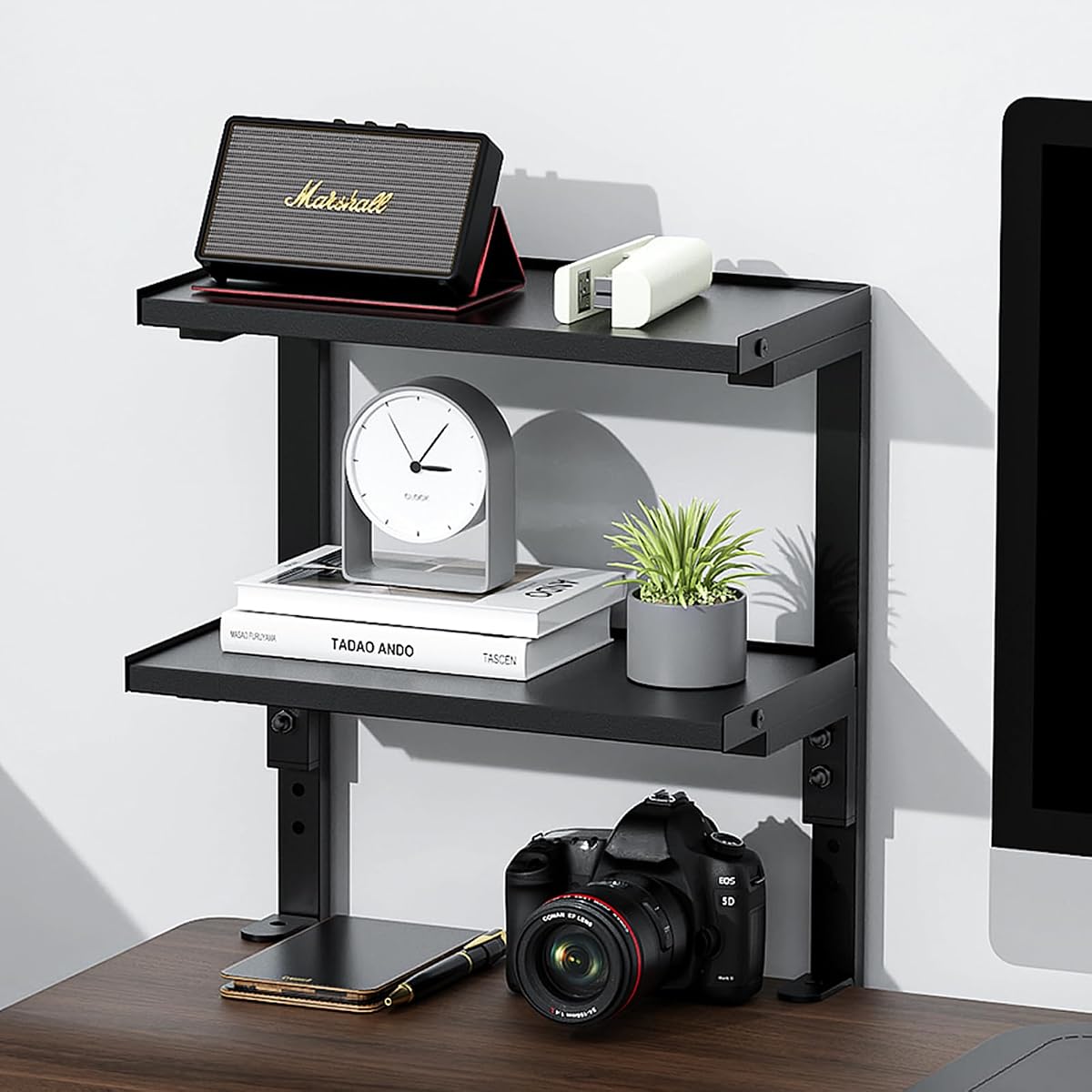
The HOOBRO clamp shelf has a 4.6 rating and prioritizes compact organization at a modest tier count. Its 13-inch-deep, 8.7-inch-wide storage area offers enough room for books, office supplies, small clocks, photo frames, plants, cosmetics, and other everyday items.
We may earn a commission when you buy through this link, at no additional cost to you.
Dual C-shaped clamps make installation possible without tools or holes. The structure can be mounted inward or outward, which is useful in desks with different edge-clearance conditions. Labeled components and an illustrated manual also make assembly approachable, while each shelf supports up to 11 pounds.
The lower load rating calls for restraint when placing books, records, or other dense items. Premium particleboard also merits more careful care than a fully metal shelf because its surface can be more vulnerable to scratches, moisture, and impact. This model is better viewed as an organizer and display shelf than as heavy equipment storage.
It is a strong budget-oriented recommendation for students, home offices, and users who need vertical organization in limited space. Choose it when light-duty storage, simple installation, and flexible orientation matter more than a large surface or high weight capacity. Keep the clamp area clear and distribute heavier objects evenly.
The two-tier arrangement raises frequently used objects into view and makes better use of the space above the desktop. Its relatively compact depth also helps preserve legroom compared with larger shelf platforms.
Supporting both inward and outward installation helps accommodate desks with limited space behind the clamp or with a wide unobstructed area along the front. Buyers should still verify the full product footprint before assembly.
We may earn a commission when you buy through this link, at no additional cost to you.
This 2-Tier Desk Shelf earns a 4.3 rating by combining natural wood surfaces with an industrial-style metal support structure. It is intended for photos, collectibles, gaming accessories, and routine desk items, with raised edges that help keep objects from sliding.
We may earn a commission when you buy through this link, at no additional cost to you.
The shelf can be mounted above the desktop for visible organization or beneath it for hidden storage. Tool-free C-clamp knobs simplify setup, while sponge pads at the contact points help prevent scratches and improve grip. The product information states compatibility with most desks, though it does not give a precise maximum thickness.
Because no numeric load rating is supplied, cautious placement is advisable, particularly near the back edge. The wood portions also require reasonable care around spills and abrasion. It is less suitable for buyers who need a documented weight limit or prefer an entirely metal structure.
This shelf appeals to users who want storage to blend into a home office rather than resemble industrial workshop equipment. It is especially useful for displaying framed photos, small collectibles, and everyday accessories. Confirm the clamp dimensions against the desktop before buying, and check that the assembly will not obstruct drawers.
The wood construction gives this organizer a warmer appearance suited to home offices, study rooms, and creative spaces. It can function as both practical shelving and a small display platform.
Sponge pads soften the contact between the clamps and the desktop. They also add friction, helping keep the assembly stable while preserving the appearance of the furniture surface.
We may earn a commission when you buy through this link, at no additional cost to you.
This 15-inch desk extender has a 4.4 rating and approaches the category from an ergonomic perspective. Rather than focusing on stacked storage, it creates a raised platform that can hold a monitor, laptop, small speakers, office supplies, or decorative items while adding useful depth to the workstation.
We may earn a commission when you buy through this link, at no additional cost to you.
Its 44-pound capacity provides a documented strength level, and the surface measures 15 by 9.5 inches. Four mounting configurations—top clamp, side clamp, bottom hang, and parallel placement—offer substantial adaptability. The 6.5-inch height can raise a monitor closer to eye level while its flush front section provides arm support.
This single-level design does not offer the storage separation of a two- or three-tier organizer. Its 15-inch width also limits large monitor arrangements compared with the 30- and 40-inch VIVO shelves. Even so, the mounting options can make it valuable in compact setups where a conventional riser would interfere with the desktop edge.
The product is best suited to desk-mate users, remote workers, and gamers who want a raised equipment platform in a relatively small footprint. Verify the desired clamp orientation before assembly, confirm desk thickness is within 0.4 to 2.1 inches, and keep heavier items centered on the surface.
The 6.5-inch platform height helps bring a monitor closer to eye level and creates a place to rest the forearms. That combination can make a crowded desk feel more comfortable during extended computer use.
Top, side, bottom, and parallel mounting configurations make this extender more flexible than a fixed clamp riser. The correct orientation depends on the desk shape, nearby supports, and the location of the monitor.
We may earn a commission when you buy through this link, at no additional cost to you.
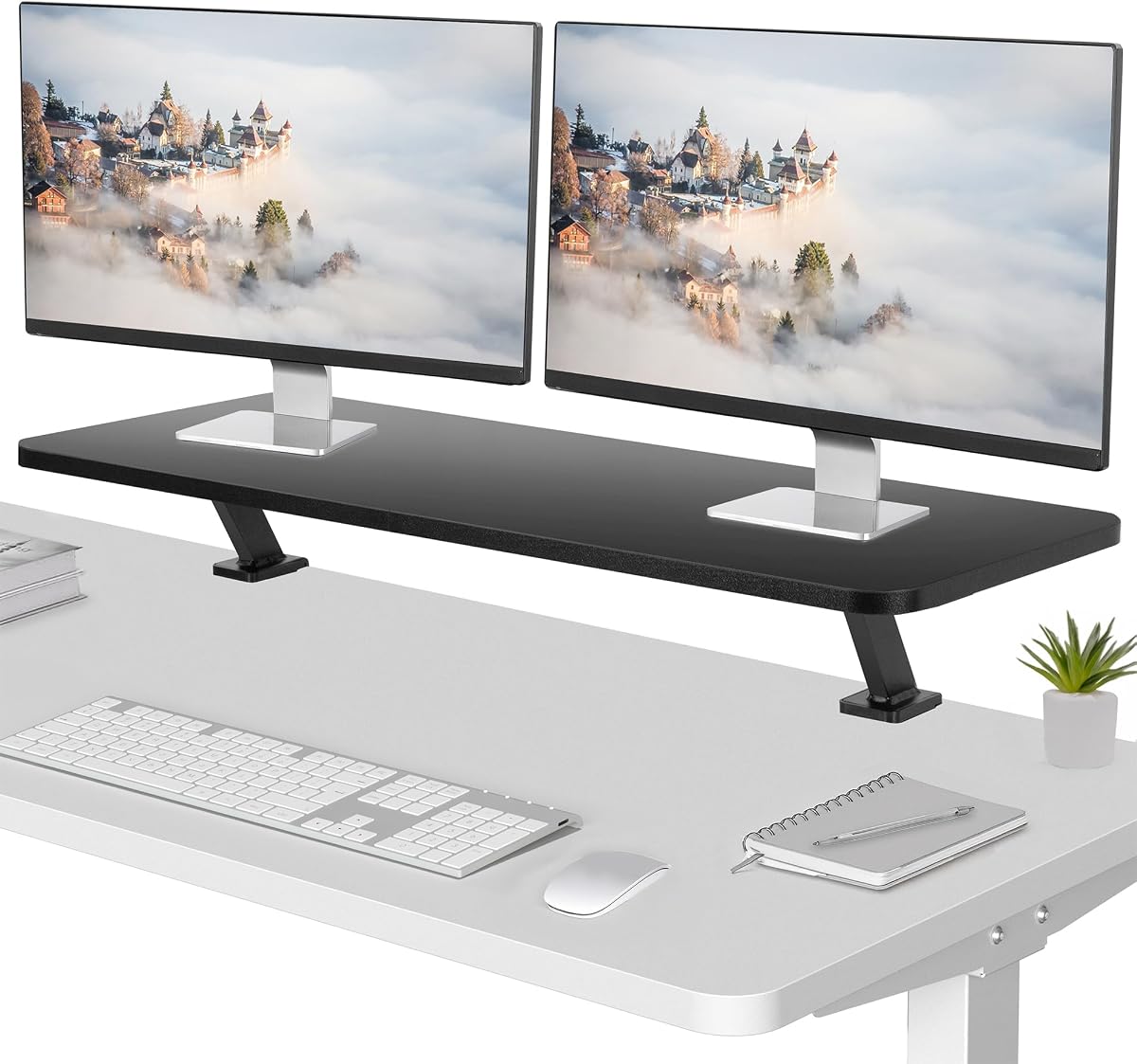
This 40-inch VIVO ergonomic shelf has a 4.6 rating and offers the largest main surface in the selection. At 39.4 by 10.2 inches, it is specifically suited to dual laptop and monitor arrangements that would overwhelm compact clamp-on shelves.
We may earn a commission when you buy through this link, at no additional cost to you.
The shelf supports a total load of 44 pounds and provides about 5.1 inches of clearance beneath the main platform. That lower zone creates an additional storage area for keyboards, documents, accessories, or smaller desktop equipment, making the product more versatile than a simple single-level riser.
The main limitation is the 1.2-inch maximum desktop thickness. This is narrower than the compatibility offered by several competing models, and buyers with a thick executive desk or unusual workstation may need to rule it out. Its length also demands a broad desk with enough side clearance for the clamps and screens.
This is an excellent choice for dedicated workstations, creative desks, and users running multiple screens. It combines monitor elevation, substantial capacity, and useful storage in a clean riser format. Measure both the desktop thickness and available width, then compare the full footprint with your displays before committing.
The broad 39.4-inch surface can accommodate two laptops or a multi-monitor layout without the crowding common on compact shelves. It is particularly useful for users who value screen position as much as extra storage.
Approximately 5.1 inches of clearance creates room below the platform for equipment and everyday items. This hidden area improves organization without requiring another shelf mounted to the desk.
We may earn a commission when you buy through this link, at no additional cost to you.
The MAHANCRIS DSBK3601 has a 4.2 rating and distinguishes itself with three vertically stacked tiers. That configuration lets users organize books, gaming devices, personal items, and daily essentials in a relatively compact structure, making it useful when horizontal desk space is scarce.
We may earn a commission when you buy through this link, at no additional cost to you.
The design combines premium particleboard shelves with a robust metal frame. Double-C clamps permit installation without drilling, and the shelf can be mounted above or below the desk. Non-slip pads help protect the desktop while improving stability, while numbered parts and illustrated instructions simplify setup.
Its 4.2 rating is the lowest in this group, and no numeric load capacity is provided. The particleboard shelves may also require more care than all-metal construction, particularly around moisture and scratches. Because all three levels are relatively compact, large books and oversized consoles may require creative placement.
This organizer is a good fit for students, readers, and gamers who want the maximum number of shelves in a compact footprint. It can also work as a spice rack or display stand in a suitable setting. Confirm desktop clearance and inspect all labeled hardware before tightening the clamps into place.
The three-tier format stores more vertical categories than the two-tier models in the guide. It is especially useful for separating books, electronics, decorative pieces, and frequently used accessories.
The same unit can organize visible items on top or conceal chargers and smaller equipment underneath. This flexibility helps the shelf adapt as the user's storage priorities change.
We may earn a commission when you buy through this link, at no additional cost to you.
The ARES WING has a 4.2 rating and emphasizes strength. Its two steel shelves each measure 16.1 by 8.7 inches and carry up to 33 pounds per tier, giving it one of the strongest stated per-shelf capacities among the compact two-tier products.
We may earn a commission when you buy through this link, at no additional cost to you.
The edge-mounted steel structure can be positioned above or below the desktop, with adjustable height and positioning for different storage needs. A headphone hook provides a dedicated place for audio gear, while protective edges, smooth surfaces, and rounded corners help maintain a safe, polished appearance.
Its main limitation is that the lower tier is not independently adjustable in the same way as some competing two-tier shelves. The 16.1-inch length also limits large equipment, even though the high capacity can accommodate smaller dense objects. As with many metal deskside products, desk-edge clearance is an important installation consideration.
This shelf suits compact gaming stations and home offices that hold substantial but relatively compact gear. It is also a logical choice for anyone who wants a headphone hook without buying a separate holder. Check the 0.47-to-2.2-inch compatibility range, tighten both clamps evenly, and place the heaviest objects toward the center.
A 33-pound rating per tier gives the ARES WING more headroom for dense equipment than many compact shelving units. The rigid steel construction supports that strength without requiring a large platform.
The integrated hook keeps headphones off the work surface and readily accessible. It is especially useful for gaming desks where audio equipment might otherwise occupy valuable open space.
We may earn a commission when you buy through this link, at no additional cost to you.
The Yuxh small 2-Tier Shelf carries a 4.6 rating and focuses on a compact, all-steel design. Its expanded dimensions of 15 inches wide, 12 inches high, and 6.8 inches deep make it suitable for office, study, and gaming setups where a deeper shelf would be inconvenient.
We may earn a commission when you buy through this link, at no additional cost to you.
The steel structure is designed to resist wobble during everyday use, while anti-slip pads protect the desktop and help keep items steady. Dual C-clamps provide drill-free installation, and the shelf supports placement above or below the desk. These features give it useful flexibility despite its small overall size.
The shallow depth is the central limitation. Books, keyboards, larger electronics, and oversized display items may not sit naturally on the shelves or could extend beyond their edges. The supplied information also does not include a numeric load rating, which makes conservative loading advisable.
This model is a good option for small work areas, secondary desks, and users who need a narrow organizer for stationery, accessories, and compact electronics. It also works well beneath the desktop for discreet storage. Measure the depth of the items first, then install the unit and check its level before loading it.
The shallow 6.8-inch depth and 15-inch width minimize the amount of desktop area occupied by the shelf. This makes the design practical for secondary workstations and compact study areas.
An all-steel structure provides a firm base for everyday organization, while the anti-slip pads help prevent scratches and keep stored objects stable. The finish should still be checked for sharp edges before assembly.
We may earn a commission when you buy through this link, at no additional cost to you.
The right clamp on desk shelf depends on your available width, desktop thickness, storage goals, and the weight and size of the items you plan to support. Review these factors before choosing a shelf to avoid installation or clearance problems.
The most important compatibility check is whether the clamps can reach around the entire desktop thickness. Products in this guide fit different limits, ranging from as little as 1.2 inches to as much as 2.2 inches. Some listings describe compatibility with most desks, but that is less precise than a stated maximum. Measure the desktop at the installation point, including any edging or molded trim, and compare that number with the product specifications before ordering.
Choose a model with enough clamp range for your desk, not merely a product that appears to clamp onto a similar desk. Thick desktops, reinforced edges, and rounded corners can reduce the effective gripping area.
Shelf width determines which items fit comfortably and how many devices, books, or accessories can be displayed at once. Compact options around 15 to 16 inches suit stationery and small electronics, while 24- and 30-inch shelves provide more room for gaming gear and books. The VIVO 40-inch model is intended for broad multi-screen arrangements. Remember to include clamp and support structures in the total footprint rather than considering shelf length alone.
Match the shelf to the available desk edge and leave room to access the clamp knobs. A larger surface is not automatically more useful if it crowds the user's working area.
Load ratings help distinguish a light-duty organizer from a shelf intended for dense equipment. Products with stated ratings range from 11 pounds per shelf to 33 pounds per tier, while one broader riser supports up to 44 pounds in total. A higher rating provides more confidence for consoles, speakers, books, or monitors, but it should not replace sensible weight distribution. Where no rating is given, use the product for lighter items and avoid concentrating heavy loads.
Consider both the total load and the size of each object. A shelf can meet a weight target while still looking crowded if the stored products do not fit within its depth.
A shelf that can mount above or below the desktop can serve several purposes. Above-desk placement raises frequently used items into view, while under-desk placement can conceal cables, chargers, power strips, and battery backups. The change is especially helpful in sit-to-stand workspaces because an attached shelf moves with the desktop. Confirm that the mounting hardware can be oriented as desired and that there is enough clearance below the desk for the stored equipment.
Flexible placement is valuable, but it should not be confused with full adjustability. Some products allow only the overall unit to be repositioned, while others provide a separately adjustable lower tier.
Steel shelves generally provide a firm structure, useful load support, and a modern industrial appearance, while particleboard can create a warmer look and effective shelving surfaces. Models combining metal and wood often balance appearance with structural support. Whichever material is chosen, inspect edges, joints, and finish after assembly. Particleboard deserves extra protection from spills, and all surfaces benefit from regular gentle cleaning.
Choose the material that fits your workspace and the items you plan to store. A metal frame does not mean every surface is metal, so check the shelf panels and understand which components provide structural support.
Two tiers are the most common format in this guide because they increase usable vertical space without making the unit excessively tall. A three-tier model stores more categories in a compact footprint, but each shelf may be shallower. Single-level extenders focus on monitor elevation and arm support rather than stacked storage. Adjustable lower shelves can improve spacing for larger books, electronics, or accessories. Choose tier count based on what you need to store rather than maximum capacity alone.
Check the total height as well as each tier. A three-level design may be ideal for small items but can feel visually crowded or less convenient when placing larger equipment.
Tool-free clamp installation is a major advantage because it avoids permanent holes and makes relocation easier. Look for padded contact points or anti-slip pads that reduce scratches and improve stability. Dual clamps generally distribute force more evenly than a single attachment, but they still need even tightening. After installation, confirm that both sides are level and that the shelf does not interfere with drawers, cable routing, keyboard trays, or legroom.
Good installation is not just about tightening the knobs. Leave enough room to operate the clamps after the desk is in its final position, and check the shelf repeatedly as its load changes.
Features such as pegboards, pencil holders, headphone hooks, raised edges, and monitor elevation can make a shelf more useful for particular workflows. A pegboard supports hanging accessories, a headphone hook protects valuable equipment, and raised edges reduce the chance that small objects slide. Ergonomic platforms may also provide forearm support and raise screens toward eye level. These additions are useful only when they match the user's setup; a simpler shelf can be a better choice for uncomplicated storage.
Prioritize accessories that solve a known clutter or comfort problem. Avoid paying for extra hardware that duplicates organizers or accessories already present on the desk.
Measure the desktop before assembly, locate a flat installation area, and protect the surface with a clean cloth. Assemble the shelves and accessories according to the included instructions, then attach the clamps loosely before positioning the unit. Make sure the shelf sits level and that no drawer, cable, or structural support conflicts with the hardware.
Tighten both clamp knobs gradually and evenly while watching the shelf for tilting. Do not overtighten beyond the point where the padded contact area is firmly seated. Once secure, load heavier items toward the center and distribute lighter objects across both tiers. For under-desk installation, confirm that stored equipment does not prevent drawers from opening or interfere with the user's legs.
Inspect the clamps periodically, especially after moving a sit-to-stand desk or changing the load. Clean the surface with a soft, slightly damp cloth and avoid harsh chemicals, excessive moisture, and abrasive pads. Check particleboard shelves for swelling or edge damage and inspect metal surfaces for scratches, loosened joints, or exposed edges. Retire or repair the shelf if the clamp loosens, bends, or no longer protects the desktop.
A properly installed clamp shelf should not mark a normal desktop, especially when protective pads are included. Confirm that the desktop thickness falls within the product's stated range and that the clamp contacts a smooth, sturdy area. Tighten the knobs evenly rather than forcing one side extremely tight, and inspect the contact points periodically. Protective pads can also be added if the finish is especially delicate.
Yes, provided the desk's movement mechanism does not interfere with the clamp or stored items. Several VIVO models are specifically described as moving with height-adjustable desktops. Install the shelf on a fixed section of the desk and make sure it does not block the controls, crossbar, or lifting mechanism. The unit should remain attached as the desktop rises and lowers.
Capacity varies significantly by model. Stated figures in this selection range from 11 pounds per shelf to 33 pounds per tier, while a broad desk extender supports up to 44 pounds. Check the product-specific rating rather than assuming all clamp shelves have the same limit. Even within the rated capacity, distributing weight evenly helps maintain stability.
Above-desk mounting keeps books, office supplies, and display items visible and within reach. Below-desk mounting is useful for hiding cables, chargers, power strips, and other less decorative equipment. The best choice depends on clearance, accessibility, and what you need to store. Make sure an under-desk installation does not block drawers or legroom.
The compatible range depends on the model, and the limits differ considerably across this list. Some fit desktops up to 1.2 inches, while others reach 2.2 inches. Measure the desk at the exact installation point and compare it with the specifications. A thick edge or decorative trim can make a desk effectively wider than its nominal material thickness.
A two-tier shelf offers wider shelves and often better clearance for books and equipment. A three-tier unit creates more vertical storage categories in a smaller footprint, making it useful for stationery and compact accessories. Choose two tiers for larger objects or monitor platforms, and consider three tiers when vertical organization is the priority.
No. Every product in this guide uses a clamp-on installation that does not require permanent holes. Some are adjusted by hand-tightened C-clamps, while the 15-inch desk extender requires a short three-step assembly but still mounts without drilling. Follow the supplied instructions and tighten the hardware evenly for the best stability.
Yes, provided the shelf is wide and deep enough for the monitor base and its stated capacity covers the equipment. Wide risers such as the VIVO 30- and 40-inch models are better suited to monitor use than compact book shelves. Confirm the shelf height, viewing position, clamp clearance, and weight rating before installation.
The VIVO 30-inch two-tier shelf stands out as the strongest all-around premium-style option because it combines a high rating, generous shelf surfaces, an adjustable lower tier, and compatibility with sit-to-stand desks. The VIVO 40-inch ergonomic model is the better choice when multiple screens dominate the workspace, while the HOOBRO clamp shelf provides a practical, compact option for lighter storage needs.
Before choosing, prioritize desktop thickness, the footprint available along the desk edge, and the dimensions of the items you intend to store. Then compare load capacity, mounting direction, tier adjustment, and protective features. A simple two-tier model may be sufficient for stationery, while gaming equipment and multi-monitor arrangements benefit from wider, stronger platforms.
Product specifications, ratings, availability, and prices can change over time. Review the current listing and manufacturer details before ordering, especially the desktop thickness requirement and any stated load limit. Checking the exact fit in advance is the simplest way to avoid clearance problems and ensure the shelf serves your workspace as intended.
